
1. Introduction
Thank you for choosing the I2GO TWS Gaming GO Bluetooth 5.1 Wireless Earbuds. This manual provides essential information for the proper setup, operation, and maintenance of your new earbuds. Please read it carefully before use to ensure optimal performance and longevity of the product.

Image: I2GO TWS Gaming GO Earbuds in their charging case.
2. Package Contents
Upon opening the package, verify that all the following items are included:
- 1x Pair of I2GO TWS Gaming GO Wireless Earbuds
- 1x Charging Case
- 1x USB-C Charging Cable
- 2x Additional Pairs of Silicone Eartips (different sizes)
- 1x Instruction Manual (this document)
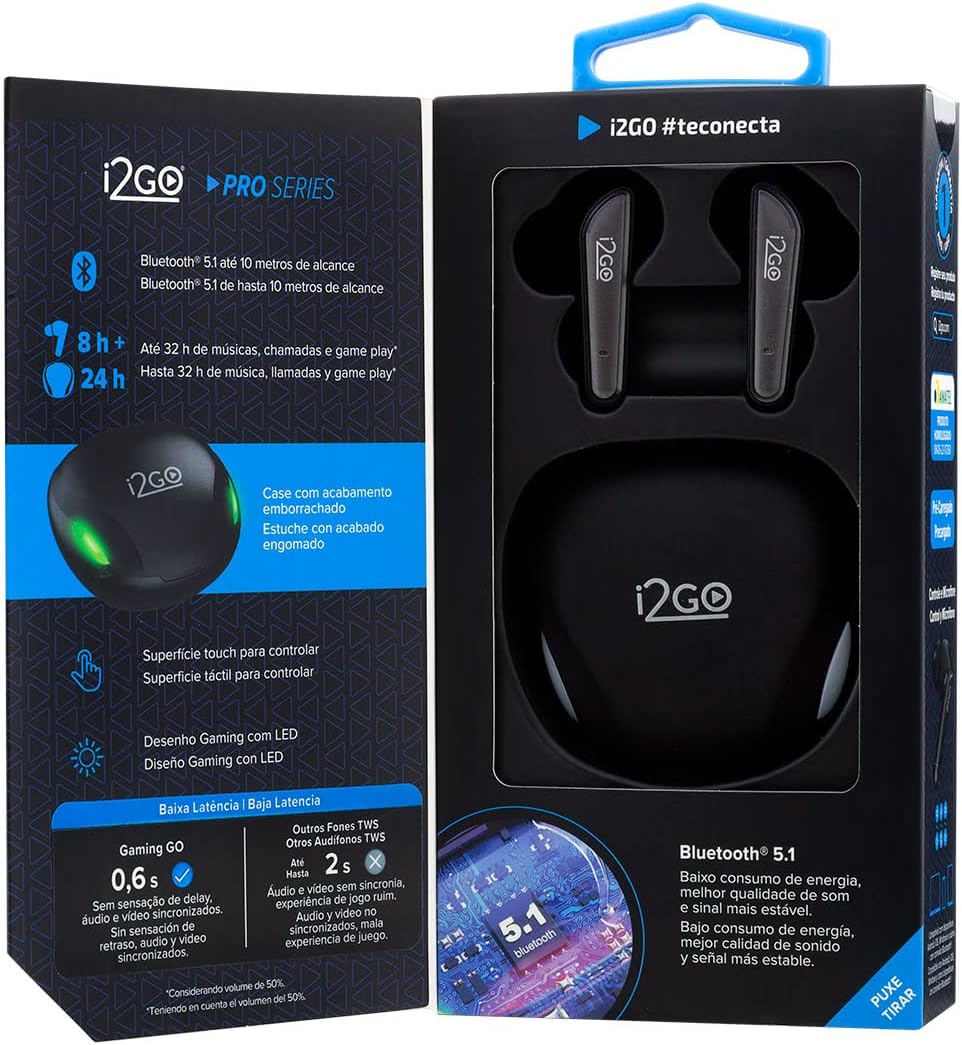
Image: Front view of the product packaging.

Image: Included silicone eartips for a customized fit.

Image: USB-C cable for charging the case.
3. Product Overview
The I2GO TWS Gaming GO Earbuds are designed for an immersive audio experience, especially for gaming, with key features highlighted below:
- Ultra-Low Latency: Enjoy synchronized audio and video with a low latency of 0.60 m/s, crucial for gaming.
- Extended Battery Life: Up to 32 hours of combined battery life with the charging case, ensuring long gaming sessions or music playback.
- Bluetooth 5.1: Provides a stable connection up to 10 meters, with low power consumption and enhanced sound quality.
- Touch Surface Control: Intuitive touch controls on the earbuds for managing playback, calls, and other functions.
- Gaming Design with LED: Features a distinctive gaming aesthetic with integrated LED lights.
- Rubberized Case Finish: The charging case has a durable, rubberized finish for a secure grip.
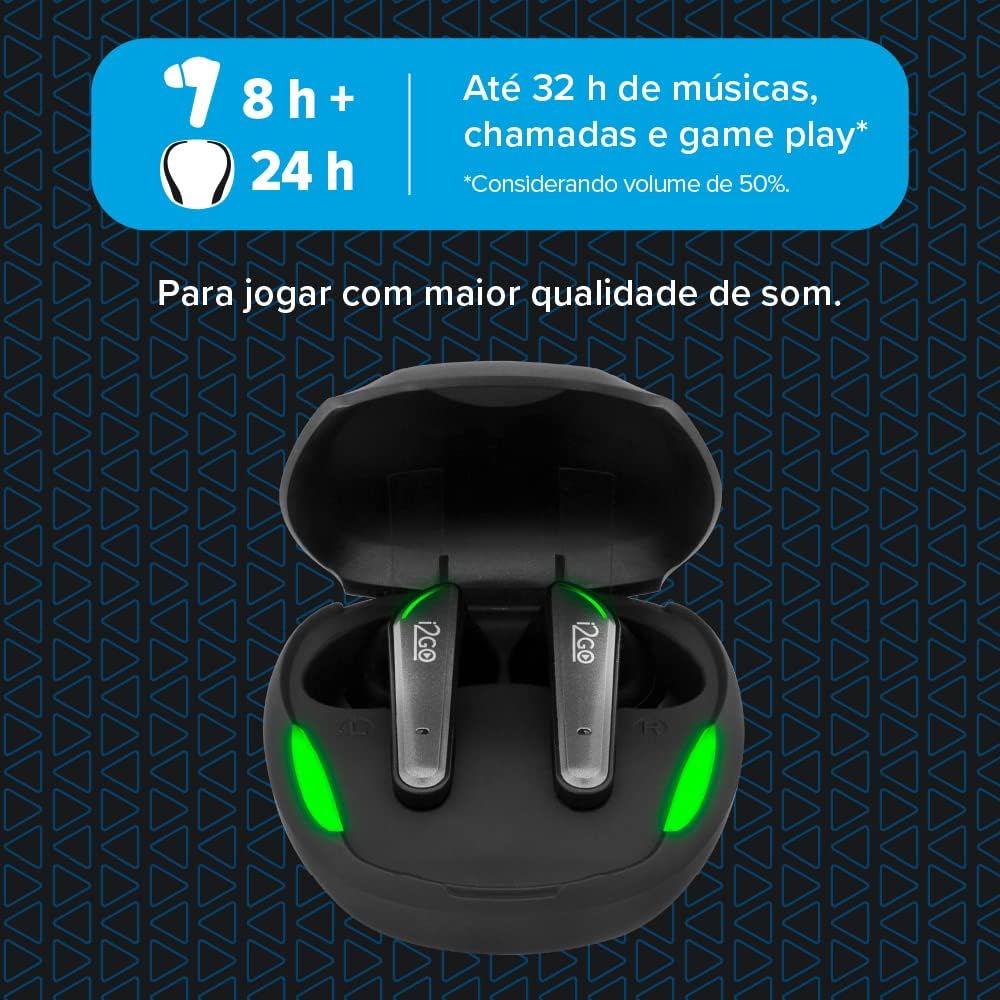
Image: Illustration of ultra-low latency for gaming.

Image: Up to 32 hours of battery life with the charging case.
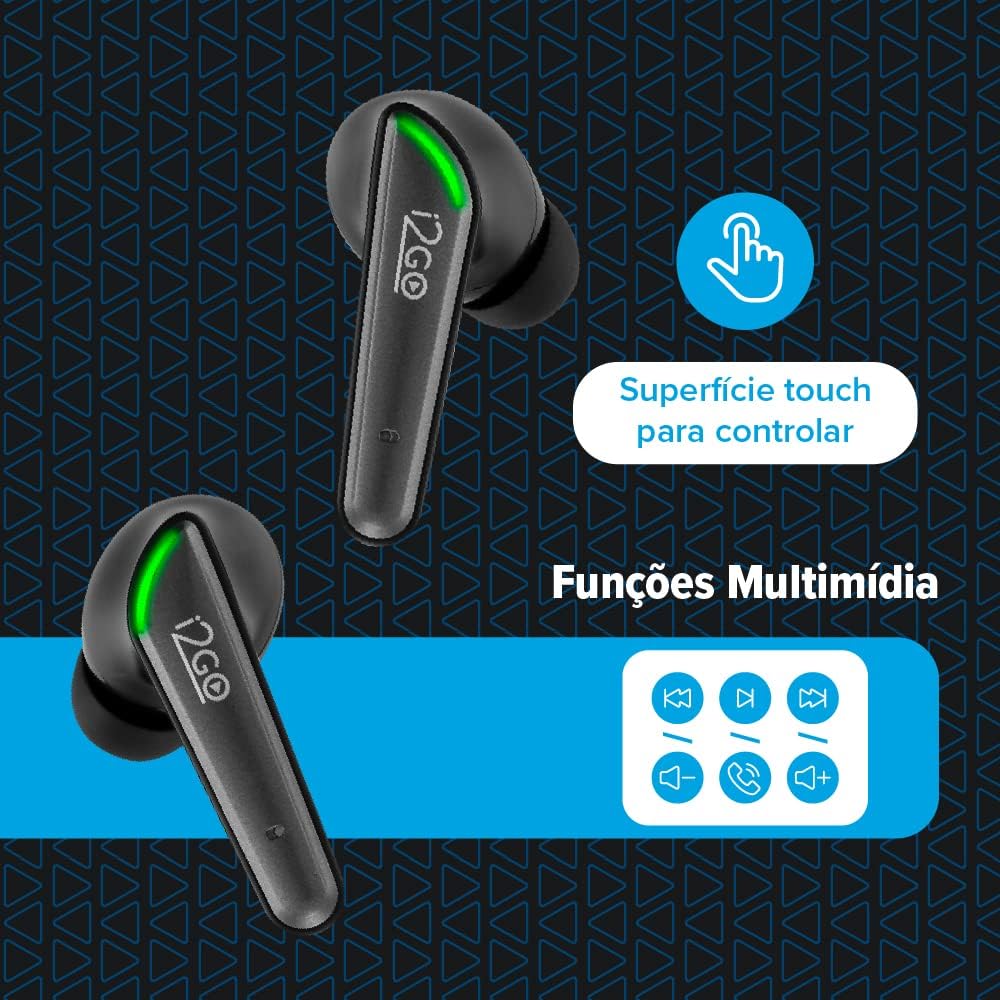
Image: Earbuds featuring gaming design and LED lights.
4. Setup and Pairing
4.1 Initial Setup
- Charge the Case: Before first use, fully charge the charging case using the provided USB-C cable. The LED indicators on the case will show charging status.
- Insert Earbuds: Place both earbuds into the charging case. Ensure they are properly seated to begin charging.
4.2 Bluetooth Pairing
- Activate Earbuds: Open the charging case. The earbuds will automatically power on and enter pairing mode.
- Enable Bluetooth: On your device (smartphone, tablet, computer), enable Bluetooth.
- Select Device: Search for "I2GO Gaming GO" in the list of available Bluetooth devices and select it to connect.
- Confirmation: Once successfully paired, you will hear an audio prompt, and the LED indicators on the earbuds will change.
Note: The earbuds will automatically reconnect to the last paired device when removed from the case, if Bluetooth is enabled on the device.

Image: Earbuds in the open charging case, ready for pairing.
5. Operating Instructions
5.1 Touch Controls
The I2GO TWS Gaming GO Earbuds feature intuitive touch controls on their surface:
- Play/Pause: Single tap on either earbud.
- Next Track: Double tap on the right earbud.
- Previous Track: Double tap on the left earbud.
- Answer/End Call: Single tap on either earbud during an incoming call.
- Reject Call: Press and hold on either earbud for 2 seconds during an incoming call.
- Activate Voice Assistant: Triple tap on either earbud.
- Toggle Gaming Mode: Press and hold on either earbud for 2 seconds (a specific audio cue will confirm activation/deactivation).

Image: Illustration of touch surface controls for various functions.
6. Charging
6.1 Charging the Earbuds
Place the earbuds into the charging case. They will automatically begin charging. The LED indicators on the earbuds will show their charging status.
6.2 Charging the Case
Connect the USB-C charging cable to the port on the charging case and plug the other end into a USB power source (e.g., wall adapter, computer USB port). The LED indicators on the case will illuminate to show charging progress. Once fully charged, the LEDs will remain solid.
The charging case has a 300 mAh battery, and each earbud has a 30 mAh battery.

Image: Closed charging case with rubberized finish.
7. Gaming Mode
The I2GO TWS Gaming GO Earbuds feature a dedicated Gaming Mode to enhance your gaming experience. This mode activates ultra-low latency (0.60 m/s) for improved audio-visual synchronization, giving you a competitive edge.
To activate/deactivate Gaming Mode, press and hold the touch surface on either earbud for 2 seconds. An audio cue will confirm the mode change.
8. Specifications
| Feature | Specification |
|---|---|
| Model Name | TWS GAMMING |
| Model Number | PROEAR019 |
| Connectivity Technology | Wireless (Bluetooth 5.1) |
| Bluetooth Range | Up to 10 meters |
| Driver Size | 10 mm |
| Frequency Response | 20 Hz - 20 kHz |
| Sensitivity | 102 dB ± 4 dB |
| Impedance | 32 Ohms |
| Latency | 0.60 m/s (Gaming Mode) |
| Earbud Battery Capacity | 30 mAh (each) |
| Charging Case Battery Capacity | 300 mAh |
| Total Playtime (with case) | Up to 32 hours |
| Control Method | Touch |
| Water Resistance Level | Water-resistant (details not specified, generally means splash-proof) |
| Material | Plastic |
| Product Weight | 45 Grams |
| Color | Black |
9. Troubleshooting
- Earbuds not pairing: Ensure both earbuds are charged and removed from the case. Turn off and on your device's Bluetooth. If issues persist, try resetting the earbuds (refer to manufacturer's website for specific reset instructions if not in manual).
- No sound: Check device volume and earbud volume. Ensure earbuds are properly connected to your device.
- Charging issues: Verify the USB-C cable is securely connected to both the case and the power source. Try a different cable or power adapter.
- Low volume: Adjust volume on both your device and the earbuds. Ensure eartips provide a good seal in your ear.
10. Warranty and Support
This product is guaranteed against manufacturing defects for 1 year from the date of purchase. To register your product, access more information about the warranty, and receive faster and more efficient support, please visit the official I2GO website: i2go.com.br.
Please retain your proof of purchase for warranty claims.


