
1. Introduction
Thank you for choosing the KRUX Atax Pro RGB Wired Gaming Keyboard. This manual provides essential information for setting up, operating, maintaining, and troubleshooting your new keyboard. Please read it carefully to ensure optimal performance and longevity of your device.
2. Package Contents
- KRUX Atax Pro RGB Wired Gaming Keyboard (KRX0040)
- User Manual
3. Setup
Follow these steps to set up your KRUX Atax Pro RGB keyboard:
- Unpack the keyboard from its packaging.
- Locate an available USB-A port on your computer.
- Plug the USB-A connector of the keyboard cable into the USB-A port on your computer.
- Your operating system should automatically detect and install the necessary drivers. This process may take a few moments.
- Once the drivers are installed, the keyboard's RGB lighting will illuminate, indicating it is ready for use.
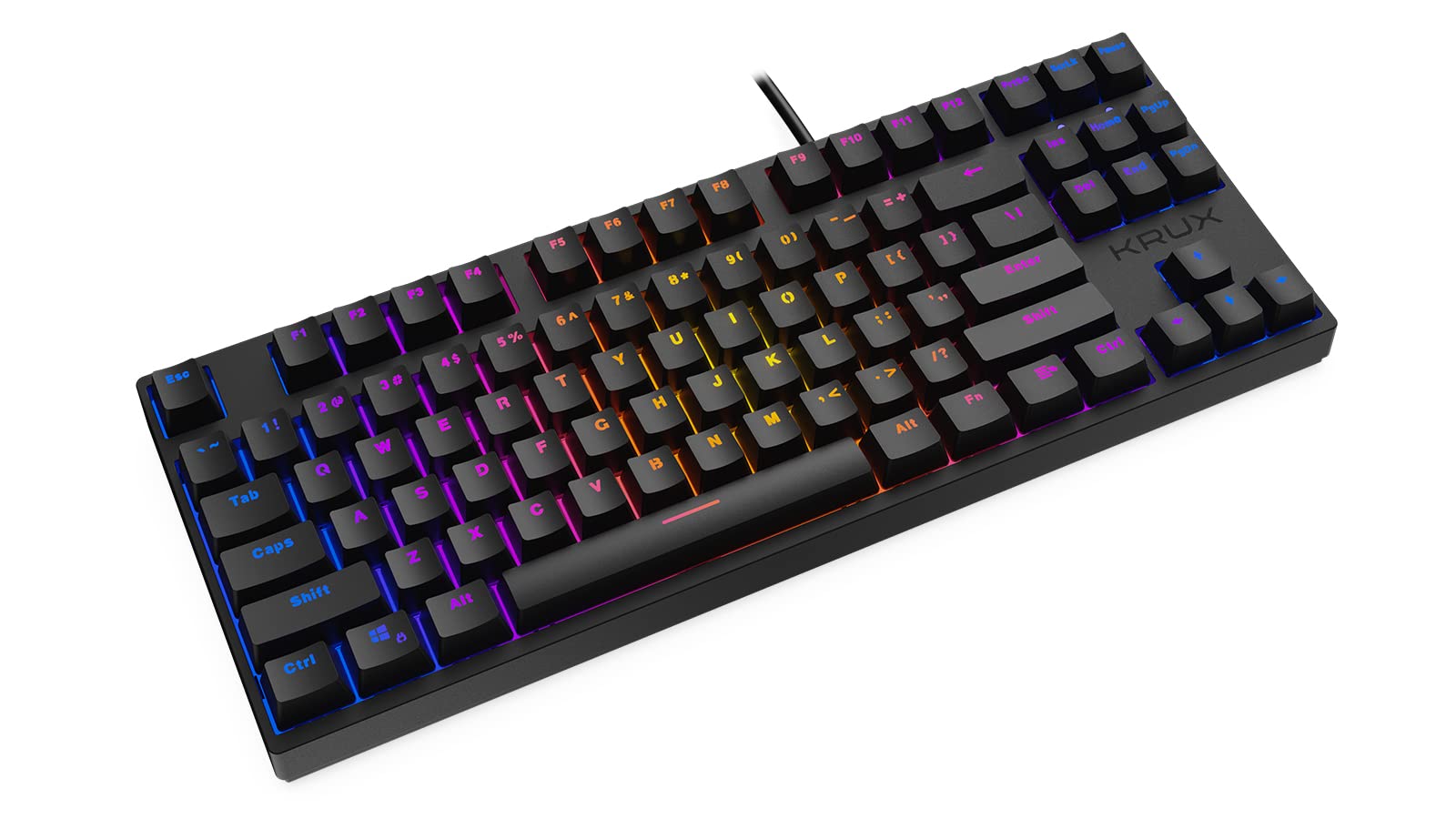
The keyboard is a plug-and-play device and does not require additional software for basic functionality.
4. Operating Instructions
4.1 Basic Keyboard Functions
The KRUX Atax Pro RGB keyboard features a standard QWERTY layout with dedicated function keys and a numeric keypad. All keys function as standard keyboard inputs unless modified by specific key combinations.

4.2 RGB Lighting Control
The keyboard features customizable RGB backlighting. Use the following key combinations with the Fn (Function) key to adjust lighting effects:
- Fn + Ins: Cycle through various preset RGB lighting modes.
- Fn + Home: Activate or change reactive lighting modes (lights up on key press).
- Fn + PgUp: Adjust the brightness of the RGB backlighting (typically 5 levels).
- Fn + PgDn: Adjust the speed of dynamic RGB lighting effects.
- Fn + Del: Change the color of static RGB lighting modes or specific zones.
- Fn + End: Turn RGB backlighting On/Off.
- Fn + Arrow Keys (Up/Down): Adjust brightness.
- Fn + Arrow Keys (Left/Right): Adjust effect speed or direction.
Specific lighting modes and their exact controls may vary. Experiment with these combinations to find your preferred settings.

5. Maintenance
Proper maintenance ensures the longevity and performance of your keyboard.
5.1 Cleaning
- Dust Removal: Use a can of compressed air to blow away dust and debris from between the keycaps.
- Surface Cleaning: Gently wipe the keycaps and keyboard surface with a soft, slightly damp, lint-free cloth. Avoid using harsh chemicals or abrasive materials.
- Deep Cleaning (Optional): For a more thorough clean, you may carefully remove keycaps using a keycap puller (not included) to clean underneath. Ensure the keyboard is disconnected before doing so.
5.2 Storage
When not in use for extended periods, store the keyboard in a dry, cool place away from direct sunlight and extreme temperatures.
6. Troubleshooting
If you encounter issues with your KRUX Atax Pro RGB keyboard, refer to the following common solutions:
- Keyboard Not Responding:
- Ensure the USB cable is securely plugged into both the keyboard and the computer.
- Try plugging the keyboard into a different USB port on your computer.
- Restart your computer.
- Test the keyboard on another computer to determine if the issue is with the keyboard or your system.
- RGB Lighting Not Working or Incorrect:
- Ensure the lighting is not turned off (try Fn + End).
- Cycle through lighting modes using Fn + Ins.
- Adjust brightness using Fn + PgUp or Fn + Arrow Up.
- If a specific key's LED is not working, it might indicate a hardware issue.
- Keys Not Registering:
- Clean the affected key area as described in the Maintenance section.
- Ensure no debris is lodged under the keycap.
- If the issue persists, contact customer support.
7. Specifications
| Feature | Specification |
|---|---|
| Brand | KRUX |
| Model Number | KRX0040 |
| Connectivity Technology | USB-A (Wired) |
| Switch Type | Outemu Red Mechanical Switches |
| Keyboard Backlight | RGB |
| Special Features | Ergonomic, Backlit |
| Compatible Devices | Laptop, PC |
| Color | Black |
| Material | Plastic |

8. Warranty and Support
For warranty information and technical support, please refer to the documentation provided with your purchase or visit the official KRUX website. Keep your proof of purchase for warranty claims.
Official KRUX Website: www.krux.tech


