
1. Introduction
This manual provides essential information for the installation, operation, maintenance, and troubleshooting of your HPE StoreEver LTO-9 Ultrium 45000 External Tape Drive. Please read this manual thoroughly before using the device to ensure proper functionality and data integrity. Keep this manual for future reference.
2. Product Overview
The HPE StoreEver LTO-9 Ultrium 45000 External Tape Drive is a high-capacity, high-performance data storage solution designed for reliable backup, archiving, and disaster recovery. Utilizing LTO-9 Ultrium tape technology, it offers significant storage capacity and data transfer rates, making it suitable for demanding IT environments. This external unit connects to a host system via a Serial Attached SCSI (SAS) interface.
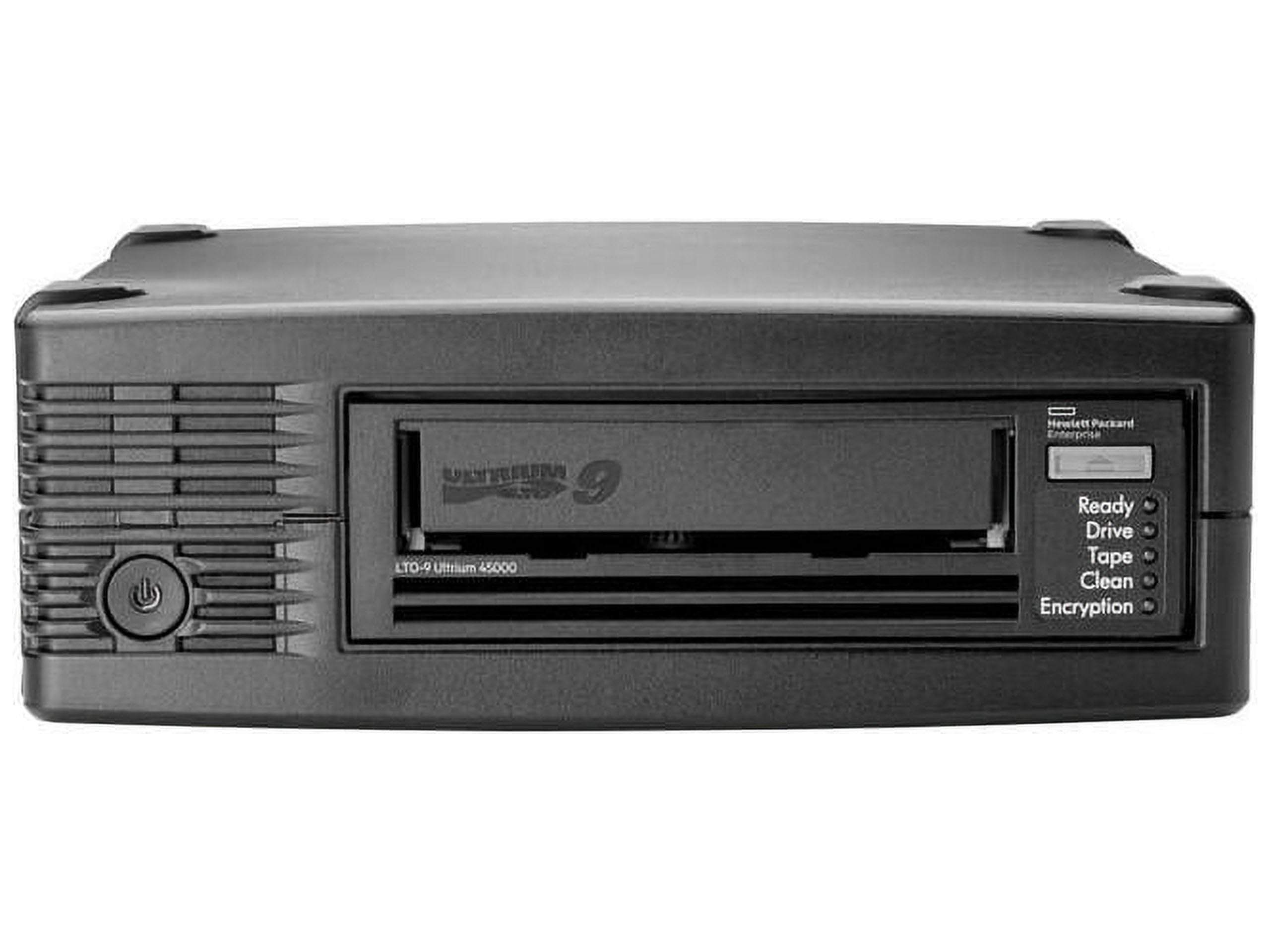
An image showing the HPE StoreEver LTO-9 Ultrium 45000 External Tape Drive, typically a rectangular unit with a tape slot and various ports on the rear.
3. Key Features
- Outstanding Capacity: Provides up to 45 TB of compressed capacity on a single LTO-9 Ultrium cartridge.
- High Performance: Designed to meet demanding backup windows with efficient data transfer rates.
- Data Security: Offers high-level encryption capabilities for strong backup data privacy, securing confidential information.
- LTFS Support: Compatible with HPE StoreOpen software and Linear Tape File System (LTFS), allowing data to be stored in an open, self-describing, and file-based format.
- Enhanced Reliability: Features dynamic speed adjustment to maintain continuous data streaming, reducing start/stops and increasing drive and media reliability.
- WORM Data Protection: Write Once, Read Many (WORM) capability provides a simple and reliable method for archiving records, assisting with compliance regulations.
4. Package Contents
Upon unpacking, verify that all components are present. The standard package for the HPE StoreEver LTO-9 Ultrium Tape Drive typically includes:
- HPE StoreEver LTO-9 Ultrium 45000 External Tape Drive
- HPE LTO Ultrium media (tape cartridge)
- Power cable
- SAS data cable
- User guides and documentation
Note: Specific contents may vary by region or reseller.
5. Setup
- Unpack the Drive: Carefully remove the tape drive and all accessories from the packaging. Retain packaging for future transport or storage.
- Position the Drive: Place the tape drive on a stable, flat surface with adequate ventilation. Ensure sufficient space around the drive for cable connections and airflow.
- Connect Power: Connect the power cable to the tape drive's power input and then to a grounded electrical outlet.
- Connect Data Cable: Connect one end of the SAS data cable to the SAS port on the tape drive and the other end to an available SAS controller port on your host server or workstation.
- Power On: Press the power button on the tape drive. Observe the indicator lights to confirm the drive is receiving power and initializing.
- Install Drivers (if necessary): For some operating systems or configurations, you may need to install specific device drivers for the SAS controller and the tape drive. Refer to your operating system documentation and HPE support resources for driver availability and installation instructions.
- Software Configuration: Install and configure your backup or archiving software to recognize and utilize the HPE StoreEver LTO-9 Ultrium 45000 Tape Drive.
6. Operating Instructions
6.1. Loading a Tape Cartridge
- Ensure the tape drive is powered on and ready.
- Gently insert an LTO-9 Ultrium tape cartridge into the tape slot, label side up, until it clicks into place. The drive will automatically pull the cartridge in.
- Wait for the drive to load and prepare the tape. The status indicator will change once the tape is ready for use.
6.2. Unloading a Tape Cartridge
- Ensure no read/write operations are active on the tape.
- Initiate the eject command through your backup software or the operating system's device management utility.
- The tape cartridge will be partially ejected. Gently pull the cartridge out of the drive.
6.3. Backup and Restore Operations
Backup and restore operations are managed through your chosen backup and archiving software. Refer to the documentation for your specific software for detailed instructions on creating backup jobs, performing restores, and managing tape media.
6.4. Data Encryption
The HPE StoreEver LTO-9 Ultrium 45000 supports hardware-based data encryption. Activation and management of encryption are typically handled by your backup software or key management system. Consult your software documentation for configuration details.
6.5. Using LTFS
With HPE StoreOpen software and LTFS, you can access data on LTO tapes as if it were on a hard disk. Install HPE StoreOpen and follow its instructions to mount and manage LTFS volumes for easy file-based access to your archived data.
7. Maintenance
7.1. Cleaning the Drive
Regular cleaning of the tape drive's read/write heads is crucial for maintaining optimal performance and preventing errors. Use an approved LTO cleaning cartridge as recommended by HPE. Refer to the drive's status indicators or your backup software for prompts to perform a cleaning cycle.
7.2. Firmware Updates
Periodically check the HPE support website for firmware updates for your tape drive. Firmware updates can provide performance enhancements, bug fixes, and compatibility improvements. Follow the provided instructions carefully when performing firmware updates.
7.3. Media Handling and Storage
- Store tape cartridges in their protective cases when not in use.
- Avoid exposing tapes to extreme temperatures, humidity, direct sunlight, or strong magnetic fields.
- Handle tapes by their edges; avoid touching the tape surface.
8. Troubleshooting
This section provides solutions to common issues you might encounter.
8.1. Drive Not Recognized by Host System
- Check Cables: Ensure all power and SAS data cables are securely connected at both the drive and the host system.
- Power Status: Verify the tape drive is powered on and its indicator lights are normal.
- Driver Installation: Confirm that the correct SAS controller and tape drive drivers are installed on the host system.
- SAS Controller: Ensure the SAS controller is properly installed and functioning.
8.2. Backup or Restore Failures
- Tape Media: Check if the tape cartridge is inserted correctly and is not damaged. Try a different tape.
- Cleaning: Perform a drive cleaning cycle using an LTO cleaning cartridge.
- Software Configuration: Verify your backup software settings are correct for the tape drive and the backup job.
- Error Codes: Note any error codes displayed by the drive or reported by the software and consult the HPE support website for specific meanings and solutions.
8.3. Slow Performance
- Data Stream: Ensure the host system can provide data to the tape drive at a consistent rate to prevent shoe-shining (frequent start/stops).
- System Resources: Check for other processes consuming significant CPU, memory, or disk I/O on the host system.
- Cable Quality: Use high-quality, certified SAS cables.
9. Specifications
| Model Number | BC042A |
| Brand | HP (Hewlett Packard Enterprise) |
| Series | StoreEver |
| Tape Technology | LTO-9 Ultrium |
| Native Capacity | 18 TB per cartridge |
| Compressed Capacity | Up to 45 TB per cartridge (2.5:1 compression) |
| Interface | Serial Attached SCSI (SAS) |
| Form Factor | External |
| Dimensions (LxWxH) | 15.5 x 12.5 x 9 inches |
| Weight | 10.5 pounds |
| Connectivity Technology | eSATA (also listed, primary data interface is SAS) |
10. Compatibility
The HPE StoreEver LTO-9 Ultrium 45000 External Tape Drive is designed for broad compatibility:
- Server Platforms: SAS models are qualified for use with Hewlett Packard Enterprise servers and various non-Hewlett Packard Enterprise servers, including popular platforms from vendors such as Dell, IBM, and Sun.
- Backup Software: Supports an extensive list of backup and archiving software applications from leading vendors such as Micro Focus, Veeam, VERITAS, Dell EMC, IBM, Commvault, and many others.
For the most current and detailed compatibility information, refer to the official HPE StoreEver compatibility matrix available on the HPE support website.
11. Warranty and Support
Your HPE StoreEver LTO-9 Ultrium 45000 External Tape Drive is covered by a limited warranty. For specific warranty terms and conditions, please refer to the warranty documentation included with your product or visit the official HPE website.
For technical assistance, product support, driver downloads, and additional documentation, please visit the Hewlett Packard Enterprise support website or contact HPE customer service. Have your product model number (BC042A) and serial number ready when contacting support.


