
1. Important Safety Information
Please read and understand all instructions before assembly and use. Retain this manual for future reference.
- Two-Person Assembly: Always assemble this desk with two people to ensure safety and proper alignment.
- Weight Capacity: Do not exceed the maximum weight capacity of 300 lbs (136 kg) on the desktop.
- Climbing Hazard: Do not allow children to climb on the desk. This product is not designed for climbing.
- Electrical Safety: Ensure the power cord for the integrated outlets and USB ports is properly connected to a grounded electrical outlet. Do not overload the power strip. Keep liquids away from electrical components.
- Stable Placement: Place the desk on a flat, stable surface. Adjust the leveling feet if necessary to prevent wobbling.
2. Product Overview
The Armocity 47.2-inch Computer Desk is designed for versatility and functionality, featuring integrated LED lighting, a power outlet with USB ports, a movable monitor stand, and a reversible desktop configuration. It includes storage shelves and iron hooks for organization.

Image 2.1: Overview of the Armocity 47.2-inch Computer Desk, demonstrating its design and features in a typical setup.
3. Package Contents
Verify that all components listed below are present before beginning assembly. If any parts are missing or damaged, please contact customer service.
- 1 x Desktop (composed of two sections, pink and white)
- 1 x Frame Set (metal legs and support bars)
- 1 x Monitor Stand Shelf
- 1 x Power Outlet and USB Charging Station (pre-installed or separate unit)
- 2 x Iron Hooks
- 1 x Installation Instruction Manual
- 1 x Full Set of Installation Accessories (screws, Allen wrench, screwdriver, etc.)
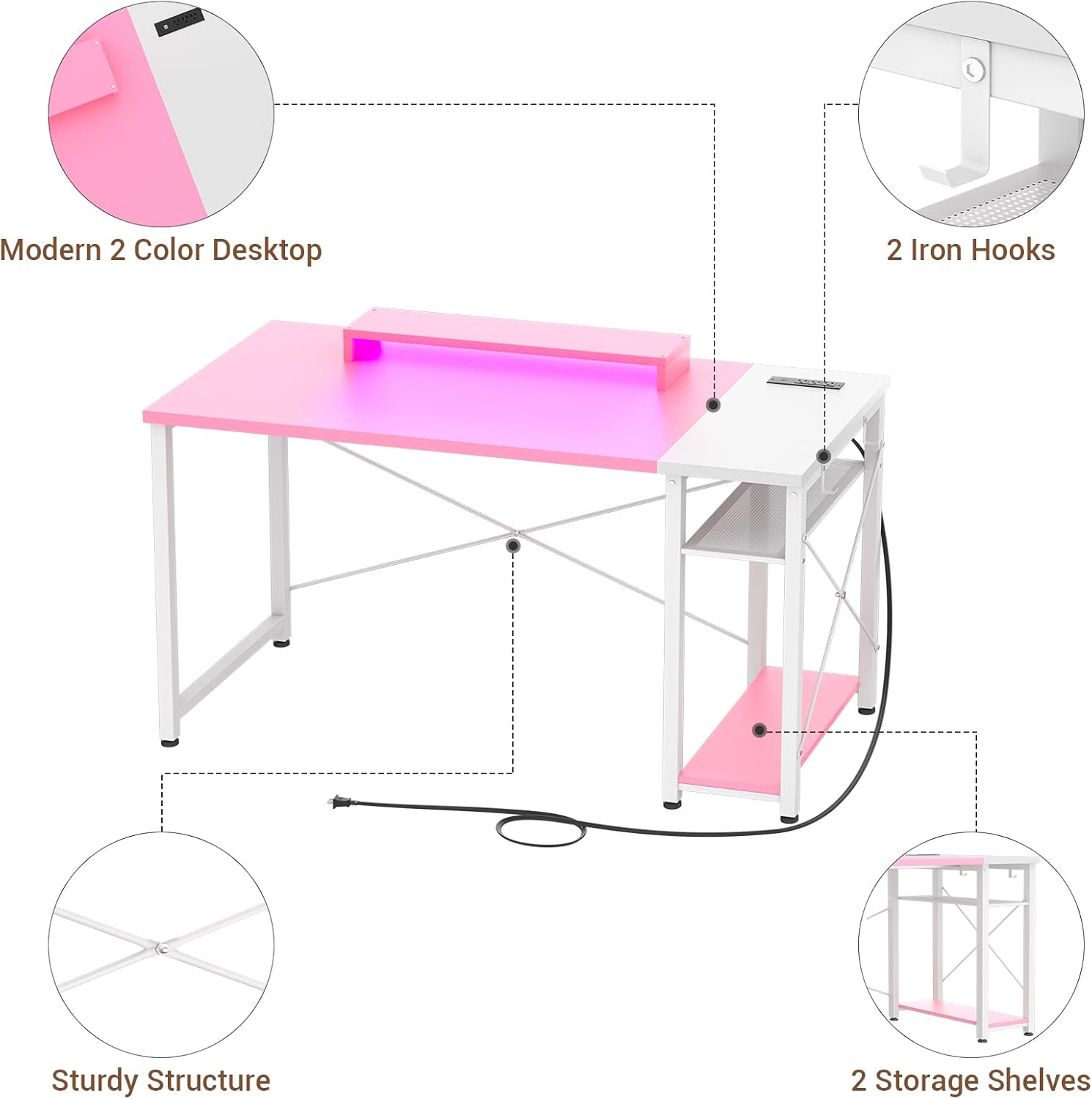
Image 3.1: Exploded view of the desk components, highlighting the modern two-color desktop, iron hooks, sturdy structure, and storage shelves.
4. Setup and Assembly Instructions
Assembly typically requires two individuals and approximately 1 hour. Follow the numbered steps in the included installation instruction manual. Pay close attention to the orientation of each part.
4.1 Pre-Assembly Steps
- Clear a spacious area for assembly.
- Unpack all components and verify against the package contents list.
- Separate and identify all hardware.
4.2 Assembly Steps
- Assemble the Frame: Connect the metal legs and support bars according to the diagrams in the instruction manual. Ensure all screw holes align correctly before tightening. Note: Some reviews indicate that careful attention to bar orientation is crucial for proper alignment.
- Attach Storage Shelves: Secure the storage shelves to the designated frame sections.
- Position Desktop Sections: The desk features a reversible design. Decide whether you want the white desktop section (with the power outlet) on the left or right side. Place the two desktop sections onto the assembled frame.
- Secure Desktop: Fasten the desktop sections to the frame using the provided screws. It may be easier to flip the assembled frame upside down to attach the desktop.
- Install Monitor Stand: Place the movable monitor stand on the desktop in your desired position.
- Attach Iron Hooks: Secure the iron hooks to the side of the desk frame as desired for headphones or other accessories.
- Connect Power: Plug the power cord from the integrated charging station into a wall outlet.

Image 4.1: The reversible desktop design allows for flexible placement of the power outlet section.
5. Operating Instructions
5.1 Integrated Power Outlet and USB Charging Station
The desk includes a built-in power strip with 3 AC outlets (120V/12A) and 2 USB ports (5V/2A) for convenient charging of your devices. The power cord is 6.57 feet long.
- Plug the desk's main power cord into a standard wall outlet.
- Insert device power adapters into the AC outlets.
- Connect USB charging cables to the USB ports for compatible devices.

Image 5.1: Detail of the integrated power outlet and USB charging station.
5.2 LED Lighting System
The desk features integrated LED lights to enhance your workspace or gaming environment. Control the lighting modes using the provided remote control or a compatible mobile application (if applicable).
- Power On/Off: Use the designated button on the remote or app to turn the LED lights on or off.
- Color Selection: Choose from 20 static colors to match your preference.
- Dynamic Modes: Select from 21 dynamic lighting modes for various effects.
- Brightness Adjustment: Adjust the brightness level to suit your environment.

Image 5.2: LED lighting modes and color options.
5.3 Movable Monitor Stand
The included monitor stand is designed to help you achieve an ergonomic sitting position by raising your monitor to eye level.
- Place the monitor stand on the desktop directly beneath your monitor.
- Adjust its position forward or backward to achieve optimal viewing distance and height.
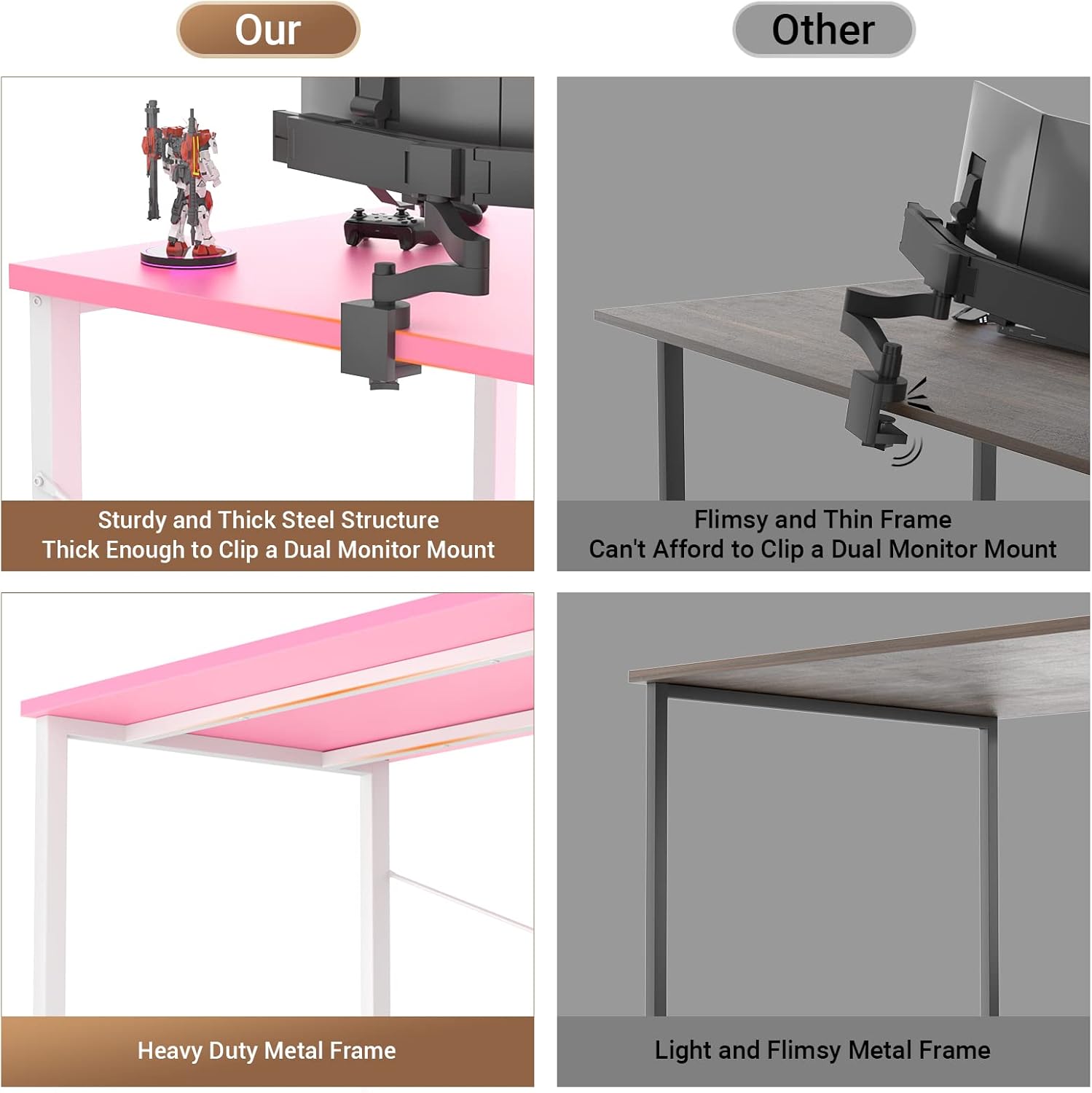
Image 5.3: Proper ergonomic posture with the movable monitor stand.
6. Maintenance
6.1 Cleaning
- Wipe the desktop and frame with a soft, damp cloth.
- Avoid using harsh chemicals or abrasive cleaners, as these can damage the finish.
- Ensure all electrical components are unplugged before cleaning.
6.2 General Care
- Periodically check all screws and connections to ensure they remain tight. Retighten if necessary.
- Avoid placing excessively hot or cold items directly on the desktop without protective coasters.
- Do not drag the desk; lift it when moving to prevent damage to the legs or floor.
7. Troubleshooting
7.1 Assembly Difficulties / Misaligned Holes
- Solution: Carefully review the instruction manual diagrams. Ensure all metal bars and frame components are oriented correctly. Sometimes, a slight rotation of a part can resolve alignment issues. Do not overtighten screws until all parts are loosely fitted.
7.2 Desk Wobbles
- Solution: Check that all screws are securely tightened. Adjust the leveling feet at the bottom of the desk legs to compensate for uneven floor surfaces.
7.3 LED Lights Not Functioning
- Solution: Ensure the desk's main power cord is securely plugged into a working wall outlet. Verify that the LED light strip's connection to the power source is firm. Check the remote control's battery if applicable.
7.4 Power Outlets / USB Ports Not Working
- Solution: Confirm the desk's main power cord is plugged into a live wall outlet. Test the wall outlet with another device. Ensure devices are properly plugged into the desk's outlets/USB ports. Avoid overloading the power strip.
8. Specifications
| Feature | Detail |
|---|---|
| Brand | Armocity |
| Model | 47.2-inch Computer Desk |
| Product Dimensions (D x W x H) | 47.2" x 19.6" x 29.6" (120cm x 50cm x 75cm) |
| Color | Pink and White |
| Material | Metal (Frame), Engineered Wood (Desktop) |
| Maximum Weight Recommendation | 300 Pounds (136 kg) |
| Number of Shelves | 2 (Open Shelves) |
| Power Outlets | 3 AC Outlets (120V/12A) |
| USB Ports | 2 USB Ports (5V/2A) |
| Power Cord Length | 6.57 Feet (2 meters) |
| Special Features | Reversible Design, LED Lights, Movable Monitor Stand, Iron Hooks |
| Recommended Assembly Persons | 2 |
| Item Weight | 13.79 Kilograms (30.4 lbs) |

Image 8.1: Detailed dimensions of the Armocity Computer Desk.
9. Warranty and Support
9.1 Limited Warranty
This Armocity product comes with a limited warranty. Please refer to the warranty documentation included in your package for specific terms and conditions regarding parts and labor.
9.2 Customer Service
For any questions regarding assembly, damaged parts, or general inquiries, please contact Armocity customer support. Our team is committed to resolving any issues you may encounter within one business day.
For support, please visit the Armocity store on Amazon or refer to the contact information provided in your product packaging.