Product Overview
The Btootos C9S Wireless Earbud Bluetooth Headphones are designed for active lifestyles, offering 48 hours of playtime, a digital LED display for battery status, and a secure fit with earhooks. They are waterproof and include a built-in microphone for clear calls, making them ideal for running, workouts, and daily use.

The Btootos C9S Wireless Earbuds with their charging case, featuring a sleek design and digital display.
What's in the Box
- Wireless Earbuds (Left and Right)
- Charging Case
- USB-C Charging Cable
- Ear Tips (S, M, L sizes)
Setup
1. Initial Charging
Before first use, fully charge the earbuds and the charging case. The digital LED display on the case indicates the battery percentage of the case and individual earbuds.

The charging case features a digital LED display to show the battery level of the case and each earbud (L/R), along with an illustration of 48 hours total playtime.
2. Pairing with Your Device
The earbuds utilize advanced Bluetooth 5.3 technology for faster transmission speed and a more stable connection. They support one-step auto-pairing.
- Ensure Bluetooth is enabled on your device (smartphone, tablet, smart speaker).
- Open the charging case. The earbuds will automatically enter pairing mode.
- Select "C9S" from the list of available Bluetooth devices on your phone.
- Once connected, you will hear a confirmation sound.

Equipped with advanced Bluetooth 5.3 technology for stable and fast connections.
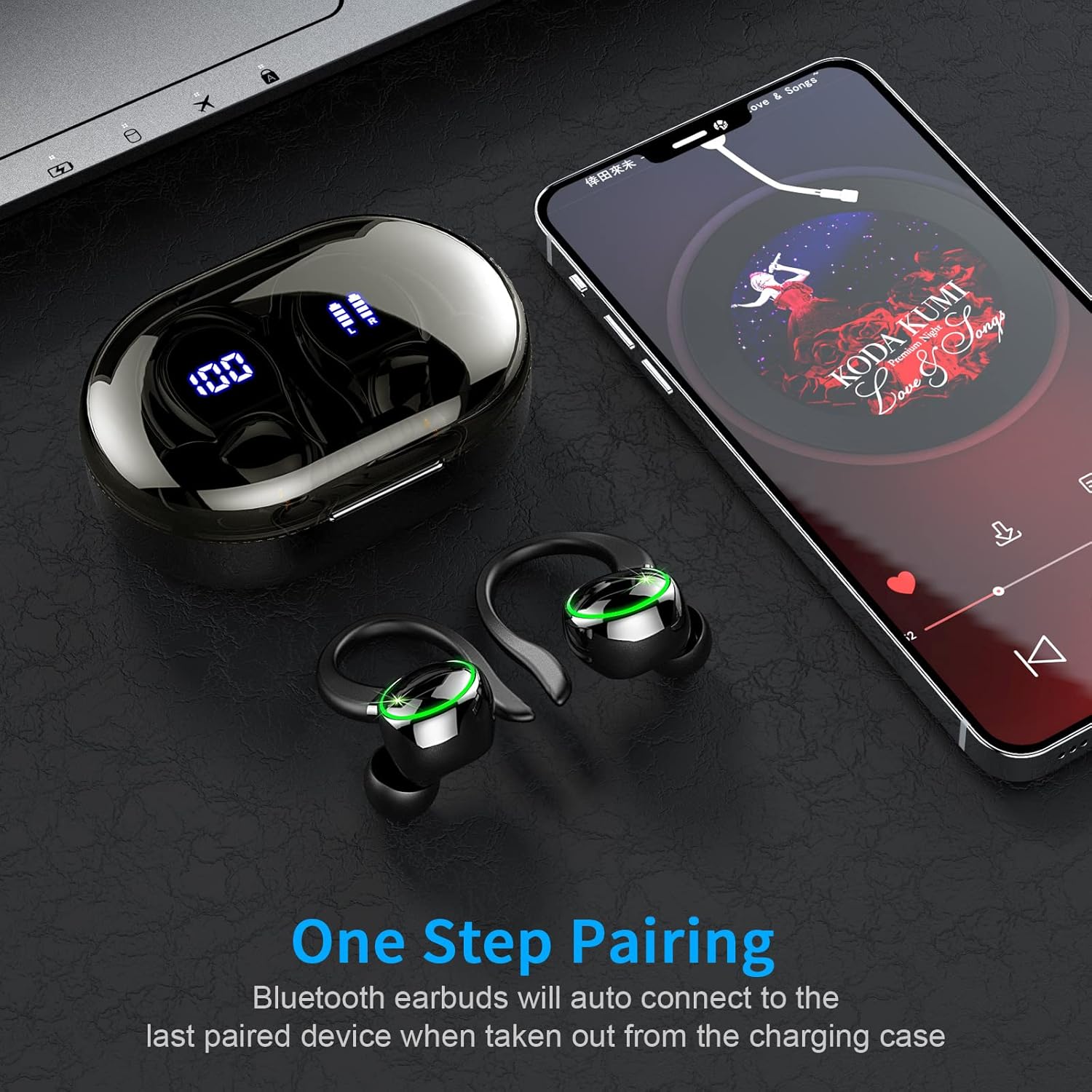
The earbuds automatically connect to the last paired device when taken out of the charging case.
3. Wearing the Earbuds
These earbuds are designed for a comfortable and secure fit, especially during sports and workouts, featuring flexible ear hooks and soft ear cups.
- Put the ear hook over the back of your ear.
- Insert the ear cap into your ear canal.
- Adjust by twisting for a comfortable and secure fit.
Three sizes of ear tips (S, M, L) are included to ensure optimal comfort and sound isolation. Choose the size that provides the best seal for your ear.

The earbuds feature soft ear cups, flexible ear hooks, and come with three sizes of ear tips for a personalized, secure fit.

Follow these steps for proper wearing: 1. Put the ear hook over your ear. 2. Insert the ear cap. 3. Adjust for comfort and security.
Operating Instructions
Touch Controls
The earbuds feature smart touch controls for easy management of music, calls, and voice assistant without needing to access your phone.
| Action | Function |
|---|---|
| Tap Once (R/L) | Answer/End Call, Play/Pause Music |
| Tap Twice (R/L) | Next Track |
| Long Tap 2s (R/L) | Reject Call |
| Long Tap 3s (L) | Previous Track |
| One Tap (R) | Volume Up |
| One Tap (L) | Volume Down |
| Triple Tap (R/L) | Activate Voice Assistant |
| Hold 8s (R/L) | Power On/Off |

Manage your audio and calls with simple touch gestures on the earbuds.
Sound Quality and Noise Cancellation
The earbuds deliver HIFI stereo sound quality with a 13mm dynamic driver for strong bass, clear mids, and bright treble. They feature an ENC (Environmental Noise Cancellation) microphone to filter out ambient noise, ensuring crystal-clear calls.

ENC technology reduces environmental noise for clear communication during calls.

Experience high-fidelity stereo sound with powerful bass and clear audio.
Maintenance
Water Resistance
The earbuds are IPX7 waterproof, making them resistant to splashes, sweat from intense workouts, and rainy conditions. This allows for worry-free use during sports and outdoor activities.

IPX7 waterproof rating ensures durability against sweat and splashes.
Cleaning and Care
- Regularly clean the charging contacts on both the earbuds and the charging case to ensure proper charging.
- Use a soft, dry cloth for cleaning. Avoid harsh chemicals.
- Store the earbuds in their charging case when not in use to protect them and keep them charged.
Troubleshooting (FAQs)
Here are some common issues and their solutions:
- Unable to charge the wireless earbud?
- Clean the charging contacts of the earbud and charging case.
- Make sure the headphones are placed correctly in the charging case.
- Poor sound quality or uncomfortable to wear?
- Replace with appropriate ear tips to ensure tightness and comfort.
- What to do if the Bluetooth headphones won't connect to the device?
- Delete the Bluetooth connection record on the phone, and turn off Bluetooth.
- Then put on the earphones, and quickly tap the left and right earbud touch area 5 times at the same time until you hear a "power off" sound.
- Put the two pairs of headphones back into the case, close the lid, wait five seconds, and take them out at the same time.
- Wait about 5-8 seconds for the two earbuds to pair with each other. Turn on your phone's Bluetooth to connect.
- You can also try to replace the mobile phone or other Bluetooth device to test whether the headset can be used normally.
Specifications
| Feature | Detail |
|---|---|
| Model Name | C9S |
| Connectivity Technology | Wireless |
| Wireless Communication Technology | Bluetooth |
| Included Components | Charging Case |
| Age Range (Description) | Adult |
| Specific Uses For Product | Music, Sport |
| Recommended Uses For Product | Calling, Running |
| Compatible Devices | Smartphones, Tablets, Smart Speakers |
| Control Type | touch,touch control:the,voice |
| Cable Feature | Without Cable |
| Water Resistance Level | Waterproof |
| Unit Count | 2.0 Count |
| Cable Length | 590.55 Inches |
| Controller Type | Touch |
| Battery Life | 48 Hours |
| Audio Driver Type | Dynamic Driver |
| Bluetooth Range | 10 Meters |
| Bluetooth Version | 5.3 |
| Carrying Case Battery Average Life | 48 Hours |
| Carrying Case Weight | 50 Grams |
| Audio Driver Size | 13 Millimeters |
| Earpiece Shape | Angled Ear Hooks |
| Is Autographed | No |
| Manufacturer | Btootos |
| Item Weight | 4.6 ounces |
| ASIN | B0BCK26RZ7 |
| Item model number | C9S |
| Batteries | 1 Lithium Polymer batteries required. (included) |
| Customer Reviews | 4.2 4.2 out of 5 stars 1,846 ratings 4.2 out of 5 stars |
| Best Sellers Rank | #359,308 in Electronics (See Top 100 in Electronics) #15,459 in Earbud & In-Ear Headphones |
| Is Discontinued By Manufacturer | No |
| Date First Available | August 31, 2022 |
| Brand | Btootos |
| Color | Black |
| Ear Placement | In Ear |
| Form Factor | In Ear |
| Noise Control | Sound Isolation |
Official Product Videos
Video: Wireless Earbud Bluetooth Headphones 48Hrs Playtime. This video provides an overview of the earbuds' features including battery life, pairing, and design.
Warranty and Support
For detailed warranty information and further support, please refer to the official user manual PDF or visit the Btootos store.


