
1. Introduction
The Aigostar Smart LED Strip Light offers versatile lighting solutions with smart control features. This manual provides essential information for safe installation, operation, and maintenance of your LED strip light.
2. What's in the Box
- Smart RGB Strip Light
- Remote Control
- Power Supply
- Adhesive Tape
3. Safety Information
- Ensure the power supply is disconnected before installation or maintenance.
- Do not expose the LED strip to direct water or extreme humidity unless specified for outdoor use. This product is rated for outdoor usage.
- Avoid bending the LED strip at sharp angles to prevent damage to the circuit.
- Use only the provided power supply and accessories.
- Keep out of reach of children.
4. Setup and Installation
4.1 Pre-Installation Test
Before permanent installation, unroll the LED strip and connect it to the controller and power supply. Plug it in to ensure all lights function correctly.
Video: How to Install Aigostar Smart LED Strip Light. This video demonstrates the steps for testing the strip light before installation, including connecting the strip to the controller and power adapter, and plugging it into a power socket.
4.2 Surface Preparation
Clean the desired installation surface thoroughly to remove any dust, dirt, or grease. A clean, dry surface ensures optimal adhesion.
4.3 Attaching the LED Strip
- Carefully peel off the protective backing from the adhesive tape on the back of the LED strip.
- Press the strip firmly onto the prepared surface, ensuring good contact along its entire length.
- Use the provided fixed clips if additional security is needed, especially around corners or heavy-use areas.
4.4 Connecting Components
Connect the LED strip to the 3-button controller, ensuring the pins align correctly. Then, connect the controller to the power adapter.
4.5 Aigosmart App Installation and Pairing
- Download the Aigosmart App from your smartphone's app store.
- Register or log in to your Aigosmart account.
- Ensure the LED strip light is flashing quickly (turn it ON-OFF-ON-OFF-ON to enter pairing mode if it's not).
- In the app, select to add a new device. The app may automatically discover the strip light, or you can add it manually.
- Follow the on-screen prompts to connect the strip light to your 2.4GHz Wi-Fi network.
Video: How to Connect to Aigosmart APP. This video guides you through the process of connecting your Aigostar Smart LED Strip Light to the Aigosmart mobile application, including manual and automatic discovery methods.
4.6 Voice Assistant Integration (Alexa/Google Home)
- Open your Amazon Alexa or Google Home app.
- Navigate to the 'Skills & Games' (Alexa) or 'Works with Google' (Google Home) section.
- Search for 'AigoSmart' and enable the skill.
- Log in with your Aigosmart account credentials to link the accounts.
- Discover devices to add your LED strip light.
Video: How to connect AigoSmart to Alexa. This video provides a step-by-step guide on linking your AigoSmart account with Amazon Alexa for voice control.
Video: How to connect AigoSmart to Google Home. This video demonstrates how to link your AigoSmart account with Google Home for seamless voice control.
5. Operating Instructions
5.1 Control Methods
The Aigostar Smart LED Strip Light can be controlled via:
- Aigosmart App: Full control over colors, brightness, scenes, music sync, and timers.
- Remote Control: Basic control for on/off, color changes, and brightness adjustments.
- 3-Button Controller: On/off, mode cycling, and brightness adjustment directly on the strip.
- Voice Control: Compatible with Amazon Alexa and Google Assistant for hands-free operation.

Image: This image illustrates the four primary methods for controlling the Aigostar Smart LED Strip Light: voice commands via Alexa or Google Assistant, the Aigosmart mobile application, the included physical remote control, and the integrated 3-button control box.
5.2 Color Selection and Brightness Adjustment
Use the Aigosmart App or remote control to select from a wide spectrum of colors and adjust the brightness to your preference. The app features a color wheel for precise selection and sliders for brightness control.
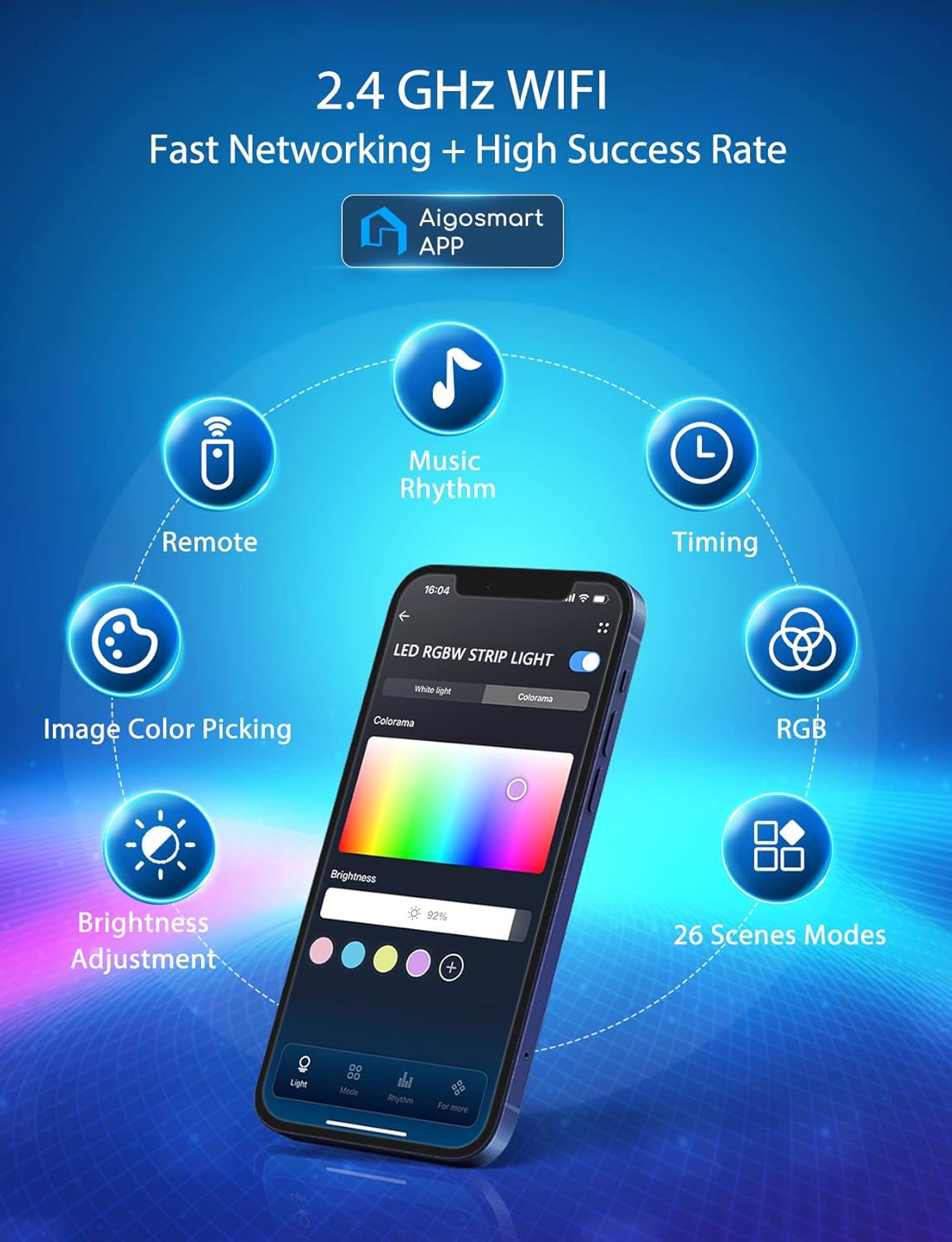
Image: The Aigosmart app on a smartphone, showing a color selection interface with a color wheel and brightness adjustment. It also highlights features like music rhythm, timing, RGB control, image color picking, and 26 scene modes.
5.3 Scene Modes and Creative Customization
The Aigosmart App offers 26 pre-set scene modes to instantly change the ambiance of your room. You can also create and save your own custom colors and scenes using the DIY feature.

Image: A living room illuminated by smart LED strip lights, with a smartphone showing the Aigosmart app's interface for creative customization and scene selection, allowing users to personalize their lighting.
5.4 Music Sync Feature
Activate the music sync feature via the Aigosmart App to make your lights dance to the rhythm of your music. The built-in sensitive microphone detects audio and synchronizes the light effects.

Image: People enjoying a vibrant atmosphere with LED strip lights that change color in sync with music, demonstrating the 'Follow The Rhythm Of The Music' feature with a built-in sensitive microphone.
Video: Dancing with Aigostar Smart Light. This video showcases the dynamic music sync feature of the Aigostar Smart LED Strip Light, where lights change in response to music.
Video: Aigostar Smart LED Strip Lights - Let Color Dance. This video highlights various features of the Aigostar Smart LED Strip Lights, including color-changing capabilities and music synchronization.
Video: LED Lights That Sync with TV Music Color Changing. This video demonstrates how the LED strip lights can synchronize with TV audio for an immersive entertainment experience.
5.5 Timer Setting
Schedule your lights to turn on or off at specific times using the Aigosmart App. This feature is ideal for creating routines, such as waking up or falling asleep with ambient lighting.

Image: A bedroom scene with a woman sleeping, highlighting the timer setting feature of the Aigosmart app which allows scheduling lights to accompany sleep and wake-up routines.
5.6 Group Control and Family Sharing
Control multiple Aigostar Smart LED Strip Lights simultaneously by grouping them in the Aigosmart App. The app also supports family sharing, allowing multiple users to control the lights from their own devices.
6. Maintenance
6.1 Cleaning
Gently wipe the LED strip with a dry, soft cloth. Do not use abrasive cleaners or immerse the strip in water.
6.2 Cutting the LED Strip
The LED strip can be cut at designated marks (usually indicated by a scissor icon or copper pads) to fit your desired length. Ensure the power is disconnected before cutting. After cutting, use appropriate connectors to re-establish electrical contact if needed.
Video: How to Cut the LED strip Correctly. This video provides instructions on how to safely and correctly cut the LED strip to adjust its length, and how to use connectors.
7. Troubleshooting
- Lights not turning on: Check all connections, ensure the power adapter is plugged in, and verify the strip is in pairing mode if attempting to connect to the app.
- App connection issues: Ensure your Wi-Fi network is 2.4GHz, your phone is connected to the same network, and the strip light is flashing quickly for pairing. Restart the app and the strip light if necessary.
- Incorrect colors or unresponsive controls: Ensure the remote control has working batteries and is pointed at the receiver. For app control, check network connectivity and device status in the app.
- Lights not syncing with music: Verify the music sync feature is activated in the app and the device's microphone is unobstructed.
8. Specifications
| Feature | Specification |
|---|---|
| Color | Multicolor |
| Brand | Aigostar |
| Indoor/Outdoor Usage | Outdoor |
| Special Feature | Corded |
| Light Source Type | LED |
| Power Source | AC |
| Light Color | Red (Multicolor capability) |
| Style | Modern |
| Controller Type | App Control, Remote Control |
| Number of Light Sources | 150 |
| Voltage | 110 Volts (AC) |
| Wattage | 15 watts |
| Bulb Base | GX5.3 |
| Item Weight | 11.3 ounces |
| Item Model Number | AG-DD |
| Batteries Included? | Yes |
9. Warranty and Support
For warranty information and technical support, please refer to the Aigostar official website or contact customer service directly. Keep your purchase receipt for warranty claims.
