
BlessReach B0BCJBCGP6
BlessReach Heavy-Duty Foldable Rollator Walker with Seat Instruction Manual
Model: B0BCJBCGP6
Introduction
This manual provides essential instructions for the safe assembly, operation, and maintenance of your BlessReach Heavy-Duty Foldable Rollator Walker. Please read this manual thoroughly before use to ensure proper function and user safety. This rollator is designed to provide mobility assistance for individuals requiring support while walking, offering a comfortable seat for resting.

Image: The BlessReach Heavy-Duty Foldable Rollator Walker in purple, featuring a padded seat, backrest, and storage bag.
Safety Information
- Always ensure the rollator is fully unfolded and locked before use.
- Verify that all screws and components are securely fastened.
- Before sitting, engage the parking brakes to prevent the rollator from moving.
- Do not exceed the maximum weight capacity of 450 lbs.
- When walking, maintain a balanced posture, gripping the handles firmly. Use the rollator for balance, not for full weight support.
- Be cautious on uneven surfaces, inclines, or declines. Use the brake levers to control speed when going downhill.
- Regularly inspect the brakes, wheels, and frame for wear or damage.
- The rollator features 3M reflective strips and cat-eye reflectors for enhanced visibility during nighttime use.
- The design includes pinch-proof folding joints to prevent accidental injury during folding.
Setup and Assembly
1. Unfolding the Rollator
- Carefully remove the rollator from its packaging.
- Place the rollator on a flat, stable surface.
- Pull the handles outwards to begin unfolding the frame.
- Push down on the seat until it locks into place, ensuring the frame is fully extended and stable.
2. Adjusting Handle Height
The handles are adjustable to accommodate users from 5'5" to 6'5" in height.
- Locate the height adjustment levers on the side of each handle.
- Press the button or lift the lever to release the locking mechanism.
- Adjust the handle to a comfortable height where your elbows are slightly bent when holding the grips. Ensure both handles are at the same height.
- Release the button/lever to lock the handle in position. Verify it is securely locked before use.

Image: The rollator demonstrating its foldable design and adjustable height range (33"-41" for handles) to fit users from 4'7" to 6'6".
Operating Instructions
1. Walking with the Rollator
- Stand upright with the rollator in front of you.
- Grip the handles loosely, with your fingers positioned on the brake levers.
- Step forward, allowing the rollator to roll slightly ahead of you.
- Maintain your balance, using the rollator for support without leaning excessively.
2. Using the Brakes
- To Slow Down (Resistance Brake): Gently squeeze the brake levers (R) towards the handles. This provides resistance, useful for controlling speed, especially on inclines or declines.
- To Lock (Parking Brake): Push the brake levers (P) downwards until they click into place. This locks the wheels, preventing movement. Always engage the parking brakes when sitting or standing still.
- To Release Brakes: Pull the brake levers (R) upwards until they release from the locked position.
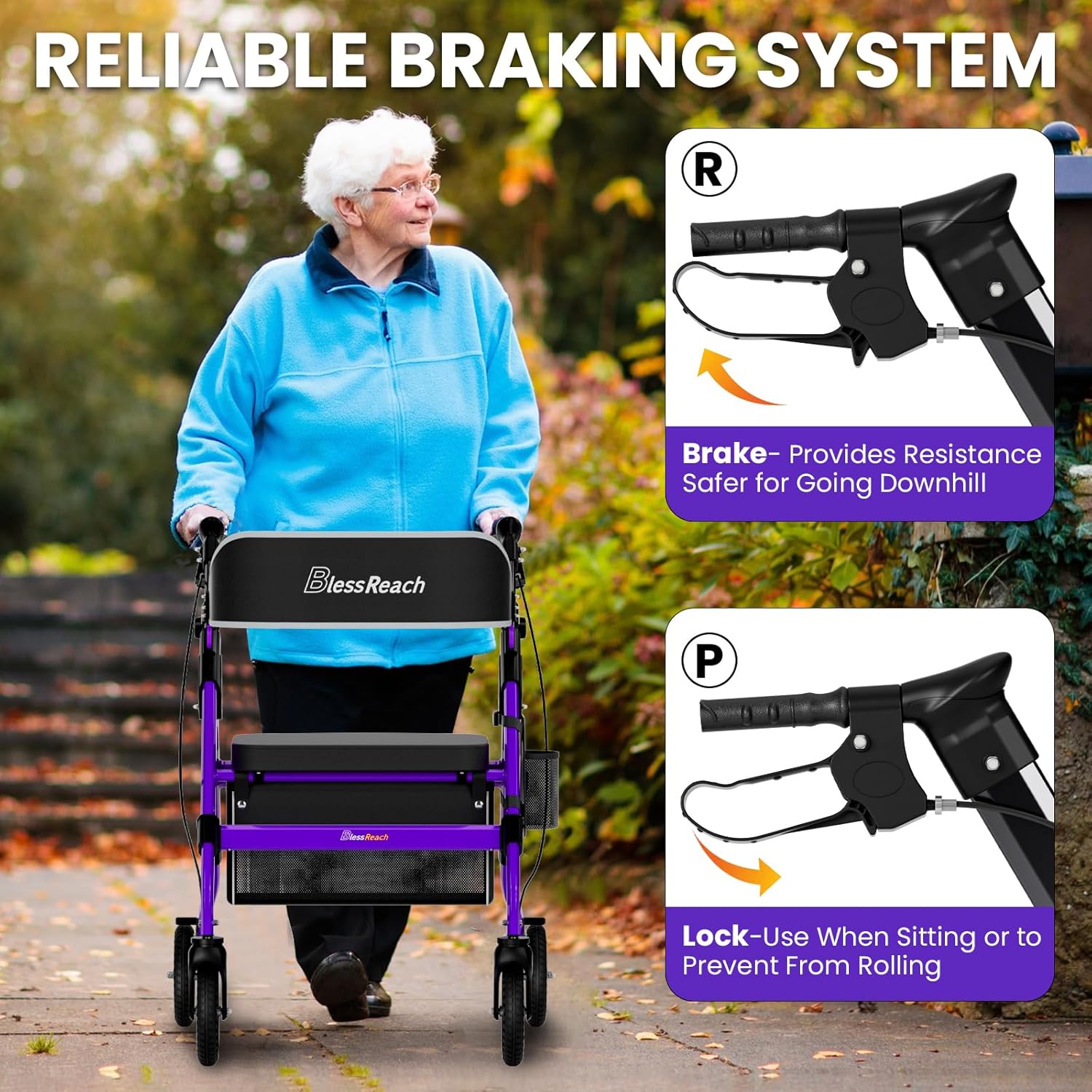
Image: Close-up view of the rollator's hand brakes, showing the "Lift-to-slow" (R) and "Press-to-lock" (P) functions for safe operation.
3. Using the Seat
- Ensure the rollator is on a flat, stable surface.
- Engage both parking brakes (push levers down) to prevent any movement.
- Turn around and slowly lower yourself onto the padded seat.
- Use the breathable foam backrest for comfort.
- To stand up, push off the handles and seat, ensuring the parking brakes are still engaged.
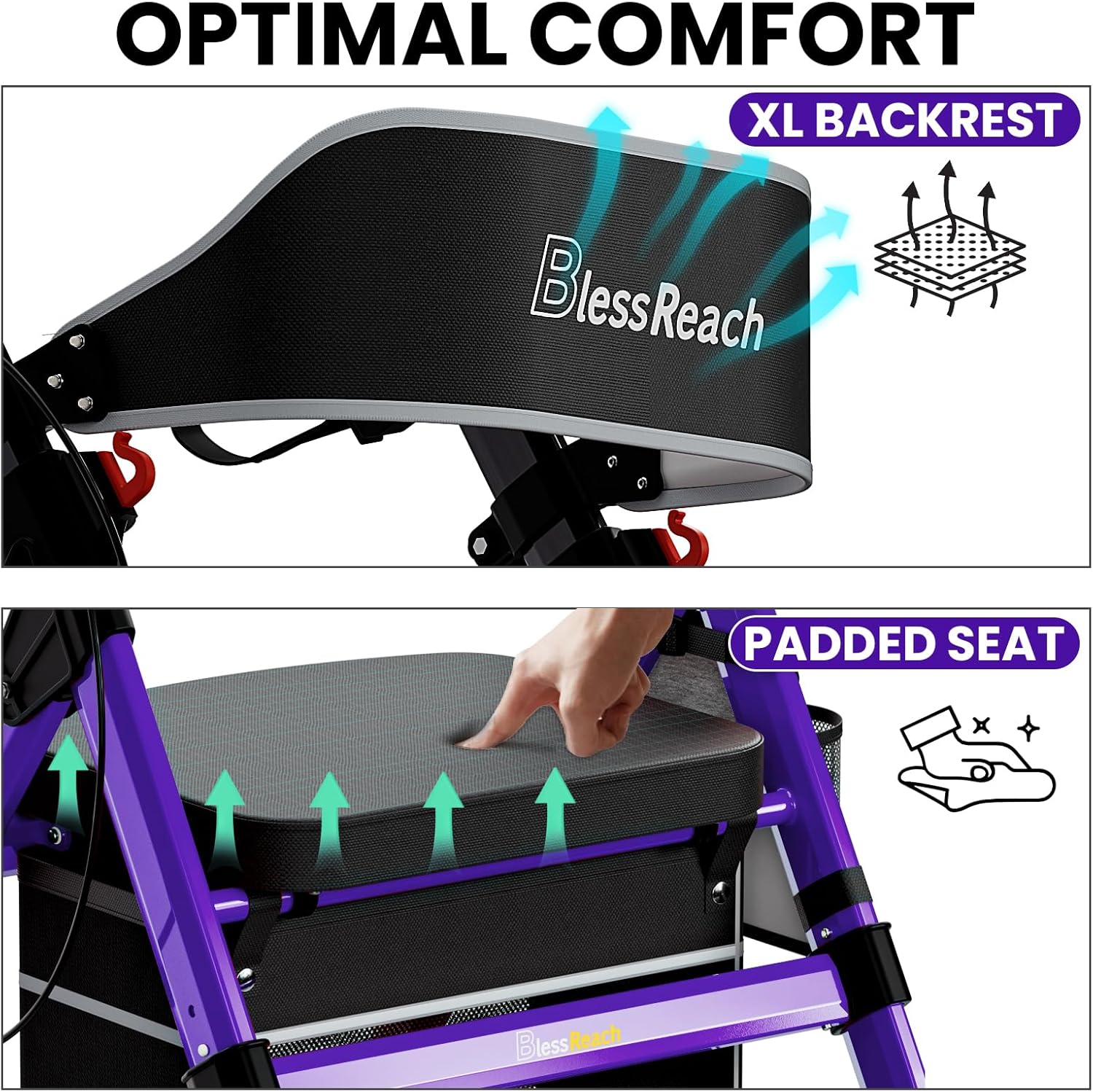
Image: Detail of the rollator's extra-large breathable backrest and 18-inch wide padded memory foam seat, designed for optimal comfort.
4. Folding for Storage and Transport
The rollator features a flip-up seat design with a quick-release lever for easy folding.
- Ensure the storage bag is empty.
- Lift the seat upwards using the quick-release mechanism.
- Push the sides of the frame inwards until the rollator is fully folded.
- The compact unit can be stored in car trunks or small spaces.

Image: The BlessReach rollator in its folded state, demonstrating convenient storage in a car trunk.
5. All-Terrain Use
The 8-inch puncture-proof tires with wave-pattern treads are designed for various surfaces.
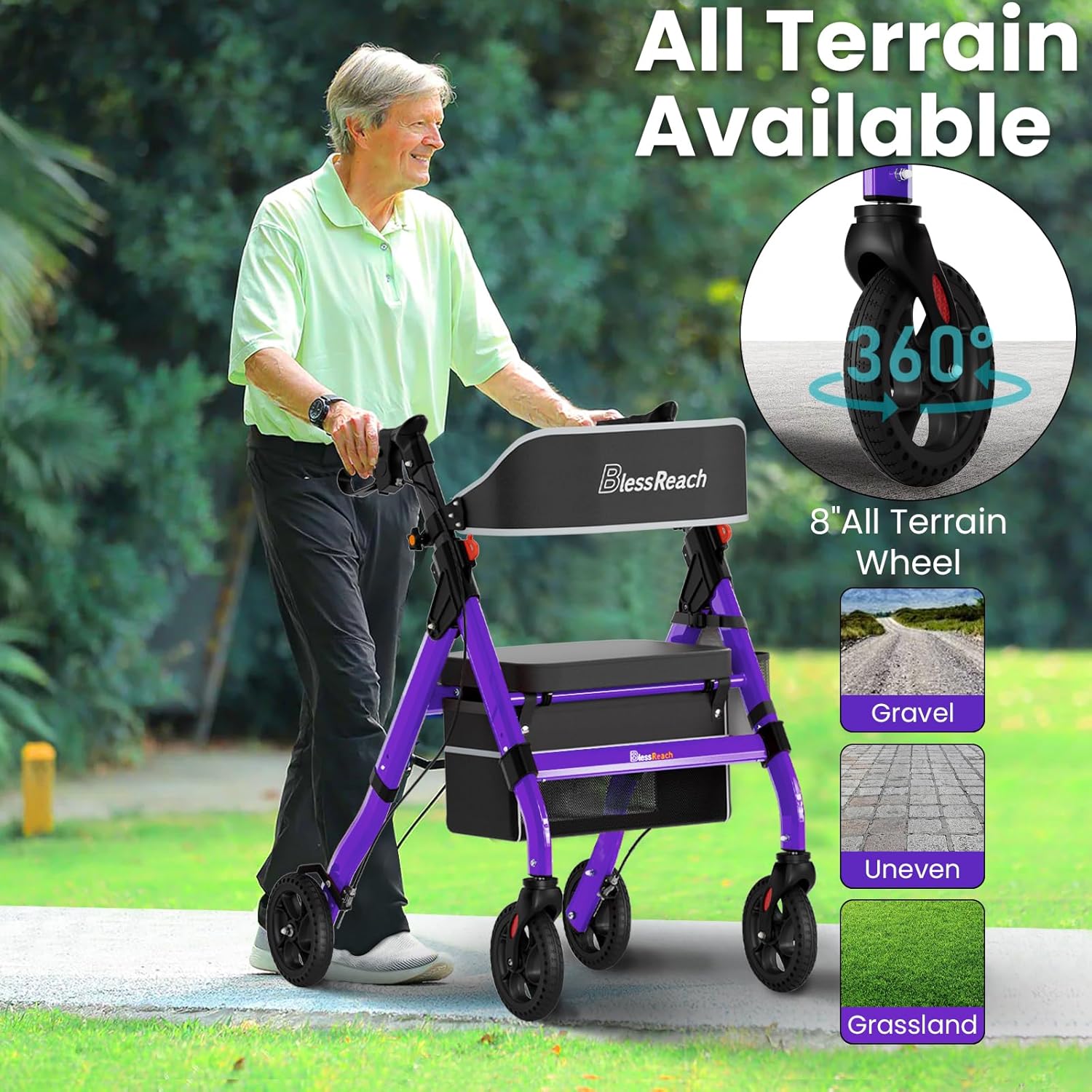
Image: The rollator's 8-inch all-terrain wheels are suitable for gravel, uneven paths, and grassy areas, providing versatility for outdoor use.
Maintenance
- Cleaning: Wipe down the frame and seat with a damp cloth and mild detergent. Avoid abrasive cleaners.
- Wheel Inspection: Regularly check the 8-inch puncture-proof wheels for debris or damage. Ensure they rotate freely.
- Brake Check: Test the brakes regularly to ensure they engage and disengage properly. If brakes feel loose or ineffective, consult a professional for adjustment.
- Fasteners: Periodically check all screws and bolts to ensure they are tight. Do not overtighten.
- Storage: Store the rollator in a dry place, away from extreme temperatures.
Troubleshooting
- Rollator does not fold/unfold smoothly: Check for any obstructions or ensure the quick-release lever for the seat is fully engaged/disengaged.
- Brakes are not engaging/locking: Inspect the brake cables for damage or looseness. Ensure the brake levers are pushed down completely for locking. Professional adjustment may be required if the issue persists.
- Wheels are not rolling smoothly: Check for debris (hair, lint) wrapped around the axles. Clean the wheels and ensure they are free to rotate.
- Unstable feeling: Ensure all frame components are securely locked into place and handle heights are evenly adjusted. Do not exceed the weight capacity.
Specifications
| Brand | BlessReach |
| Model | B0BCJBCGP6 |
| Material | Aluminum |
| Color | Purple |
| Weight Capacity | 450 lbs |
| Wheel Size | 8 inches (puncture-proof) |
| Adjustable Handle Height | 33" - 41" (fits users 5'5" to 6'5") |
| Seat Dimensions | 18" wide |
| Product Dimensions (Unfolded) | 27.5"D x 23.6"W x 41"H |
| Product Weight | 20.06 lbs (approx.) |

Image: Visual representation of the rollator's robust construction, highlighting its 450 lbs weight capacity and 1.4mm thick aluminum tubing for enhanced stability.
Warranty and Support
BlessReach stands by the quality of its products. Your rollator is backed by our commitment to reliability, stemming from over 30 years of medical mobility expertise.
- Returns: Enjoy a 30-day return policy for your peace of mind.
- Customer Support: For any questions, concerns, or assistance, our expert support team is available 24/7. Please refer to the contact information provided with your purchase or visit the official BlessReach website for support details.
Ask a question about this manual
Ask about setup, troubleshooting, compatibility, parts, safety, or missing instructions. Manuals+ will review the question and use this page’s manual context to help answer it.