
1. Safety Information
Read and understand all safety precautions before operating the generator. Failure to follow these instructions may result in serious injury or property damage.
- Carbon Monoxide Hazard: Generators produce carbon monoxide, a colorless, odorless, poisonous gas. Operate the generator outdoors in a well-ventilated area, far from windows, doors, and vents. Never operate indoors, in a garage, or in partially enclosed spaces.
- Electrical Shock Hazard: Do not operate the generator in wet conditions. Ensure all electrical connections are dry and properly insulated. Never touch the generator or electrical cords with wet hands.
- Fire Hazard: Fuel is highly flammable. Refuel in a well-ventilated area with the engine off and cool. Do not smoke or allow open flames near the generator. Store fuel in an approved container.
- Hot Surfaces: The generator engine and muffler become very hot during operation and remain hot for some time after shutdown. Avoid contact to prevent burns.
- Children and Pets: Keep children and pets away from the generator, especially during operation.
- Grounding: Properly ground the generator according to local electrical codes.
2. Product Overview
The GENERGY CRETA 7500W is a gasoline inverter generator designed to provide stable and clean power for various applications. It features an electric start, remote control, and an ECO-Drive mode for optimized fuel consumption.
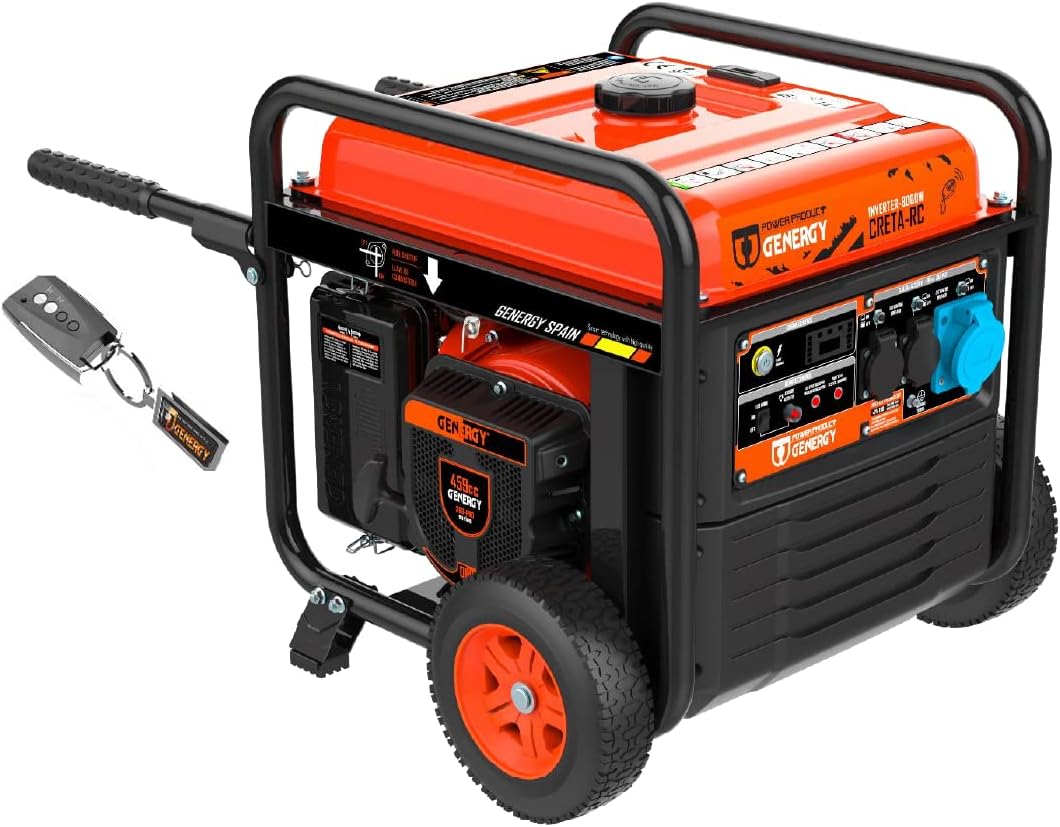
Image 2.1: Front view of the GENERGY CRETA 7500W Inverter Generator, showing the main unit and included remote control.
Key Features:
- Engine: Equipped with a GENERGY SGB-PRO EURO V engine, designed for consistent performance and reliable starting.
- Starting System: Features an electric start (Push ST) for easy operation and a wireless remote control with a range of up to 50 meters.
- Fuel Efficiency: ECO-Drive mode automatically adjusts engine speed to match the connected load, optimizing fuel consumption, particularly at lower loads.
- Safety Systems: Includes automatic oil shortage shutdown to protect the engine and overload/short-circuit protection with automatic power cutoff.
- Portability: Compact and lightweight design with an integrated transport kit for easier movement.
- Power Output: Provides stable voltage and frequency with minimal harmonic distortion, suitable for sensitive electronic devices.
- Control Panel: Digital display shows output voltage, frequency, and operating hours for monitoring and maintenance scheduling.
3. Setup
Follow these steps for initial setup before first use.
3.1 Unboxing and Inspection
- Carefully remove the generator from its packaging.
- Inspect the generator for any signs of damage during shipping. Contact your dealer if any damage is found.
- Ensure all components listed in the packing list are present, including the remote control and user manual.
3.2 Adding Engine Oil
The generator is shipped without engine oil. It is crucial to add the correct type and amount of oil before starting.
- Place the generator on a level surface.
- Locate the oil fill cap/dipstick.
- Remove the cap and carefully add 1.1 liters of SAE10W40 engine oil. Do not overfill.
- Replace the oil fill cap securely.
3.3 Adding Fuel
Use fresh, unleaded gasoline with an octane rating of 87 or higher.
- Ensure the generator is off and cool.
- Open the fuel tank cap.
- Carefully pour gasoline into the tank, avoiding spills. The tank capacity is 25 liters. Do not fill above the maximum fill line.
- Securely close the fuel tank cap.
3.4 Battery Connection (for Electric Start)
Connect the battery terminals for the electric start function.
- Locate the battery compartment.
- Connect the positive (+) battery cable (red) to the positive (+) battery terminal.
- Connect the negative (-) battery cable (black) to the negative (-) battery terminal.
- Ensure connections are tight. The battery features automatic shutdown during prolonged inactivity to prevent deep discharge.
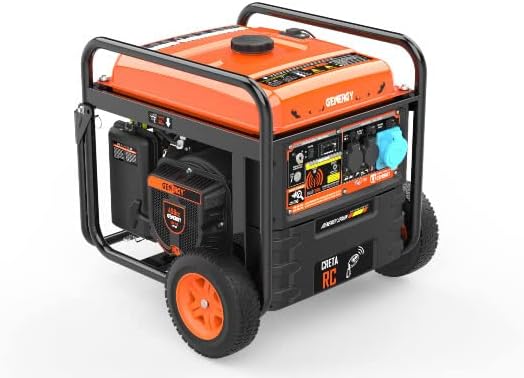
Image 3.1: Side view of the generator, illustrating the general layout for setup procedures.
4. Operating Instructions
This section details how to start, operate, and stop your GENERGY CRETA 7500W generator.
4.1 Starting the Generator
Ensure the generator is on a level surface and all initial setup steps have been completed.
- Fuel Valve: Open the fuel valve.
- Choke: If starting a cold engine, move the choke lever to the 'CHOKE' position. For a warm engine, set it to 'RUN'.
- Engine Switch: Turn the engine switch to the 'ON' position.
- Electric Start: Press and hold the electric start button until the engine starts. Release the button once the engine is running.
- Remote Start: Alternatively, use the remote control to start the generator. Press the start button on the remote.
- Choke Adjustment: Once the engine starts and runs smoothly, gradually move the choke lever to the 'RUN' position.
4.2 ECO-Drive Mode
The ECO-Drive mode helps conserve fuel and reduce noise levels.
- To activate ECO-Drive mode, switch the ECO-Drive switch to the 'ON' position. The engine speed will automatically adjust based on the connected load.
- For maximum power output or when connecting high-demand appliances, switch ECO-Drive mode to 'OFF'.
4.3 Connecting Electrical Devices
Ensure the generator is running stably before connecting any devices.
- Plug your electrical devices into the appropriate outlets on the control panel.
- Do not exceed the generator's rated wattage.
- The generator includes 2 x 16 A (IP44) and 1 x 32 A (IP44) AC outlets, and a 12 V DC outlet.
4.4 Stopping the Generator
- Disconnect all electrical loads from the generator.
- Turn the engine switch to the 'OFF' position.
- Close the fuel valve.
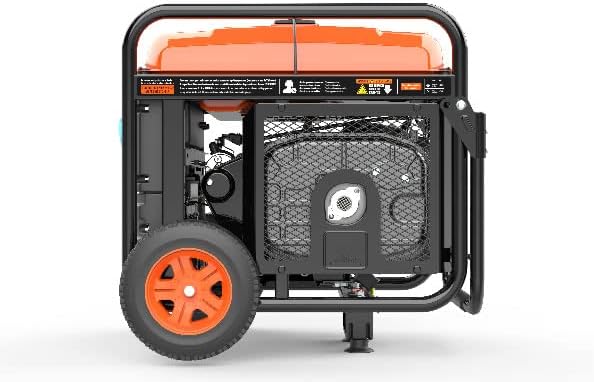
Image 4.1: Close-up of the integrated control panel, showing outlets, digital display, and switches.
5. Maintenance
Regular maintenance ensures optimal performance and extends the lifespan of your generator. Always perform maintenance with the engine off and cool.
5.1 Maintenance Schedule
| Item | Before Each Use | Every 50 Hours / Monthly | Every 100 Hours / 6 Months | Every 300 Hours / Annually |
|---|---|---|---|---|
| Check Engine Oil Level | ✓ | |||
| Change Engine Oil | ✓ (First 20 hours) | ✓ | ||
| Clean Air Filter | ✓ | |||
| Check Spark Plug | ✓ | |||
| Clean Fuel Filter | ✓ |
5.2 Engine Oil Change
- Run the engine for a few minutes to warm the oil, then shut it off.
- Place a drain pan under the oil drain plug.
- Remove the oil drain plug and the oil fill cap/dipstick to allow the oil to drain completely.
- Reinstall the drain plug and refill with 1.1 liters of SAE10W40 engine oil.
- Dispose of used oil responsibly.
5.3 Air Filter Maintenance
- Remove the air filter cover.
- Remove the foam air filter element.
- Wash the element in warm, soapy water, rinse thoroughly, and allow it to air dry completely.
- Lightly apply clean engine oil to the foam element, then squeeze out excess oil.
- Reinstall the air filter element and cover.
5.4 Long-Term Storage
For storage longer than 30 days:
- Drain the fuel tank and carburetor.
- Change the engine oil.
- Remove the spark plug and pour a tablespoon of engine oil into the cylinder. Slowly pull the recoil starter a few times to distribute the oil, then reinstall the spark plug.
- Clean the generator exterior.
- Store in a clean, dry, well-ventilated area.
6. Troubleshooting
Refer to this table for common issues and their solutions.
| Problem | Possible Cause | Solution |
|---|---|---|
| Engine will not start | No fuel Low oil level Engine switch OFF Choke incorrect Spark plug faulty | Add fuel Add oil Turn engine switch ON Adjust choke Inspect/replace spark plug |
| No power output | Overload protection tripped Circuit breaker tripped ECO-Drive mode ON (for high loads) | Reduce load, restart generator Reset circuit breaker Turn ECO-Drive OFF |
| Engine runs rough | Stale fuel Dirty air filter Spark plug fouled | Drain and refill with fresh fuel Clean/replace air filter Clean/replace spark plug |
| Generator shuts down during operation | Low oil level Overload Overheating | Check and add oil Reduce load Allow to cool, check ventilation |
7. Specifications
Detailed technical specifications for the GENERGY CRETA 7500W Inverter Generator.

Image 7.1: Dimensions of the GENERGY CRETA 7500W Inverter Generator.
| Specification | Value |
|---|---|
| Model | CRETA 7500W |
| Brand | GENERGY |
| Max AC Output | 7500 W |
| Rated AC Output | 7200 W |
| Voltage | 230 V |
| Frequency | 50 Hz |
| Engine Model | GENERGY SGB460PRO |
| Displacement | 459 cc |
| Engine Type | 4-stroke OHV Gasoline, Forced Air Cooling |
| Fuel Type | Gasoline |
| Fuel Tank Capacity | 25 L |
| Oil Capacity | 1.1 L |
| Oil Type | SAE10W40 |
| Noise Level (at 7m) | 74 dB(A) |
| Guaranteed Sound Power Level (LwA) | 94 dB(A) |
| Starting System | Electric Start (E-start), Remote Control (RC), Cable |
| Outlets | 2 x 16 A (IP44), 1 x 32 A (IP44), 1 x 12 V DC |
| Dimensions (L x W x H) | 662 x 676 x 635 mm (approximate, based on image) |
| Weight | 67 kg |
| Autonomy (25% load) | 15 H |
| Autonomy (50% load) | 10.8 H |
| Autonomy (75% load) | 7.5 H |
8. Warranty and Support
The GENERGY CRETA 7500W Inverter Generator comes with a full 3-year GENERGY warranty.
For warranty claims, technical support, or spare parts, please contact your authorized GENERGY dealer or visit the official GENERGY website for contact information.
Please retain your proof of purchase for warranty validation.


