
Linsoul KZ ZS10 PRO X
Linsoul KZ ZS10 PRO X In-Ear Monitor User Manual
Model: KZ ZS10 PRO X
Introduction
The Linsoul KZ ZS10 PRO X In-Ear Monitors (IEMs) are designed to deliver high-fidelity audio performance for audiophiles, musicians, and DJs. Featuring an upgraded 1DD+4BA hybrid driver system, an alloy faceplate, and a detachable silver-plated 2-pin cable, these earphones offer a balanced and detailed sound experience. This manual provides essential information for the proper setup, operation, and maintenance of your KZ ZS10 PRO X IEMs.
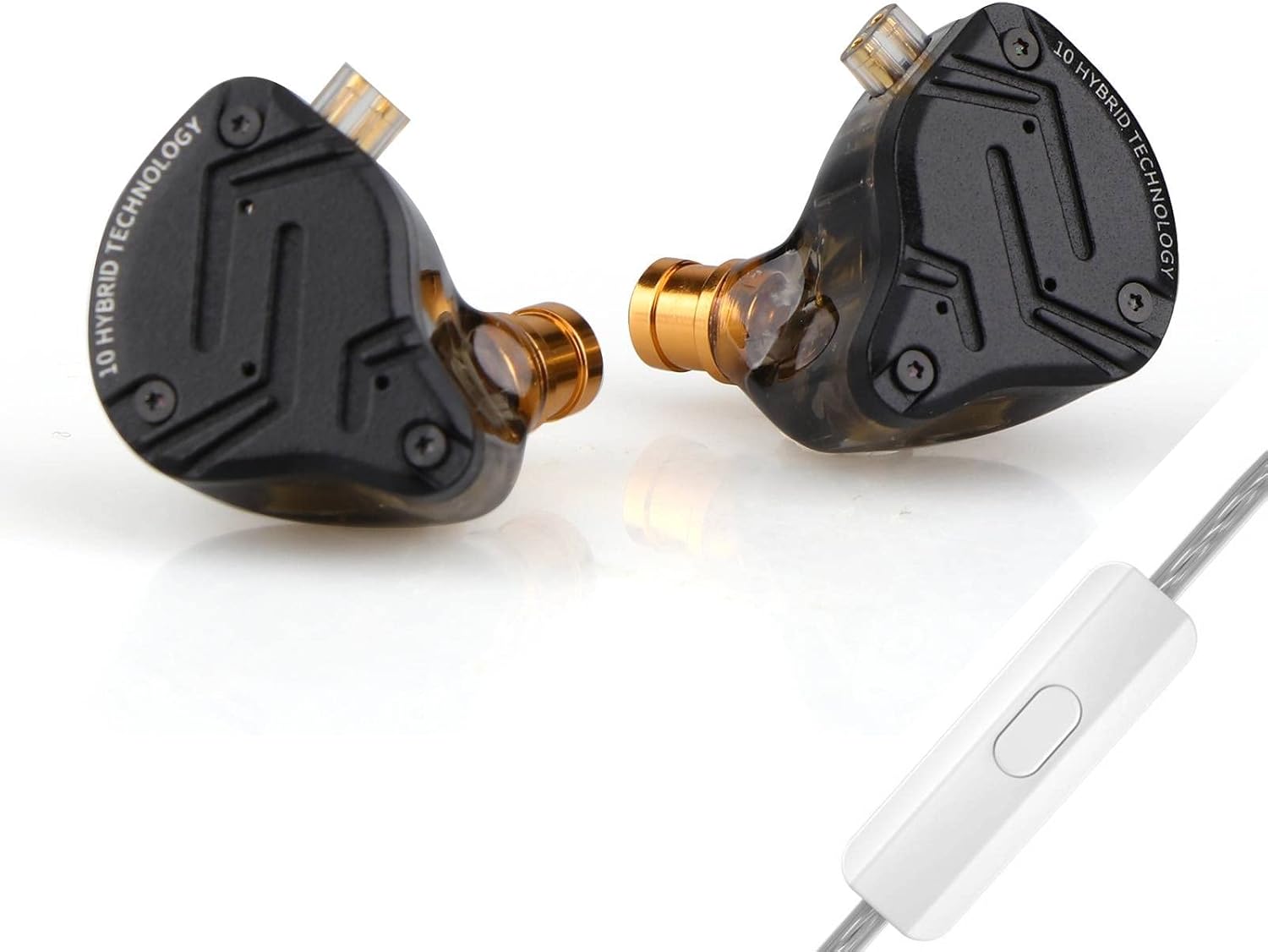
Image: Linsoul KZ ZS10 PRO X In-Ear Monitors with detachable cable.
Package Contents
Please verify that all items listed below are included in your package:
- KZ ZS10 PRO X In-Ear Monitors (Left and Right)
- Detachable Silver-Plated 2-Pin Cable (with microphone for 'With Mic' variant)
- Three (3) Pairs of Silicone Eartips (Sizes: Small, Medium, Large)
- User Manual (This document)
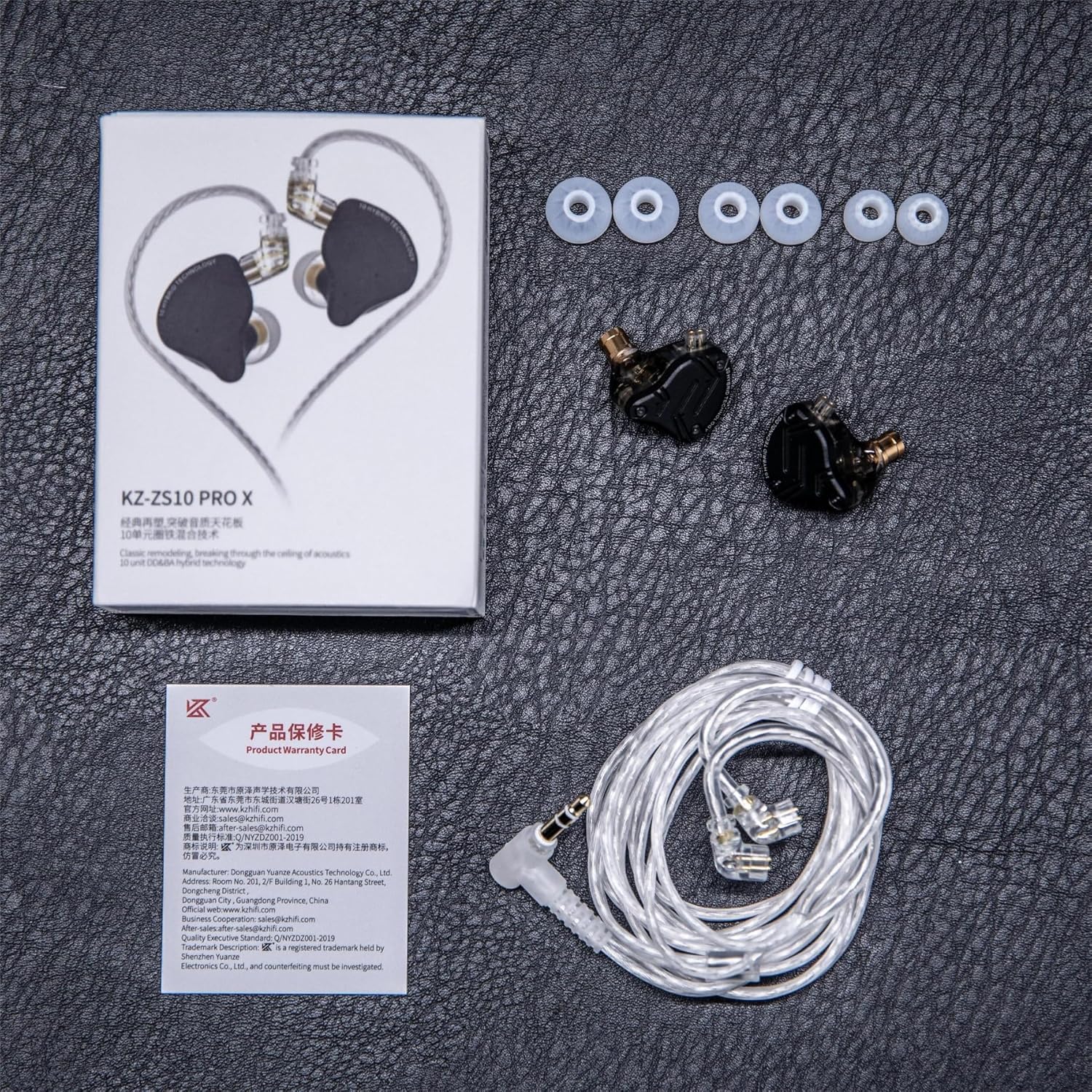
Image: Contents of the KZ ZS10 PRO X package, including earphones, cable, eartips, and user manual.
Setup
1. Attaching the Cable
- Identify the left (L) and right (R) earpieces and the corresponding connectors on the cable. The cable connectors are typically marked with 'L' and 'R'.
- Align the 2-pin connector on the cable with the recessed socket on the earpiece. Ensure the pins are correctly oriented.
- Gently push the cable connector into the earpiece socket until it is firmly seated. Do not force the connection.
- Repeat for the other earpiece.

Image: Diagram showing the internal components and the 2-pin cable connection point on the KZ ZS10 PRO X.
2. Choosing and Attaching Eartips
Selecting the correct eartip size is crucial for optimal sound quality and comfort. Experiment with the included small, medium, and large silicone eartips.
- A good seal provides better bass response and passive noise isolation.
- Gently twist and pull to remove existing eartips.
- Push the desired eartip onto the nozzle of the earpiece until it is securely attached.
3. Wearing the Earphones
- Insert the earpieces into your ears, ensuring a comfortable and secure fit.
- Route the cable over your ears to minimize microphonics (cable noise) and provide a stable fit. The pre-formed ear hooks on the cable should rest comfortably over your outer ear.

Image: Illustration of the ergonomic design and proper wearing technique for the KZ ZS10 PRO X, showing the cable routed over the ear.
4. Connecting to a Device
Plug the 3.5mm gold-plated jack of the cable into the headphone output of your audio source (e.g., smartphone, digital audio player, computer, audio interface).
Operating Instructions
The KZ ZS10 PRO X (with mic variant) features an in-line remote for convenient control of music playback and calls.

Image: Diagram illustrating the functions of the single-button in-line remote control.
Music Playback Control
- Play/Pause: Press the button once.
- Next Song: Press the button twice quickly.
- Previous Song: Press the button three times quickly.
Call Management
- Answer/End Call: Press the button once.
- Decline Call: Press and hold the button.
Maintenance
Cleaning the Earphones
- Regularly remove the eartips and clean them with a soft, damp cloth. Allow them to dry completely before reattaching.
- Gently wipe the earpiece shells and cable with a dry, soft cloth.
- If earwax accumulates in the nozzle, carefully remove it using a small, soft brush or a specialized cleaning tool. Avoid using sharp objects that could damage the drivers.
Cable Care
- Avoid sharp bends or excessive pulling on the cable.
- When detaching the cable, grasp the connector firmly, not the cable itself, and pull straight out.
Storage
When not in use, store your KZ ZS10 PRO X IEMs in a clean, dry place, preferably in a protective case, to prevent damage and tangling.
Troubleshooting
| Problem | Possible Cause | Solution |
|---|---|---|
| No sound or intermittent sound |
|
|
| Poor sound quality (e.g., weak bass, muffled sound) |
|
|
| Microphone not working |
|
|
Specifications

Image: Visual representation of key specifications for the KZ ZS10 PRO X.
| Feature | Detail |
|---|---|
| Model Name | KZ ZS10 PRO X |
| Driver Configuration | 1x 10mm Dynamic Driver + 4x Balanced Armature Drivers (2x 50024s, 2x 30019s) |
| Impedance | 29 Ohm |
| Sensitivity | 112 dB |
| Frequency Response | 20 Hz - 40 kHz |
| Connector Type | 0.75mm 2-Pin |
| Cable Plug | 3.5 mm Jack (Gold-plated) |
| Cable Feature | Detachable, Silver-Plated |
| Cable Length | 120 ± 5 cm |
| Noise Control | Passive Noise Cancellation |
| Material | Alloy Faceplate, Resin Shell |
| Item Weight | 2.11 ounces |
| Product Dimensions | 3.74 x 2.76 x 1.18 inches |
Warranty and Support
Linsoul products typically come with a standard manufacturer's warranty. Please refer to the warranty card included in your package or visit the official Linsoul website for detailed warranty terms and conditions.
For technical support, troubleshooting assistance, or warranty claims, please contact Linsoul customer service through their official website or the retailer where you purchased the product. Provide your product model (KZ ZS10 PRO X) and proof of purchase for efficient service.
You can visit the Linsoul Store for more information: Linsoul Store on Amazon
Related documentsKZ ZS10 PRO X


Ask a question about this manual
Ask about setup, troubleshooting, compatibility, parts, safety, or missing instructions. Manuals+ will review the question and use this page’s manual context to help answer it.