
1. Introduction
Welcome to the user manual for the DANOPLUS DP-8822 Digital H2S Monitor. This device is designed for accurate detection of Hydrogen Sulfide (H2S) gas, providing essential safety features such as audible and visual alarms. Please read this manual thoroughly before operation to ensure safe and effective use.

This image displays the front of the DANOPLUS DP-8822 H2S Monitor, showing its LCD screen with H2S concentration and temperature readings, along with control buttons. The back view shows the product label with specifications and the integrated clip.
2. Important Safety Information
This device is intended for detecting Hydrogen Sulfide gas. H2S is a highly toxic and flammable gas. Always follow local safety regulations and procedures when working in environments where H2S may be present.
- Do not attempt to charge or disassemble the device in an explosive environment.
- Ensure the device is calibrated regularly as per recommended intervals.
- Do not block the sensor hole during operation.
- Replace batteries only with the specified type (3 AAA Alkaline batteries).
- In case of an alarm, evacuate the area immediately and follow established safety protocols.

An image showing the H2S detector with an overlay explaining that H2S is a flammable and hazardous gas, emphasizing the importance of a quality detector for safety.
3. Product Overview
The DANOPLUS DP-8822 H2S Monitor is a compact, clip-on device designed for personal safety.
Key Components:

This diagram highlights the key components of the H2S monitor, including the LED alarm light, sensor hole, LCD display, Power and backlight ON/OFF button, Measurement data holding and setting button, Maximum/minimum value mode locking/UP button, and Unit switch/Down button.
- LCD Display: Shows H2S concentration (ppm, VOL%, mg/M³, LEL%) and temperature (°C/°F).
- Sensor Hole: Location of the electrochemical H2S sensor.
- LED Alarm Light: Flashes red during an alarm condition.
- Buzzer: Emits a high-decibel sound during an alarm condition.
- Power/Backlight Button: Turns the device on/off and controls backlight.
- HOLD Button: For measurement data holding and setting.
- MAX/MIN Button: For maximum/minimum value mode and navigation.
- UNIT Button: To switch measurement units and for navigation.
- Back Clip: For attaching the device to clothing.
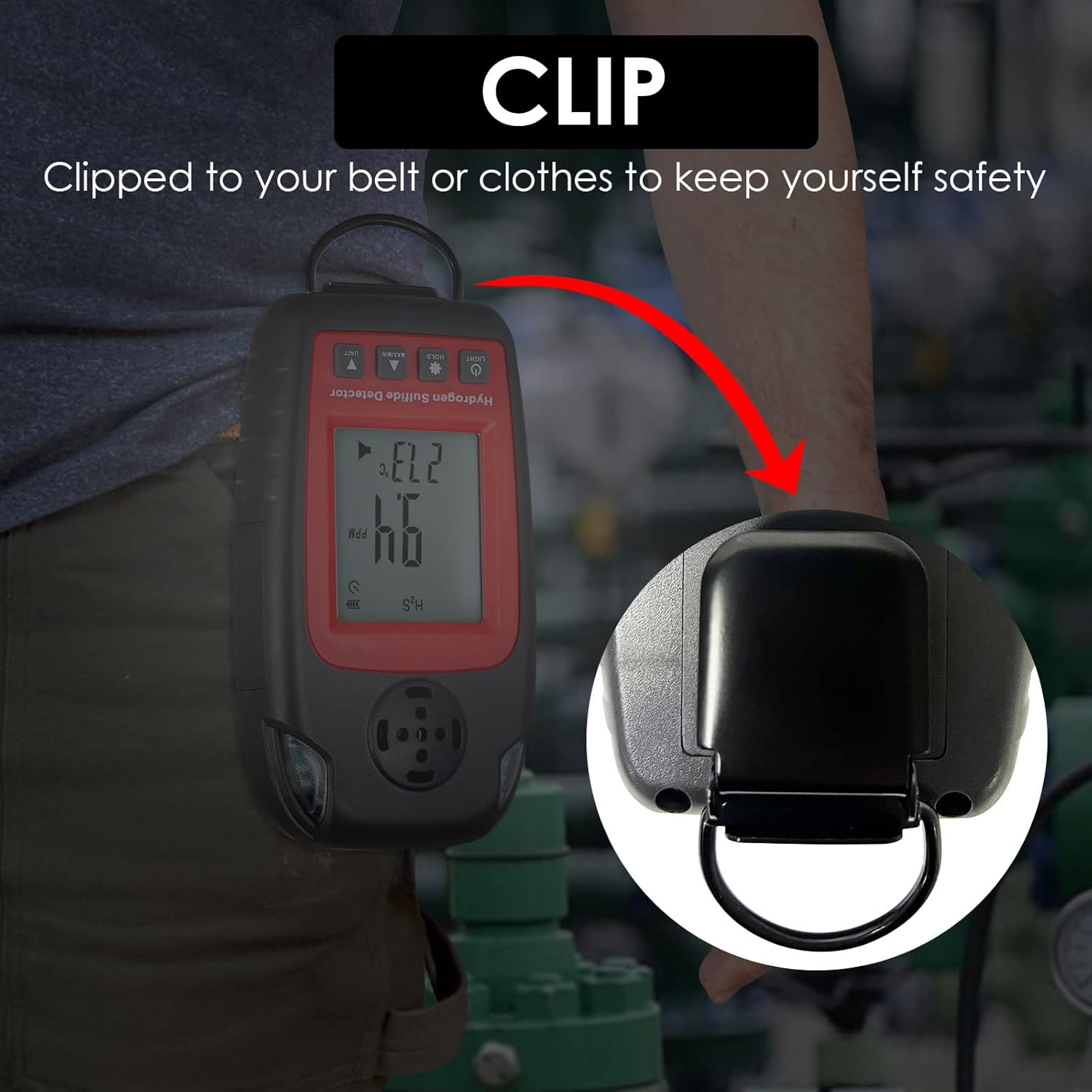
A close-up image demonstrating how the H2S monitor can be clipped onto clothing or a belt for convenient and secure carrying.
4. Setup
Battery Installation:
The device requires 3 AAA alkaline batteries.
- Locate the battery compartment on the back of the device.
- Open the battery cover.
- Insert 3 AAA batteries, ensuring correct polarity (+/-).
- Close the battery cover securely.
Warning: Do not attempt to charge or disassemble the device in an explosive environment.
Powering On/Off:
Press and hold the LIGHT button to power on the device.
To power off, press and hold the LIGHT button again until the display turns off. The device also features an automatic shutdown indicator.
5. Operating Instructions
Measurement Display:
Once powered on, the LCD will display the current H2S concentration in the selected unit and the ambient temperature.
Switching Units:
The device supports 4 switchable units for H2S concentration: ppm, VOL%, mg/M³, and LEL%.
Press the UNIT button to cycle through the available measurement units.
Temperature can be switched between °C and °F. Refer to the device's specific settings menu for temperature unit adjustment.

This image illustrates the wide measurement range capabilities of the H2S monitor, showing the four switchable units: 0~100ppm, 0~0.01VOL%, 0~152mg/M³, and 0~0.23LEL%.
Data Hold Function:
Press the HOLD button to freeze the current measurement on the display. Press again to release.
MAX/MIN Value Mode:
Press the MAX/MIN button to view the maximum or minimum H2S concentration recorded since the device was powered on or reset.
Alarm Function:
The H2S Monitor features both a high-decibel buzzer and a flashing red LED light alarm.
Alarms activate when the H2S concentration reaches user-configurable high and low alarm thresholds.
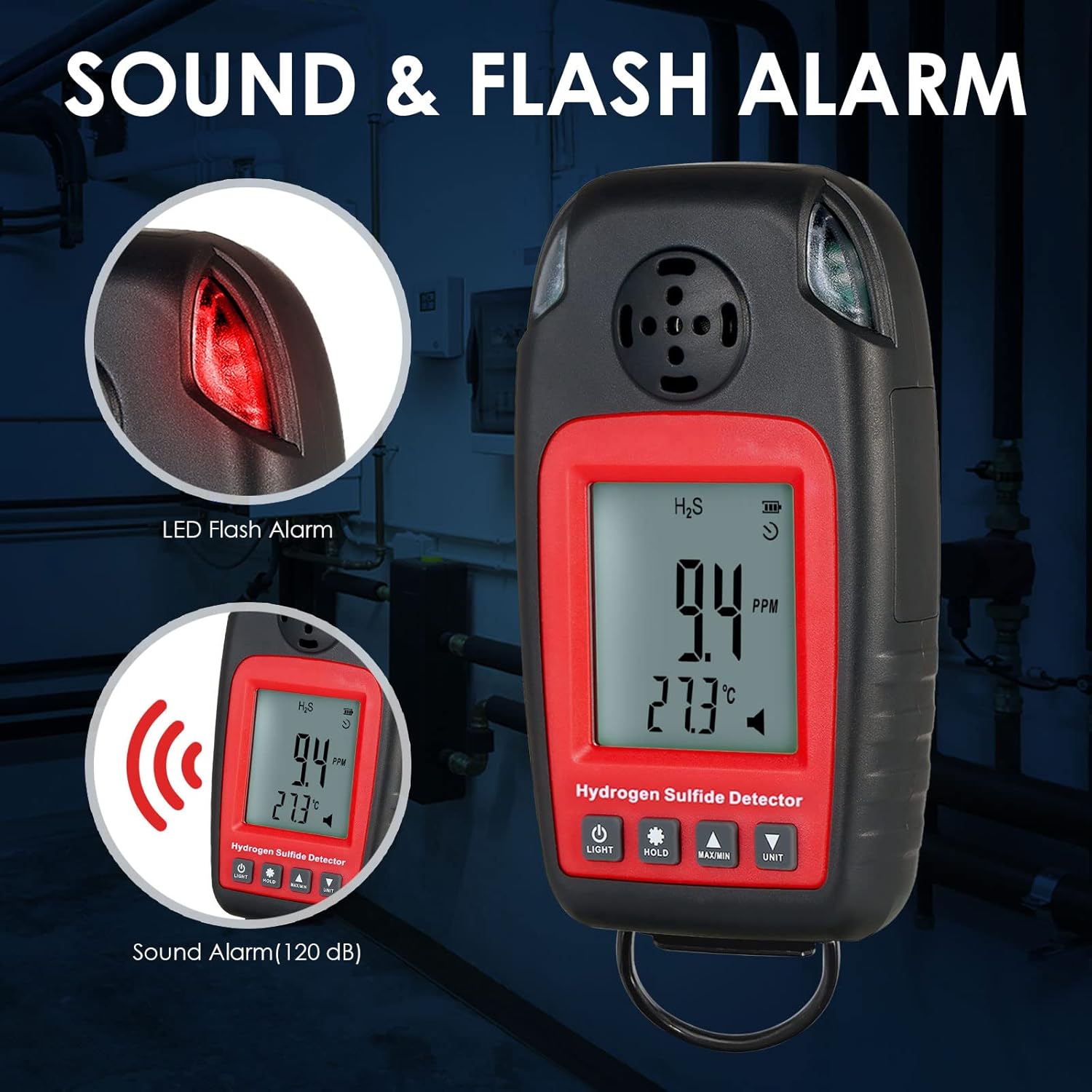
An image demonstrating the alarm features of the H2S monitor, including the LED flash alarm and the 120 dB sound alarm, indicating how the device alerts users to dangerous H2S levels.
Configuring Alarm Thresholds:
Refer to the detailed instructions in the full manual for specific steps on how to manually configure the high and low alarm threshold values. This typically involves entering a settings menu using a combination of button presses.
6. Calibration
Regular calibration is crucial for maintaining the accuracy of your H2S monitor.
The DANOPLUS DP-8822 supports calibration. For detailed calibration procedures, including zero calibration and span calibration, please consult the comprehensive instruction manual provided with your device or contact DANOPLUS customer support.
Note: Calibration should ideally be performed in a clean air environment for zero calibration and with a known concentration of H2S gas for span calibration.
7. Maintenance and Care
Cleaning:
Wipe the device with a soft, dry cloth. Do not use abrasive cleaners or solvents.
Storage:
Store the device in a cool, dry place away from direct sunlight and extreme temperatures.
If storing for an extended period, remove the batteries to prevent leakage.
Sensor Care:
Keep the sensor hole clean and free from obstructions. Avoid exposing the sensor to harsh chemicals or liquids.

This image shows the DANOPLUS H2S Monitor alongside its protective carrying case and the included instruction manual, emphasizing the complete package for product care and portability.
8. Troubleshooting Guide
| Problem | Possible Cause | Solution |
|---|---|---|
| Device does not power on | Dead or incorrectly installed batteries | Replace batteries with new AAA alkaline batteries, ensuring correct polarity. |
| Inaccurate readings | Sensor dirty or requires calibration | Clean sensor area. Perform calibration as per manual. |
| Alarm constantly active | High H2S concentration in environment or faulty sensor | Evacuate to fresh air. If alarm persists in clean air, contact support. |
| LCD display dim | Low battery or backlight off | Replace batteries. Press the LIGHT button to activate backlight. |
If you encounter issues not listed here, please contact DANOPLUS customer support.
9. Technical Specifications
| Feature | Specification |
|---|---|
| Model | DP-8822 |
| Gas Detected | Hydrogen Sulfide (H2S) |
| Measuring Range | 0~100 ppm |
| Sensor Type | Electrochemical |
| Alarm | Buzzer & Red Indicator |
| Power Source | 3 x AAA Alkaline batteries (included) |
| Product Dimensions | 11.99 x 2.59 x 9.5 cm |
| Item Weight | 113 g |
| Operating Humidity | 10% - 95% |
| Material | ABS |
10. Warranty and Customer Support
Warranty Information:
For information regarding the warranty period and terms for your DANOPLUS DP-8822 H2S Monitor, please refer to the warranty card included in the product packaging or visit the official DANOPLUS website.
Customer Support:
If you have any questions, require technical assistance, or need to report an issue with your device, please contact DANOPLUS customer support.
Manufacturer: DANOPLUS
For support inquiries, please refer to the contact information provided in your product documentation or the seller's information on the purchase platform.