
1. Introduction
Thank you for choosing the ODK Computer Desk Study Table. This 63-inch office desk is designed to enhance your workspace with its ergonomic features, integrated storage, and sturdy construction. It is ideal for home offices, study areas, and general work environments, providing a comfortable and organized setup for your computer and accessories.
This manual provides detailed instructions for the assembly, operation, and maintenance of your new desk. Please read it thoroughly before beginning assembly or use to ensure proper setup and longevity of the product.

Image: The ODK Computer Desk Study Table, showcasing its spacious design, monitor shelf, keyboard tray, and integrated drawers, set up in a modern office environment.
2. Product Features
- Ergonomic Design: Features a 4.5-inch elevated monitor stand shelf, promoting a comfortable working posture by allowing users to look directly at screens, reducing neck strain. The 7.8-inch wide monitor shelf can accommodate two monitors or provide additional storage space.
- Integrated Keyboard Tray: A 23.6-inch wide pull-out keyboard tray is included, suitable for full-size 108-key or 87-key keyboards with a mouse. This tray helps protect your keyboard from dust and can also serve as an additional storage area.
- Fabric Drawers: Equipped with two fabric drawers for extra storage. These drawers require no assembly; simply unfold them and insert the hardboard bottom for stability. Each drawer has a weight capacity of 5kg (11lbs).
- Sturdy Construction: The tabletop is crafted from high-quality solid particle board, designed to be scratch-resistant, anti-collision, and waterproof. A thick metal frame ensures the desk's stability and sturdiness. Desk foot pads are included to protect your flooring from scratches.
- Ample Dimensions: Overall desk dimensions are 63''L x 20.8''W x 34.4''H (including monitor shelf height). The height from the floor to the keyboard tray is 25''. Keyboard Tray: 23.6''W x 11''D with a pull-out distance of 7.9''. Drawers: 19''L x 17.1''W x 4.5''H. Product Weight: 23.5kg (51.8 lbs).

Image: An illustration demonstrating the ergonomic benefits of the ODK desk, highlighting proper posture with the elevated monitor shelf and sufficient legroom.
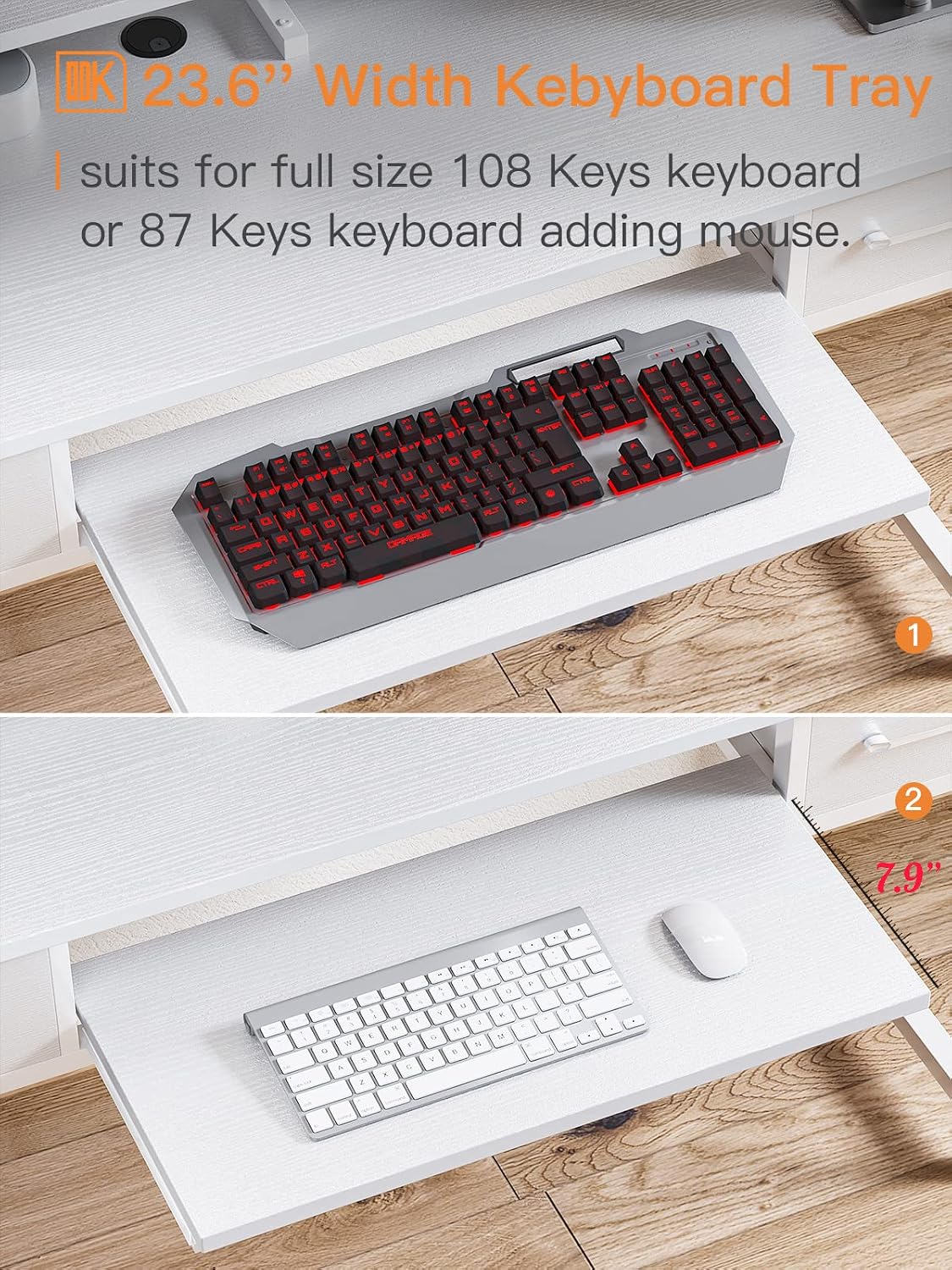
Image: A detailed view of the 23.6-inch wide pull-out keyboard tray, showing its capacity for a full-size keyboard and mouse.

Image: A close-up of one of the desk's fabric drawers, illustrating its internal capacity for storing various items like notebooks, headphones, and small electronics.
3. Assembly Instructions
The ODK Computer Desk is designed for easy assembly. All necessary hardware, tools, and instructions are included in the package. While assembly can be completed by one person, having a second person may facilitate the process.
For detailed step-by-step instructions, please refer to the official Installation Manual PDF provided by ODK. You can access it via this link: ODK Computer Desk Installation Manual (PDF).
Assembly Tips:
- Unpack all components and verify against the parts list in the manual.
- Lay out all parts on a soft, clean surface to prevent scratches.
- Follow the numbered steps in the instruction manual carefully.
- Do not overtighten screws during initial assembly; tighten fully once all parts are aligned.
- The fabric drawers do not require assembly; simply unfold and place the hardboard bottom.

Image: A comprehensive diagram detailing the dimensions of the ODK Computer Desk, including the overall size, monitor shelf, keyboard tray, and drawers.

Image: An illustration of the assembly tools and hardware components that are provided with the ODK Computer Desk for convenient setup.
4. Operation Guide
The ODK Computer Desk is designed for intuitive use, providing dedicated spaces for your computer equipment and office supplies.
Monitor Shelf:
Place your computer monitors on the elevated shelf. This 4.5-inch rise helps position your screens at an ergonomic height, reducing strain on your neck and eyes. The shelf is wide enough to accommodate two monitors or provide additional space for speakers, desk lamps, or decorative items.
Keyboard Tray:
The pull-out keyboard tray is located beneath the main desktop. Gently pull the tray forward to extend it for use. It provides a dedicated space for your keyboard and mouse, keeping your main desktop clear. Push the tray back in when not in use to protect your peripherals from dust and free up desk space.
Fabric Drawers:
The two fabric drawers offer convenient storage for office supplies, documents, or personal items. Simply pull the handles to open the drawers. These drawers are lightweight and designed for easy access to your stored items. Ensure not to exceed the 5kg (11lbs) weight capacity per drawer to maintain their integrity.
5. Care and Maintenance
Proper care and maintenance will help preserve the appearance and functionality of your ODK Computer Desk for years to come.
- Cleaning: Wipe the desk surfaces with a soft, damp cloth. For stubborn marks, a mild soap solution can be used, followed by wiping with a clean, dry cloth. Avoid abrasive cleaners or harsh chemicals, as they may damage the finish.
- Spills: Immediately wipe up any spills to prevent liquid from penetrating the particle board, which is designed to be waterproof but prolonged exposure can cause damage.
- Heat and Moisture: Avoid placing hot items directly on the desk surface. Use coasters for drinks to prevent water rings.
- Weight Distribution: Distribute weight evenly across the desk surface. Do not place excessively heavy objects on the monitor shelf or in the fabric drawers beyond their stated capacity.
- Movement: When moving the desk, lift it rather than dragging it to prevent damage to the legs and floor. It is recommended to have two people for moving the desk due to its weight.
6. Troubleshooting
This section addresses common questions and minor issues you might encounter with your ODK Computer Desk.
- Missing Screw Holes: In rare cases, a pre-drilled hole might be missing. If you encounter this, please contact ODK customer support for assistance. Do not attempt to drill new holes unless instructed by support, as this may void your warranty.
- Fabric Drawers Not Sliding Smoothly: The drawers are made of fabric and are not on traditional slides. They are designed to be lightweight and easily pulled out. Ensure the hardboard bottom is properly inserted for stability. Avoid overloading the drawers beyond their 5kg (11lbs) capacity, as excessive weight can cause them to sag or become difficult to operate.
- Keyboard Tray Size: The keyboard tray is 23.6 inches wide. It is designed to accommodate most standard keyboards and a mouse. If you use a very large keyboard or require space for a wrist rest in addition to the keyboard, you may find the space limited. Consider using a smaller keyboard or placing the wrist rest on the main desktop if needed.
- Monitor Base Does Not Fit Entirely on Shelf: Some monitor bases may be larger than the 7.8-inch depth of the monitor shelf. In such cases, it is recommended to place the desk against a wall to provide additional support for the monitor base.
- Limited Leg Room for Office Chair: The desk provides ample leg room for sitting comfortably. However, the design may not allow for very large or bulky office chairs to be pushed completely under the desk when not in use. Please check your chair's dimensions against the desk's under-desk clearance (height from floor to keyboard tray is 25 inches).
7. Product Specifications
| Feature | Specification |
|---|---|
| Brand | ODK |
| Model Number | SBSCFZ-01 |
| Product Dimensions (L x W x H) | 63" x 20.8" x 34.4" (including monitor shelf) |
| Color | White |
| Style | Modern |
| Top Material Type | Engineered Wood (Particle Board) |
| Base Material | Metal |
| Special Features | Keyboard Tray Included, Monitor Stand |
| Number of Drawers | 2 (Fabric Drawers) |
| Drawer Weight Capacity | 5kg / 11lbs per drawer |
| Item Weight | 23.5 kg (51.8 lbs) |
| Maximum Weight Recommendation | 220 Pounds (Desk Top) |
| Assembly Required | Yes (Tools Included) |
8. Warranty and Support
ODK is committed to providing high-quality products and customer satisfaction. Your ODK Computer Desk comes with a limited warranty. For specific warranty details, please refer to the documentation included with your purchase or contact ODK customer support.
Customer Support:
If you encounter any product problems, such as damaged parts, missing components, or assembly difficulties, please do not hesitate to contact ODK customer service. We guarantee a reply with a solution within 24 hours.
You can visit the official ODK Store for more information and support: Visit the ODK Store.
Important Safety Information:
- Always assemble the desk according to the included instructions.
- Be cautious when moving the desk due to its weight.
- Ensure the desk is properly assembled and stable before placing items on it.
- Do not place heavy objects on the monitor shelf that exceed its structural capacity to avoid damage.
