
1. Introduction
Thank you for choosing the PJYUBVOR T45S Smart Watch. This manual provides essential information and instructions to help you get started with your new device. The T45S Smart Watch is designed to enhance your daily life with features including communication, health monitoring, and fitness tracking. Please read this manual carefully to ensure proper use and optimal performance.
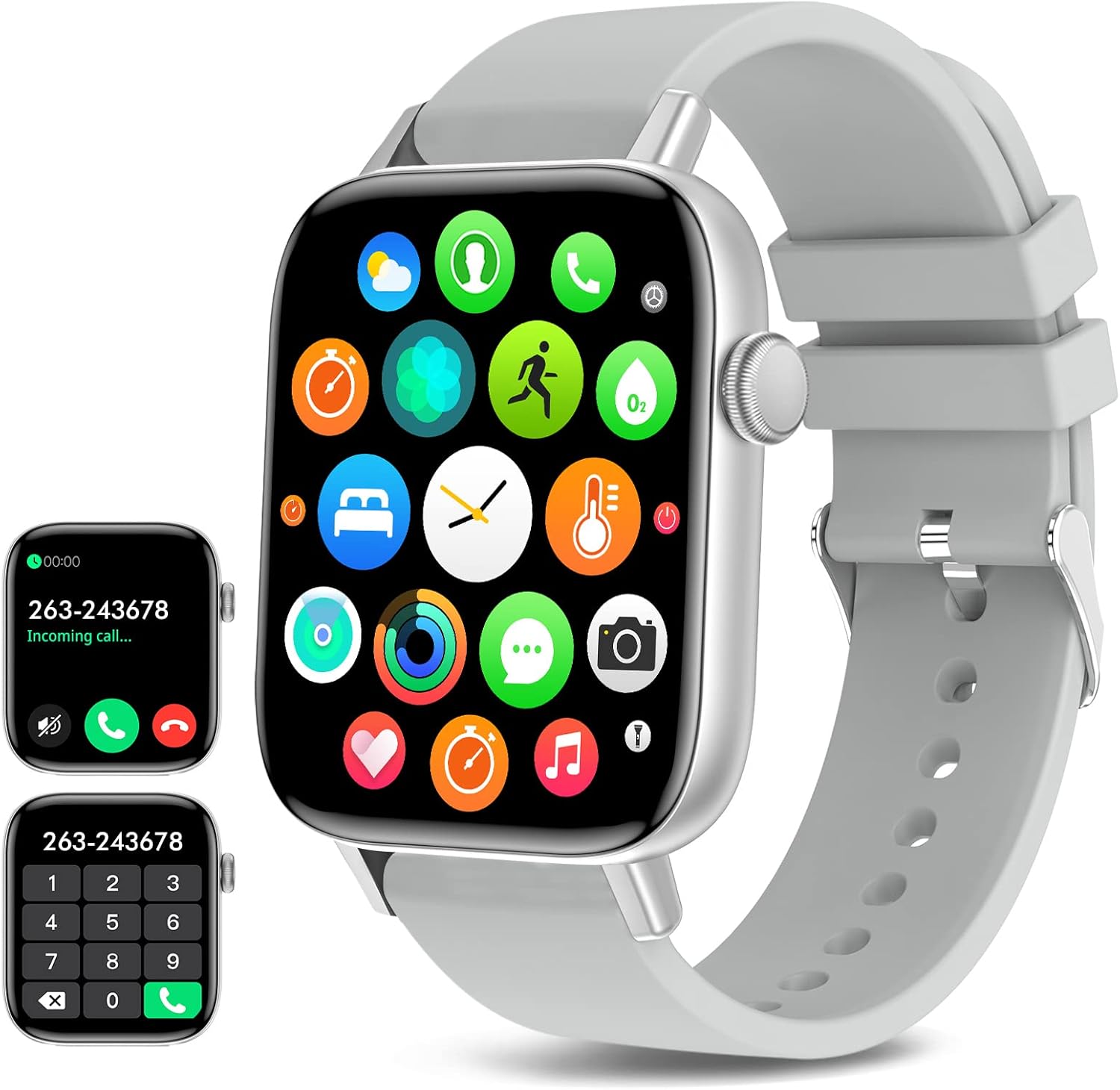
Figure 1.1: PJYUBVOR T45S Smart Watch overview.
2. Safety Information
- Not a Medical Device: This device is not intended for medical use. All health data provided is for reference only and should not be used for diagnosis or treatment. Consult a medical professional for any health concerns.
- Water Resistance: The watch is IP67 waterproof, meaning it is resistant to splashes and brief immersion. Do not use the fitness tracker watch in diving, saunas, or hot water. Avoid prolonged exposure to water.
- Charging: Use only the provided charging cable. Ensure the charging contacts are clean and dry before charging.
- Temperature: Avoid exposing the device to extreme temperatures (hot or cold) or direct sunlight for extended periods.
- Disassembly: Do not attempt to disassemble or modify the watch. This may void the warranty and cause damage.
3. Setup
3.1. What's in the Box
Upon opening your PJYUBVOR T45S Smart Watch package, you should find the following items:
- PJYUBVOR T45S Smart Watch (main unit)
- Silicone Watch Band (pre-attached or separate)
- Magnetic Charging Cable
- User Manual
3.2. Attaching the Watch Band
If your watch band is not pre-attached, align the pins of the band with the holes on the watch body and slide them into place until they click securely. The watch band is designed for easy attachment and removal.
3.3. Initial Charging and Power On
Before first use, fully charge your smartwatch. Connect the magnetic charging cable to the charging points on the back of the watch. Plug the USB end of the cable into a compatible USB power source (e.g., computer USB port, USB wall adapter). The watch will typically power on automatically when connected to the charger for the first time.
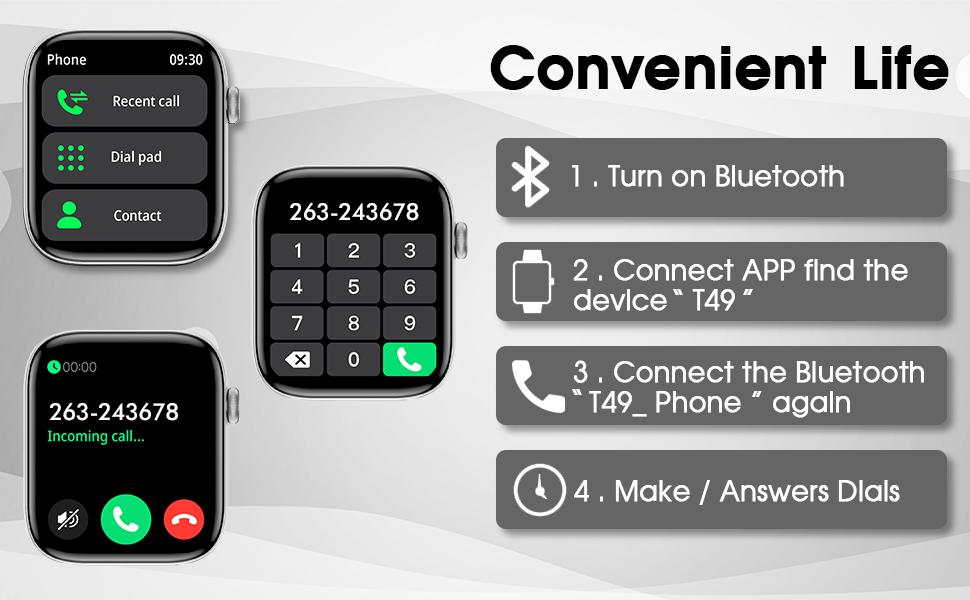
Figure 3.3: Steps for connecting the watch and making calls.
3.4. App Installation and Pairing
To unlock the full potential of your smartwatch, download and install the companion app on your smartphone.
- Download the App: Scan the QR code provided in the user manual or search for "Da Fit" in your smartphone's app store (compatible with iOS 9.0/Android OS 4.4 or above, and Bluetooth 5.0 or above).
- Enable Bluetooth: Ensure Bluetooth is enabled on your smartphone.
- Pair the Device: Open the Da Fit app, navigate to the device section, and search for your smartwatch (e.g., "T45S"). Select it to pair.
- Confirm Connection: Follow any on-screen prompts on both your phone and watch to confirm the pairing.
3.5. Changing System Language
You can change the system language directly on the watch:
- Press the side button to access the main menu.
- Tap the 'gear' icon for Settings.
- Look for the 'En' icon or 'Language' option and tap it.
- Select your desired language from the list (e.g., English).
Video 3.5: Demonstration of changing the system language on the smartwatch.
4. Operating Instructions
4.1. Basic Navigation
The T45S Smart Watch features a 1.9" HD full touch screen for easy navigation:
- Swipe Up/Down: Scroll through notifications or quick settings.
- Swipe Left/Right: Access different widgets like activity, sleep, heart rate, or app drawer.
- Tap: Select an item or open an application.
- Side Button: Press to wake the screen, return to the home screen, or access the main menu.
4.2. Customizing Watch Faces
Personalize your watch with over 150 custom dials:
- On the Watch: Long-press the home screen to quickly change between pre-installed watch faces.
- Via Da Fit App: Open the app, go to the device settings, and explore the 'Watch Face Market' to download new faces or upload a picture to customize your own.

Figure 4.2: Customizable dial faces on the 1.9" HD screen.
4.3. Communication Features
Stay connected directly from your wrist:
- Answer/Make Calls: With dual-mode Bluetooth phone functionality, you can answer incoming calls or dial out directly from the watch. The watch has a built-in microphone and speaker.
- Notifications: Receive incoming call alerts, SMS notifications, and app notifications (e.g., Facebook, WhatsApp, Instagram) directly on your watch. The watch will vibrate to alert you. Note: You cannot reply to messages directly from the watch.

Figure 4.3.1: Smartwatch showing incoming call and dial pad for making calls.

Figure 4.3.2: Smartwatch displaying notifications from various applications.
4.4. Health Monitoring
The T45S Smart Watch provides comprehensive health tracking features:
- Heart Rate Monitor: Automatically monitors your real-time heart rate 24/7.
- Blood Oxygen (SpO2) Measurement: Supports blood oxygen level measurement.
- Blood Pressure Measurement: Supports blood pressure measurement.
- Sleep Tracker: Automatically measures your sleep patterns (awake, light, and deep sleep) to help you adjust your lifestyle.
- Sedentary Reminder: Reminds you to move after periods of inactivity.
- Drink Water Reminder: Provides reminders to stay hydrated throughout the day.
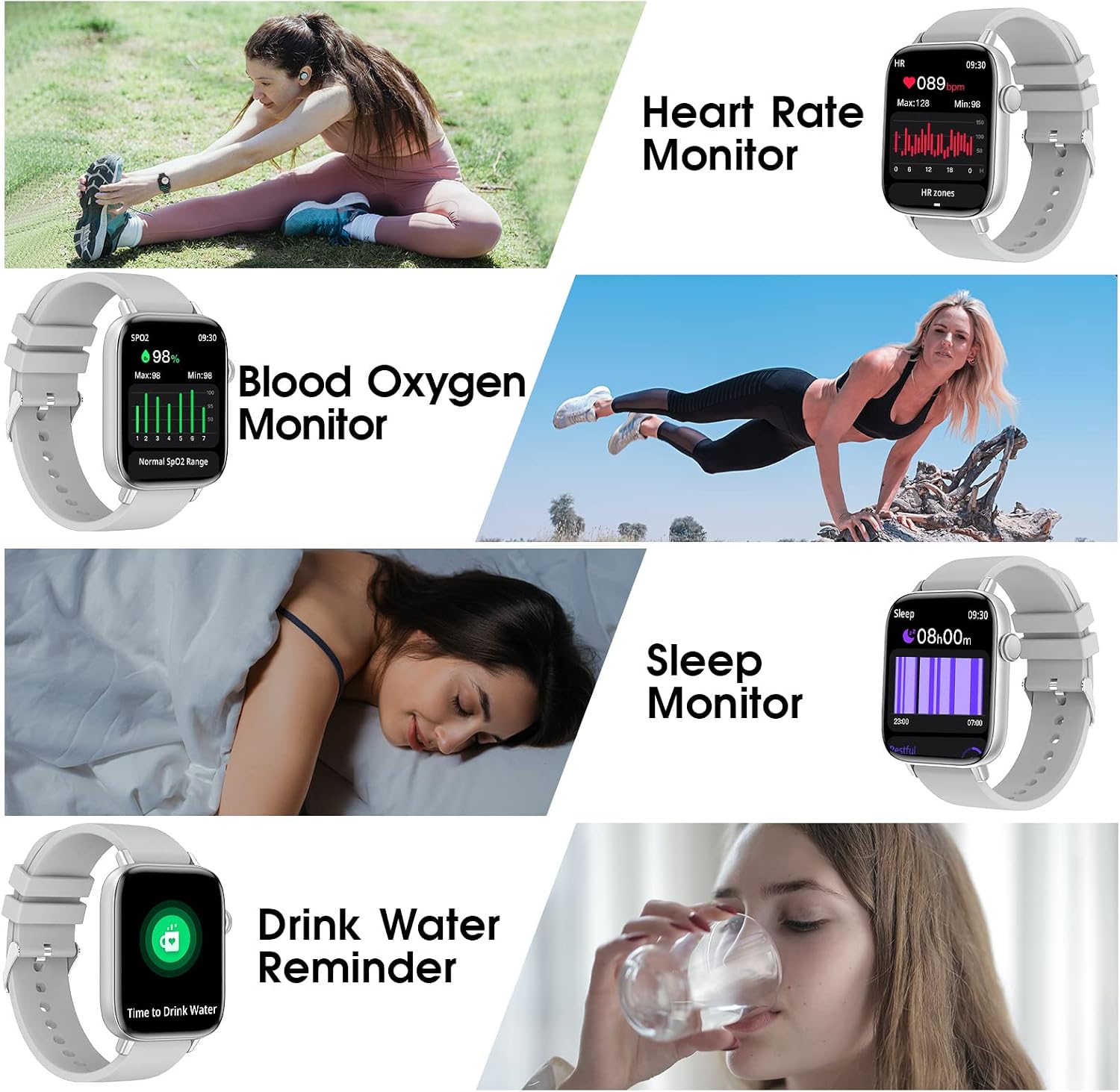
Figure 4.4: Health monitoring features including heart rate, SpO2, sleep, and hydration reminders.
4.5. Fitness Tracking and Sports Modes
Track your daily activity and workouts:
- Daily Activity: Records steps, distance, burned calories, and active minutes.
- 28 Sport Modes: Supports various outdoor and indoor sports modes (e.g., running, cycling, yoga).
- GPS Tracking: View finished running/walking/cycling map routes on the Da Fit App when shared with your smartphone's GPS.
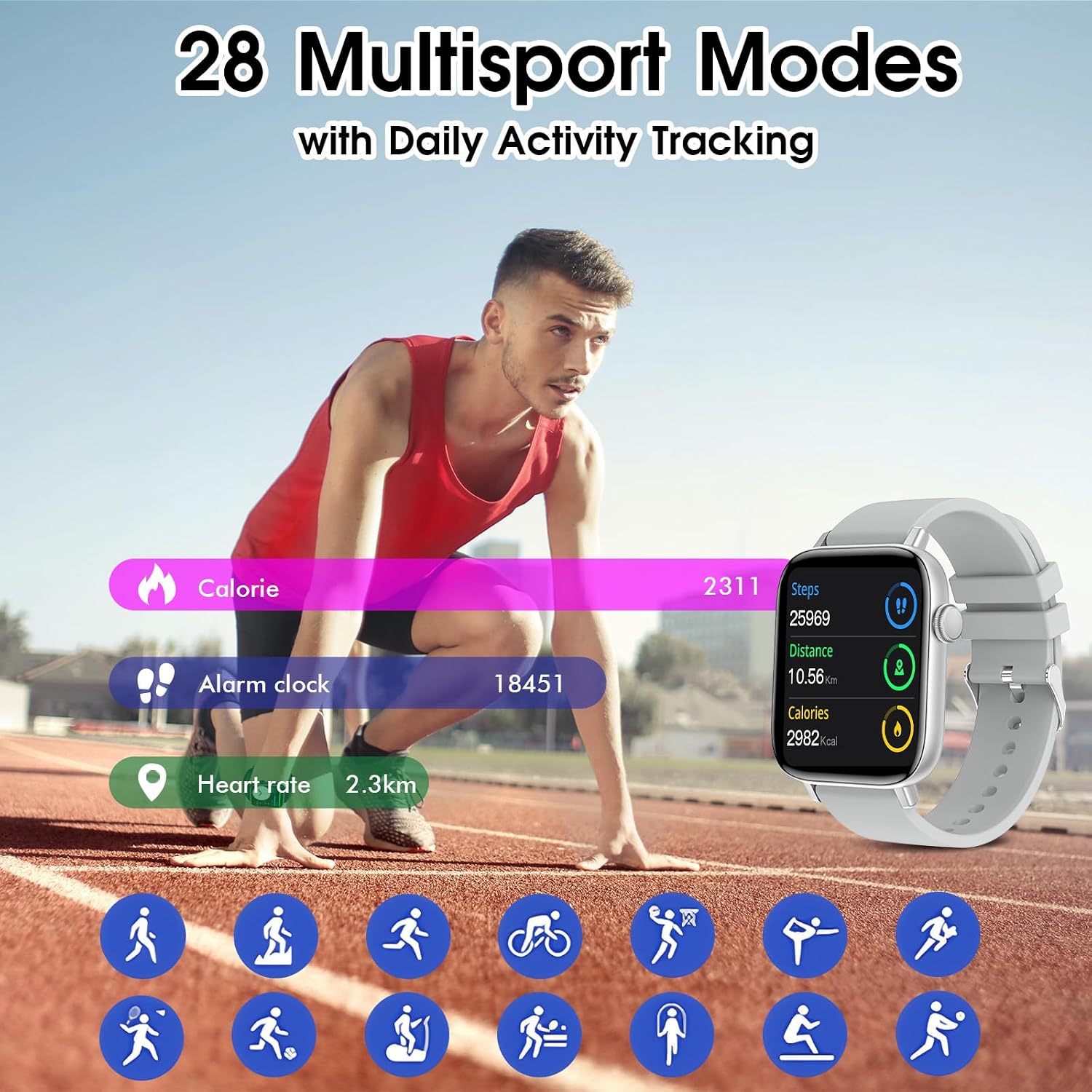
Figure 4.5: Smartwatch displaying various activity tracking metrics and sports modes.
4.6. Other Functions
- Music Control: Control music playback on your smartphone.
- Camera Control: Use the watch as a remote shutter for your phone's camera.
- Weather Forecast: Get real-time weather updates.
- Alarm Clocks: Set multiple alarms.
- Stopwatch: Use the built-in stopwatch function.
- Find Phone/Watch: Locate your paired smartphone or watch.
- Brightness Adjustment: Adjust screen brightness for optimal visibility in various lighting conditions.
5. Maintenance
5.1. Cleaning
Regularly clean your smartwatch and band to prevent skin irritation and maintain performance:
- Wipe the screen and watch body with a soft, damp, lint-free cloth.
- Clean the charging contacts periodically to ensure good connection.
- For silicone bands, wash with mild soap and water, then rinse thoroughly and dry.
5.2. Water Resistance Guidelines
The T45S Smart Watch has an IP67 waterproof rating. This means it can withstand:
- Splashes from handwashing or rain.
- Brief immersion in shallow water (up to 1 meter for 30 minutes).
Important: To maintain water resistance, avoid:
- Using the watch during diving, in saunas, or hot showers.
- Exposing the watch to high-velocity water or sudden temperature changes.
- Pressing buttons underwater.
6. Troubleshooting
If you encounter issues with your smartwatch, try the following solutions:
- Watch Not Powering On: Ensure the watch is fully charged. Connect it to the charger and wait a few minutes.
- Charging Issues: Check if the magnetic charging cable is properly aligned with the watch's charging contacts. Ensure the contacts are clean and free of debris. Try a different USB power source.
- Connectivity Problems: Make sure Bluetooth is enabled on your phone and the watch is within range. Restart both your phone and the watch. Try unpairing and re-pairing the device via the Da Fit app.
- Inaccurate Health Data: Ensure the watch is worn snugly on your wrist, not too tight or too loose. Clean the sensors on the back of the watch. Remember, this is not a medical device, and readings are for reference.
- Notifications Not Appearing: Check app notification settings on your phone and within the Da Fit app to ensure they are enabled for the watch.
7. Specifications
| Model Number | T45S |
| Screen Size | 1.9 Inches |
| Operating System | Android (compatible with iOS 9.0+/Android OS 4.4+) |
| Connectivity Technology | Bluetooth 5.0 |
| Battery Capacity | 290 Milliamp Hours (1 Lithium Ion battery included) |
| Water Resistance | IP67 |
| Item Weight | 5 ounces |
| Special Features | Bluetooth Call (Make/Answer), Heart Rate/SpO2/Sleep/Stress Monitor, Multiple Sports Modes, Pedometer/Calories/Distance Record, Alarm Clock, Message Notification, Music Control, Camera Control, Weather Forecast, Brightness Adjustment, Sedentary Reminder, GPS Tracking |
8. Warranty and Support
For warranty information, please refer to the product packaging or contact the retailer where you purchased the PJYUBVOR T45S Smart Watch. For technical support or further assistance, please consult the contact information provided with your purchase or on the official PJYUBVOR website.