
Radioddity SD5
Raddy SD5 Emergency Radio User Manual
Model: SD5
1. Introduction
This manual provides detailed instructions for the operation and maintenance of your Raddy SD5 Emergency Radio. Please read this manual thoroughly before using the device to ensure proper function and safety. The Raddy SD5 is a versatile emergency device featuring DAB/DAB+/FM radio, a 5000mAh power bank, IPX5 water resistance, a flashlight, a reading lamp, a compass, and an SOS alarm, with multiple charging options.
Safety Precautions
- Do not expose the device to extreme temperatures or direct sunlight for extended periods.
- Avoid dropping or subjecting the device to severe impacts.
- Keep the device away from strong magnetic fields.
- Do not attempt to disassemble or modify the device. This will void the warranty.
- Ensure all ports are dry before charging to prevent damage.
- Dispose of batteries according to local regulations.
2. Product Overview
The Raddy SD5 is designed for reliability in various conditions. Familiarize yourself with its components:

Figure 2.1: Front view of the Raddy SD5 Emergency Radio, showing the display, controls, flashlight, solar panel, and a phone being charged via USB.
Key Components:
- DAB/DAB+/FM Radio: For receiving digital and analog radio broadcasts.
- 5000mAh Power Bank: Integrated battery for charging external devices.
- IPX5 Water Resistance: Protects against splashing water from any direction.
- Flashlight: Provides illumination in low-light conditions.
- Reading Lamp: Offers diffused light for reading or area illumination.
- Compass: Integrated for navigation assistance.
- SOS Alarm: Activates a loud siren and flashing light for emergencies.
- Multiple Charging Options: USB-C, Solar Panel, Hand Crank.
3. Setup
Initial Charging
Before first use, fully charge the Raddy SD5 using the provided USB-C cable. Connect the USB-C cable to the device's USB-C input port and the other end to a standard USB power adapter (not included). The charging indicator will show the battery status. A full charge ensures optimal performance and readiness.
Antenna Extension
For optimal radio reception, fully extend the telescopic antenna when listening to FM, DAB, or DAB+ broadcasts.
4. Operating Instructions
Power On/Off
Press and hold the Power button (usually marked with ★) to turn the device on or off.
Radio Tuning (DAB/DAB+/FM)

Figure 4.1: The Raddy SD5 radio displaying a frequency, indicating its DAB/DAB+/FM capabilities in an outdoor environment.
- Select Band: Press the 'BAND' button to switch between FM, DAB, and DAB+ modes.
- Auto Scan: In FM or DAB mode, press and hold the 'SCAN' button to automatically search for and save available stations.
- Manual Tuning: Use the '<' or '>' buttons to manually tune to frequencies or navigate through saved stations.
Volume Control
Use the '+' and '-' buttons to adjust the audio volume.
Flashlight Operation
Press the Flashlight button (often marked with a light icon) once to turn on the flashlight. Press again to cycle through different brightness modes or turn it off.
Reading Lamp Operation
Open the solar panel to reveal the reading lamp. Press the Reading Lamp button (if separate, or cycle through light modes) to activate it. This provides broader illumination.
SOS Alarm Activation

Figure 4.2: The Raddy SD5 radio with an SOS alarm feature, shown in an outdoor emergency scenario.
To activate the SOS alarm, locate the dedicated SOS button (often on the side or bottom, as indicated by an SOS symbol). Press and hold this button to trigger a loud siren and flashing light. Press again to deactivate.
Compass Usage
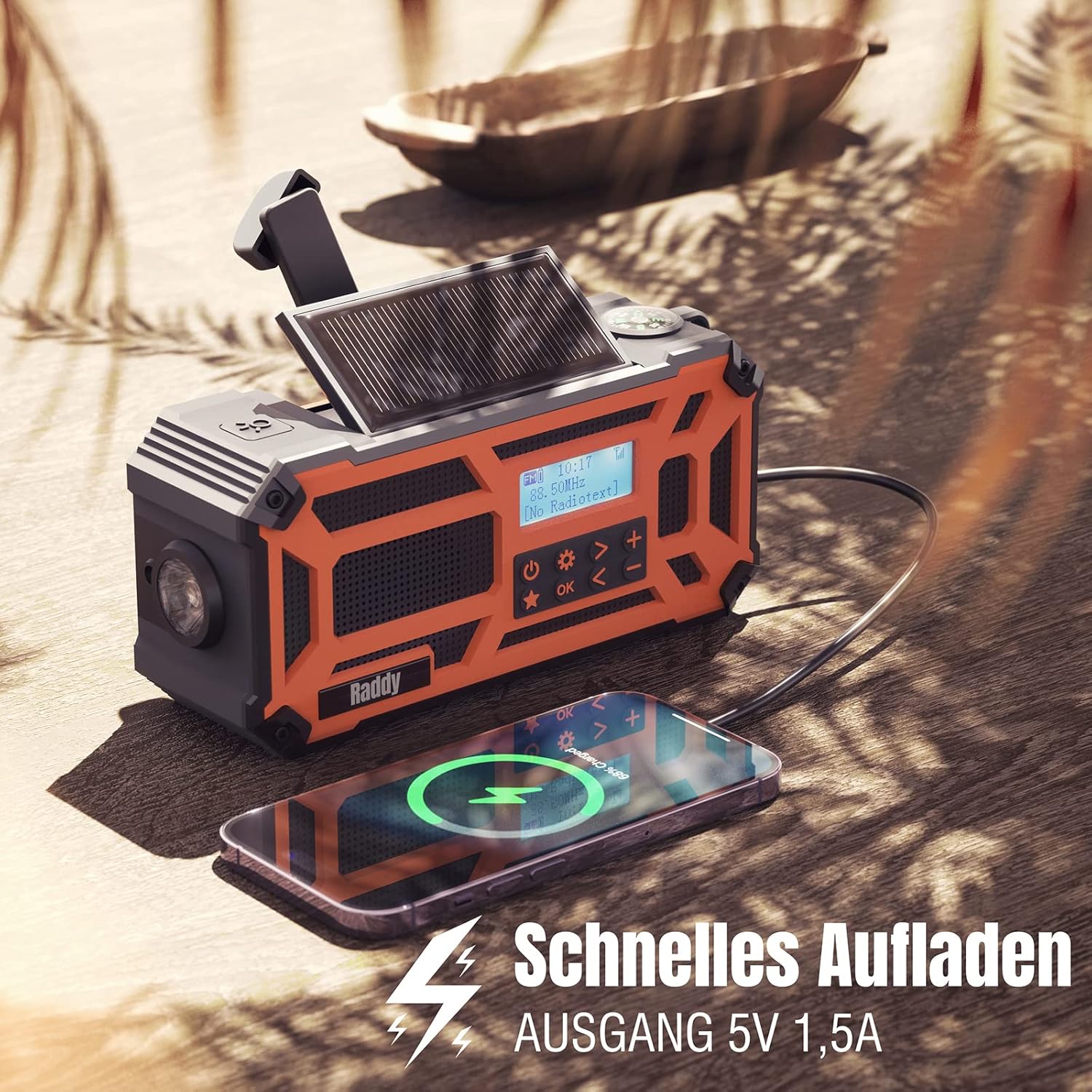
Figure 4.3: A close-up of the Raddy SD5, highlighting the integrated compass for navigation.
The integrated compass is located on the top of the device. Hold the radio horizontally and away from metallic objects to ensure accurate readings. The needle will point North.
Power Bank Function

Figure 4.4: The Raddy SD5 acting as a power bank, charging a smartphone, emphasizing its 5000mAh capacity.
Connect your external device (e.g., smartphone) to the USB-A output port of the Raddy SD5 using its charging cable. The radio's internal 5000mAh battery will begin charging your device. The output current is 1.5A for efficient charging.
5. Charging the Device
The Raddy SD5 offers three methods for recharging its internal battery:

Figure 5.1: Illustration of the three charging methods for the Raddy SD5: USB-C input, hand crank, and solar panel.
USB-C Charging
Connect the provided USB-C cable to the USB-C input port on the radio and to a USB power source (e.g., wall adapter, computer USB port). This is the fastest and most efficient charging method.
Solar Charging
Place the radio with its solar panel facing direct sunlight. The solar panel will convert sunlight into energy to slowly charge the internal battery. This method is ideal for maintaining charge or for emergency power in outdoor environments.
Hand Crank Charging
Unfold the hand crank handle and rotate it clockwise or counter-clockwise at a steady pace (approximately 120-150 RPM). Continuous cranking will generate power to charge the internal battery. This method is suitable for emergency power generation when other sources are unavailable.
6. Maintenance
Cleaning
Wipe the device with a soft, damp cloth. Do not use abrasive cleaners or solvents. Ensure all ports are closed and dry before cleaning.
Storage
Store the Raddy SD5 in a cool, dry place away from direct sunlight and extreme temperatures. If storing for an extended period, ensure the battery is charged to approximately 50% to prolong its lifespan. Recharge every 3-6 months.
Water Resistance (IPX5)

Figure 6.1: The Raddy SD5 radio demonstrating its IPX5 waterproof rating under simulated rain conditions.
The Raddy SD5 is rated IPX5, meaning it is protected against low-pressure water jets from any direction. It is resistant to splashing water but should not be submerged in water.
7. Troubleshooting
- No Power:
Ensure the battery is charged. Try charging via USB-C, solar, or hand crank. - Poor Radio Reception:
Fully extend the telescopic antenna. Try repositioning the radio. Perform an auto-scan to find available stations. - External Device Not Charging:
Ensure the radio has sufficient battery charge. Check the connection cable. Some devices may require more power than the radio can provide. - Flashlight/Reading Lamp Not Working:
Check battery level. Ensure the correct button is pressed or cycled through modes. - Hand Crank/Solar Charging Slow:
These methods are designed for emergency or supplemental charging and are slower than USB-C. Ensure direct sunlight for solar charging and consistent rotation for hand cranking.
8. Specifications
| Brand | Radioddity |
| Model Number | SD5 |
| Color | Orange |
| Connectivity Technology | USB |
| Special Features | Durable, Rechargeable, Waterproof (IPX5) |
| Battery Composition | Lithium-ion |
| Rechargeable Battery | Yes (1 Lithium-polymer included) |
| Tuning Technology | FM, DAB, DAB+ |
| Power Source | Battery Powered (USB-C, Solar, Hand Crank) |
| Supported Radio Bands | DAB, DAB+, FM |
| Included Components | 1 x USB Charging Cable, 1 x User Manual, 1 x SD5 Radio |
| FM Frequency Range | Up to 108 MHz |
9. Warranty and Support
Warranty Information
The Raddy SD5 Emergency Radio comes with a standard manufacturer's warranty. Please refer to the warranty card included in your product packaging for specific terms and conditions, including warranty duration and coverage details.
Customer Support
For technical assistance, troubleshooting, or warranty claims, please contact Radioddity customer support. Contact information can typically be found on the official Radioddity website or on the product packaging.
Related documentsSD5


Ask a question about this manual
Ask about setup, troubleshooting, compatibility, parts, safety, or missing instructions. Manuals+ will review the question and use this page’s manual context to help answer it.