
Introduction
This manual provides detailed instructions for the setup, operation, and maintenance of your PJYUBVOR T49PRO BK Smart Watch. Please read this manual thoroughly to ensure proper use and to maximize the functionality of your device.
What's in the Box
- T49 Smart Watch
- Watch Band
- Charging Cable
- User Manual
Setup
1. Initial Charging
Before first use, fully charge your smartwatch. Connect the charging cable to the watch's charging port and a USB power source. A full charge typically takes approximately 2 hours.
2. App Download and Installation
To access all features, download the 'Da Fit' application on your smartphone. Scan the QR code provided in the watch's interface or search for 'Da Fit' in the Google Play Store (for Android) or Apple App Store (for iOS).
3. Device Pairing
- Ensure Bluetooth is enabled on your smartphone.
- Open the 'Da Fit' app.
- Navigate to the 'Device' section within the app.
- Tap 'Add a Device' and select 'T49' from the list of available devices to bind.
- Confirm the pairing request on both your phone and the smartwatch.

Image: PJYUBVOR T49PRO BK Smart Watch displaying its main interface, call screen, and dial pad.
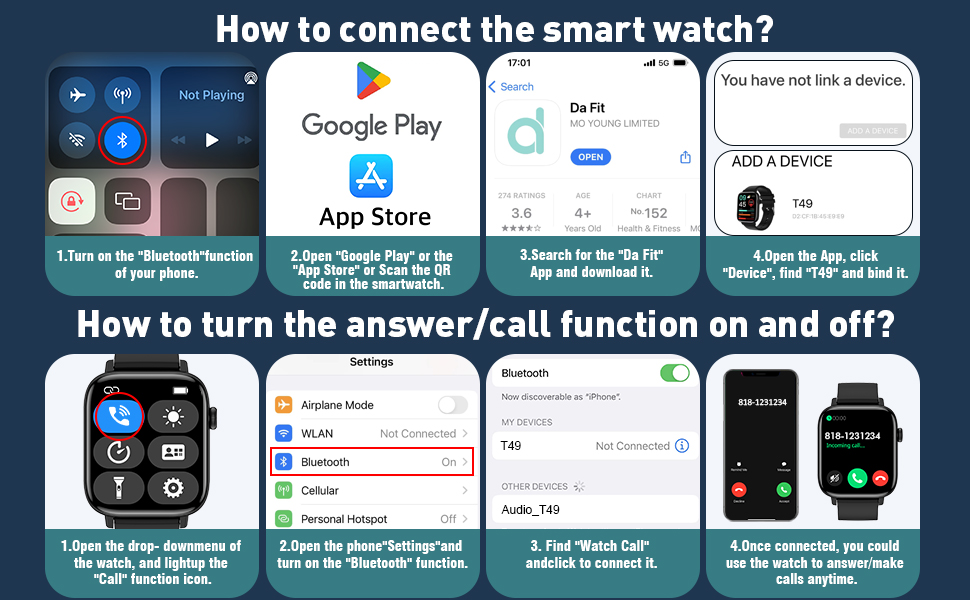
Image: Visual guide demonstrating the steps to connect the smartwatch via the 'Da Fit' app and enable the Bluetooth call function.
Operating Instructions
1. Display and Watch Faces
The smartwatch features a 1.90-inch HD full-touch color screen. You can customize your watch face by selecting from over 200 options available in the 'Da Fit' app or by uploading a personalized photo.

Image: The smartwatch screen showing a personalized watch face alongside the 'Da Fit' app interface for customization.
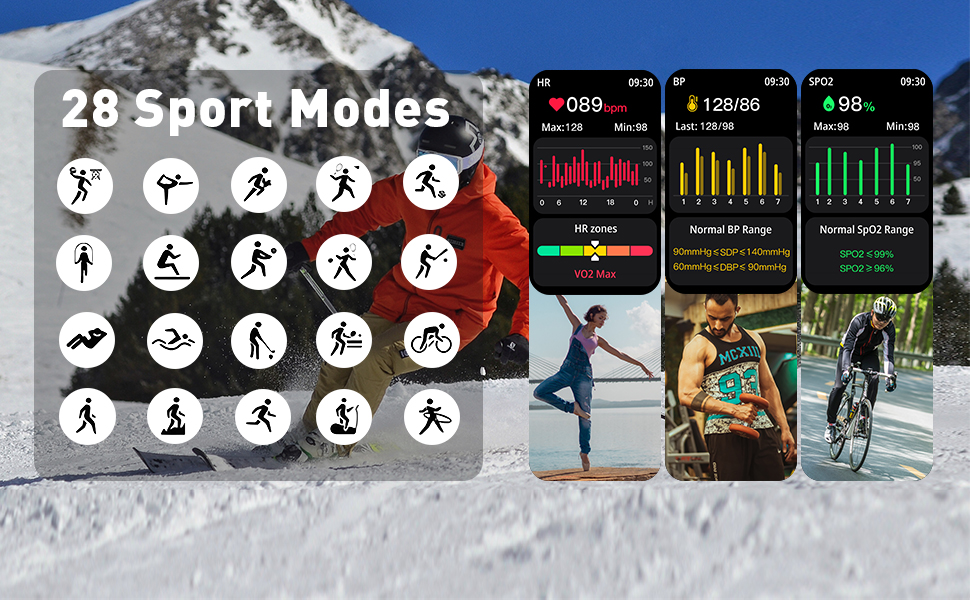
Image: A close-up of the smartwatch display emphasizing its 1.9-inch size and 240x286 pixel resolution.
2. Call and Message Functionality
After connecting to your smartphone via Bluetooth, the smartwatch allows you to answer or make calls directly from your wrist using its built-in HD speaker. It also displays notifications from various applications such as Facebook, WhatsApp, Instagram, Twitter, and SMS.

Image: A user interacting with the smartwatch for Bluetooth calls and viewing message notifications.
3. Health Monitoring
The smartwatch continuously monitors your heart rate, blood oxygen levels, and sleep patterns (deep, light, and wakeful sleep). This data helps you understand your physical health status throughout the day and night.
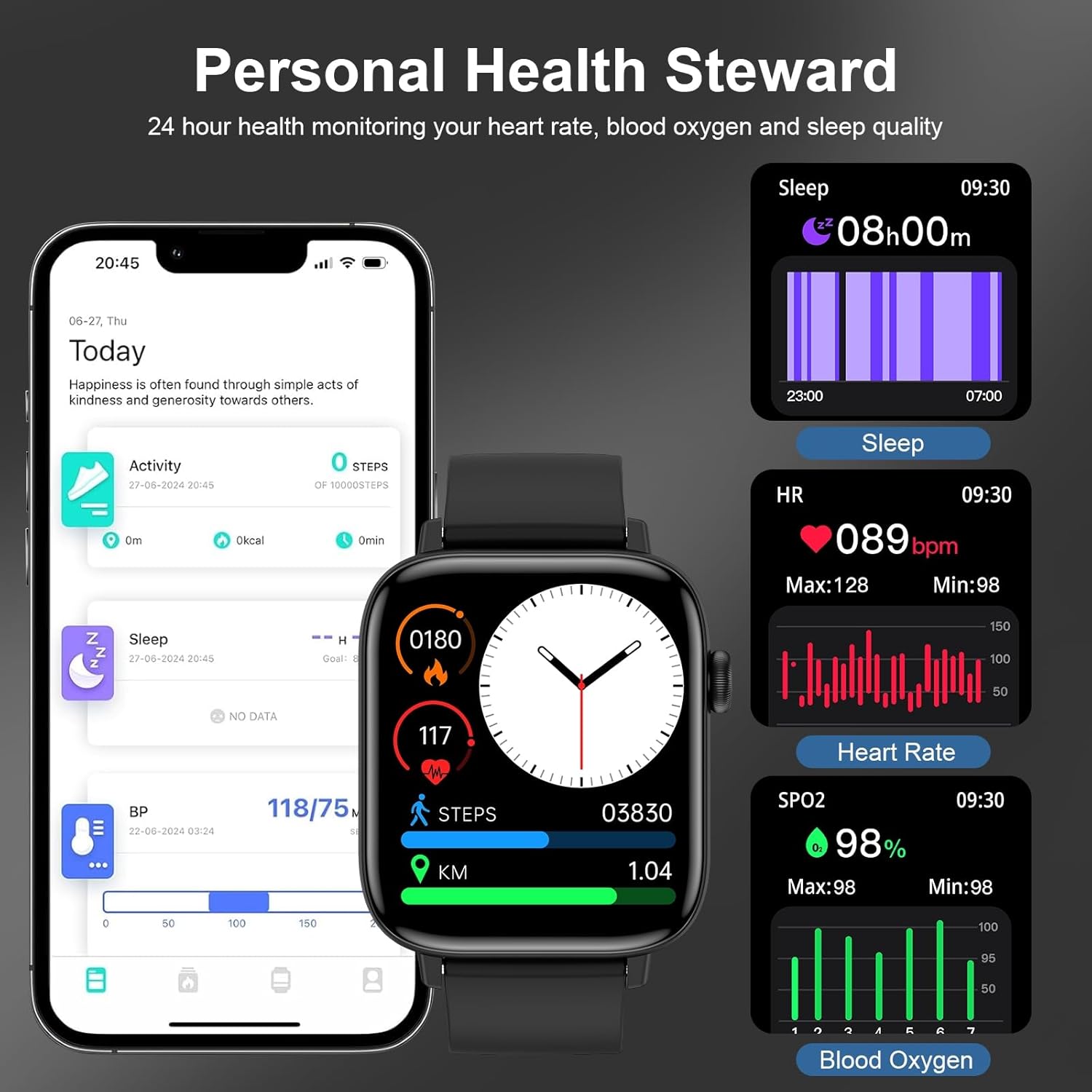
Image: The smartwatch screen showing real-time health metrics including heart rate, blood oxygen saturation, and sleep analysis.
4. Sport Modes
With over 120 sport modes, the watch tracks various activities including running, hiking, cycling, skipping, walking, basketball, yoga, and football. It records data such as heart rate, steps, and calories burned during your workouts.

Image: A visual representation of the smartwatch tracking different sport modes and displaying activity data like steps, calories, and heart rate.
5. Other Features
The smartwatch includes additional functions such as a timer, stopwatch, alarm clock, 'find your phone' feature, sedentary reminder, music control, weather forecast, 'do not disturb' mode, brightness adjustment, camera control, and female cycle tracking.
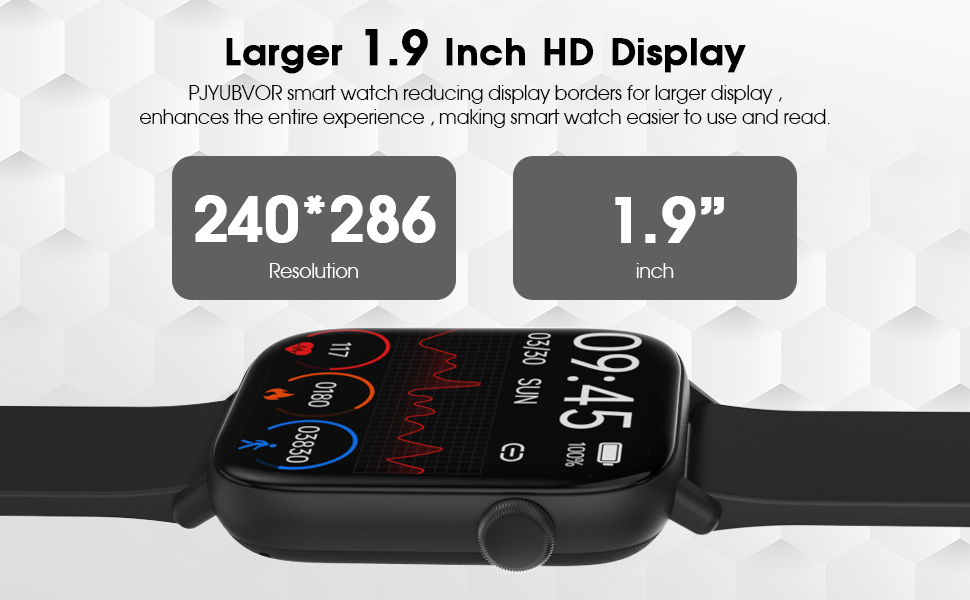
Image: The smartwatch application interface displaying comprehensive data for sports activities, sleep, stress levels, and weather forecasts.
Battery Life
The smartwatch is designed for extended use. A 2-hour charge provides 5-7 days of normal use and up to 30 days of standby time.

Image: The smartwatch screen indicating charging time, normal use duration, and standby time.
Maintenance
Water Resistance
The smartwatch has an IP68 waterproof rating, suitable for daily activities like hand washing or light rain. It is not recommended for use in hot water, seawater, swimming, diving, or bathing, as these conditions may compromise its water resistance.
Cleaning
Wipe the watch and band regularly with a soft, dry cloth. Avoid using harsh chemicals or abrasive materials.
Troubleshooting
If you encounter issues with your smartwatch, consider the following general troubleshooting steps:
- Connectivity Issues: Ensure Bluetooth is enabled on both your phone and watch. Restart both devices and attempt to re-pair through the 'Da Fit' app.
- App Synchronization: Verify that the 'Da Fit' app is up-to-date and running in the background. Check your phone's permissions to ensure the app has necessary access.
- Inaccurate Readings: Ensure the watch is worn snugly on your wrist, but not too tight. Clean the sensors on the back of the watch.
- Battery Drain: Reduce screen brightness, disable unnecessary notifications, and limit continuous heart rate monitoring if not required.
- Watch Not Responding: Try restarting the watch. If unresponsive, allow the battery to fully discharge and then recharge it.
For persistent issues, refer to the 'Da Fit' app's help section or contact customer support.
Specifications
| Feature | Detail |
|---|---|
| Product Dimensions | 5.51 x 3.15 x 0.79 inches |
| Item Weight | 3.2 ounces |
| Item Model Number | T49PRO BK |
| Batteries | 1 A battery required |
| Standing Screen Display Size | 1.9 Inches |
| Memory Storage Capacity | 128 MB |
| Operating System | Android 4.4+, iOS 9.0+ |
| Special Features | Activity Tracker, Bluetooth Call, Message Reminder, Health Monitoring, Fitness Tracker, Pedometer, Stopwatch, Alarm clock, Find your phone, Sedentary reminder, Music control, Weather forecast, Do not disturb mode, Brightness adjustment, Camera, Female cycle tracking, 1.9" HD Color Screen, Voice Call, 120+ Sports Modes, IP68 Waterproof |
| Battery Capacity | 350 Milliamp Hours |
| Connectivity Technology | Bluetooth |
| Wireless Communication Standard | Bluetooth |
| Battery Cell Composition | Lithium Polymer |
| GPS | No GPS |
| Shape | Square |
| Screen Size | 1.9 Inches |
Warranty and Support
Your PJYUBVOR T49PRO BK Smart Watch comes with a 12-month warranty from the date of purchase. For any product-related inquiries, technical assistance, or warranty claims, please utilize our 24/7 Online Customer Service. Refer to the contact information provided with your product packaging or on the official PJYUBVOR website.