
1. Introduction
This user manual provides detailed instructions for the installation, operation, maintenance, and troubleshooting of your TEROW ISH582 USB Thermal Receipt Printer. Please read this manual thoroughly before using the printer to ensure proper functionality and to extend the product's lifespan. Keep this manual for future reference.
2. Product Overview
The TEROW ISH582 is a compact and efficient 58MM thermal receipt printer designed for point-of-sale (POS) systems. It features high-speed printing, a USB interface for connectivity, and operates without the need for ink or ribbons, utilizing thermal paper for printing.
2.1 Key Features
- High-Speed Printing: Capable of printing at speeds up to 70mm/s.
- Thermal Printing Technology: No ink or ribbon required, reducing operational costs.
- USB Connectivity: Standard USB interface for reliable connection to computers.
- Compact Design: Space-saving footprint suitable for various environments.
- Overheating Protection: Built-in mechanism to prevent damage from excessive heat.
- Built-in Roll Bin: Conveniently houses the thermal paper roll.
- Stainless Steel Cutting Edge: For clean and easy paper tearing.
- Wide Compatibility: Supports Windows and Android operating systems.
2.2 Package Contents
Upon unboxing, please verify that all the following items are included in your package:
- TEROW ISH582 Thermal Receipt Printer
- Power Cord
- USB Transfer Cable
- U Disk (USB drive containing drivers and manual)
- One Roll of Thermal Paper
- User Manual (this document)

Image: The TEROW ISH582 thermal receipt printer shown with a USB drive, highlighting its compact design and primary function.
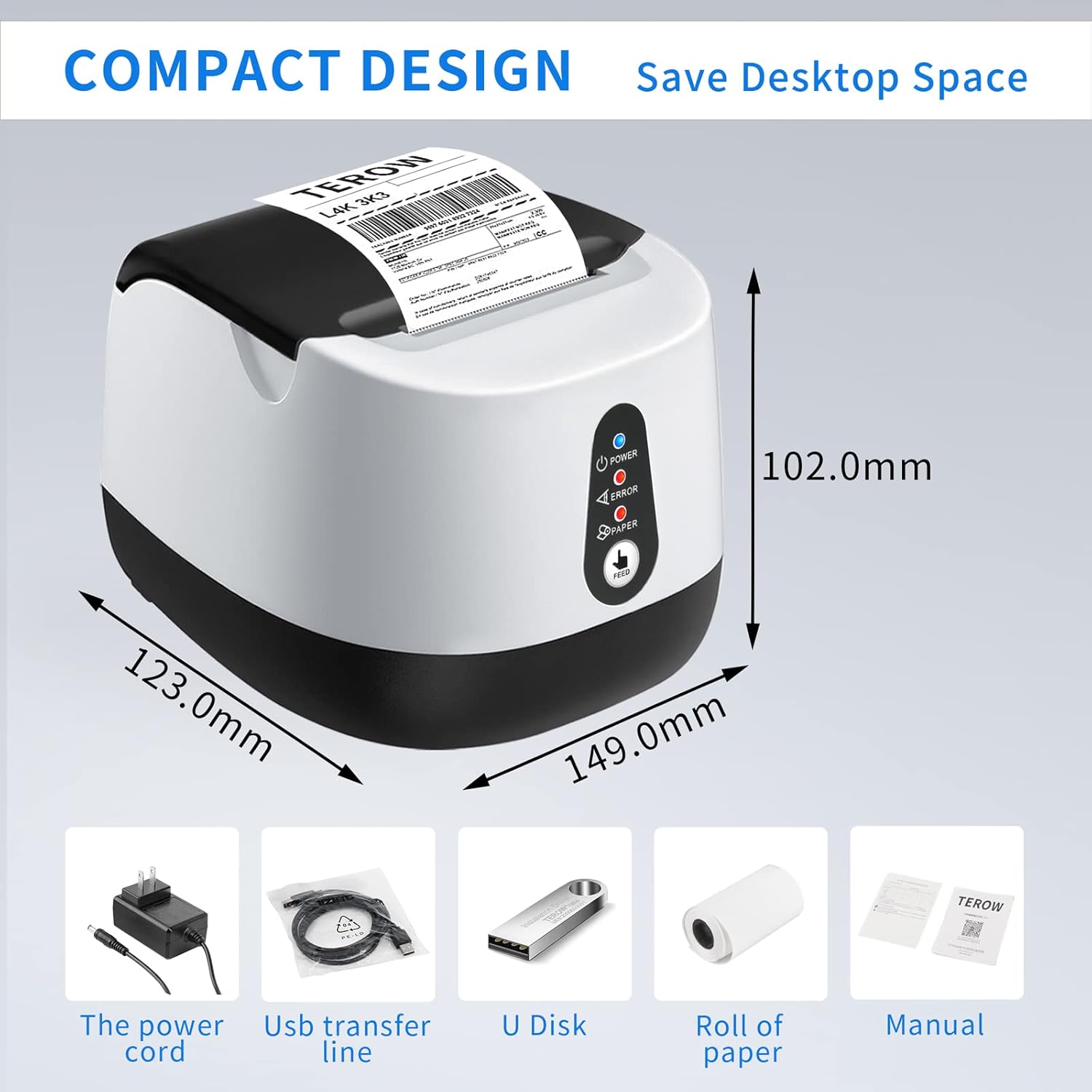
Image: A visual representation of the printer's dimensions (123.0mm x 149.0mm x 102.0mm) and the accessories included in the package: power cord, USB transfer line, U Disk, roll of paper, and the manual.
3. Setup
3.1 Connecting the Printer
- Connect the power cord to the printer's power interface and then plug it into a suitable power outlet.
- Connect the USB transfer cable to the printer's USB port and the other end to your computer's USB port.

Image: A detailed view of the rear of the TEROW printer, indicating the USB port and the power interface for connection.
3.2 Loading Thermal Paper
- Open the printer cover by gently lifting it.
- Insert the thermal paper roll into the built-in roll bin, ensuring the paper feeds from the bottom and the leading edge is straight.
- Pull a small amount of paper out past the cutting edge.
- Close the printer cover firmly until it clicks into place.

Image: The TEROW printer with its cover open, illustrating the built-in label bin where the thermal paper roll is inserted.
3.3 Driver Installation
The included U Disk contains the necessary drivers for your printer. Insert the U Disk into your computer's USB port and follow the on-screen instructions to install the drivers. For Windows operating systems, the printer should be recognized after driver installation. For Android devices, ensure the appropriate app is installed and configured for printing.
Note: This printer is primarily designed for Windows and Android compatibility. Users with iOS devices may encounter compatibility issues and may require additional adapters or alternative solutions for proper functionality.
4. Operating Instructions
4.1 Basic Printing
Once the printer is connected and drivers are installed, you can initiate printing from your application (e.g., POS software, text editor). Ensure the printer is selected as the default or desired printer in your software settings.
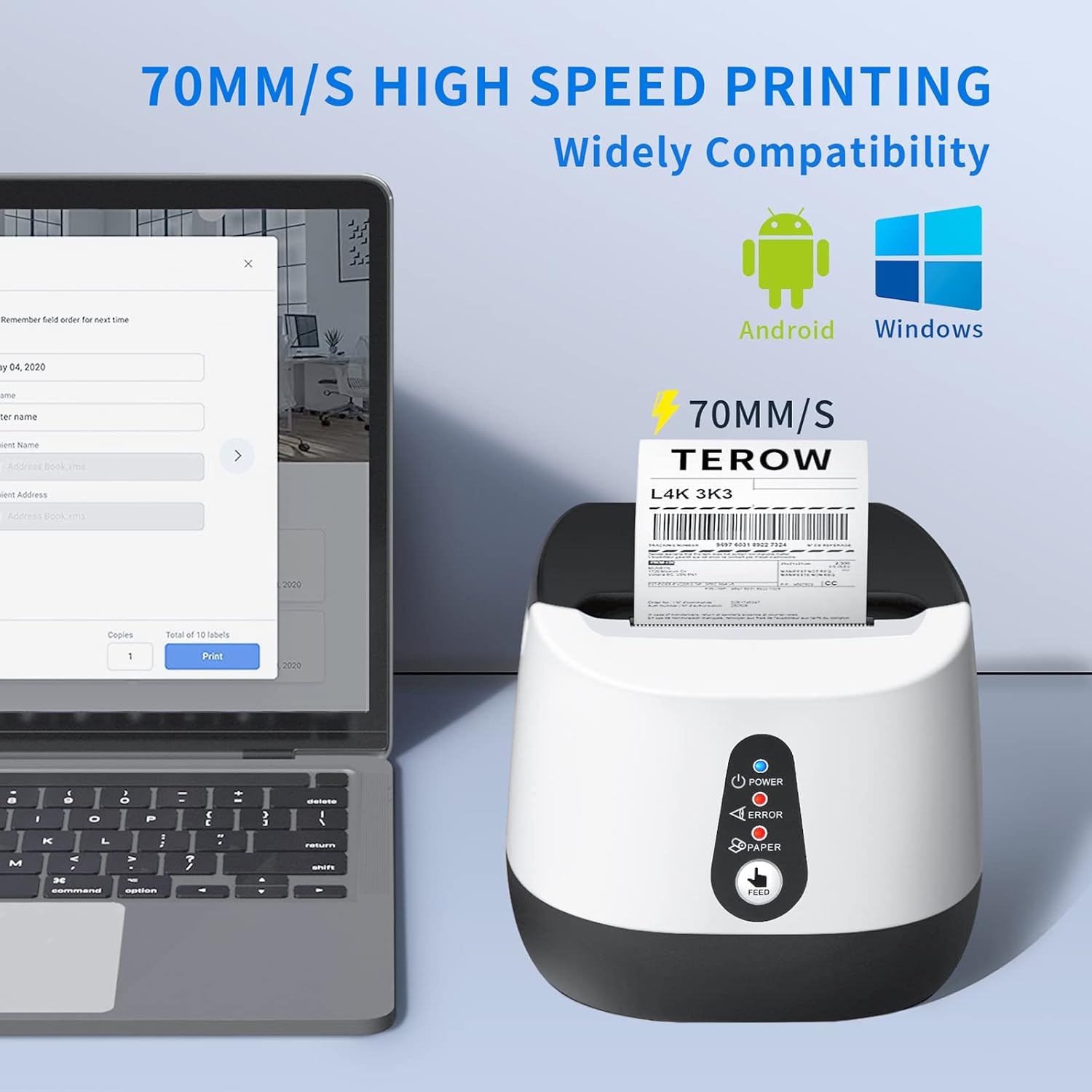
Image: The TEROW ISH582 printer positioned next to a laptop displaying a print interface, illustrating its high-speed printing capability and compatibility with Windows and Android systems.
4.2 Indicator Lights
The printer features several indicator lights on its front panel to communicate its status:
- Power (Blue LED): Indicates the printer is powered on.
- Error (Red LED): Illuminates when an error occurs (e.g., paper jam, overheating, cover open).
- Paper (Red LED): Illuminates when the printer is out of paper or the paper is not loaded correctly.
4.3 Feed Button
Press the FEED button on the front panel to advance the thermal paper manually. This can be useful for testing paper loading or advancing paper before printing.
5. Maintenance
5.1 Cleaning the Printer
Regular cleaning helps maintain print quality and extends the printer's life:
- Turn off the printer and unplug the power cord before cleaning.
- Use a soft, lint-free cloth slightly dampened with water or isopropyl alcohol to clean the exterior of the printer.
- Gently wipe the thermal print head (located under the cover) with an alcohol swab or a soft cloth dampened with isopropyl alcohol. Allow it to dry completely before closing the cover and powering on.
- Remove any paper dust or debris from the paper path.
5.2 Replacing Thermal Paper
When the Paper indicator light illuminates or print quality degrades, it's time to replace the thermal paper roll. Follow the steps outlined in Section 3.2 Loading Thermal Paper.
6. Troubleshooting
This section addresses common issues you might encounter with your TEROW ISH582 printer.
| Problem | Possible Cause | Solution |
|---|---|---|
| Printer does not power on. | Power cord not connected; Power outlet faulty. | Ensure power cord is securely connected. Try a different power outlet. |
| No print output. | Paper out; Paper loaded incorrectly; Driver not installed; USB cable loose. | Check paper roll and reload if necessary. Install drivers from U Disk. Ensure USB cable is firmly connected. |
| Error light is on. | Paper jam; Overheating; Cover open. | Clear any paper jams. Allow printer to cool down. Ensure printer cover is closed properly. |
| Poor print quality. | Dirty print head; Low quality thermal paper. | Clean the thermal print head (see Section 5.1). Use recommended thermal paper. |
| Printer not recognized by iOS device. | Limited iOS compatibility. | This printer is primarily designed for Windows and Android. iOS compatibility is not guaranteed and may require specific adapters or applications not provided. Consider a Bluetooth receipt printer for iOS. |
7. Specifications
| Feature | Specification |
|---|---|
| Model Number | ISH582 Thermal Receipt Printer |
| Brand | TEROW |
| Printing Method | Direct Thermal |
| Print Media | Thermal Labels/Receipts |
| Hardware Interface | USB |
| Compatible Devices | Laptops (Windows, Android) |
| Controller Type | iOS (Limited compatibility), App |
| Special Feature | Portable |
| Item Weight | 1.76 pounds (0.8 kg) |
| Package Dimensions | 10.12 x 7.36 x 5.55 inches (25.7 x 18.7 x 14.1 cm) |
| ASIN | B0BC7WJJGV |
| UPC | 740283638070 |
| Date First Available | September 4, 2022 |
8. Warranty and Support
For information regarding warranty coverage, technical support, or service, please refer to the documentation provided with your purchase or contact TEROW customer support directly. Contact details can typically be found on the manufacturer's official website or on the product packaging.