
Introduction
Thank you for choosing the SGNICS TWS Wireless Bluetooth 5.0 Earbuds. This manual provides detailed instructions on how to set up, operate, and maintain your earbuds to ensure optimal performance and longevity. Please read this manual thoroughly before using the product.
Package Contents
Upon opening the package, please verify that all the following items are included:
- True Wireless Earbuds (Left and Right)
- Charging Case
- Type-C Charging Cable
- User Manual

Image: The SGNICS TWS Wireless Bluetooth 5.0 Earbuds, consisting of two earbuds and their charging case.
Product Overview
The SGNICS TWS Wireless Bluetooth 5.0 Earbuds feature advanced Bluetooth V5.0 technology for stable and swift connections. They are designed for comfort and provide high-fidelity stereo sound with deep resonant bass. Key features include CVC 8.0 noise reduction, touch controls, and IPX5 water resistance.

Image: Diagram illustrating the Bluetooth 5.0 chip, highlighting low latency and smooth performance.
Setup
1. Charging the Earbuds and Case
Before first use, fully charge the earbuds and the charging case. Connect the provided Type-C cable to the charging port on the case and a USB power source. The indicator light on the case will show charging status. A full charge provides up to 4 hours of listening time for the earbuds, with the charging case offering an additional 24 hours (approximately 6 full charges).
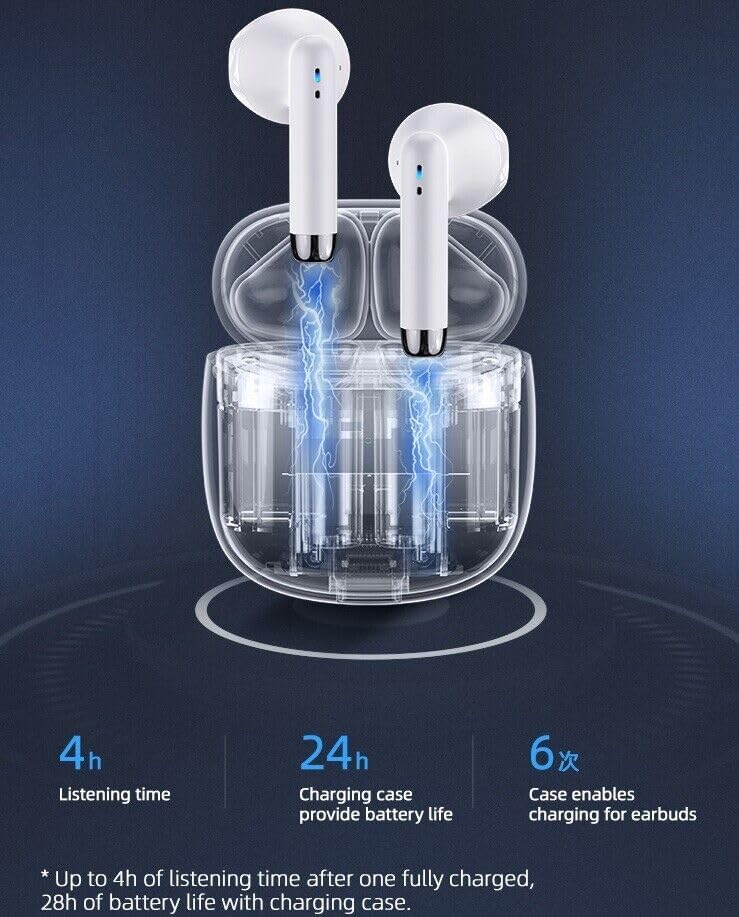
Image: The earbuds placed inside the charging case, illustrating the charging process and indicating 4 hours listening time, 24 hours additional battery from the case, and 6 charges provided by the case.

Image: The earbuds and charging case next to a smartphone displaying music. Text overlays indicate 4.0 hours play time, 32 hours standby time, and 1.0 hour charging time.
2. Pairing with Your Device
- Ensure your earbuds are charged.
- Open the charging case. The earbuds will automatically power on and enter pairing mode.
- On your smartphone or Bluetooth-enabled device, go to the Bluetooth settings.
- Search for available devices and select "SGNICS Earbuds" (or similar name) from the list.
- Once connected, you will hear a confirmation tone, and the earbuds will be ready for use.
- For subsequent uses, simply remove the earbuds from the charging case, and they will automatically reconnect to the last paired device.
Operating Instructions
Wearing the Earbuds
Gently insert the earbuds into your ears, ensuring a comfortable and secure fit. The ergonomic design is intended for extended wear without discomfort. Adjust them slightly until you achieve optimal sound quality and a snug fit.
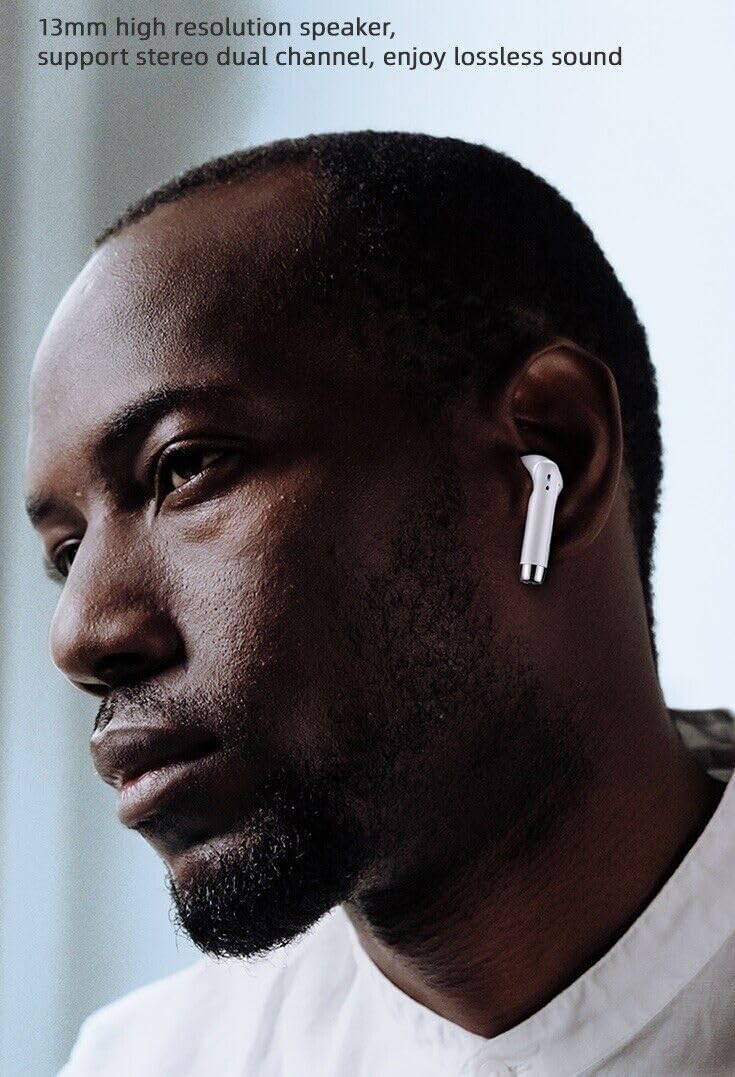
Image: A person wearing one of the SGNICS TWS Wireless Bluetooth 5.0 Earbuds, demonstrating proper ear placement.
Touch Controls
The earbuds feature intuitive touch controls on each earbud for managing audio playback and calls:
- Play/Pause: Single tap on either earbud.
- Next Track: Double tap on the right earbud.
- Previous Track: Double tap on the left earbud.
- Answer/End Call: Single tap on either earbud during an incoming call.
- Reject Call: Press and hold either earbud for 2 seconds during an incoming call.
- Activate Voice Assistant (Siri/Google Assistant): Triple tap on either earbud.
Maintenance
Cleaning
To maintain sound quality and hygiene, regularly clean your earbuds. Use a soft, dry, lint-free cloth to wipe the earbuds and charging case. Do not use abrasive cleaners or immerse the earbuds in water.
Water Resistance (IPX5)
The earbuds are rated IPX5 water resistant, meaning they can withstand splashes of water and sweat. They are suitable for sports and exercise. However, they are not designed for swimming or submersion in water. Ensure the earbuds are dry before placing them back into the charging case to prevent damage.

Image: The earbuds and charging case shown with water droplets, illustrating their sweat-proof and water-resistant design, suitable for sports use.
Troubleshooting
If you encounter issues with your earbuds, please refer to the following common solutions:
- No Sound:
- Ensure earbuds are charged.
- Check Bluetooth connection on your device.
- Increase volume on both earbuds and your device.
- Earbuds Not Pairing:
- Ensure earbuds are out of the charging case.
- Turn off and on Bluetooth on your device.
- Forget the device in your Bluetooth settings and try pairing again.
- Ensure earbuds are fully charged.
- One Earbud Not Working:
- Place both earbuds back into the charging case, close the lid, wait a few seconds, then take them out again.
- Ensure both earbuds are charged.
- Charging Issues:
- Check the Type-C cable and power adapter.
- Ensure charging contacts on earbuds and case are clean.
If problems persist, please contact customer support.
Specifications
| Feature | Detail |
|---|---|
| Brand | SGNICS |
| Connectivity Technology | Wireless (Bluetooth 5.0) |
| Ear Placement | In Ear |
| Form Factor | In Ear |
| Control Type | Touch Control |
| Noise Reduction | CVC 8.0 Noise Cancelling |
| Water Resistance Level | IPX5 (Water Resistant) |
| Play Time (Earbuds) | Up to 4 hours per charge |
| Total Play Time (with Case) | Up to 28 hours |
| Microphone | Built-in dual microphones |
| Weight (per earbud) | Approximately 4 grams |
| Compatible Devices | Tablets, Cell Phones, Computers, Smart Phones (Android and iOS systems) |
Safety Information
Please read the following safety guidelines before using your earbuds:
- Do not expose earbuds to extreme temperatures or direct sunlight.
- Avoid dropping or applying excessive force to the earbuds and charging case.
- Keep out of reach of children and pets.
- Do not attempt to disassemble or modify the product.
- Use only the provided charging cable or a certified equivalent.
- Prolonged exposure to loud sounds may cause hearing damage. Adjust volume to a safe level.
Warranty and Support
For warranty information or technical support, please refer to the documentation included with your purchase or contact the retailer. If you have any questions or require assistance, please reach out to SGNICS customer service.
For further assistance, please visit the SGNICS Seller Page on Amazon.