
1. Introduction and Overview
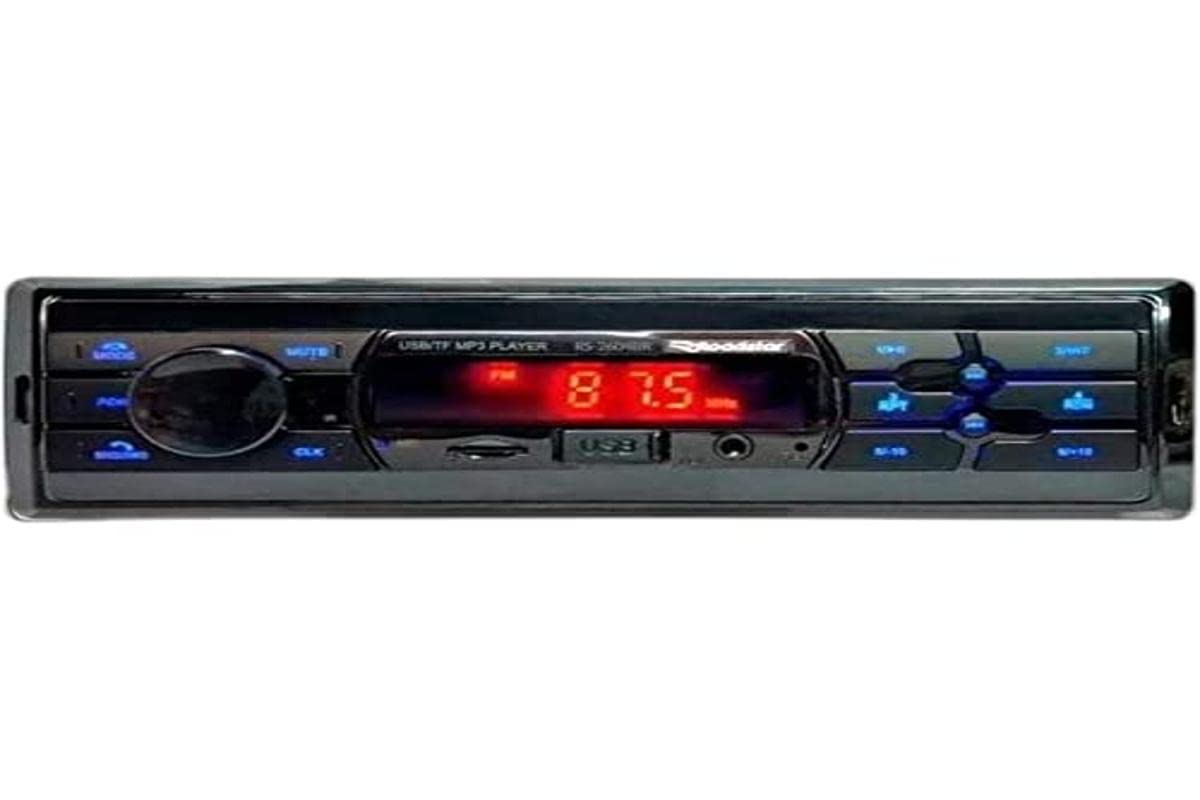
The Roadstar RS-2604BR USB/Bluetooth Car Radio is a versatile audio device designed to enhance your in-vehicle entertainment and communication. This unit features Bluetooth connectivity for wireless audio streaming and hands-free calling, a USB port for media playback, and an SD card slot. It also includes an auxiliary input for connecting other audio sources and an FM radio tuner. This manual provides essential information for the safe installation, operation, and maintenance of your new car radio.
2. Safety Information
- Professional Installation Recommended: For optimal performance and safety, it is highly recommended that this product be installed by a qualified professional.
- Power Source: Connect the unit only to a 12V DC power supply with a negative ground.
- Avoid Distractions: Do not operate the unit or view videos while driving, as this can lead to accidents.
- Wiring: Ensure all wiring is correctly connected according to the wiring diagram to prevent damage to the unit or vehicle. Incorrect wiring can cause fire or electric shock.
- Volume Control: Keep the volume at a level where you can still hear outside traffic sounds.
- Moisture: Do not expose the unit to moisture or water to prevent electric shock.
3. Package Contents
Please check the package for the following items:
- Roadstar RS-2604BR Car Radio Unit
- Remote Control
- Wiring Harness
- Mounting Hardware (Screws, Brackets)
- User Manual (This document)
4. Product Features
The Roadstar RS-2604BR offers a range of features for a comprehensive audio experience:
- Output Power: 4 channels of 30 Watts RMS (Total 120W RMS).
- Display: Clear Red LED display.
- Bluetooth Connectivity: For wireless audio streaming and hands-free calling.
- Multiple Inputs: Micro SD card slot, Auxiliary input, and 1 USB port.
- Audio Outputs: 4 RCA outputs for external amplifiers.
- ISO Connector: Yes, for easy installation.
- Remote Control: Physical remote control included, with potential for app control.
- Sound Controls: Adjustable Bass, Treble, and Channel Balance.
- Equalizer Presets: Predefined equalization settings for various music genres.
- Customizable Illumination: 7-color illumination options to match your vehicle's interior.
Product Image
5. Installation Guide
Proper installation is crucial for the performance and longevity of your car radio. If you are unsure about any steps, consult a professional installer.
Basic Installation Steps:
- Disconnect Battery: Before starting, disconnect the negative terminal of your vehicle's battery to prevent electrical shorts.
- Remove Old Unit: Carefully remove your existing car radio from the dashboard.
- Connect Wiring: Connect the wiring harness of the RS-2604BR to your vehicle's wiring. Ensure all connections (power, ground, speaker, antenna, accessory) are secure and correctly matched. The ISO connector simplifies this process.
- Mount Unit: Slide the RS-2604BR into the dashboard opening and secure it using the provided mounting hardware.
- Connect Antenna: Plug in your vehicle's radio antenna cable.
- Reconnect Battery: Reconnect the negative terminal of your vehicle's battery.
- Test Functionality: Turn on the unit and test all functions (radio, USB, Bluetooth, sound controls) to ensure proper operation.
6. Operating Instructions
6.1 Basic Controls
- Power On/Off: Press the power button (usually the volume knob) to turn the unit on or off.
- Volume Control: Rotate the volume knob to adjust the audio level.
- Mode Selection: Press the MODE button to cycle through available sources (FM, Bluetooth, USB, SD, AUX).
- Seek/Tune: Use the seek buttons (◀◀ / ▶▶) to change radio stations or skip tracks.
6.2 Radio Operation (FM)
- Select FM mode using the MODE button.
- Press and hold the seek buttons (◀◀ / ▶▶) for automatic station scanning.
- Briefly press the seek buttons to manually tune to the next available station.
- To save a station, tune to the desired frequency, then press and hold one of the preset number buttons (1-6) until you hear a beep.
6.3 Bluetooth Pairing
- Ensure the car radio is in Bluetooth mode. The display will show "BT" or a Bluetooth icon.
- On your mobile phone, enable Bluetooth and search for available devices.
- Select "ROADSTAR" or a similar name from the list of devices.
- If prompted, enter the pairing code (usually "0000").
- Once paired, the unit will confirm the connection, and you can stream audio or make calls.
6.4 USB/SD Playback
- Insert a USB drive into the USB port or an SD card into the SD card slot.
- The unit will automatically switch to USB/SD mode and begin playing compatible audio files.
- Use the seek buttons (◀◀ / ▶▶) to skip tracks.
- Use the Play/Pause button to pause or resume playback.
6.5 Auxiliary Input
Connect an external audio device (e.g., MP3 player, smartphone) to the AUX input jack using a 3.5mm audio cable. Select AUX mode using the MODE button to play audio from the connected device.
6.6 Sound Settings and Illumination
- Equalizer: Press the EQ button (or similar) to cycle through predefined equalizer settings (e.g., POP, ROCK, JAZZ, CLASSIC, USER).
- Bass/Treble/Balance: Press the AUDIO button repeatedly to access settings like BASS, TREBLE, FADER (front/rear balance), and BALANCE (left/right balance). Use the volume knob to adjust these values.
- Illumination: The unit features 7-color illumination. Refer to the specific button on your unit (often labeled 'CLR' or similar) or the remote control to cycle through the available colors and select your preferred display color.
Product Video Demonstration
7. Troubleshooting
If you encounter issues with your Roadstar RS-2604BR, refer to the following common problems and solutions:
| Problem | Possible Cause | Solution |
|---|---|---|
| No power | Blown fuse, incorrect wiring, loose power connection. | Check vehicle's fuse box and the unit's fuse. Verify all power and ground wires are securely connected. |
| No sound | Muted, incorrect source selected, loose speaker wires, damaged speakers. | Check if the unit is muted. Ensure the correct audio source is selected. Verify speaker wire connections. Test with different speakers if possible. |
| Bluetooth not connecting | Unit not in pairing mode, phone's Bluetooth off, interference. | Ensure the unit is in Bluetooth mode. Turn your phone's Bluetooth off and on again. Delete previous pairings and try re-pairing. |
| USB/SD not reading | Incompatible file format, corrupted media, incorrect insertion. | Ensure files are in a compatible format (e.g., MP3, WMA). Try a different USB drive or SD card. Ensure media is inserted correctly. |
| Remote control not working | Dead battery, obstruction, out of range. | Replace the remote control battery. Ensure no obstructions between the remote and the unit's IR sensor. |
8. Specifications
| Feature | Specification |
|---|---|
| Brand | Roadstar |
| Model Number | RS-2604BR (78650) |
| Connectivity Technology | USB, Bluetooth |
| Compatible Devices | Smartphone, Speakers |
| Connector Type | USB, Auxiliary, RCA |
| Audio Output Mode | Stereo |
| Output Power | 30 Watts per channel (RMS) |
| Number of Channels | 4 |
| Control Method | Remote |
| Wireless Communication Technology | Bluetooth |
| Item Weight | 300 Grams |
| Included Components | Radio, Remote Control |
| Color | White (Note: Product image shows black/blue unit, color may vary by specific variant) |
9. Maintenance
To ensure the longevity and optimal performance of your Roadstar RS-2604BR car radio, follow these maintenance guidelines:
- Cleaning: Use a soft, dry cloth to clean the unit's exterior. Do not use abrasive cleaners, solvents, or chemical sprays, as they can damage the finish or internal components.
- Avoid Liquids: Keep the unit away from water and other liquids. If liquid enters the unit, immediately disconnect power and have it inspected by a qualified technician.
- Temperature: Avoid exposing the unit to extreme temperatures, direct sunlight for prolonged periods, or high humidity.
- USB/SD Port Care: When inserting or removing USB drives or SD cards, do so gently to avoid damaging the ports.
10. Warranty and Support
Warranty Information
This Roadstar RS-2604BR car radio comes with a 12-month warranty from the date of purchase. This warranty covers manufacturing defects under normal use. It does not cover damage caused by improper installation, misuse, accidents, unauthorized repairs, or normal wear and tear.
Customer Support
For technical assistance, warranty claims, or further inquiries, please contact Roadstar customer support through their official website or the retailer where the product was purchased. Please have your proof of purchase and product model number ready when contacting support.
