
1. Introduction
The SGPRO SG-400 is a professional 4-handheld wireless microphone system designed for various applications including church, stage, and home use. This system offers stable UHF transmission with 260 selectable frequencies, ensuring optimal performance in diverse environments. Key features include automatic frequency scanning, individual volume control for each microphone, auto-lock functionality, and a mute option. The microphones and receiver are equipped with LCD screens for important information display, such as battery indicators and channel status. Constructed with durable metal, the system is built for frequent and reliable use, delivering excellent sound quality through its superior dynamic cartridges.
2. Package Contents
Please verify that all items listed below are included in your package:
- 4 x Handheld Microphones (Transmitters)
- 1 x Receiver Unit
- 1 x Power Adaptor (for Receiver)
- 1 x 6.35mm Connector Cable
- 2 x Rack Mount Kits
- 1 x User Manual
- 4 x Anti-Roll Rings
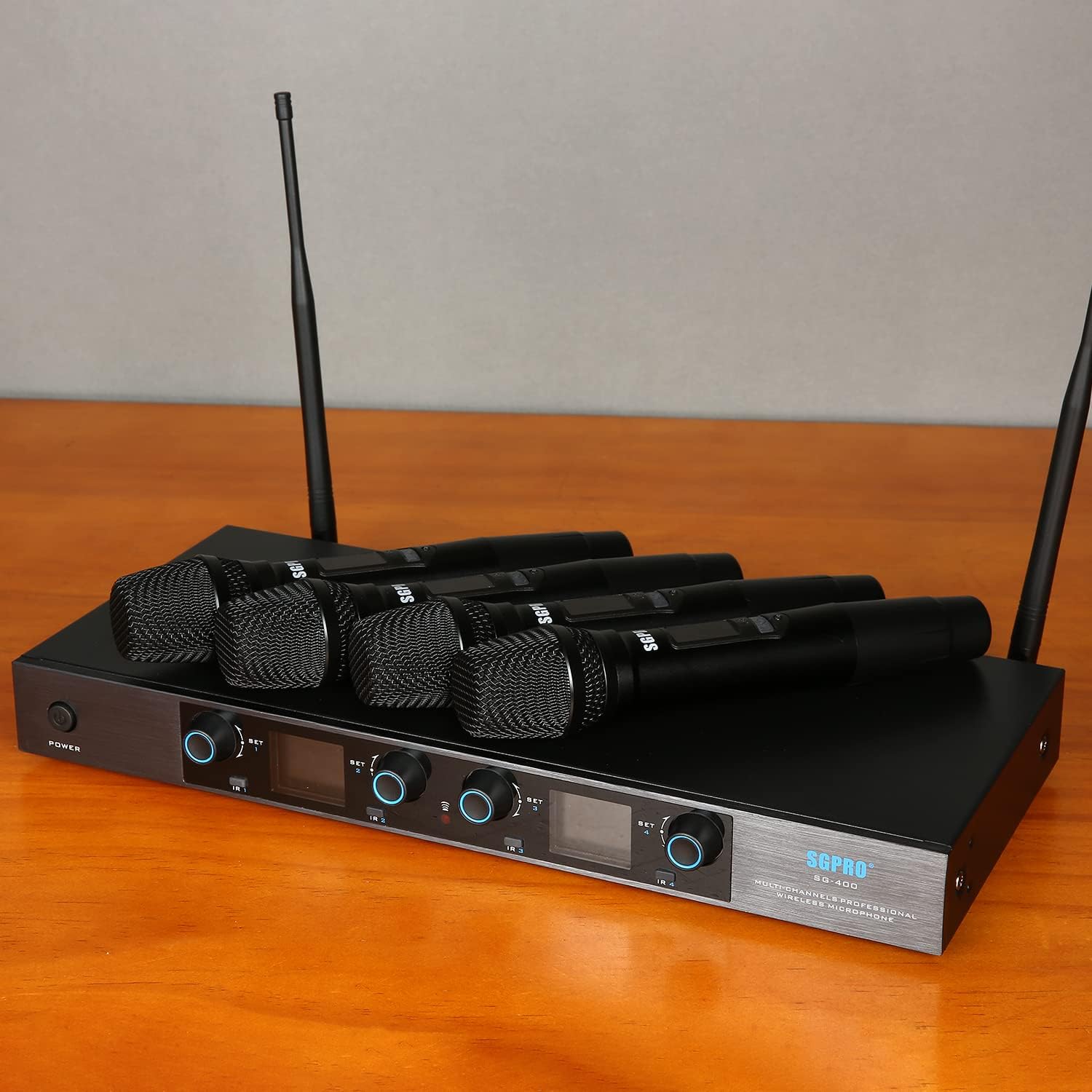
Image: All components included in the SGPRO SG-400 Wireless Microphone System package, neatly arranged.
3. Product Overview
3.1 Receiver Unit
The receiver unit features a robust metal casing designed for professional and home use. It includes individual controls and LCD sections for each of the four channels.
- Front Panel: Power button, individual volume/set knobs for each channel, IR button for synchronization, and TFT screens displaying channel information, frequency, and battery status.
- Rear Panel: Antenna connectors (ANT-A, ANT-B), balanced XLR outputs for each channel (CH-1 to CH-4), a mixed 6.35mm jack output, and a DC power input.

Image: Detailed view of the receiver's front panel with controls and LCDs, and the rear panel with input/output ports and antenna connections.
3.2 Handheld Microphones
Each wireless microphone is constructed with a full metal body for durability and features a high-sensitivity cardioid capsule for clear sound quality.
- Features: Durable mic head cover, LCD screen indicator for channel and battery stamina, and a power button for on/off and mute functions.
- Power: Each microphone is powered by two 1.5V AA batteries (not included), providing up to 6 hours of operation.

Image: Close-up view of a handheld microphone highlighting its durable head, LCD screen, power button, and battery compartment.
4. Setup
4.1 Connecting the System
To integrate the wireless microphone system into your audio setup, follow the connection diagram below:
- Connect the receiver's balanced XLR outputs (BAL 1-4) to your audio mixer or directly to an audio amplifier/powered speakers using appropriate XLR or 6.35mm cables (not included).
- Ensure the antennas (ANT-A, ANT-B) are securely attached to the rear of the receiver.
- Connect the power adaptor to the DC IN port on the receiver and plug it into a power outlet.

Image: Diagram illustrating how to connect the wireless microphone receiver to a mixer, audio amplifier, and speakers.
4.2 Optimum Boot and Shutdown Order
To prevent audio pops or damage to your equipment, follow this sequence:
- Boot Order: Microphone → Mixer/Processor → Audio Amplifier → Speaker
- Shutdown Order: Speaker → Audio Amplifier → Mixer/Processor → Microphone
4.3 Frequency Synchronization
To ensure proper communication between the microphones and the receiver, synchronize their frequencies:
- On the receiver, use the 'SET' button and arrow keys to select a desired channel and frequency.
- Turn on the handheld microphone.
- Align the IR window of the microphone with the IR sensor on the receiver.
- Press the 'IR' button on the receiver. The microphone's frequency will automatically sync with the receiver.
Video: Demonstrates how to select channels and synchronize handheld microphones with the SGPRO SG-400 receiver.
5. Operating Instructions
5.1 Volume Control
Adjust the output volume for each microphone individually using the dedicated 'VOL/SET' knobs on the receiver's front panel.
5.2 Mute Function
To temporarily mute a handheld microphone, short press its power button. The LCD screen on the microphone will indicate 'MUTE'. Short press again to unmute.
5.3 Auto-Lock Function
The receiver features an Auto-Lock function to prevent accidental changes. You can long press a channel's knob to manually lock it, or the system will auto-lock if there is no operation for 10 seconds. This feature helps maintain your desired settings during use.
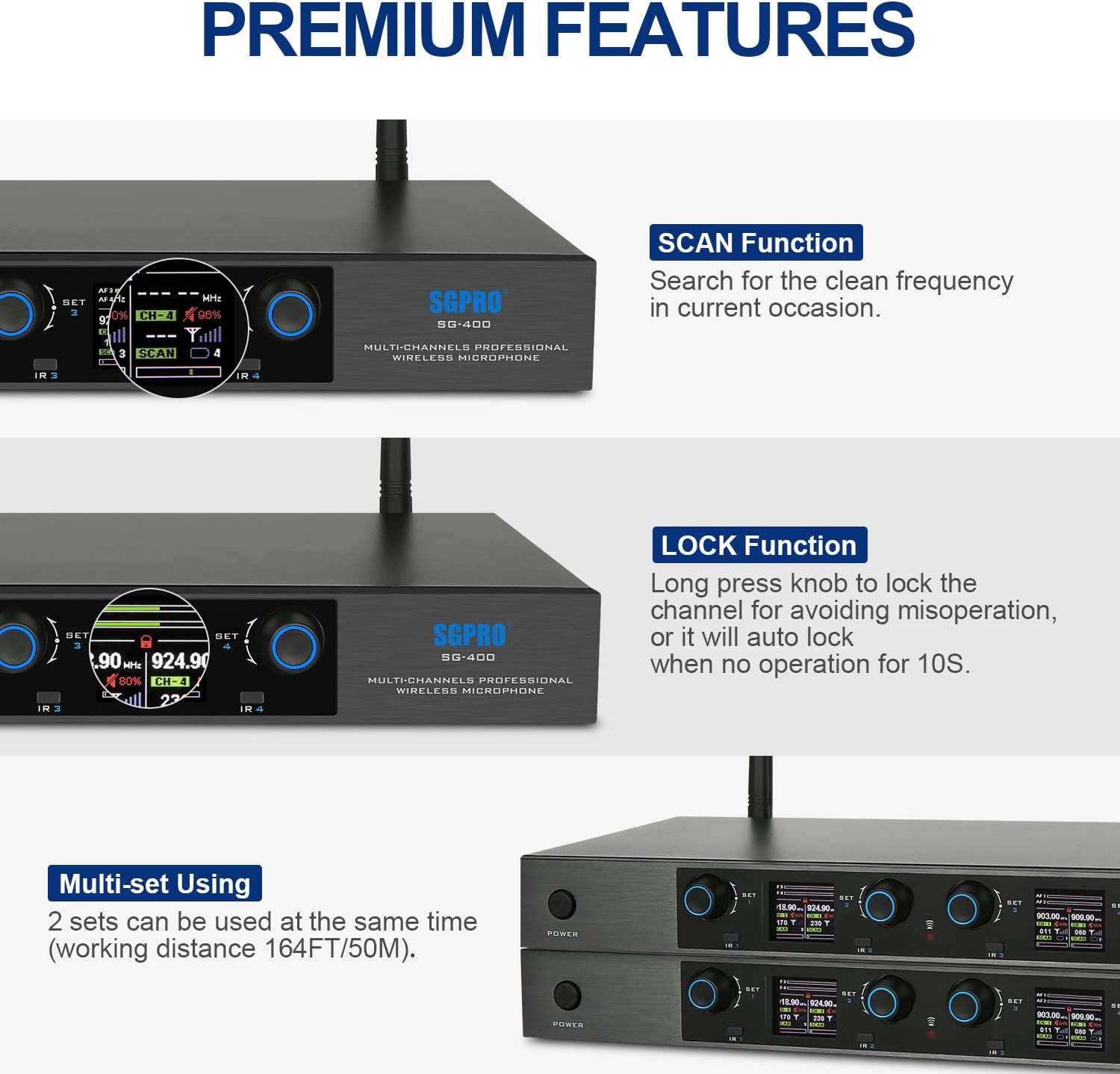
Image: Displays the receiver's premium features, including the SCAN function for frequency search and the LOCK function for preventing accidental operation.
5.4 Auto-Scan for Frequencies
The system can automatically scan for the best available frequencies in your current environment. Use the 'SCAN' function on the receiver to initiate a search for clean frequencies, minimizing interference.
6. Maintenance
6.1 Battery Replacement
Each handheld microphone requires two 1.5V AA batteries. When the battery indicator on the microphone's LCD screen shows low power, replace the batteries promptly to ensure uninterrupted performance. The microphones offer up to 6 hours of stamina with fresh batteries.
6.2 Cleaning
Regularly clean the microphone grilles and body with a soft, dry cloth to remove dust and debris. Avoid using liquid cleaners directly on the microphone or receiver.
7. Troubleshooting
- Interference/Poor Signal: Utilize the Auto-Scan function on the receiver to find and switch to a clear frequency. The Unique ID Pilot technology is designed to prevent interference between the 4 wireless microphones.
- Microphone Not Pairing: Ensure the handheld microphone has fresh batteries. Verify that the receiver and microphone are set to the same channel and perform the IR synchronization process as described in the Setup section.
- Low Battery: Check the battery indicator on the LCD screen of both the handheld microphones and the receiver. Replace batteries as needed.
8. Specifications
| Feature | Detail |
|---|---|
| Model Name | SG-400 |
| Brand | SGPRO |
| Number of Channels | 4 |
| Connectivity Technology | UHF |
| Connector Type | 6.35 mm Jack, XLR |
| Power Source | Battery Powered |
| Number of Batteries | 8 AA batteries required (2 per mic) |
| Material | Acrylonitrile Butadiene Styrene, Alloy Steel, Metal |
| Item Weight | 7.88 pounds |
| Product Dimensions | 19.29 x 5.12 x 11.81 inches |
| Special Features | Auto Frequency Scan, Auto-Lock Function, Mute Function, Separate Control, Volume Control |
| Polar Pattern | Unidirectional |
9. Warranty and Support
SGPRO offers friendly policies and timely customer support. For any questions or assistance, please do not hesitate to reach out. All inquiries will be answered within 12 hours.


