
1. Introduction
Thank you for choosing the LUTEC 72W 7500LM LED Security Light. This product is designed to provide powerful, energy-efficient illumination and enhanced security for your outdoor spaces. Featuring advanced motion detection and multiple lighting modes, it is suitable for various applications including garages, yards, and porches. Please read this manual thoroughly before installation and operation to ensure proper use and maximize the lifespan of your light.

Figure 1: Front view of the LUTEC 3-Head LED Security Light.
2. Safety Information
- Always turn off power at the circuit breaker before installing, servicing, or cleaning the fixture.
- Consult a qualified electrician if you are unsure about the installation process.
- Ensure all electrical connections comply with local codes and ordinances.
- Do not connect this fixture to a dimmer switch.
- Avoid looking directly into the LED light source when illuminated, as it may cause eye strain or damage.
- This product is designed for outdoor use and is IP65 waterproof. However, ensure proper sealing during installation to maintain water resistance.
3. Package Contents
Verify that all components are present before beginning installation:
- LUTEC 72W 7500LM LED Security Light (1)
- Mounting Hardware (Included)
For detailed installation instructions, please refer to the official Installation Manual (PDF) available here.
4. Product Overview
4.1. High Brightness and Energy Efficiency
The LUTEC security light delivers powerful illumination with 72W power consumption, producing 7500 Lumens of 5000K daylight white light. This is equivalent to a 720W incandescent bulb, offering significant energy savings of up to 88%.

Figure 2: Illustration of the light's brightness specifications (72W, 5000K, 7500LM).
4.2. Advanced Motion Sensor
Equipped with a sensitive motion sensor, the light detects movement up to 69 feet away within a wide 180-degree sensing angle. The motion sensor deactivates during daylight hours to conserve energy.
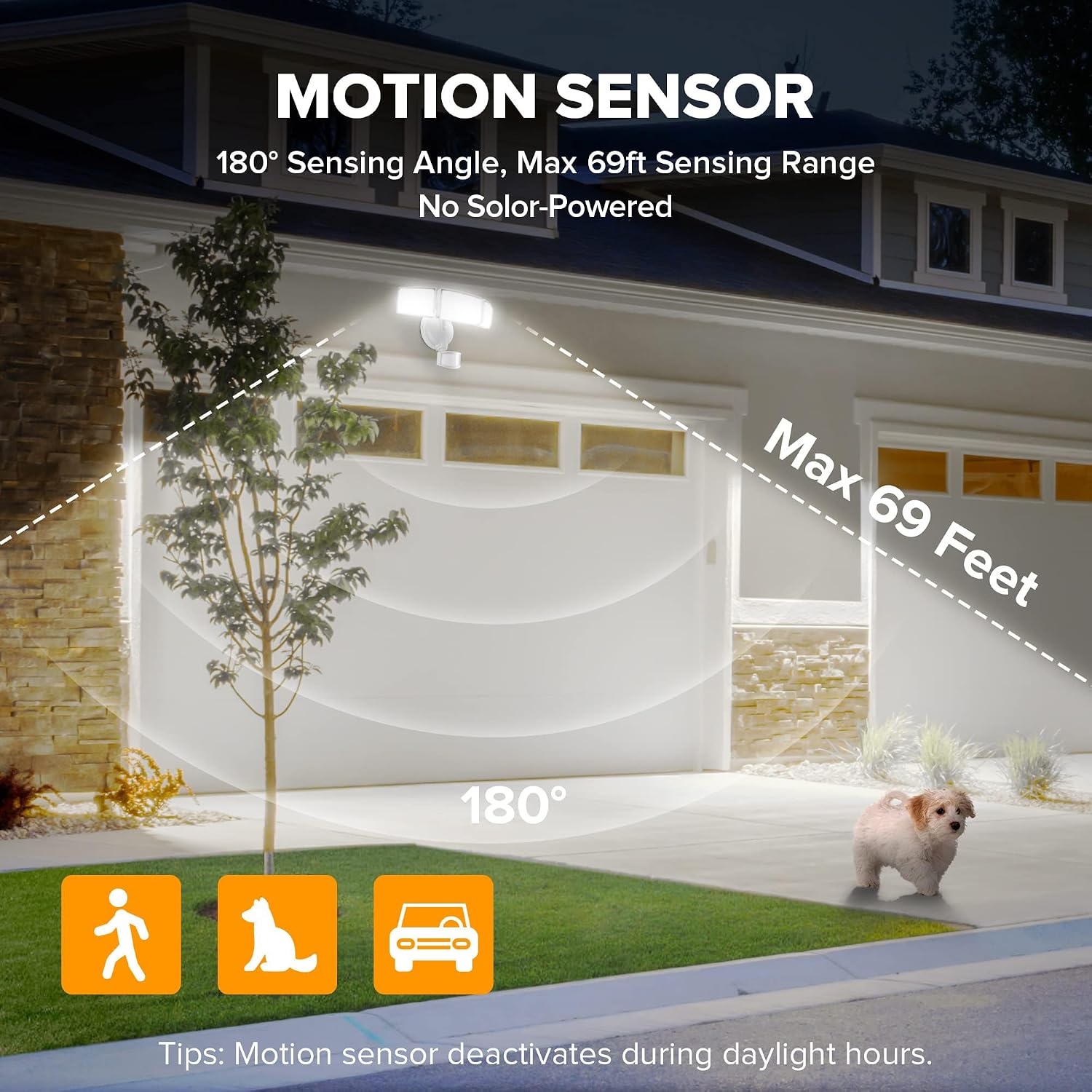
Figure 3: Diagram showing the 180-degree sensing angle and maximum 69-foot detection range.
4.3. Flexible and Adjustable Design
The three adjustable light heads allow for customizable coverage, directing light precisely where needed. The robust aluminum construction ensures durability and efficient heat dissipation.

Figure 4: Illustration of the flexible and adjustable light heads, offering broad and wide light distribution.
4.4. IP65 Waterproof Rating
The fixture boasts an IP65 waterproof rating, making it highly resistant to weather elements, including rain and frost. A gasket is provided to ensure optimal sealing during installation.
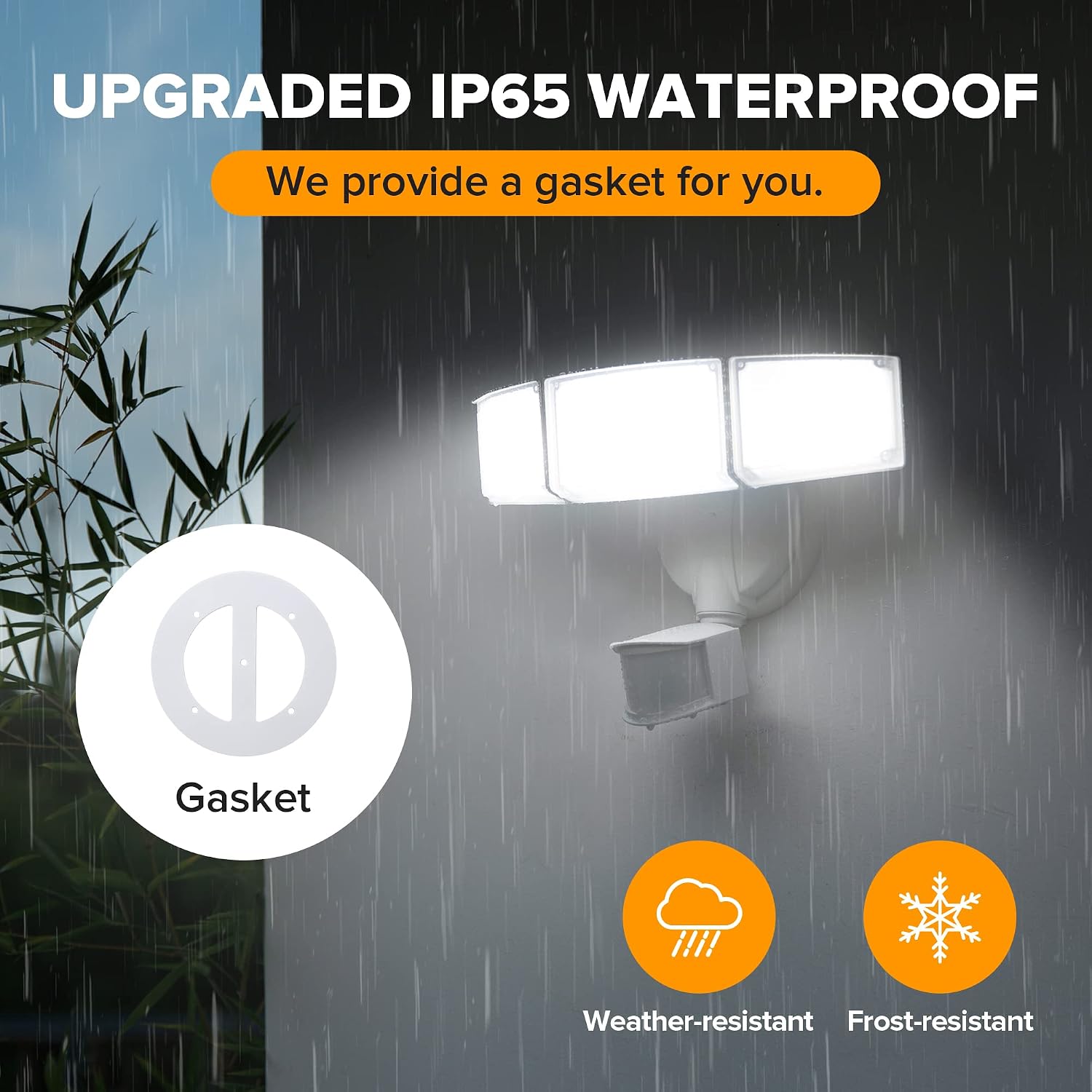
Figure 5: Visual representation of the light's IP65 waterproof capability in rainy conditions.
5. Setup and Installation
This light is designed for hardwired installation. A junction box is required but not included. Please ensure power is OFF at the circuit breaker before proceeding.
5.1. Wiring Connection
Connect the wires as follows:
- Live Wire (Black): Connect to the black wire from the fixture.
- Neutral Wire (White): Connect to the white wire from the fixture.
- Earth Wire (Green/Bare Copper): Connect to the green/yellow wire from the fixture.

Figure 6: Simplified wiring diagram showing Live, Neutral, and Earth wire connections.
5.2. Mounting
The light can be mounted on a wall or soffit. Ensure the motion sensor is positioned correctly for optimal detection. When mounted on the eave/soffit, waterproofing can be enhanced.
6. Operating Modes and Settings
The LUTEC security light offers four distinct lighting modes and adjustable settings for sensitivity and time. The control dials are located on the motion sensor unit.

Figure 7: Close-up of the control dials for sensitivity and time settings.
6.1. Sensitivity Settings (DISTANCE)
- L (Low): 0-20 ft. detection range.
- M (Medium): 20-39 ft. detection range.
- H (High): 39-69 ft. detection range.
6.2. Time Settings (TIME)
This setting determines how long the light stays on after motion is detected.
- 1 MIN: Light stays on for 1 minute.
- 3 MIN: Light stays on for 3 minutes.
- 10 MIN: Light stays on for 10 minutes.
6.3. Lighting Modes
- Test Mode: For initial setup and testing. The light turns on for 5 seconds even during daylight hours when motion is detected.
- Security Mode: The light only turns on when motion is detected during nighttime. It remains off during daylight hours.
- Dusk to Dawn Mode: The light turns on at night and stays at 20% brightness. It then turns to full brightness (100%) if motion is detected. It automatically turns off at dawn.
- Manual Override Mode: Allows the light to operate constantly at 100% brightness for a selected period (typically 6 hours). This mode deactivates during daylight hours.

Figure 8: Visual explanation of the Dusk to Dawn mode functionality.
7. Maintenance
To ensure optimal performance and longevity of your LUTEC security light, follow these simple maintenance guidelines:
- Cleaning: Periodically clean the light fixture with a soft, damp cloth. Do not use abrasive cleaners or solvents, as they may damage the finish or electrical components.
- Inspection: Regularly inspect the fixture for any signs of damage, loose wiring, or wear. Address any issues promptly.
- Sensor Lens: Keep the motion sensor lens clean and free from obstructions (e.g., dirt, spiderwebs) to ensure accurate detection.
8. Troubleshooting
| Problem | Possible Cause | Solution |
|---|---|---|
| Light does not turn on at night. | Power is off; Sensor is dirty or obstructed; Incorrect mode selected; Ambient light is too high. | Check circuit breaker; Clean sensor lens; Ensure correct mode (Security or Dusk to Dawn) is selected; Relocate light or adjust sensor sensitivity. |
| Light stays on continuously. | Manual Override Mode is active; Constant motion in detection zone; Wiring issue. | Switch to a different mode; Clear detection zone of constant movement; Check wiring connections. |
| Light flashes or flickers. | Loose wiring; Power fluctuations; Faulty unit. | Check and secure all wiring connections; Consult an electrician for power issues; Contact customer service if problem persists. |
| Motion sensor range is too short/long. | Sensitivity setting is incorrect; Obstructions in detection path. | Adjust the 'DISTANCE' dial to L, M, or H; Remove any objects blocking the sensor's view. |
| Light turns off too quickly/slowly. | Time setting is incorrect. | Adjust the 'TIME' dial to 1 MIN, 3 MIN, or 10 MIN. |
9. Specifications
| Feature | Specification |
|---|---|
| Brand | LUTEC |
| Model Name | 3-Head Metal Motion Sensor |
| Model Number | 76328010xx |
| Wattage | 72 watts |
| Brightness | 7500 Lumens |
| Color Temperature | 5000K (Daylight White) |
| Motion Sensor Angle | 180 degrees |
| Motion Sensor Range | 0-69 feet (adjustable) |
| Material | Aluminum (except motion sensor) |
| Water Resistance Level | IP65 Waterproof |
| Lifespan | 50,000 hours |
| Power Source | Corded Electric (Hardwired) |
| Product Dimensions | 12.99"L x 8.07"W x 5.12"H |
| Item Weight | 2.44 Pounds |
10. Warranty and Support
LUTEC provides a limited warranty for this product. For specific warranty details, please refer to the documentation included with your purchase or contact LUTEC customer service.
For any issues or inquiries, LUTEC offers 7*24h after-sales service. Please contact the manufacturer directly for support.

