
Introduction
This manual provides essential instructions for the setup, operation, and maintenance of your Starfavor SP-20 88-Key Full-Weighted Digital Piano. Please read this manual thoroughly before using the instrument to ensure proper function and longevity. Keep this manual for future reference.

Image: The Starfavor SP-20 digital piano, showcasing its full 88-key keyboard, integrated stand, and triple pedal unit.
Package Contents
Verify that all items listed below are included in your package:
- 88 Key Weighted Keyboard (SP-20)
- Piano Stand
- Piano Pedal (3-Pedal Unit)
- Music Holder
- USB Cable
- DC Power Cord
Setup Guide
1. Assembly
- Attach the Piano Stand: Carefully align the digital piano with the designated mounting points on the piano stand. Secure it using the provided screws and tools. Ensure the stand is stable before proceeding.
- Install the Music Holder: Insert the music holder into the slot located on the top panel of the digital piano.
2. Connecting the Triple Pedal Unit
Locate the pedal input port on the rear panel of the digital piano. Connect the cable from the triple pedal unit firmly into this port. Position the pedal unit on the floor for comfortable use.
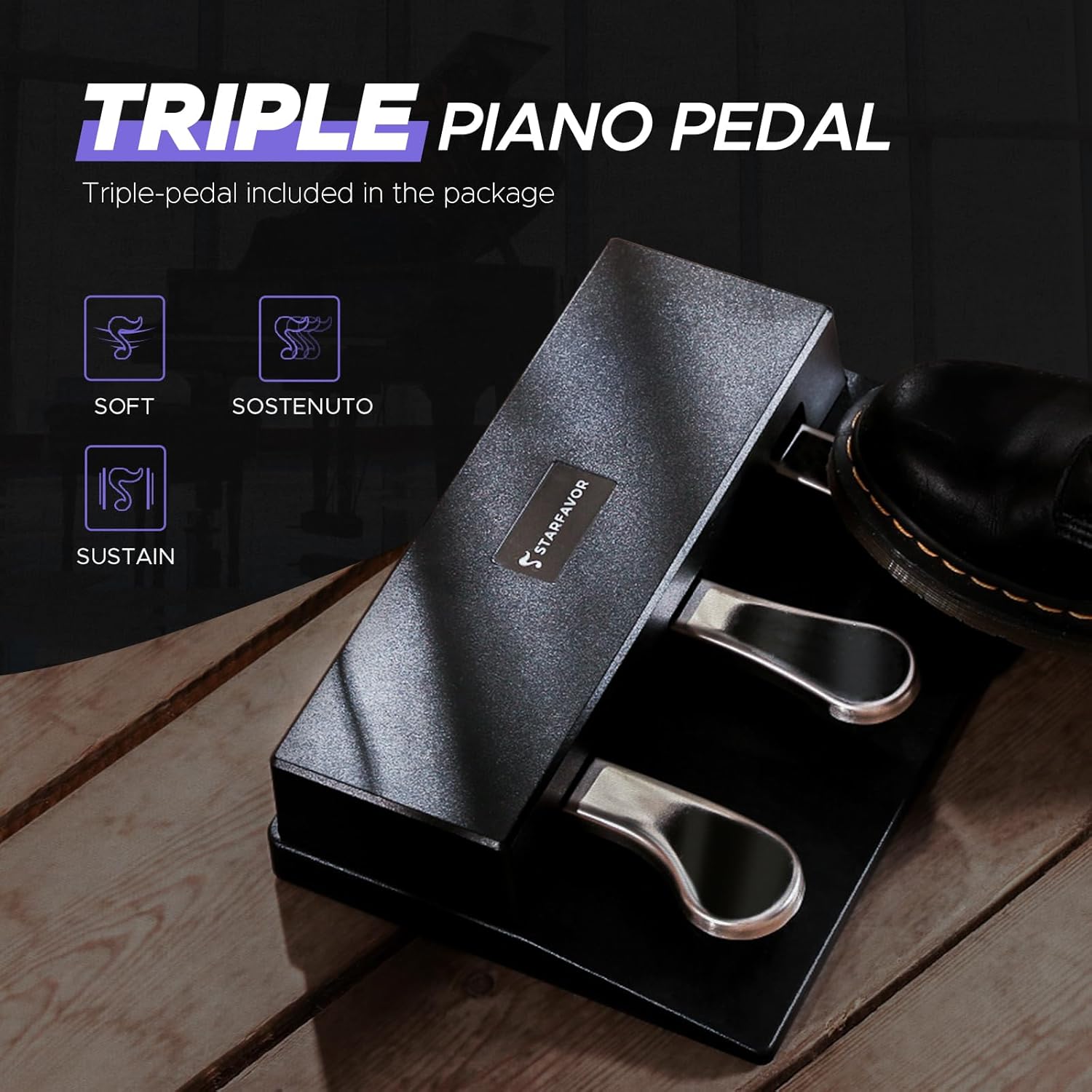
Image: Close-up view of the Starfavor SP-20 triple pedal unit, showing the sustain, sostenuto, and soft pedals.
3. Power Connection
Connect the DC power cord to the power input jack on the rear panel of the digital piano. Plug the other end into a standard electrical outlet. The piano is now ready to be powered on.
Operating Instructions
1. Power On/Off
Press the Power button located on the control panel to turn the digital piano on or off.
2. Volume Control
Adjust the master volume using the dedicated volume knob or buttons on the control panel. Start with a low volume and increase gradually to a comfortable listening level.
3. Key Touch Sensitivity
The SP-20 features graded hammer-action keys with adjustable touch sensitivity. This allows you to customize the response of the keys to your playing style. Options typically include:
- Hard: Requires more force for louder sounds.
- Medium: Standard piano response.
- Soft: Less force required for louder sounds.
- Fixed: Consistent volume regardless of playing force.
Refer to the control panel or display for selecting the desired touch sensitivity setting.
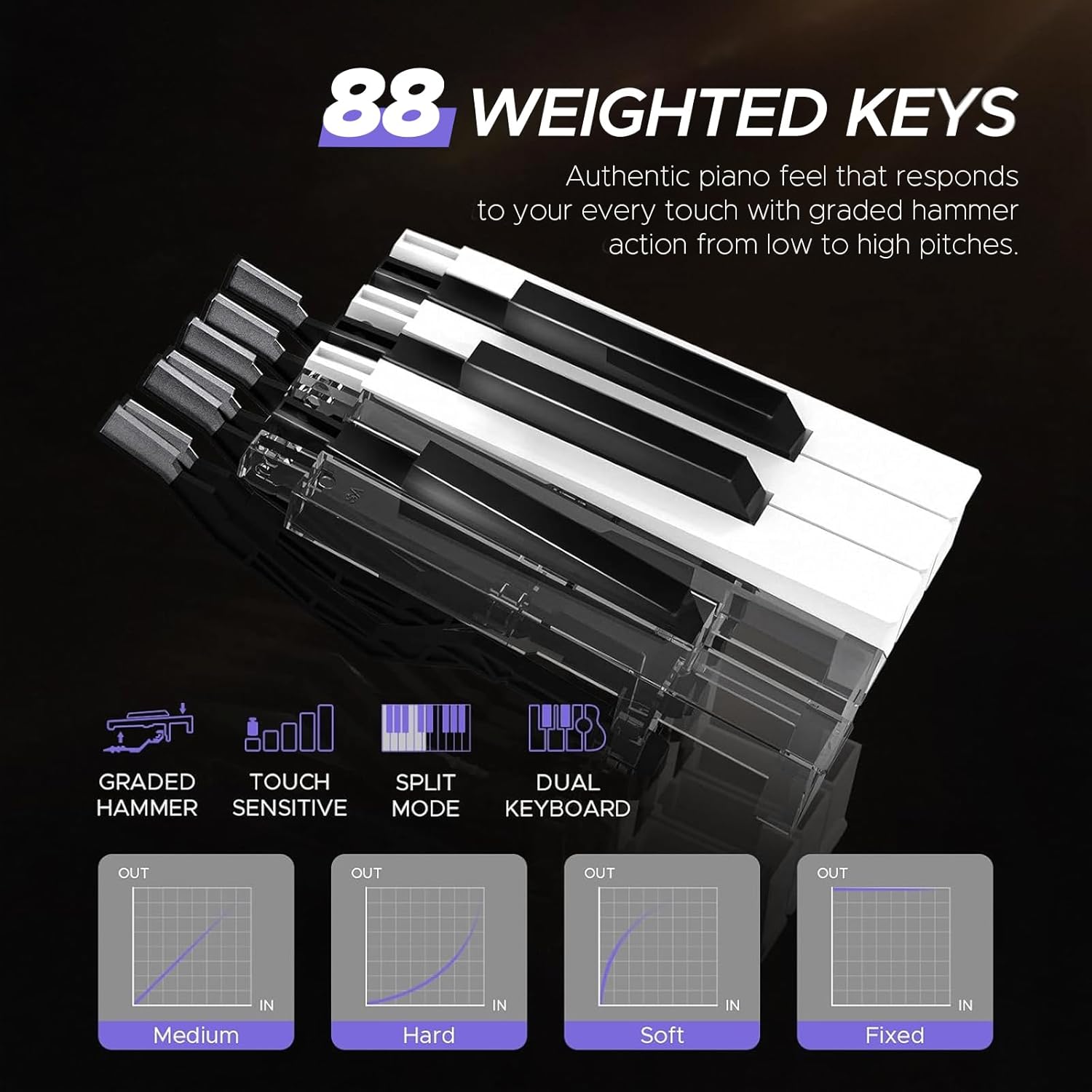
Image: Diagram illustrating the 88 weighted keys and various touch sensitivity curves (Medium, Hard, Soft, Fixed).
4. Instrument Voices (Tones)
The SP-20 offers 238 different instrument voices. Use the dedicated buttons or navigation controls to browse and select your preferred tone. The display will show the currently selected voice.
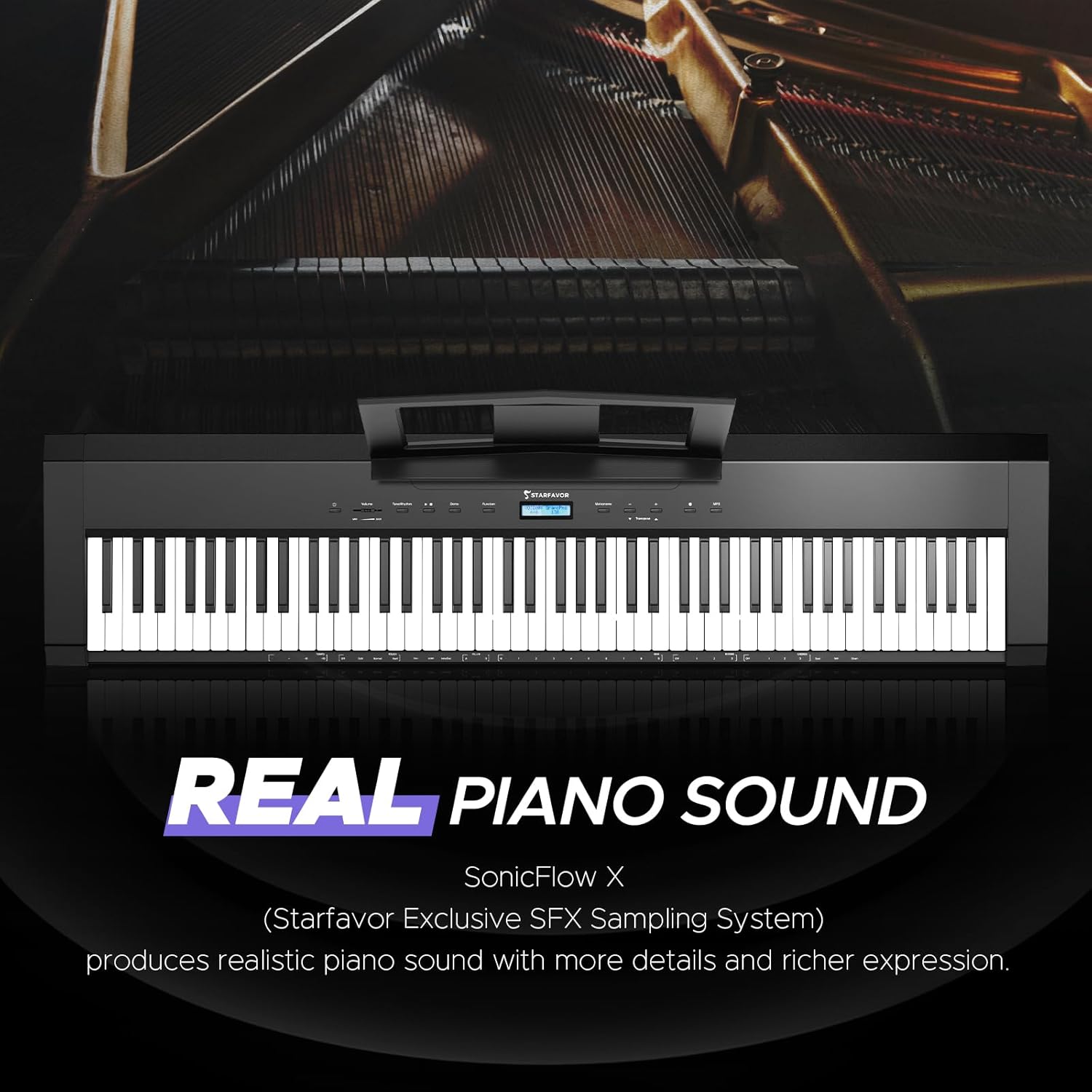
Image: The Starfavor SP-20 digital piano with a graphic highlighting its 'REAL PIANO SOUND' feature, powered by SonicFlow X Sampling System.
5. Rhythms and Demos
Access 200 rhythms and 100 demo songs through the control panel. These features can assist with practice and musical exploration.

Image: The Starfavor SP-20 display showing various multi-functions including 128 Polyphony, 238 Tones, 200 Rhythms, 100 Demos, and Chord function.
6. Metronome
Activate the built-in metronome to practice with precise timing. Adjust the tempo as needed.
7. Recording Function
The SP-20 includes a recording feature. Consult the display and control buttons for instructions on how to record and playback your performances.
8. Layer/Split Mode
Explore Layer mode to play two voices simultaneously across the entire keyboard, or Split mode to divide the keyboard into two sections, each with a different voice.
Connectivity
1. Bluetooth Audio
Connect your smartphone or tablet via Bluetooth to stream audio through the piano's speakers. This allows you to play along with your favorite songs or backing tracks.
2. Bluetooth MIDI
Utilize Bluetooth MIDI to connect wirelessly to music apps, Digital Audio Workstations (DAWs), or learning software on compatible devices for composing, practicing, or interactive lessons.

Image: The Starfavor SP-20 digital piano highlighting Bluetooth connectivity, showing icons for various music apps and devices like smartphones and tablets.
3. USB-MIDI
Connect the digital piano to a computer using the provided USB cable for MIDI data transmission. This enables advanced music production and software integration.
4. Headphone Output
For private practice, connect standard 6.35mm headphones to the headphone jack on the rear panel. The internal speakers will automatically mute when headphones are connected.

Image: Rear panel view of the Starfavor SP-20, detailing connection ports for Pedal, DC power, Earphone (headphones), USB, Sustain, and Audio Out.
Triple Pedal Functionality
The included triple pedal unit provides three essential piano functions:
- Sustain Pedal (Right): Holds notes, allowing them to ring out after the keys are released.
- Sostenuto Pedal (Middle): Sustains only the notes that are held down at the moment the pedal is pressed, while subsequent notes remain unaffected.
- Soft Pedal (Left): Reduces the volume and alters the timbre of the notes played, creating a softer sound.
Maintenance
1. Cleaning
- Wipe the surface of the digital piano with a soft, dry cloth.
- For stubborn dirt, slightly dampen the cloth with water and a mild soap solution, then wipe dry immediately.
- Avoid using abrasive cleaners, solvents, or chemical wipes, as these can damage the finish.
2. Storage
- Store the digital piano in a cool, dry place away from direct sunlight, extreme temperatures, and high humidity.
- Cover the instrument with a dust cover when not in use to protect it from dust and debris.
Troubleshooting
If you encounter issues with your Starfavor SP-20, refer to the following common problems and solutions:
- No Sound:
- Ensure the power is on and the volume is turned up.
- Check if headphones are connected; if so, disconnect them to enable speaker output.
- Verify that the correct instrument voice is selected and not a silent patch.
- Keys Not Responding or Uneven Response:
- Check the selected touch sensitivity setting. Adjust it to a suitable level (e.g., Medium).
- Ensure no foreign objects are lodged between the keys.
- Pedal Not Functioning:
- Ensure the triple pedal unit is securely connected to the correct port on the rear panel.
- Inspect the pedal cable for any damage.
- Bluetooth Connectivity Issues:
- Ensure Bluetooth is enabled on both the digital piano and your external device.
- Make sure the piano is in pairing mode if required.
- Move your device closer to the piano to ensure a strong signal.
- Distorted Sound:
- Reduce the volume level.
- Check for any loose connections in audio cables if external speakers are used.
If the issue persists after attempting these solutions, please contact Starfavor customer support.
Specifications
| Feature | Specification |
|---|---|
| Model Name | SP-20 |
| Number of Keys | 88 |
| Key Type | Full-Weighted, Graded Hammer Action, Touch-Sensitive |
| Speakers | Dual 30W Built-In Speakers |
| Polyphony | 128-note |
| Instrument Voices (Tones) | 238 |
| Rhythms | 200 |
| Demo Songs | 100 |
| Pedals | Triple Pedal (Sustain, Sostenuto, Soft) |
| Connectivity | Bluetooth, USB-MIDI, 6.35mm Headphone Jack |
| Power Source | DC Power Cord |
| Product Dimensions | 12.36"D x 52.64"W x 29.5"H |
| Item Weight | 39.6 pounds (18 Kilograms) |
| Finish Type | Matte Black |
| Body Material | Metal |
| Compatible Devices | Smart Phone, Tablet, Computer, iPad, iPhone |
Warranty and Support
For warranty information, please refer to the documentation provided at the time of purchase or contact your retailer. Starfavor may offer extended protection plans; details can be found on the product's purchase page or by contacting Starfavor directly.
If you require technical assistance or have questions not covered in this manual, please contact Starfavor customer support through their official website or the retailer where the product was purchased. When contacting support, please have your product model (SP-20) and purchase details readily available.


