
Otech C049HB-13108394
Otech Battery Instruction Manual
Compatible with Yashica KX95
1. Introduction
Thank you for choosing the Otech Battery, designed for compatibility with the Yashica KX95 camera. This battery is engineered to provide reliable power, ensuring your camera is ready when you need it. This manual provides essential information for the proper use, care, and maintenance of your new battery to maximize its lifespan and performance.
2. Product Features
- Optimal Lifetime: Equipped with high-quality cells for extended lifespan compared to other compatible batteries.
- Low Self-Discharge: High-quality cells minimize power loss when the battery is not in use for prolonged periods.
- Quality Assurance: Each battery undergoes individual load and capacity testing before shipment to ensure functionality.
- Compatibility: Specifically designed for use with Yashica KX95 cameras.
3. Setup and First Use
Before initial use, it is recommended to fully charge the battery. Use a compatible charger designed for Ni-MH batteries. Refer to your camera's instruction manual for specific battery installation procedures.
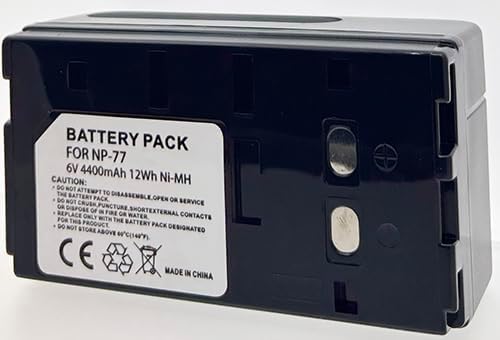
Figure 3.1: Front view of the Otech Battery Pack, displaying the label with model information (NP-77, 6V 4400mAh Ni-MH) and safety warnings.
3.1 Charging the Battery
- Connect the battery to a compatible Ni-MH battery charger.
- Ensure the charger's indicator light confirms charging is in progress.
- Allow the battery to charge completely. Charging times may vary depending on the charger and the battery's initial charge level.
- Disconnect the battery once fully charged.
3.2 Installing the Battery
Refer to your Yashica KX95 camera's user manual for precise instructions on how to open the battery compartment and correctly insert the battery. Ensure the battery is inserted with the correct polarity.
4. Operating the Battery
Once installed and charged, the battery will power your Yashica KX95 camera. Monitor your camera's battery indicator to determine the remaining power. Recharge the battery when the indicator shows low power to avoid interruptions during use.
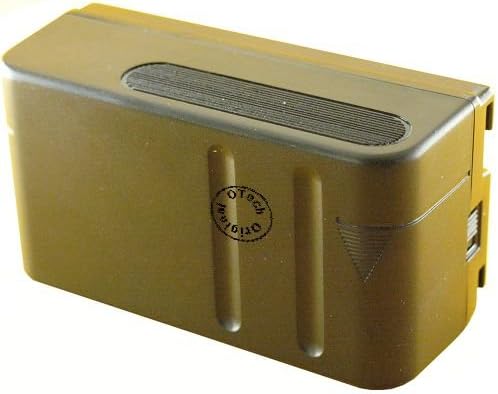
Figure 4.1: Top view of the Otech Battery Pack, highlighting its robust casing and design.
5. Maintenance and Care
Proper maintenance ensures the longevity and optimal performance of your battery.
- Regular Charging: Recharge the battery before it is completely depleted to maintain cell health.
- Clean Contacts: Periodically clean the metal contacts on the battery and charger with a dry, clean cloth to ensure good connection.
- Avoid Extreme Temperatures: Do not expose the battery to extreme heat or cold. Store it within the recommended temperature range (typically 0°C to 40°C or 32°F to 104°F).
- Proper Storage: If storing the battery for an extended period, charge it to about 50% capacity and store it in a cool, dry place. Recharge every 3-6 months to prevent deep discharge.
- Handle with Care: Do not drop, puncture, or disassemble the battery.
6. Troubleshooting
6.1 Battery Not Charging
- Check Connections: Ensure the battery is properly seated in the charger and the charger is plugged into a working power outlet.
- Clean Contacts: Dirty contacts can prevent charging. Clean them as described in Section 5.
- Charger Compatibility: Verify that you are using a charger compatible with Ni-MH batteries.
6.2 Short Battery Life
- Full Charge: Ensure the battery is fully charged before use.
- Environmental Factors: Extreme temperatures can affect battery performance.
- Battery Age: All rechargeable batteries have a finite lifespan. If the battery is old, it may need replacement.
7. Technical Specifications
| Specification | Value |
|---|---|
| Brand | Otech |
| Model Number | C049HB-13108394 |
| Compatible With | Yashica KX95 (NP-77 equivalent) |
| Battery Type | Ni-MH |
| Voltage | 6V |
| Capacity | 4400mAh |
| Energy | 12Wh |
| Item Weight | 450 g |
| Unit Count | 1 Count |
8. Disposal Information
Do not dispose of batteries with household waste. Batteries contain materials that can be harmful to the environment if not disposed of properly. Please recycle batteries at designated collection points or return them to your retailer. Follow local regulations for battery disposal.
9. Support Information
For further assistance or inquiries regarding your Otech battery, please contact your retailer or the Otech customer support channel. Refer to the packaging or product listing for specific contact details.
Related documentsC049HB-13108394


Ask a question about this manual
Ask about setup, troubleshooting, compatibility, parts, safety, or missing instructions. Manuals+ will review the question and use this page’s manual context to help answer it.