
1. Introduction
This manual provides essential information for the safe installation, operation, and maintenance of your CubeTECH CTQF100t-BGM 4-inch LED Bathroom Extractor Fan. Please read these instructions carefully before installation and retain them for future reference.
The CubeTECH CTQF100t-BGM is designed to effectively remove damp air, odors, and airborne pollutants from bathrooms, toilets, and kitchens. It features a matte black glass finish, integrated LED lighting, and an adjustable overrun timer for optimal ventilation control.
2. Safety Information
- Electrical Installation: Installation must be carried out by a qualified electrician in accordance with all local and national wiring regulations.
- Power Supply: Ensure the power supply is disconnected at the mains before commencing any installation, maintenance, or cleaning.
- Voltage: This appliance operates on 240 Volts AC. Verify your supply voltage matches this requirement.
- Water Resistance: The fan is water-resistant (IPX4 rated), making it suitable for bathroom zones 1 and 2. However, avoid direct water spray onto the unit.
- Airflow: Ensure adequate provision for the replacement of air to prevent back-draughting of flues from fuel-burning appliances.
- Children and Vulnerable Persons: This appliance is not intended for use by persons (including children) with reduced physical, sensory or mental capabilities, or lack of experience and knowledge, unless they have been given supervision or instruction concerning use of the appliance by a person responsible for their safety.
- Damage: Do not operate the fan if any part is damaged. Contact CubeTECH support for assistance.
3. Package Contents
Carefully unpack the box and ensure all items are present and undamaged. If any items are missing or damaged, please contact your retailer.
- CubeTECH CTQF100t-BGM Extractor Fan Unit
- Mounting Screws and Wall Plugs
- Instruction Manual (this document)
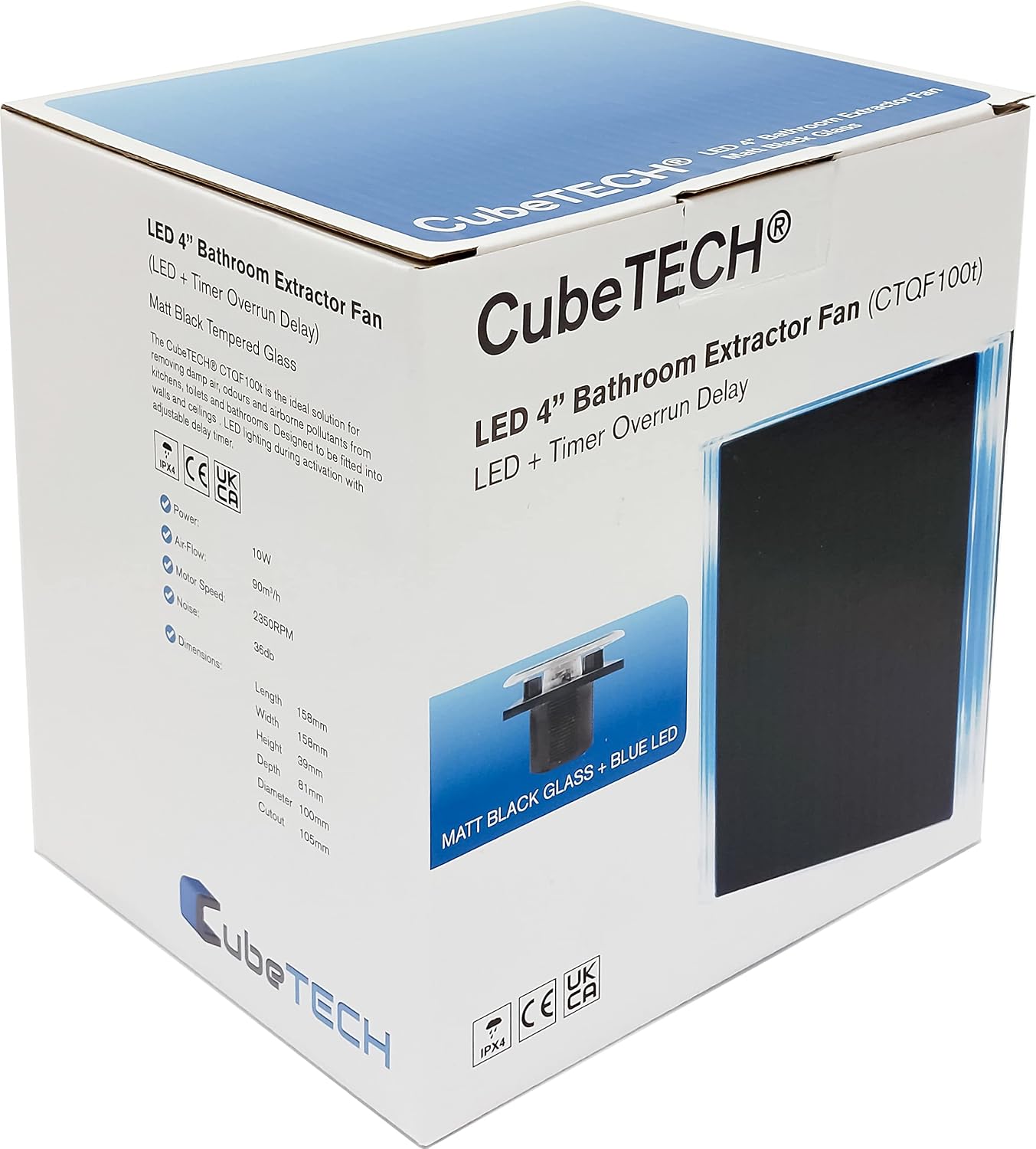
4. Product Overview
Key Features:
- Matte Black Tempered Glass Finish
- Integrated LED Lighting
- Adjustable Overrun Timer (2-30 minutes)
- Low Noise Operation (32 dB(A) at 3 meters)
- High Airflow Rate (90 m³/h / 25 liters per second)
- Long-Life Motor with Built-in Protection
- Slim Profile (39 mm)
- Wall or Ceiling Mountable
Components:
The fan unit consists of a main body housing the motor and impeller, and a removable matte black glass front panel with integrated LED.


5. Setup and Installation
Warning: Ensure the electrical supply is isolated before beginning installation.
5.1 Pre-installation Checks:
- Verify that the mounting surface (wall or ceiling) is structurally sound and can support the fan's weight.
- Ensure there is sufficient space for the fan and ducting. The fan requires a 100mm (4-inch) diameter duct.
- Confirm that the electrical wiring is accessible and meets the requirements for a 240V appliance.
5.2 Mounting:
- Cut a circular hole of 100mm (4 inches) diameter in the desired wall or ceiling location.
- Position the fan body into the hole, ensuring it fits snugly.
- Mark the positions for the mounting screws through the designated holes on the fan body.
- Drill pilot holes and insert wall plugs if necessary.
- Secure the fan body to the wall or ceiling using the provided screws.
5.3 Electrical Wiring:
Refer to the wiring diagram below. This fan is designed for connection to a switched live (T), permanent live (L), and neutral (N) supply.

- Remove the front cover of the fan to access the terminal block.
- Connect the permanent live wire to the 'L' terminal.
- Connect the switched live wire (typically from a light switch) to the 'T' terminal.
- Connect the neutral wire to the 'N' terminal.
- Ensure all connections are secure and correctly insulated.
- Replace the front cover, ensuring it is securely fastened.
5.4 Timer Adjustment:
The integrated overrun timer can be adjusted from 2 to 30 minutes. To adjust the timer:
- With the power isolated, remove the front cover of the fan.
- Locate the small potentiometer (adjustment screw) on the circuit board, usually marked with 'Timer' or a clock symbol.
- Using a small screwdriver, carefully turn the potentiometer clockwise to increase the overrun time or counter-clockwise to decrease it.
- Replace the front cover and restore power to test the new setting.
6. Operating Instructions
The CubeTECH CTQF100t-BGM fan operates automatically when connected to a switched live circuit, typically linked to your room's lighting circuit.
- Activation: When the connected light switch is turned ON, the fan will activate, and the integrated LED light will illuminate.
- Deactivation and Overrun: When the light switch is turned OFF, the fan will continue to operate for the duration set on the overrun timer (2-30 minutes) before switching off automatically. The LED light will also remain on during the overrun period.
7. Maintenance
Regular cleaning ensures optimal performance and longevity of your extractor fan.
Warning: Always disconnect the power supply at the mains before cleaning or performing any maintenance.
Cleaning the Fan:
- Isolate the electrical supply to the fan.
- Carefully remove the matte black glass front panel. This panel is designed for easy removal for cleaning.
- Wipe the glass panel with a soft, damp cloth and a mild detergent. Avoid abrasive cleaners or solvents.
- Gently clean the fan impeller and the interior of the fan housing with a soft brush or vacuum cleaner to remove dust and debris. Do not use water directly on electrical components.
- Ensure all parts are completely dry before reattaching the front panel and restoring power.
8. Troubleshooting
| Problem | Possible Cause | Solution |
|---|---|---|
| Fan does not turn on. | No power supply. Incorrect wiring. Faulty switch. | Check circuit breaker/fuse. Verify wiring connections (L, T, N). Test the light switch. Consult a qualified electrician. |
| Fan runs continuously. | Timer set too long or faulty. Incorrect wiring (e.g., T connected to permanent live). | Adjust the overrun timer setting. Check wiring connections. Consult a qualified electrician. |
| Fan is noisy. | Impeller obstructed or dirty. Loose mounting. Motor issue. | Clean the impeller and housing. Ensure fan is securely mounted. If noise persists, contact support. |
| Poor extraction performance. | Ducting obstructed or too long/restrictive. Fan impeller dirty. Insufficient air replacement. | Check ducting for obstructions. Clean the fan impeller. Ensure adequate ventilation in the room. |
9. Specifications
| Feature | Specification |
|---|---|
| Brand | CubeTECH |
| Model Number | CTQF100t-BGM |
| Color | Matte Black Glass |
| Product Dimensions (L x W x H) | 3.9 x 15.8 x 15.8 cm |
| Item Weight | 790 grams |
| Power | 10 Watts |
| Voltage | 240 Volts |
| Material | Glass |
| Noise Level | 32 Decibels |
| Airflow Rate | 90 m³/h (25 liters per second) |
| Duct Diameter | 100 mm (4 inches) |
| Profile Depth | 39 mm |
| Special Features | LED Light, Adjustable Timer, Water Resistant (IPX4) |
| Mounting Type | Wall Mount, Ceiling Mount |
Dimensional Drawing:

10. Warranty and Support
Specific warranty details are not provided in the product information. Please refer to your purchase receipt or contact your retailer for warranty information.
For technical support or inquiries, please contact CubeTECH customer service through their official website or the contact information provided with your purchase.
Spare parts availability information is currently unavailable.