
Conambo K18
Conambo K18 Bluetooth Headset User Manual
Model: K18 (K10C) | Brand: Conambo
Introduction
This manual provides detailed instructions for the Conambo K18 Bluetooth Headset, designed for clear and reliable communication. Please read this manual thoroughly before using the headset to ensure proper operation and to maximize its features.
Package Contents
- Conambo K18 Bluetooth Headset
- Storage box
- Eartips (various sizes)
- USB Cable (Type-C)
- User Manual (this document)
Product Overview

Figure 1: Conambo K18 Bluetooth Headset and its compact charging case.

Figure 2: The headset is designed for comfortable, hands-free communication.
The Conambo K18 is a single-ear Bluetooth headset featuring advanced V5.1 wireless technology, dual-mic CVC8.0 and ENC noise cancellation for superior call clarity, and aptX HD audio for high-quality sound. It offers multipoint connectivity, allowing connection to two devices simultaneously, and provides up to 16 hours of talk time.
Setup
1. Charging the Headset
Before first use, fully charge the headset. Connect the provided USB Type-C cable to the headset's charging port and a compatible USB power source. The charging time is approximately 1.5 hours.
2. Wearing the Headset
The headset is designed for comfortable wear over the ear. Adjust the ear hook and eartip to find the most secure and comfortable fit. The microphone boom can be rotated to position the microphone closer to your mouth for optimal voice pickup.
3. Pairing with Your Device
- Ensure the headset is charged and turned off.
- Press and hold the Multi-function button on the headset until the LED indicator flashes blue and red alternately, indicating pairing mode.
- On your smartphone, tablet, or laptop, enable Bluetooth and search for available devices.
- Select "Conambo K18" (or "K10C") from the list of found devices.
- Once connected, the LED indicator will flash blue slowly.

Figure 3: The headset supports multipoint technology, connecting to two devices at once.

Figure 4: Powered by a Qualcomm QCC3040 chip and Bluetooth 5.2 for stable connections.
4. Dual-Device Connectivity (Multipoint)
The Conambo K18 headset can be connected to two Bluetooth devices simultaneously. After pairing with the first device, disable Bluetooth on the first device, then pair the headset with the second device. Once the second device is paired, re-enable Bluetooth on the first device. The headset will automatically connect to both. You can effortlessly switch between calls or audio from either device.
Operating Instructions
1. Power On/Off
- Power On: Slide the power switch to the "ON" position. The LED indicator will flash blue.
- Power Off: Slide the power switch to the "OFF" position. The LED indicator will turn off.
2. Call Management
- Answer/End Call: Press the Multi-function button once.
- Reject Call: Press and hold the Multi-function button for 2 seconds.
- Redial Last Number: Double-press the Multi-function button.
- Mute/Unmute Microphone: Press the Mute button once during a call.
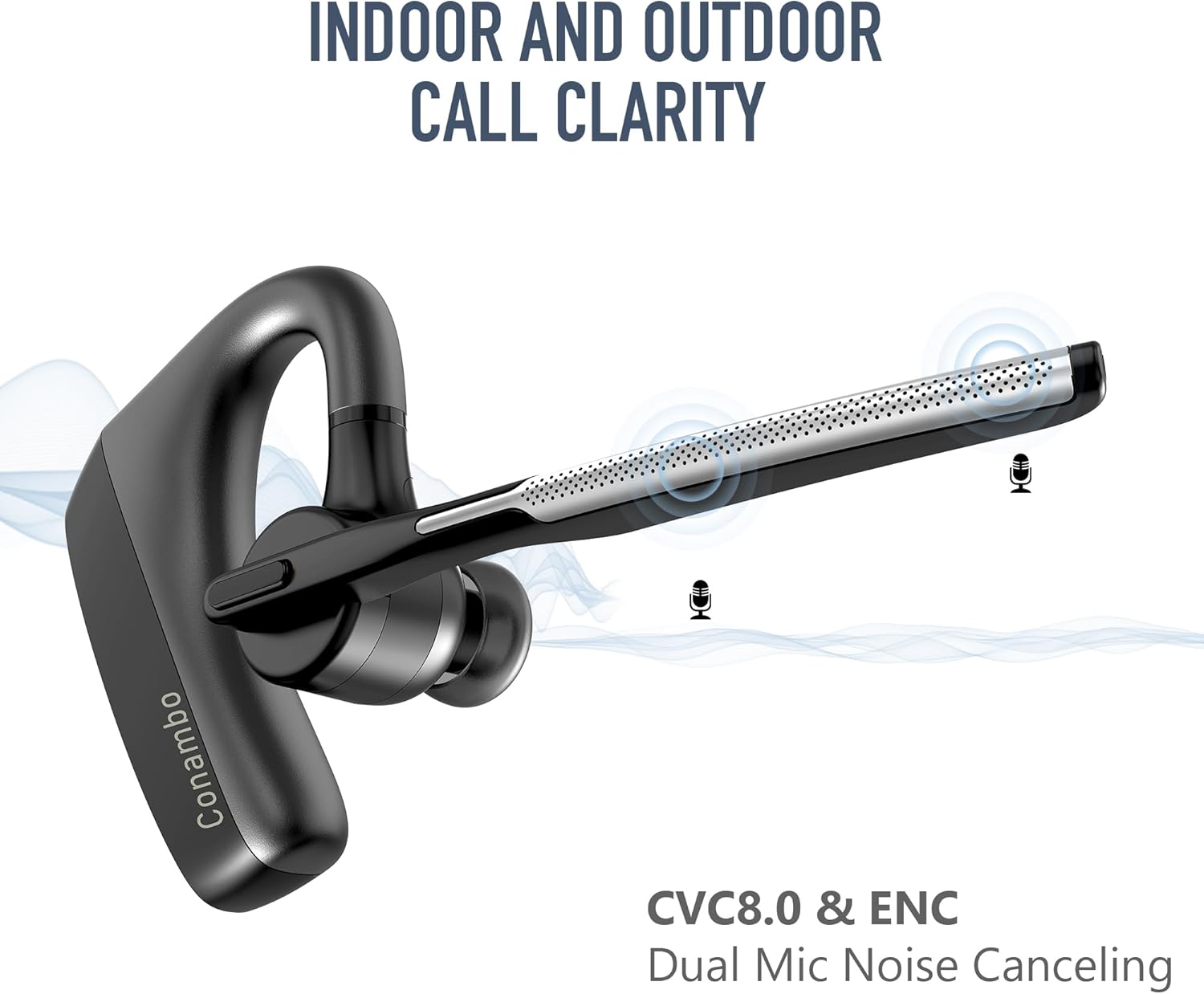
Figure 5: Dual-mic CVC8.0 and ENC technology ensures clear calls indoors and outdoors.

Figure 6: Enjoy up to 16 hours of talk time and a wireless range of up to 59 feet (18 meters).
3. Volume Control
- Volume Up: Press the Volume Up button (+).
- Volume Down: Press the Volume Down button (-).
4. Voice Assistant Activation
Press and hold the Multi-function button for 2 seconds (when not on a call) to activate your device's voice assistant (Siri, Google Assistant, etc.).
Figure 7: Easily activate Siri or Google Assistant for hands-free commands.
5. Audio Quality Features
- Dual Mic Noise Cancellation: The headset utilizes CVC8.0 and ENC technology with dual microphones to effectively block out up to 96% of background noise, ensuring your voice is heard clearly even in noisy environments.
- aptX HD Audio: Experience CD-like sound quality with minimal compression and crystal-clear detail for both calls and media playback.
Maintenance
1. Cleaning
Wipe the headset with a soft, dry, lint-free cloth. Do not use harsh chemicals, cleaning solvents, or strong detergents. The headset is IPX4 water resistant, meaning it can withstand splashes, but it is not designed for submersion.
2. Storage
When not in use, store the headset in its provided storage box to protect it from dust and damage. Avoid storing in extreme temperatures or high humidity.
Troubleshooting
| Problem | Possible Cause | Solution |
|---|---|---|
| Headset does not power on. | Low battery. | Charge the headset fully. |
| Cannot pair with device. | Headset not in pairing mode; Bluetooth off on device; device too far. | Ensure headset is in pairing mode (flashing blue/red). Turn on Bluetooth on your device. Move headset closer to device (within 1 meter). |
| No sound or poor sound quality. | Volume too low; headset out of range; interference. | Increase volume on headset and device. Move closer to your device. Avoid strong electromagnetic interference. |
| Microphone not working. | Microphone muted; incorrect audio input selected on device. | Press the Mute button to unmute. Check your device's audio settings to ensure the headset is selected as the input device. |
| Headset disconnects frequently. | Out of range; low battery; interference. | Stay within the 18-meter (59 feet) wireless range. Charge the headset. Reduce interference from other wireless devices. |
Resetting the Headset
If you experience persistent issues, you may need to reset the headset. Consult the specific reset procedure in the full product manual or contact customer support for guidance.
Specifications
- Model Name: K18 (K10C)
- Connectivity Technology: Wireless (Bluetooth)
- Bluetooth Version: 5.2
- Bluetooth Range: Up to 18 meters (59 feet)
- Battery Life (Talk Time): Up to 16 hours
- Charging Time: Approximately 1.5 hours
- Item Weight: 0.5 ounces (approx. 14g)
- Product Dimensions: 1.97 x 1.18 x 1.06 inches
- Material: Plastic
- Noise Control: Active Noise Cancellation (CVC8.0 & ENC Dual Mic)
- Water Resistance Level: IPX4 (Water Resistant)
- Compatible Devices: Cellphones, Tablets, Laptops
- Included Components: Storage box, Eartip, USB Cable
- UPC: 644925633341
Warranty and Support
Conambo is committed to providing high-quality products and excellent customer service. For any questions, technical assistance, or support inquiries regarding your K18 Bluetooth Headset, please do not hesitate to contact our professional technology team. We are standing by to assist you within 24 hours.
Please refer to the product packaging or the official Conambo website for specific warranty details and contact information.
Related documentsK18


Ask a question about this manual
Ask about setup, troubleshooting, compatibility, parts, safety, or missing instructions. Manuals+ will review the question and use this page’s manual context to help answer it.