
1. Product Overview
The Xiaomi Truclean W10 Ultra is a versatile wet and dry vacuum cleaner designed for efficient floor cleaning. It features an all-in-one station for charging and drying, a high-temperature cleaning mode, intelligent stain detection, and a self-cleaning roller brush system.
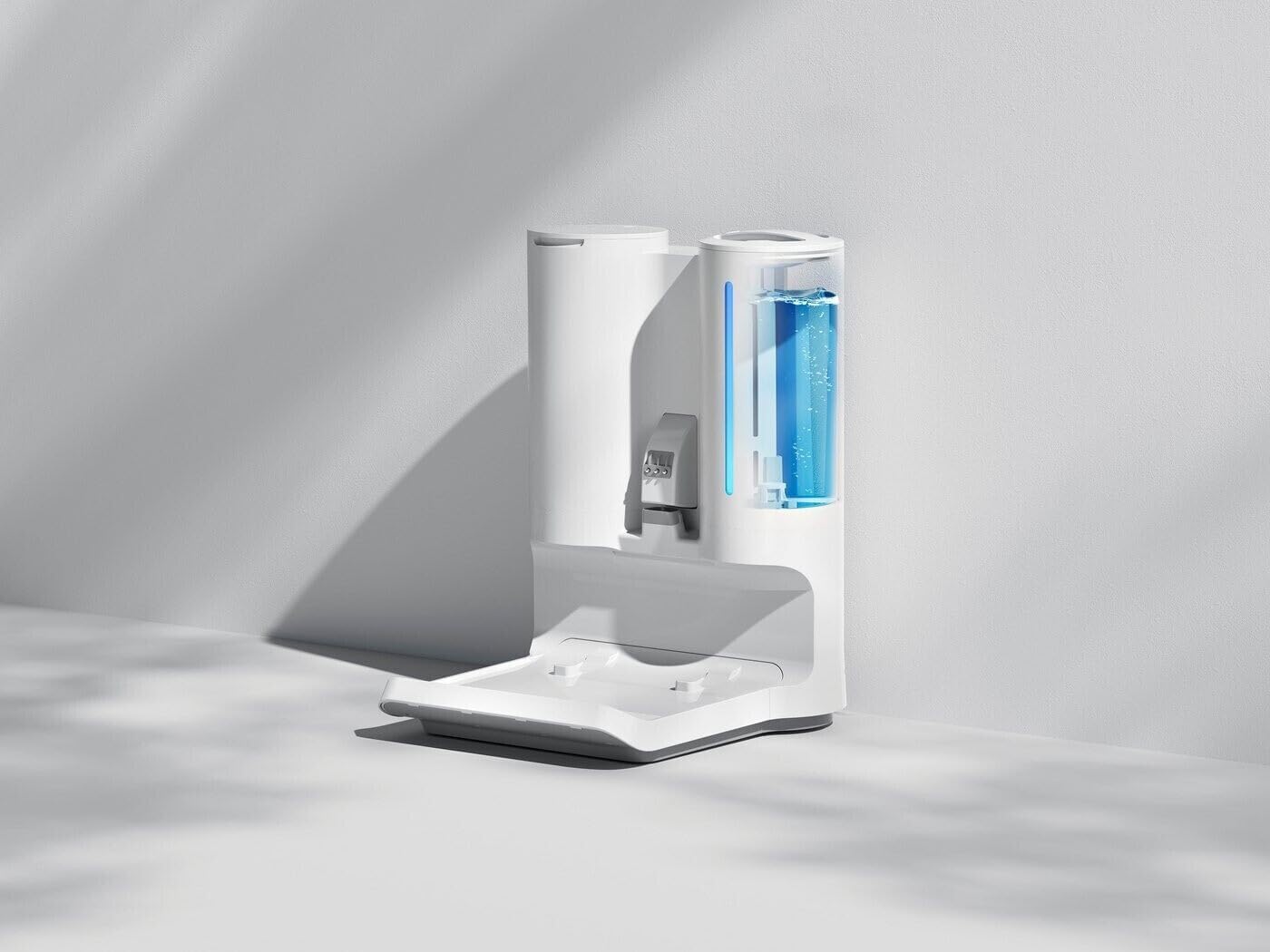
Image 1.1: The main unit of the Xiaomi Truclean W10 Ultra Wet Dry Vacuum.

Image 1.2: The vacuum cleaner positioned on its all-in-one charging and drying station.
2. Setup Instructions
2.1 Unpacking
Carefully remove all components from the packaging. Verify that all parts listed in the packing list are present and undamaged. Retain packaging for future transport or storage.
2.2 Assembly
- Attach the Handle: Insert the handle into the main body of the vacuum cleaner until it clicks securely into place. Ensure it is firmly attached.
- Position the All-in-One Station: Place the all-in-one station on a flat, stable surface near a power outlet.
2.3 Initial Charging and Water Filling
- Fill the Clean Water Tank: Remove the clean water tank from the main unit. Fill it with clean tap water up to the 'MAX' line. For hot water cleaning, ensure the water temperature is appropriate (up to 75°C). Reinstall the tank.
- Charge the Battery: Place the assembled vacuum cleaner onto the all-in-one station. Connect the power adapter to the station and plug it into a wall outlet. The LED display on the vacuum will indicate charging status. Fully charge the device before first use.
3. Operating Instructions
3.1 Power On/Off
Press and hold the power button on the handle to turn the vacuum cleaner on or off. The LED display will illuminate upon power-on.
3.2 Selecting Cleaning Modes
The vacuum offers multiple cleaning modes. Press the mode selection button on the handle to cycle through available modes:
- Auto Mode: Automatically adjusts suction power and water flow based on detected dirt levels.
- High-Temperature Mode: Activates the 75°C hot water cleaning for enhanced stain removal and bacterial elimination.
- Suction Mode: For dry vacuuming only.
3.3 Cleaning Operation
- Start Cleaning: Tilt the vacuum cleaner back to activate the roller brush and begin cleaning.
- Maneuvering: The vacuum features an automatic forward assist, making it easy to push and turn. Guide the vacuum over the desired cleaning area.
- Intelligent Stain Detection: The device will detect stains in real-time and adjust cleaning power accordingly.
- Monitoring: The 3.2-inch LED digital display provides real-time information on battery level, cleaning mode, and status.

Image 3.1: The vacuum's intelligent stain detection system in action.
4. Maintenance
4.1 Emptying the Dirty Water Tank
After each use, or when the dirty water tank is full, remove it from the main unit. Open the lid and dispose of the dirty water. Rinse the tank thoroughly with clean water and allow it to air dry before reinstallation.
4.2 Self-Cleaning and Drying Cycle
Place the vacuum cleaner back on the all-in-one station. Press the self-clean button on the station or the vacuum (refer to the display for prompts). The vacuum will initiate a self-cleaning cycle for the roller brush, followed by a 55°C hot air drying process to prevent odors and mold growth.

Image 4.1: The roller brush undergoing its automatic self-cleaning process.
4.3 Cleaning the Filter
The filter should be cleaned regularly, typically after every 3-5 uses, or when suction power decreases. Remove the filter from the dirty water tank. Rinse it under running water until clean. Allow it to air dry completely for at least 24 hours before reinserting. Do not use the vacuum without a dry filter.
4.4 Cleaning the All-in-One Station
Periodically wipe down the charging contacts and the base of the station with a damp cloth to remove any dirt or debris. Ensure the station is unplugged before cleaning.
5. Troubleshooting
If you encounter issues, refer to the following table for common problems and solutions.
| Problem | Possible Cause | Solution |
|---|---|---|
| Vacuum does not power on. | Low battery; Power button not pressed correctly. | Charge the vacuum; Press and hold the power button for 3 seconds. |
| Low suction power. | Dirty water tank full; Filter clogged; Roller brush tangled. | Empty dirty water tank; Clean and dry filter; Clean roller brush. |
| Water leakage. | Water tanks not installed correctly; Tank seals damaged. | Ensure tanks are securely latched; Contact support if seals are damaged. |
| Error message on LED display. | Specific system fault. | Refer to the user manual's error code section (if available) or contact customer support with the error code. |
6. Specifications
Key technical specifications for the Xiaomi Truclean W10 Ultra Wet Dry Vacuum:
- Model Name: Truclean W10 Ultra
- Model Number: B0BBRNWH1V
- Dimensions (L x W x H): 27L x 27W x 110H cm (111 x 27 x 27 cm)
- Weight: 5.3 Kilograms
- Battery Type: Lithium-ion
- Battery Capacity: 3680 mAh
- Run Time: Up to 35 minutes
- Voltage: 28 Volts
- Power (Watts): 220 Watts
- Clean Water Tank Capacity: 3 Litres
- Special Features: 3.2" LED Digital Display, Intelligent Stain Detection, 75°C Hot Water Cleaning Mode, 55°C Hot Air Drying Station, Self-Cleaning Roller Brush.
- Filter Type: Foam, Fabric
- Recommended Surface: Carpet, Hard Floor
- Control Method: Touchpad Control
7. Warranty and Support
7.1 Manufacturer's Warranty
This product is covered by a 2-year manufacturer's warranty. Please retain your proof of purchase for warranty claims. The warranty covers defects in materials and workmanship under normal use. It does not cover damage caused by misuse, accidents, unauthorized modifications, or normal wear and tear.
7.2 Customer Support
For technical assistance, troubleshooting beyond this manual, or warranty service, please contact Xiaomi customer support. Contact details can typically be found on the official Xiaomi website or on the product packaging.
- Online Support: Visit the official Xiaomi support website.
- Phone Support: Refer to your regional Xiaomi contact numbers.


