
1. Introduction
This manual provides comprehensive instructions for the installation, operation, and maintenance of your Waterdrop G3P800 Reverse Osmosis System, bundled with the WD-MNR35 Remineralization Filter. This system is designed to provide high-quality filtered and remineralized water for household use.

Figure 1: Waterdrop G3P800 Reverse Osmosis System and WD-MNR35 Remineralization Filter.
2. Key Features
- NSF/ANSI Certified: Certified by IAPMO R&T against NSF/ANSI 58 for TDS reduction, NSF 42 for chlorine, taste, and odor reduction, and NSF/ANSI 372 for lead-free materials.

Figure 2: NSF/ANSI Certifications for the Waterdrop G3P800 system. For detailed reports, refer to the IAPMO R&T certification database.
- High Capacity & Fast Flow: Provides 800 gallons per day (GPD) capacity, filtering one cup of water in approximately 6 seconds.

Figure 3: Illustration of the 800 GPD high capacity and fast water dispensing rate.
- Efficient Water Usage: Features an advanced water dispensing technology with a 3:1 pure to drain ratio, producing one cup of wastewater for every three cups of filtered water.

Figure 4: Comparison of the 3:1 pure to drain ratio with traditional RO systems.
- 9-Stage Filtration: Effectively reduces PFAS, fluoride, heavy metals (lead, chromium, iron, radium), salts (nitrate, chloride), large particles, and radioactive substances.

Figure 5: SGS & CSA testing results demonstrating reduction rates for various contaminants.
- Remineralization Filter (WD-MNR35): Utilizes PCC technology to activate crystalline structures of natural minerals like Calcium (Ca), Magnesium (Mg), Strontium (Sr), Sodium (Na), and Potassium (K), simulating natural spring water.

Figure 6: Illustration of the natural minerals added by the WD-MNR35 remineralization filter.

Figure 7: Overview of potential benefits associated with mineralized water.
- Universal Compatibility (WD-MNR35): The WD-MNR35 filter is designed with 1/4" quick connect tubing, allowing compatibility with most reverse osmosis systems or under-sink water filtration systems.

Figure 8: The WD-MNR35 filter's universal compatibility with various water systems.
3. Setup and Installation
The Waterdrop G3P800 system is designed for under-sink installation. Due to the complexity of plumbing connections, professional installation is recommended. Ensure all local plumbing codes are followed.
3.1 Pre-Installation Checklist
- Verify all components are present as per the packing list.
- Ensure adequate space under the sink for the main unit and filters.
- Confirm water pressure and temperature are within specified operating ranges.
- Turn off the main water supply before beginning installation.
3.2 Installation Steps (Overview)
- Mount the main RO unit securely under the sink.
- Connect the feed water adapter to the cold water line.
- Install the dedicated faucet on the countertop.
- Connect the tubing from the main unit to the faucet, feed water adapter, and drain saddle.
- Insert the filter cartridges (CB, CF, RO, and WD-MNR35) into their respective slots.
- Slowly turn on the water supply and check for leaks.
- Flush the system as per the initial flushing instructions to prepare it for use.
Refer to the detailed installation guide included in your product packaging for step-by-step instructions and diagrams.
4. Operating Instructions
Once installed and flushed, the Waterdrop G3P800 system operates automatically to provide purified water.
4.1 Dispensing Water
To dispense water, simply open the dedicated RO faucet. The system will automatically activate and begin producing filtered water. Close the faucet to stop the flow.
4.2 TDS Monitoring
The system features a TDS (Total Dissolved Solids) display, allowing you to monitor the water quality. A lower TDS reading indicates higher purity.
5. Maintenance
Regular maintenance, primarily filter replacement, is crucial for optimal performance and water quality.
5.1 Filter Replacement
The G3P800 system uses multiple filters, including the WD-MNR35 remineralization filter. Filter lifespan varies based on water quality and usage, but general guidelines are:
- WD-MNR35 Remineralization Filter: Up to 12 months or 1,100 gallons, whichever comes first.
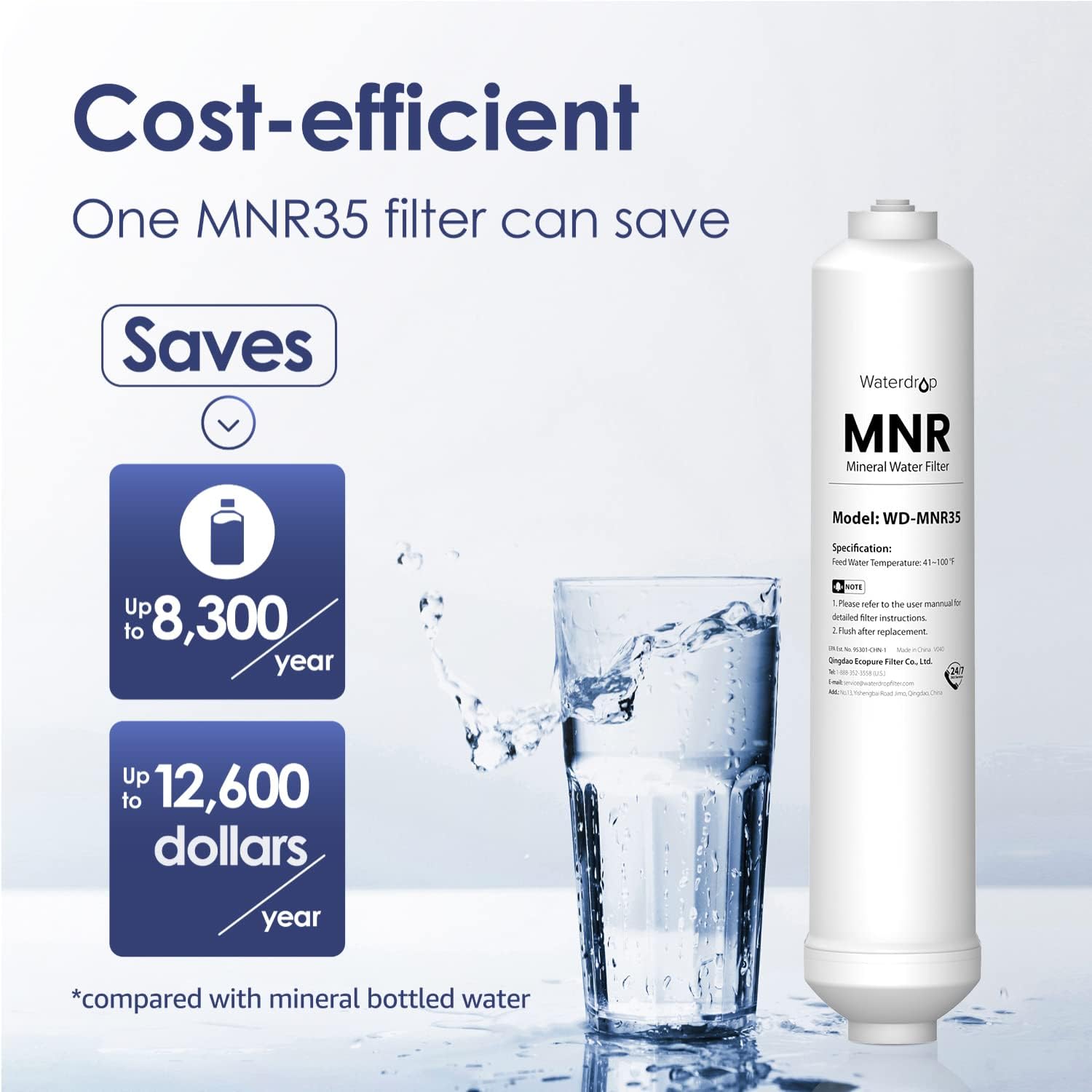
Figure 9: The WD-MNR35 filter offers long-term cost savings compared to bottled water.
- Refer to your system's display or user manual for specific replacement indicators for other filters (CB, CF, RO).
5.2 Replacement Procedure
- Turn off the water supply to the RO system.
- Depressurize the system by opening the RO faucet.
- Twist and pull out the old filter cartridge.
- Insert the new filter cartridge, ensuring it is fully seated.
- Turn on the water supply and check for leaks.
- Flush the new filter as per instructions to remove air and carbon fines.
6. Troubleshooting
This section addresses common issues you might encounter with your Waterdrop G3P800 system.
| Problem | Possible Cause | Solution |
|---|---|---|
| Low Water Flow | Clogged filters, low incoming water pressure, kinked tubing. | Replace filters, check water supply pressure, inspect tubing for kinks. |
| Unusual Taste/Odor | Expired carbon filters, new filter not flushed properly. | Replace carbon filters (CB, CF), flush the system thoroughly. |
| High TDS Reading | Expired RO membrane, system not flushed, bypass valve open. | Replace RO membrane, flush system, ensure bypass valve is closed. |
| Leaks | Loose connections, damaged O-rings, cracked housing. | Tighten connections, replace O-rings, contact support if housing is damaged. |
If you encounter issues not listed here or if the suggested solutions do not resolve the problem, please contact Waterdrop customer support.
7. Specifications
| Attribute | Value |
|---|---|
| Brand | Waterdrop |
| Model Name | G3P800 |
| Special Feature | Reduce TDS, Tankless |
| Installation Type | Under Sink |
| Power Source | Manual (Water Pressure) |
| Maximum Flow Rate | 39.5 Milliliters Per Second |
| Supported Water TDS Level Maximum | 500 PPM |
| Pure to Drain Ratio | 3:1 |
| Daily Production Capacity | 800 GPD (Gallons Per Day) |
| Filter Lifespan (WD-MNR35) | Up to 12 months or 1,100 gallons |
8. Warranty and Support
Waterdrop provides a limited warranty for its products. Please refer to the warranty card included with your purchase for specific terms and conditions.
8.1 Customer Support
For technical assistance, troubleshooting, or warranty claims, please contact Waterdrop customer support. You can find more information and contact details on the official Waterdrop website: Waterdrop Official Store.