
1. Introduction
Thank you for choosing the MediAcous LED Desk Lamp with Clamp, Model ME-DL07. This lamp is designed to provide versatile and eye-caring illumination for various tasks, including home office work, crafting, and studying. Featuring three distinct light sources, a flexible swing arm, and a convenient control box, this lamp offers customizable lighting to enhance your productivity and comfort.
2. Important Safety Instructions
- Read all instructions carefully before use.
- Keep the lamp away from water or other liquids.
- Do not attempt to disassemble or repair the lamp yourself. Contact qualified service personnel for assistance.
- Ensure the power adapter is compatible with your local power supply.
- Avoid placing the lamp in direct sunlight or near heat sources.
- Clean the lamp only with a soft, dry cloth.
3. Package Contents
Verify that all items are present in the package:
- 1x MediAcous LED Desk Lamp (Model ME-DL07, bulb included)
- 1x Power Adapter
- 1x User Manual
4. Setup and Installation
The MediAcous LED Desk Lamp is designed for easy clamp-on installation, saving valuable desk space.
4.1 Attaching the Clamp
The lamp features an ultra-wide clamp with silicone pads, suitable for tabletops up to 2.5 inches (7.5 cm) thick. Ensure the clamp is securely fastened to a stable surface.

4.2 Connecting Power
Connect the power adapter to the lamp's power port, located on the back of the main arm. Then, plug the adapter into a standard electrical outlet.
4.3 Adjusting the Lamp Arms
The lamp features multiple rotatable pivots and light bodies, allowing for extensive adjustment. Carefully position the arms and light sources to achieve your desired illumination angle.
5. Operating Instructions
The lamp is controlled via a wired control box with sensitive touch buttons, providing easy access to all functions.
5.1 Control Box Overview
The control box features a master switch, independent controls for the two main lights, and a separate control for the auxiliary light. It also includes buttons for adjusting brightness, color temperature, and activating the 60-minute timer.

5.2 Power On/Off and Timer
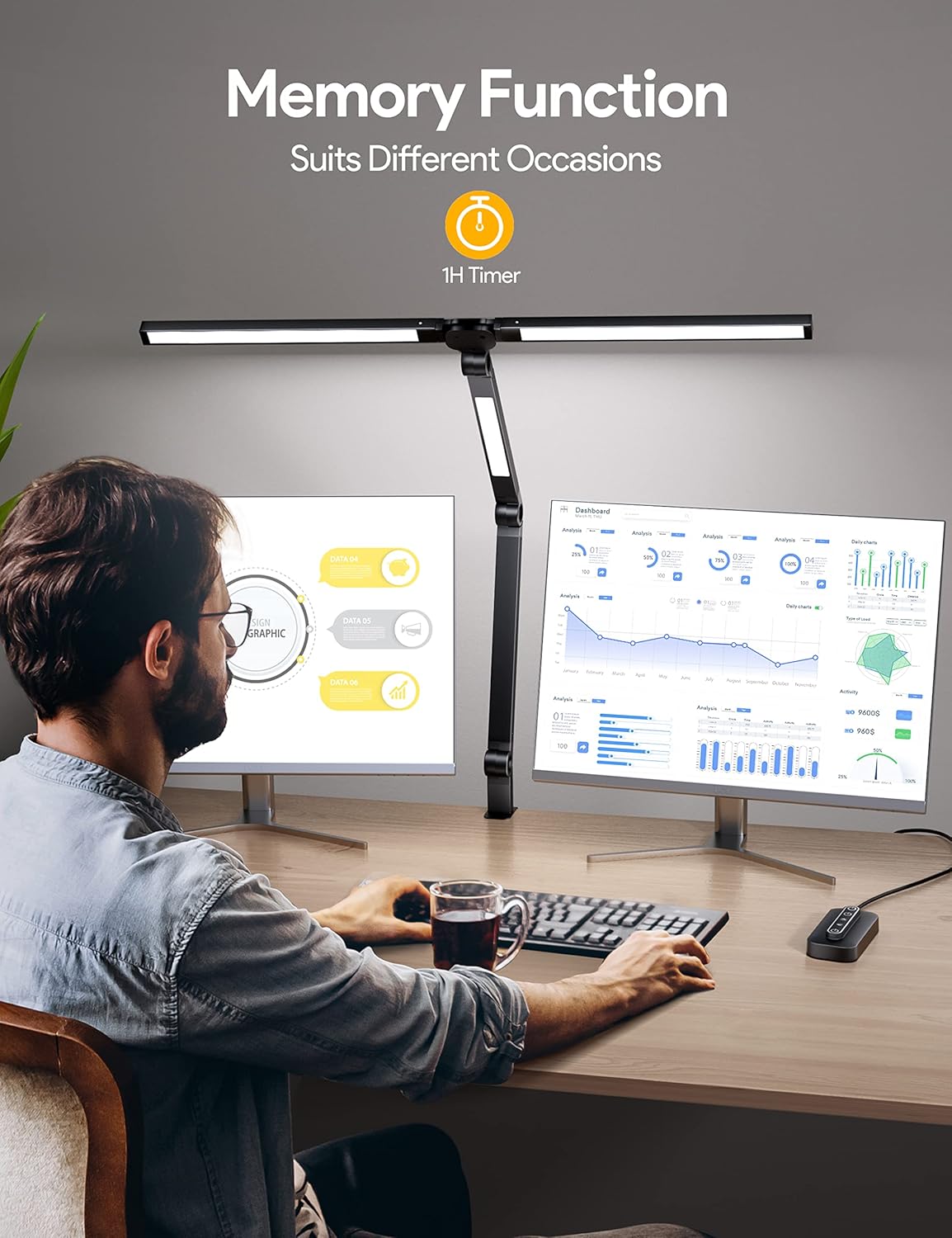
- Master Switch: Tap the top power button once to turn all three lights on or off simultaneously. Long-press for 2 seconds to activate or cancel the 60-minute auto-off timer (indicated by a flashing light).
5.3 Adjusting Brightness and Color Modes
The lamp offers 4 brightness levels (25%, 50%, 75%, 100%) and 4 color temperatures (5700K, 4800K, 4000K, 2700K) to suit your preferences and reduce eye fatigue.
- Main Lights Control: Tap the middle power button once to turn the two main lights on or off. Long-press to turn them off. With the main lights on, repeatedly tap the brightness button (sun icon) to cycle through 4 brightness levels. Repeatedly tap the color temperature button (sun with arrows icon) to cycle through 4 color temperatures.
- Auxiliary Light Control: Tap the bottom power button once to turn the auxiliary light on or off. Long-press to turn it off. With the auxiliary light on, repeatedly tap the brightness button (sun icon) to cycle through 4 brightness levels. Repeatedly tap the color temperature button (sun with arrows icon) to cycle through 4 color temperatures.

5.4 Memory Function
The lamp features a memory function that remembers the last brightness and color mode settings you used. When you turn the lamp back on, it will resume with your previously selected settings.

6. Key Features
6.1 Distinctive 3 Light Sources Design
The lamp combines two overhead lights and one auxiliary light, offering an 18W-20W output for wider lighting coverage. This design is ideal for large workbenches, multi-screen monitor setups, and detailed tasks like crafting or painting.

6.2 Flexible Swing Arm and Wider Clamp
Equipped with 4 rotatable pivots and 3 rotating light bodies, the lamp's flexible design allows you to direct light precisely where needed. The ultra-wide clamp (up to 2.5 inches) ensures stability and saves desk space.
6.3 USB Charging Port
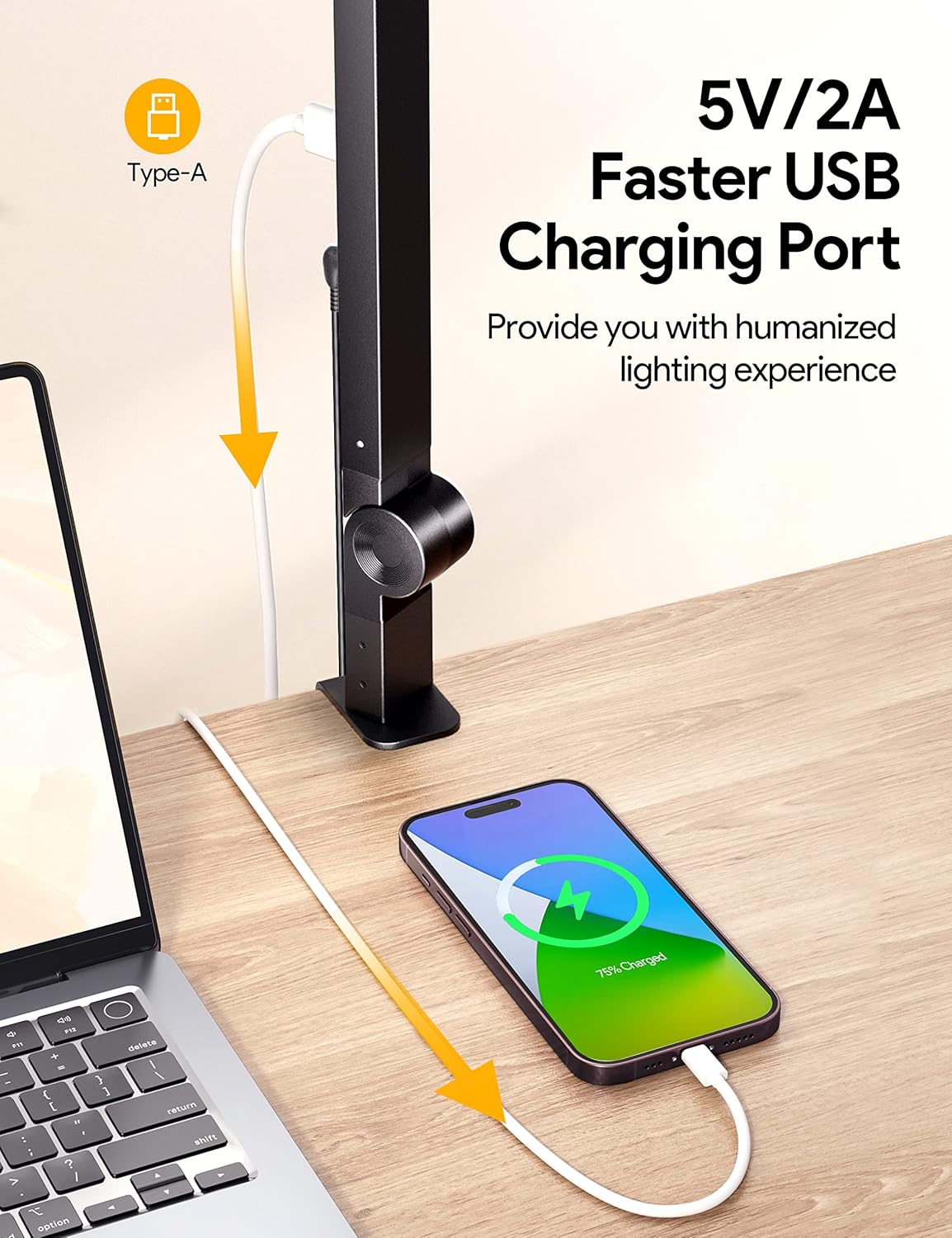
A convenient 5V/2A USB-A charging port is integrated into the lamp's arm, allowing you to charge your phone or other devices directly from your desk.
7. Specifications
| Attribute | Value |
|---|---|
| Brand | MediAcous |
| Model Name | ME-DL07 |
| Wattage | 20 watts |
| Light Source Type | LED |
| Number of Light Sources | 3 |
| Brightness | 1750 Lux |
| Light Output Maximum | 1000 Lumens |
| Color Temperature | 2700K - 5700K (Adjustable) |
| Color Rendering Index (CRI) | 80.00 |
| Average Life | 50000 Hours |
| Material | Metal |
| Product Dimensions | 2.09"D x 1.89"W x 47.24"H |
| Item Weight | 2.4 Pounds |
| Power Source | Corded Electric |
| Control Method | Touch |
| USB Charging Port | 5V/2A (Type-A) |
For more detailed energy information, please refer to the official EPREL database: EPREL Product Page and Product Information Sheet (PDF).
8. Maintenance
- Cleaning: Ensure the lamp is unplugged before cleaning. Use a soft, dry cloth to wipe down the surfaces. Avoid abrasive cleaners or solvents.
- Storage: If storing the lamp for an extended period, ensure it is clean and dry. Fold the arms to minimize space and store in its original packaging or a protective container.
9. Troubleshooting
- Lamp does not turn on:
- Check if the power adapter is securely plugged into both the lamp and the electrical outlet.
- Ensure the electrical outlet is functioning correctly by testing it with another device.
- Verify that the master switch on the control box is pressed.
- Lights flicker or dim unexpectedly:
- Ensure the power connection is stable.
- Adjust brightness levels using the control box to see if the issue persists across different settings.
- USB charging port not working:
- Confirm the lamp is powered on.
- Try a different USB cable or device to rule out compatibility issues.
10. Warranty and Support
For warranty information or technical support, please contact MediAcous customer service. You can find contact details on the official MediAcous website or through your purchase platform.
Visit the MediAcous Store: MediAcous Amazon Store


