
1. Introduction
This manual provides essential instructions for the setup, operation, maintenance, and troubleshooting of your Timex UFC Men's Core Shock 45mm Watch. Designed for durability and functionality, this watch features a 45mm round case, a comfortable 8-inch strap, an acrylic lens, and is water-resistant up to 100 meters (328 feet). It is an official Timex X UFC collaboration timepiece.
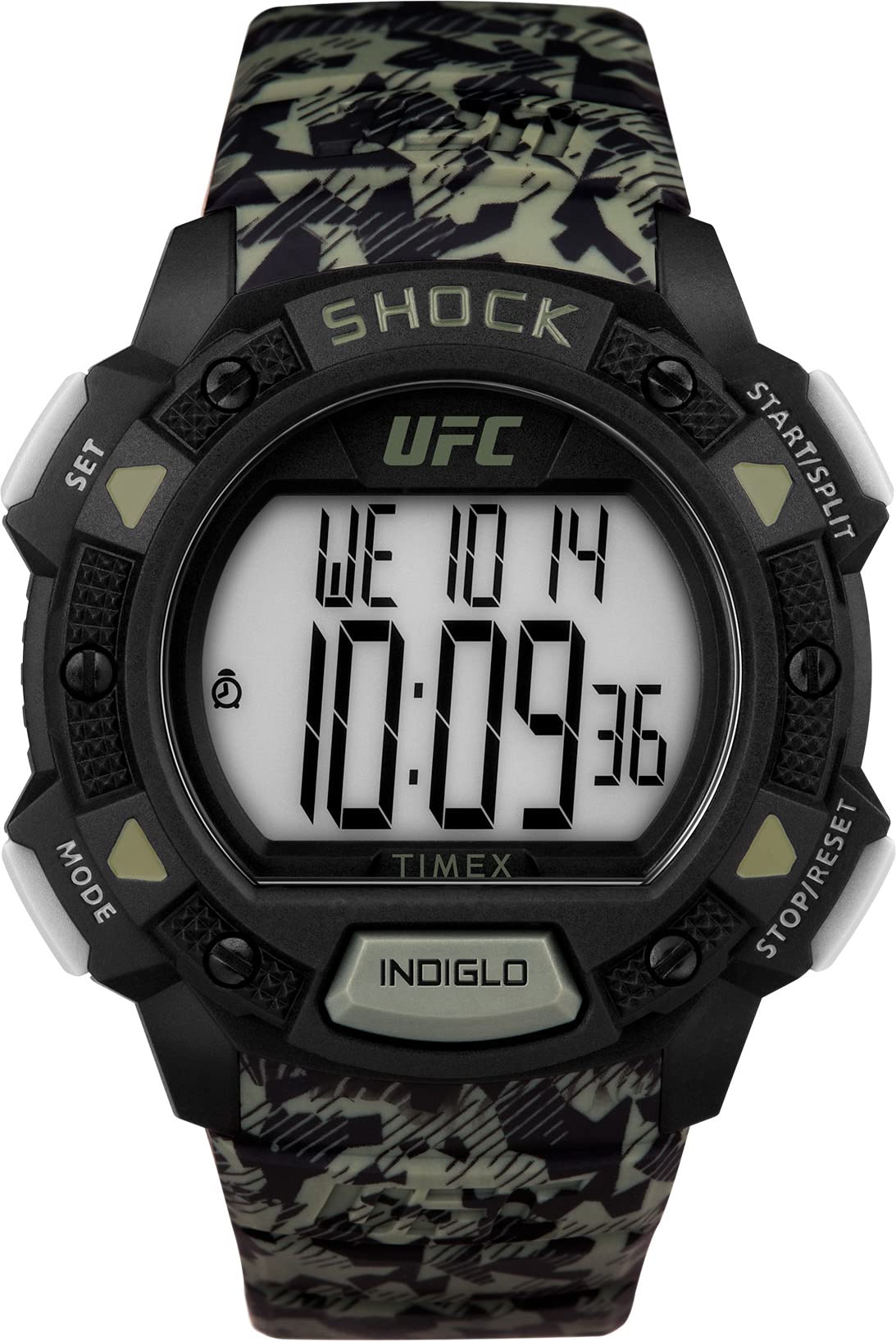
Image 1.1: Front view of the Timex UFC Men's Core Shock 45mm Watch.
2. Setup
2.1. Initial Power-Up and Battery
Your watch comes with a Lithium Metal battery pre-installed. The watch should be operational upon arrival. If the display is blank or dim, the battery may need to be activated or replaced. Refer to the 'Maintenance' section for battery replacement guidelines.
2.2. Setting Time and Date
The Timex UFC Core Shock watch features a digital display. Specific button functions for setting time and date are typically located on the side of the watch case. Consult the diagrams below for button identification.
- Locate the 'MODE' or 'SET' button (usually on the left side). Press and hold this button until the time display begins to flash.
- Use the 'ADJUST' or 'START/STOP' buttons (usually on the right side) to change the flashing digits (hours, minutes, seconds).
- Press the 'MODE' button again to cycle through different settings such as 12/24-hour format, year, month, and day.
- Once all settings are correct, press the 'MODE' or 'SET' button one last time to exit the setting mode.

Image 2.1: Side view of the watch, highlighting the control buttons.
2.3. Strap Adjustment
The watch features a two-piece resin strap with a buckle clasp. Adjust the strap by selecting the appropriate hole for a comfortable and secure fit on your wrist. The strap length is 8 inches.
3. Operating Instructions
3.1. Basic Time Display
The watch displays time digitally. Pressing the 'MODE' button typically cycles through different display modes such as time, date, alarm, and chronograph.
3.2. Chronograph Function
This watch includes a chronograph feature for timing events. To use the chronograph:
- Enter chronograph mode by pressing the 'MODE' button until 'CHR' or 'STOPWATCH' appears on the display.
- Press the 'START/STOP' button to begin timing.
- Press 'START/STOP' again to pause or stop the timer.
- Press the 'RESET' button to clear the chronograph to zero.

Image 3.1: Watch face displaying chronograph function.
3.3. Water Resistance
The watch is water-resistant to 100 meters (328 feet). This means it can withstand splashes, rain, and brief immersion in water. It is suitable for swimming and snorkeling but not for scuba diving or high-impact water sports. Do not operate buttons underwater.
3.4. Shock Resistance
The Timex UFC Core Shock watch is designed with shock resistance to withstand impacts from daily activities and sports. While durable, extreme impacts should still be avoided to preserve the watch's integrity.

Image 3.2: Watch design emphasizing shock resistance.
4. Maintenance
4.1. Cleaning
Clean your watch regularly with a soft, damp cloth. For resin straps, mild soap and water can be used. Avoid harsh chemicals or abrasive materials that could damage the watch case or strap.
4.2. Battery Replacement
The watch uses one Lithium Metal battery. When the display dims or stops functioning, the battery may need replacement. It is recommended to have battery replacement performed by a qualified watch technician to ensure proper sealing and maintain water resistance.
4.3. Acrylic Lens Care
The watch features an acrylic lens. Acrylic is prone to scratching. Avoid contact with sharp objects and abrasive surfaces. Minor scratches can sometimes be buffed out with specialized acrylic polish.
4.4. Water Resistance Preservation
To maintain water resistance, ensure the watch crown and buttons are fully pushed in. Avoid exposing the watch to extreme temperature changes, which can affect the seals. Do not open the watch case yourself, as this will compromise its water resistance.

Image 4.1: Back view of the watch, showing the strap attachment.

Image 4.2: Close-up of the watch case back, detailing specifications like water resistance.
5. Troubleshooting
5.1. Watch Not Functioning
- Check Battery: If the display is blank or dim, the battery may be depleted. Refer to Section 4.2 for battery replacement.
- Reset: Some digital watches have a small reset button (often recessed) that can be pressed with a pointed object (e.g., a paperclip) to restart the watch. Consult the full manual if available for exact location.
5.2. Incorrect Time/Date
- Re-set Time: Follow the instructions in Section 2.2 to re-set the time and date.
- Time Zone: Ensure the correct time zone is selected if your watch has this feature.
5.3. Water Inside Watch
If moisture appears inside the watch, immediately take it to a qualified watch repair center. Do not attempt to dry it yourself, as this can cause further damage.
6. Specifications
| Feature | Detail |
|---|---|
| Model Number | TW4B27500JT |
| Brand | Timex |
| Case Diameter | 45 Millimeters |
| Case Thickness | 10 Millimeters |
| Case Material | Resin |
| Band Material | Resin |
| Band Length | 8 Inches |
| Band Width | 0.87 Inches |
| Clasp Type | Buckle |
| Crystal Type | Acrylic |
| Display Type | Digital |
| Movement Type | Quartz |
| Water Resistance Depth | 100 Meters (328 Feet) |
| Power Source | Battery Powered (1 Lithium Metal battery included) |
| Additional Features | Chronograph, Shock Resistant |
| Item Weight | 250 Grams (8.82 ounces) |
7. Warranty and Support
7.1. Limited Warranty
Your Timex UFC Men's Core Shock watch is covered by a limited warranty. Details regarding the duration and terms of this warranty are typically included with your purchase documentation or can be found on the official Timex website. This warranty generally covers manufacturing defects but does not cover damage resulting from improper use, accidents, or unauthorized repairs.
7.2. Customer Support
For further assistance, technical support, or warranty claims, please contact Timex customer service. You can find contact information and additional resources on the official Timex website: www.timex.com.

Image 7.1: Timex UFC Official Watch Partner branding.