
Introduction
This manual provides detailed instructions for the setup, operation, and maintenance of your Timex UFC Men's Tactic 53mm Watch (Model TW5M51800JT). Please read this guide thoroughly to ensure proper use and to maximize the lifespan of your timepiece.
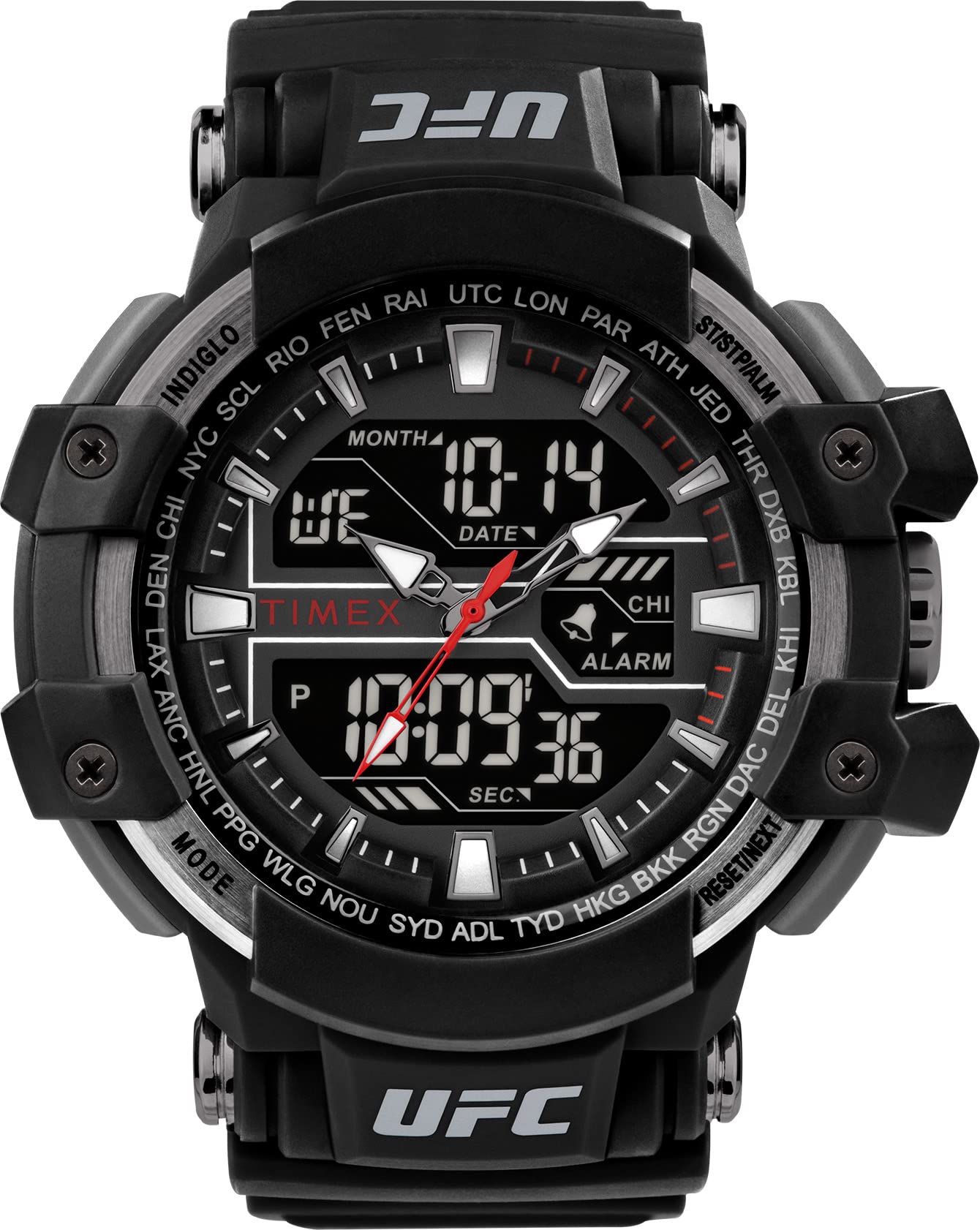
Front view of the Timex UFC Men's Tactic 53mm Watch.
Setup
1. Initial Inspection
Upon unpacking, inspect your watch for any visible damage. Ensure all protective films are removed from the crystal and case back.
2. Setting the Time (Analog and Digital)
Your Timex UFC Tactic watch features both analog hands and a digital display. It is important to note that these two time displays operate independently and must be set separately.
- Setting Analog Time: Pull out the crown (the knob on the side of the watch case) to the time-setting position. Rotate the crown to move the hour and minute hands to the correct time. Push the crown back in to secure the setting.
- Setting Digital Time: Refer to the detailed instructions provided in the "Operating Your Watch" section for specific button functions to set the digital time, date, and other features.
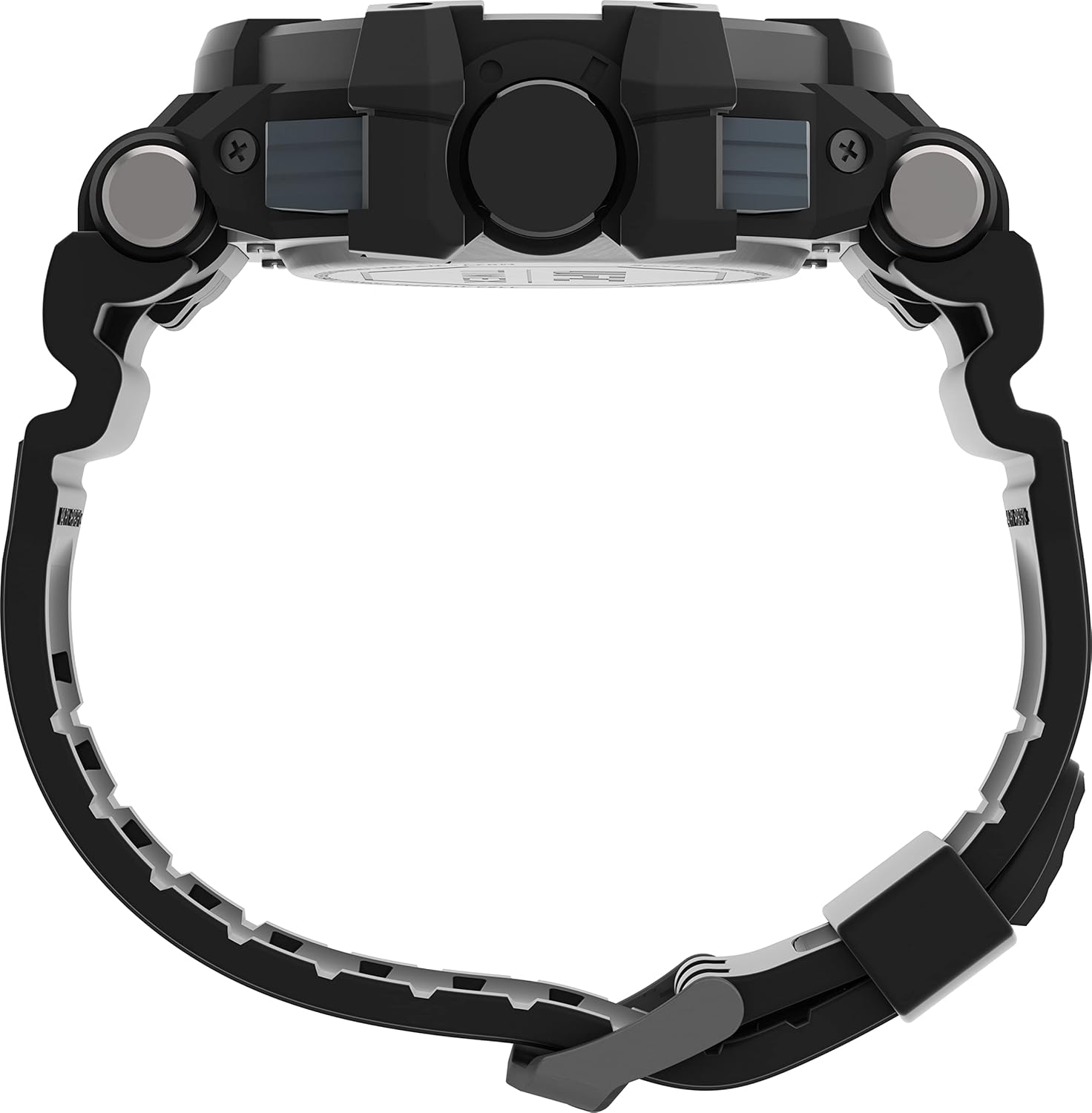

Left: Side view showing the crown. Right: Digital display for setting.
3. Strap Adjustment
The watch comes with a black 8-inch strap. Adjust the buckle to achieve a comfortable and secure fit on your wrist. Ensure the watch is not too tight to allow for proper circulation, nor too loose to prevent excessive movement.
Operating Your Watch
Basic Functions
- Time Display: The watch displays time both with traditional analog hands and a digital readout.
- Indiglo Backlight: Press the designated Indiglo button (typically on the side of the watch) to illuminate the digital display for visibility in low-light conditions.
- Water Resistance: This watch is water resistant to 50 meters (164 feet). This means it can withstand splashes or brief immersion in water. It is not suitable for swimming, bathing, or diving. Avoid pressing buttons while the watch is wet or submerged.
Digital Features
Your watch includes several digital functions accessible via the side buttons. The exact button layout and sequence for activation may vary slightly, but common functions include:
- World Time: Allows you to view the current time in different time zones.
- Silent Alarm: Set an alarm that provides a silent vibration or a discreet tone.
- Chronograph (Stopwatch): Measure elapsed time with start, stop, and reset functions.
- Timer: Set a countdown timer for specific durations.
- Date Display: Shows the current date, day of the week, and month.
For detailed instructions on navigating and setting each digital feature, please refer to the full Timex digital watch manual available on the official Timex website, or experiment with the buttons labeled "MODE", "SET", "START/STOP", and "RESET" on your watch.

Key features of the Timex UFC Tactic watch, including digital functions.
Maintenance
Cleaning Your Watch
To clean your watch, wipe it gently with a soft, damp cloth. Avoid using harsh chemicals, solvents, or abrasive cleaners, as these can damage the watch case, crystal, or strap. For the strap, a mild soap solution can be used, followed by rinsing with clean water and thorough drying.
Battery Replacement
The watch uses 1 Lithium Metal battery (included). When the battery needs replacement, it is recommended to take your watch to an authorized Timex service center or a qualified watch repair professional. This ensures proper battery installation and maintains the watch's water resistance integrity.

Back of the watch, indicating battery type and water resistance.
Water Resistance Care
While water resistant to 50m, prolonged exposure to water, especially hot water or steam, can compromise the seals. Always ensure the crown is fully pushed in. Avoid operating buttons underwater. If the watch is exposed to saltwater, rinse it with fresh water and dry thoroughly.
Troubleshooting
- Analog and Digital Time Discrepancy: As noted, the analog and digital displays are set independently. If they do not match, reset both according to the instructions in the "Setup" section. This is not a malfunction but requires separate adjustment.
- Digital Display Blank or Faint: This typically indicates a low battery. Replace the battery as described in the "Maintenance" section.
- Buttons Unresponsive: Ensure the watch is not in a locked mode (if applicable, refer to the full digital manual). If unresponsive, a low battery could also be the cause.
- Condensation Under Crystal: Small amounts of condensation may clear on their own. Persistent or large amounts of condensation indicate a breach in the water resistance seals. Seek professional service immediately.
If you encounter issues not covered here, or if troubleshooting steps do not resolve the problem, please contact Timex customer support or visit an authorized service center.
Specifications
| Model Number | TW5M51800JT |
| Case Size | 53mm |
| Strap Length | 8 inches (Black) |
| Lens Material | Acrylic |
| Water Resistance | 50 meters (164 feet) - Suitable for splashes, not swimming or bathing. |
| Battery Type | 1 Lithium Metal battery (included) |
| Package Dimensions | 4.45 x 4.17 x 2.56 inches |
| Item Weight | 6 ounces |
| Manufacturer | Timex |
| ASIN | B0BBN9S34H |
Warranty and Support
Your Timex watch is covered by a manufacturer's warranty. For specific warranty terms, registration, and to access customer support, please visit the official Timex website or refer to the warranty card included with your purchase.
For further assistance, you may contact Timex customer service directly.


