
Introduction
This manual provides essential instructions for the safe and effective use of your GZBtech RGB Neon Controller Kit. Please read this guide thoroughly before installation and operation. This kit is designed exclusively for GZBtech 110-120V 0.4''x0.79" VIVID RGB Neon Rope Lights.
Package Contents
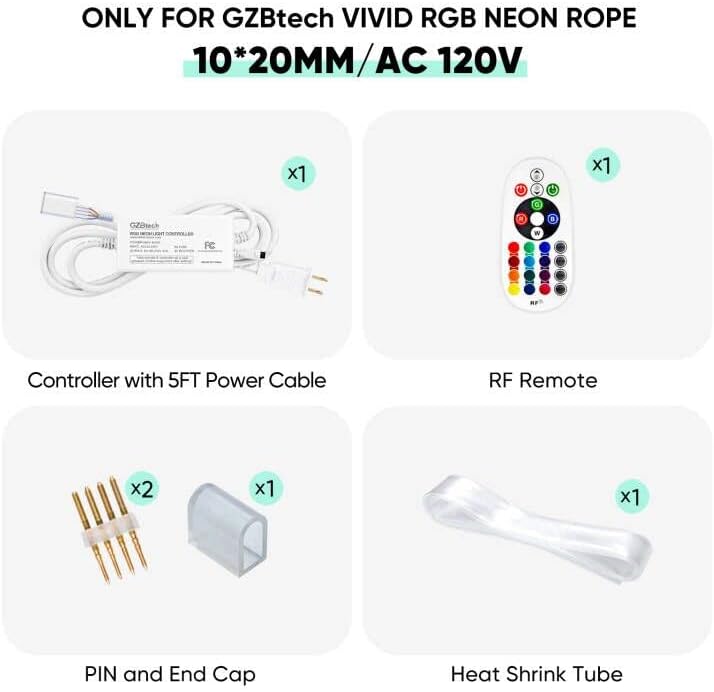
Verify that all items listed below are included in your package:
- 1x Controller with 5FT Power Cord
- 1x RF Remote Control (requires 2 AAA batteries, not included)
- 2x Pins
- 1x End Cap
- 1x 10'' Heat Shrink Tube
- 1x User Manual (this document)
Setup Instructions
Follow these steps to connect your GZBtech RGB Neon Controller Kit to your neon rope light.
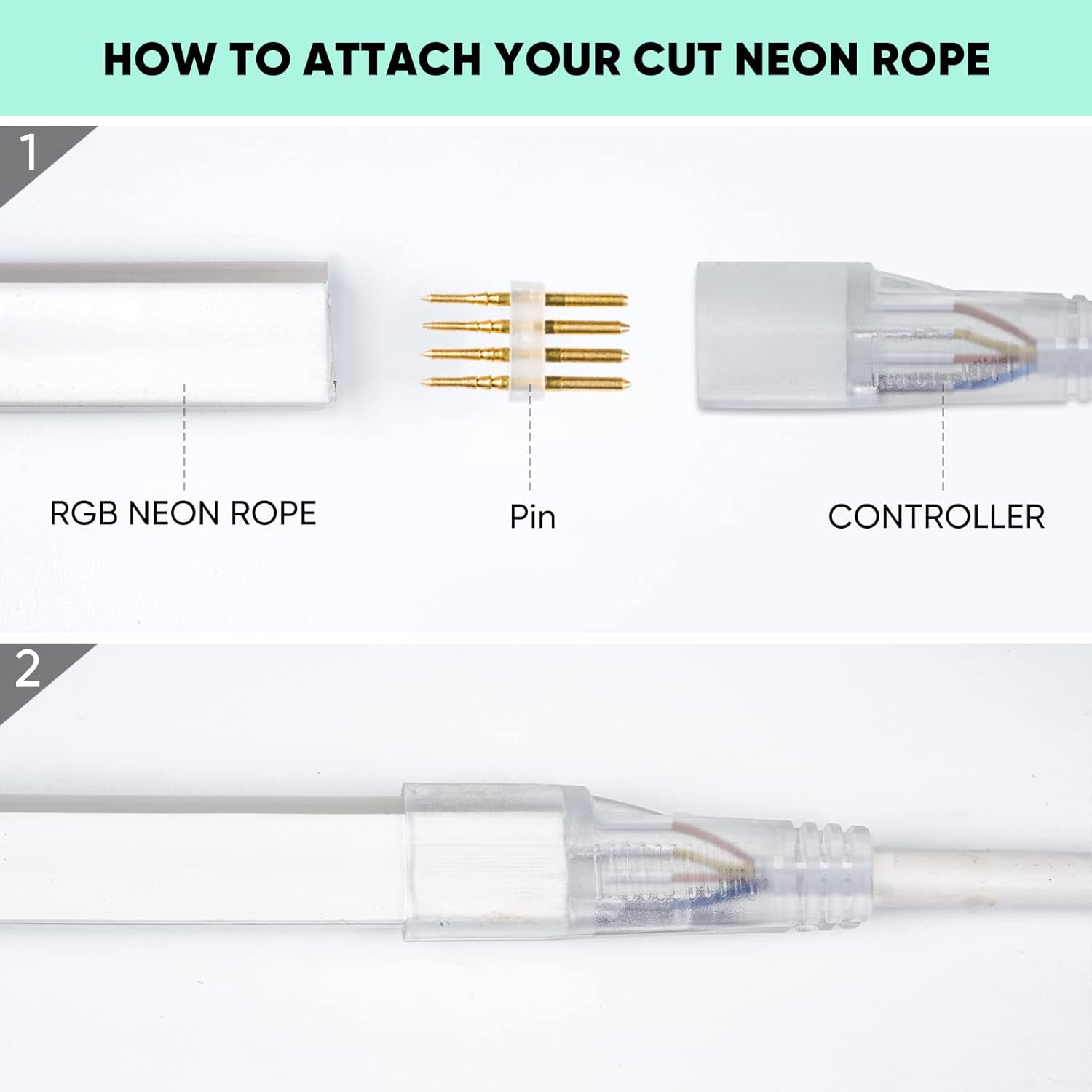
1. Connecting the Controller to the Neon Rope Light
- Ensure the neon rope light is cut at a designated cutting mark.
- Insert the two pins into the designated holes at the end of the cut neon rope light.
- Align the pins with the connector on the controller and carefully push the neon rope light onto the controller's connector.
- Slide the clear end cap over the connection point to secure it.
- For outdoor installations, apply appropriate waterproof glue (not included) around the connector and end cap, then seal with the provided heat shrink tube for enhanced water resistance.

2. Power Connection
Once the neon rope light is securely connected to the controller, plug the 5-foot power cord into a standard 110-120V AC outlet. The power plug features an 8A fuse for safety.

3. Remote Control Battery Installation
The RF remote control requires 2 AAA batteries (not included). Open the battery compartment on the back of the remote and insert the batteries, observing the correct polarity.
Operating Instructions
Use the 24-key RF remote control to manage your GZBtech RGB Neon Rope Light.
- Power On/Off: Use the power button to turn the lights on or off.
- Static Colors: Select from 16 static colors using the color buttons on the remote.
- Dynamic Modes: Choose from 4 dynamic modes (e.g., flash, strobe, fade, smooth) to create various lighting effects.
- Speed Control: Adjust the speed of dynamic modes using the speed adjustment buttons.
- Brightness Control: Adjust the brightness of static colors and dynamic modes.
The RF remote operates effectively up to a maximum distance of 66 feet, even through minor obstacles.

Maintenance
- Cleaning: Disconnect power before cleaning. Wipe the controller and remote with a dry, soft cloth. Do not use abrasive cleaners or solvents.
- Waterproofing: For outdoor installations, regularly inspect the sealed connections for any signs of wear or damage. Reapply waterproofing measures if necessary to maintain protection against elements.
- Storage: When not in use for extended periods, store the controller kit in a cool, dry place away from direct sunlight.
Troubleshooting
| Problem | Possible Cause | Solution |
|---|---|---|
| Lights do not turn on. |
|
|
| Remote control is unresponsive. |
|
|
| Lights flicker or display incorrect colors. |
|
|
Specifications
- Brand: GZBtech
- Model: RGB Neon Controller Kit
- Compatibility: GZBtech 110-120V 0.4''x0.79" VIVID RGB Neon Rope Light ONLY
- Input Voltage: 110-120V AC
- Output Voltage: 110-120V AC
- Max Power: 400W
- Max Run Length: 130 feet (for compatible neon rope light)
- Power Cord Length: 5 feet
- Fuse: 8A (in power plug)
- Remote Type: 24-Key RF Remote
- Remote Range: Max. 66 feet (unobstructed)
- Remote Battery: 2x AAA (not included)
- Light Color Control: 16 static colors, 4 dynamic modes
- Indoor/Outdoor Usage: Indoor (Outdoor with proper waterproofing of connections)
- Material: Metal (Controller housing)
- Control Method: Remote
Warranty and Support
Warranty Information
GZBtech provides a 1-year warranty for this product from the date of purchase. This warranty covers manufacturing defects and malfunctions under normal use. Please retain your proof of purchase for warranty claims.
Customer Support
If you have any questions, concerns, or require assistance with your GZBtech RGB Neon Controller Kit, please do not hesitate to contact our customer service team. We are committed to assisting you and will respond to your inquiries within 24 hours.
For support, please visit the GZBtech Store on Amazon or refer to the contact information provided with your purchase.