
1. Introduction
The LattePanda 3 Delta is a compact, high-performance single board computer designed for various applications, including embedded systems, IoT projects, and mini-PC setups. It features an Intel Celeron N5105 processor, 8GB RAM, 64GB eMMC storage, and extensive connectivity options. This manual provides essential information for setting up, operating, and maintaining your LattePanda 3 Delta.
2. Safety Information
- Power Supply: Use only the provided 45W PD power adapter or a compatible 12V DC power source. Incorrect voltage can damage the device.
- Environment: Operate the device in a well-ventilated area. Avoid extreme temperatures, humidity, or direct sunlight.
- Handling: Handle the board by its edges to avoid electrostatic discharge (ESD) damage to components.
- Modifications: Unauthorized modifications may void your warranty and pose safety risks.
- Antenna Installation: Exercise caution when installing the Wi-Fi/Bluetooth antennas. The connectors are small and delicate.
3. Package Contents
Verify that all items are present in your package:
- LattePanda 3 Delta Board x1
- Activation Code Card (Windows 10 IoT Enterprise) x1
- Active Cooling Fan (Pre-assembled) x1
- 45W PD Power Adapter with EU & US Cords x1
- Dual-band Antenna x2
- RTC Battery (Pre-assembled) x1
- User Manual x1

Image: Contents of the LattePanda 3 Delta package, including the board, power adapter, antennas, and documentation.
4. Product Overview
The LattePanda 3 Delta is a compact single board computer. Below are images illustrating its physical characteristics and key components.

Image: Top view of the LattePanda 3 Delta board, showcasing the pre-assembled active cooling fan and various ports.

Image: Top view of the LattePanda 3 Delta board with a ruler indicating its dimensions in centimeters.

Image: Bottom view of the LattePanda 3 Delta board, showing the M.2 Key-B and M.2 Key-M slots, and the microSD card slot.

Image: Close-up view of the SanDisk eMMC storage chip on the LattePanda 3 Delta board.

Image: Diagram illustrating the various input/output ports and pin headers on the LattePanda 3 Delta, including USB, HDMI, Ethernet, and Arduino pins.
5. Setup
5.1 Initial Connections
- Connect Display: Connect your monitor to the LattePanda 3 Delta using an HDMI cable, a DisplayPort over USB-C cable, or an eDP display.
- Connect Peripherals: Plug in your USB keyboard and mouse into the available USB 3.2 Gen2 or USB 3.2 Gen1 ports.
- Connect Network (Optional): For wired internet, connect an Ethernet cable to the Gigabit Ethernet port. For wireless, proceed to antenna installation.
- Connect Power: Plug the 45W PD power adapter into the USB Type-C port or the DC power port. The device will power on automatically or can be powered on using the system switch button.
5.2 Antenna Installation
The LattePanda 3 Delta requires the included dual-band antennas for Wi-Fi and Bluetooth functionality. These connect via small snap connectors on the board.
- Carefully align the antenna connector with the corresponding snap on the board (refer to the product overview diagram for locations).
- Gently press down until you feel a small click, indicating a secure connection. Avoid excessive force to prevent damage to the connector.
- Repeat for the second antenna.
6. Operating System
The LattePanda 3 Delta supports both Windows (Windows 10 and Windows 11) and various Linux distributions. The device typically comes with Windows 10 IoT Enterprise pre-installed on the 64GB eMMC.
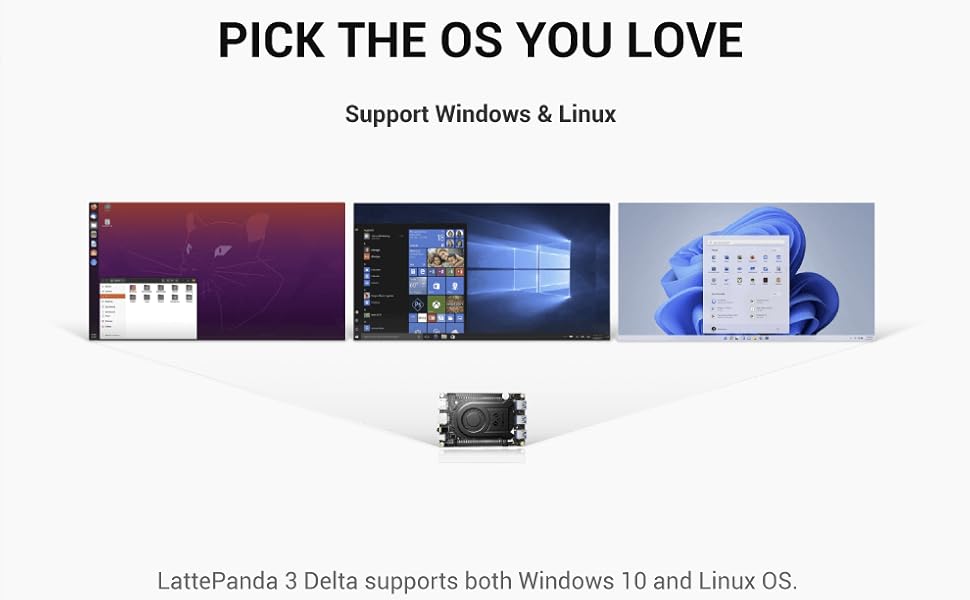
Image: Visual representation of the LattePanda 3 Delta supporting various operating systems, including Windows and Linux distributions.
6.1 Initial Boot
Upon first power-on, the pre-installed operating system will guide you through the initial setup process. Follow the on-screen instructions to configure your system.
6.2 Installing a New Operating System
To install a different operating system, you will typically need to create a bootable USB drive with your desired OS image. Access the BIOS/UEFI settings during startup (usually by pressing DEL or F2) to change the boot order and boot from the USB drive.
7. Expansion and Connectivity
The LattePanda 3 Delta offers various options for expanding its capabilities and connecting to other devices.
7.1 M.2 Expansion Slots
The board includes dual M.2 slots for storage and wireless modules:
- M.2 Key-B: Supports 4G/5G modules or SATA SSDs.
- M.2 Key-M: Supports NVMe SSDs for high-speed storage.

Image: Diagram illustrating the M.2 Key-B and M.2 Key-M slots and their compatible expansion modules (5G, 4G, SATA SSD, NVMe SSD).
7.2 Integrated Arduino Coprocessor
An integrated Arduino Coprocessor (ATmega32U4) allows for seamless integration with a wide range of sensors and actuators, making it suitable for robotics and IoT projects.
8. Maintenance
Proper maintenance ensures the longevity and optimal performance of your LattePanda 3 Delta.
- Cleaning: Use a soft, dry cloth to clean the board. For dust accumulation, use compressed air. Do not use liquid cleaners.
- Cooling Fan: The active cooling fan helps dissipate heat. Ensure it is free from obstructions and clean any dust buildup periodically.
- Software Updates: Regularly update your operating system and drivers to ensure stability and security.
9. Troubleshooting
This section addresses common issues you might encounter.
- No Power: Ensure the power adapter is correctly connected and providing power. Try a different power outlet or adapter if available.
- No Display: Verify that the display cable is securely connected to both the LattePanda and the monitor. Check if the monitor is set to the correct input source.
- Wi-Fi/Bluetooth Issues: Confirm that the antennas are properly installed and connected. Check device manager (Windows) or system settings (Linux) to ensure wireless adapters are recognized and enabled.
- Operating System Not Booting: If you recently installed a new OS, ensure the boot order in BIOS/UEFI is correct. If the pre-installed OS is not booting, consider reinstalling it.
- Overheating: Ensure the cooling fan is operating correctly and not obstructed. Check ambient temperature.
10. Specifications
Detailed technical specifications for the LattePanda 3 Delta (DFR0982).

Image: Performance comparison chart highlighting the 2X faster CPU and 3X faster GPU performance of the LattePanda 3 Delta compared to its predecessor.
| Feature | Specification |
|---|---|
| Processor | Intel Celeron N5105 (2.9 GHz max, 4 Cores) |
| RAM | 8 GB DDR4 |
| Storage | 64 GB eMMC |
| Graphics | Integrated Intel UHD Graphics |
| Max Screen Resolution | 3840 x 2160 pixels (4K@60Hz) |
| Video Output | HDMI 2.0b, DisplayPort over USB-C, eDP |
| Wireless Connectivity | Wi-Fi 6, Bluetooth |
| Ethernet | Gigabit Ethernet |
| USB Ports | USB 3.2 Gen2, USB 3.2 Gen1, USB Type-C |
| Expansion Slots | M.2 Key-B, M.2 Key-M |
| Coprocessor | Arduino ATmega32U4 |
| Operating System Support | Windows 10/11, Linux |
| Dimensions (LxWxH) | 4.92 x 3.07 x 0.63 inches (125 x 78 x 16 mm) |
| Weight | 1.19 pounds |
| Manufacturer | LATTEPANDA |
| Model Number | DFR0982 |
11. Warranty and Support
For warranty information and technical support, please refer to the official LattePanda website or contact your retailer. Keep your proof of purchase for warranty claims.
You can also visit the LattePanda Store on Amazon for additional resources and product information.


