
Introduction
This manual provides detailed instructions for the ZOUKAI BT-X Over-Ear Bluetooth Headphones. Please read this manual thoroughly before using the product to ensure proper operation and to maximize your listening experience.
Package Contents
- ZOUKAI BT-X Over-Ear Bluetooth Headphones
- Charging Case
- USB Charging Cable
- User Manual
Product Overview
The ZOUKAI BT-X headphones are designed for comfort and performance, featuring an ear-clip design suitable for sports and extended wear. They come with a portable charging case.

Image: ZOUKAI BT-X Over-Ear Bluetooth Headphones securely placed within their charging case, showing the 'R' and 'L' indicators for right and left earbuds, and battery indicator lights on the front of the case.
Headphone Components:
- Ear Clip: Transparent, flexible clip designed for secure fit during activity. Some models feature integrated LED lights for night visibility.
- Speaker Unit: Houses the 28mm dynamic speaker for audio output.
- Microphones: Integrated noise-cancelling microphones for clear calls.
- Control Area: Specific touch or button controls are located on the headphone body for functions like Play/Pause, Volume, and Answer/End calls.
Charging Case Components:
- Charging Ports: Internal contacts for charging the headphones.
- Battery Indicator: LED lights on the case indicate the charging status and remaining battery level of the case.
- USB Charging Port: For connecting the charging cable to recharge the case.
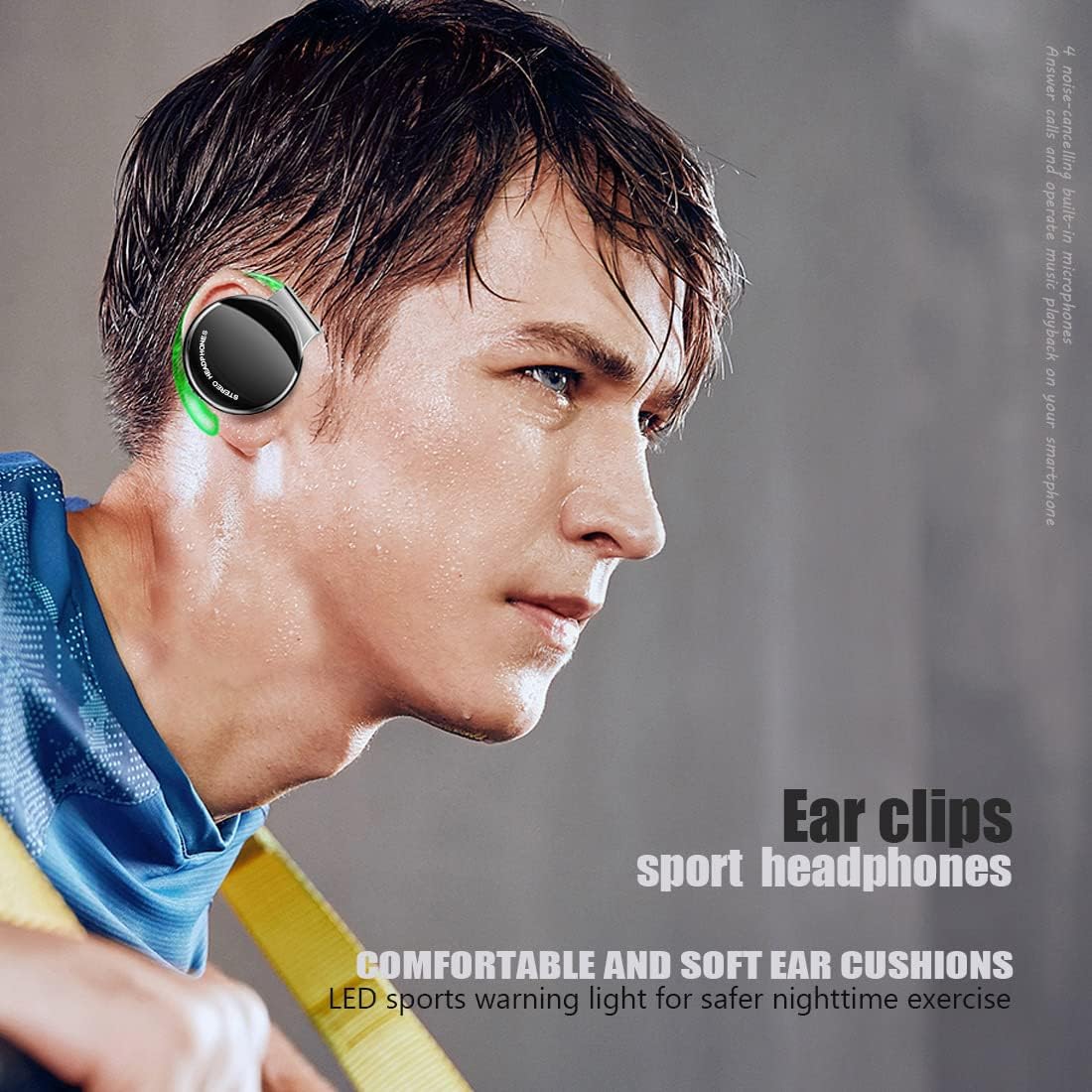
Image: A user wearing one ZOUKAI BT-X ear clip headphone, highlighting the ergonomic design and how it sits comfortably and securely on the ear, ideal for active use.
Setup
1. Initial Charging
- Place both headphones into the charging case.
- Connect the USB charging cable to the charging port on the case and to a compatible USB power source.
- The LED indicators on the charging case will illuminate to show charging status. A full charge typically takes approximately 2 hours.
- Once fully charged, disconnect the charging cable.

Image: The ZOUKAI BT-X headphones and their charging case displayed on a green, textured surface, emphasizing the long battery life capabilities: 42+ hours max music time, 60 days standby time, and 2 hours charging time.
2. Bluetooth Pairing
- Ensure the headphones are charged. Open the charging case. The headphones will automatically enter pairing mode, indicated by a flashing LED light on the headphones.
- On your device (smartphone, tablet, laptop), enable Bluetooth.
- Search for available Bluetooth devices and select "BT-X" from the list.
- Once connected, the LED indicator on the headphones will stop flashing and remain solid or turn off, depending on the model. You will also hear an audible confirmation.
- If pairing fails, turn off the headphones, disable Bluetooth on your device, and repeat the steps.

Image: ZOUKAI BT-X headphones, with one earbud removed from its charging case, positioned alongside a smartphone and a laptop, illustrating their wide compatibility with various Bluetooth-enabled devices.
3. Wearing the Headphones
- Identify the 'L' (left) and 'R' (right) markings on each headphone.
- Gently hook the ear clip over your ear, positioning the speaker unit comfortably in your ear canal.
- Adjust the ear clip for a secure and comfortable fit. The lightweight design and soft ear pads are intended for extended wear.
Operating Instructions
Power On/Off
- Power On: Open the charging case, or if already out of the case, press and hold the control area on both headphones for a few seconds.
- Power Off: Place the headphones back into the charging case and close the lid, or press and hold the control area on both headphones for a few seconds until the indicator light turns off.
Music Playback
- Play/Pause: Tap the control area on either headphone once.
- Next Track: Double-tap the control area on the right headphone.
- Previous Track: Double-tap the control area on the left headphone.
- Volume Up: Triple-tap the control area on the right headphone.
- Volume Down: Triple-tap the control area on the left headphone.
Call Management
- Answer/End Call: Tap the control area on either headphone once during an incoming call or during an active call.
- Reject Call: Press and hold the control area on either headphone for 2 seconds during an incoming call.
Night Running Mode (LED Lights)
For enhanced visibility during nighttime activities, the transparent ear clips feature integrated LED lights. To activate or deactivate this mode, refer to the specific instructions provided with your product, usually involving a long press or specific tap sequence on one of the headphones.
Maintenance
Cleaning
- Wipe the headphones and charging case with a soft, dry, lint-free cloth.
- Do not use abrasive cleaners, alcohol, or chemical solvents.
- Ensure charging contacts are clean and dry to prevent charging issues.
Storage
- When not in use, store the headphones in their charging case to protect them and keep them charged.
- Store in a cool, dry place, away from extreme temperatures and direct sunlight.
Battery Care
- To prolong battery life, avoid fully discharging the headphones or charging case frequently.
- Charge the device regularly, even if not in frequent use.
Water and Sweat Resistance
The headphones are designed to be sweatproof and waterproof, making them suitable for sports. However, they are not intended for submersion in water. Avoid exposing them to heavy rain or swimming.
Troubleshooting
| Problem | Possible Cause | Solution |
|---|---|---|
| Headphones do not power on. | Low battery. | Charge the headphones and charging case fully. |
| Cannot pair with device. | Bluetooth is off on device; headphones not in pairing mode; interference. | Ensure Bluetooth is enabled on your device. Place headphones in pairing mode (open case). Move closer to your device and away from other wireless devices. Try restarting both devices. |
| No sound or low volume. | Volume too low; headphones not properly connected; dirty speaker mesh. | Adjust volume on both headphones and connected device. Re-pair the headphones. Clean speaker mesh gently. |
| Charging case not charging. | Faulty cable or power source; dirty charging port. | Try a different USB cable and power adapter. Ensure the charging port is clean and free of debris. |
Specifications
- Model: BT-X
- Brand: ZOUKAI
- Connectivity: Bluetooth 5.3 (Wireless)
- Battery Type: Lithium Ion (Rechargeable)
- Max Music Time: 42+ hours (with charging case)
- Standby Time: 60 days
- Charging Time: Approximately 2 hours
- Speaker Size: 28mm Dynamic Speaker
- Microphones: 4 Noise-Cancelling Microphones
- Material: Faux Leather (ear pads)
- Weight: 16g (per headphone, ultra-lightweight)
- Water Resistance: Sweatproof and Waterproof (suitable for sports, not submersion)
- Included Components: Headphones, Charging Case, USB Charging Cable
- Package Dimensions: 16.5 x 13.5 x 5 cm
- Package Weight: 200 g
Warranty and Support
For warranty information or technical support, please refer to the documentation included with your purchase or contact ZOUKAI customer service through their official website or the retailer where the product was purchased. Please have your model number (BT-X) and proof of purchase ready.