
Introduction
This manual provides detailed instructions for the OMAIC Universal Replacement Remote Control, designed for seamless compatibility with a wide range of LG Smart TVs. This remote control offers a direct replacement solution, requiring no complex programming for most LG TV models. It features dedicated shortcut buttons for popular streaming services and a responsive design for efficient operation.

Image: Two OMAIC Universal Replacement Remote Controls, showcasing their identical design and button layout.
Setup and Battery Installation
The OMAIC Universal Replacement Remote Control is designed for immediate use with most LG Smart TVs. No programming or pairing is required. Simply install two AAA batteries, and the remote will be ready to operate your television.
- Locate the battery compartment on the back of the remote control.
- Slide the battery compartment cover downwards or outwards to open it.
- Insert two new AAA batteries, ensuring the positive (+) and negative (-) terminals align correctly with the markings inside the compartment.
- Replace the battery compartment cover, sliding it back into place until it clicks securely.
Once batteries are installed, the remote control is ready for use. Point it towards your LG TV and begin operation.
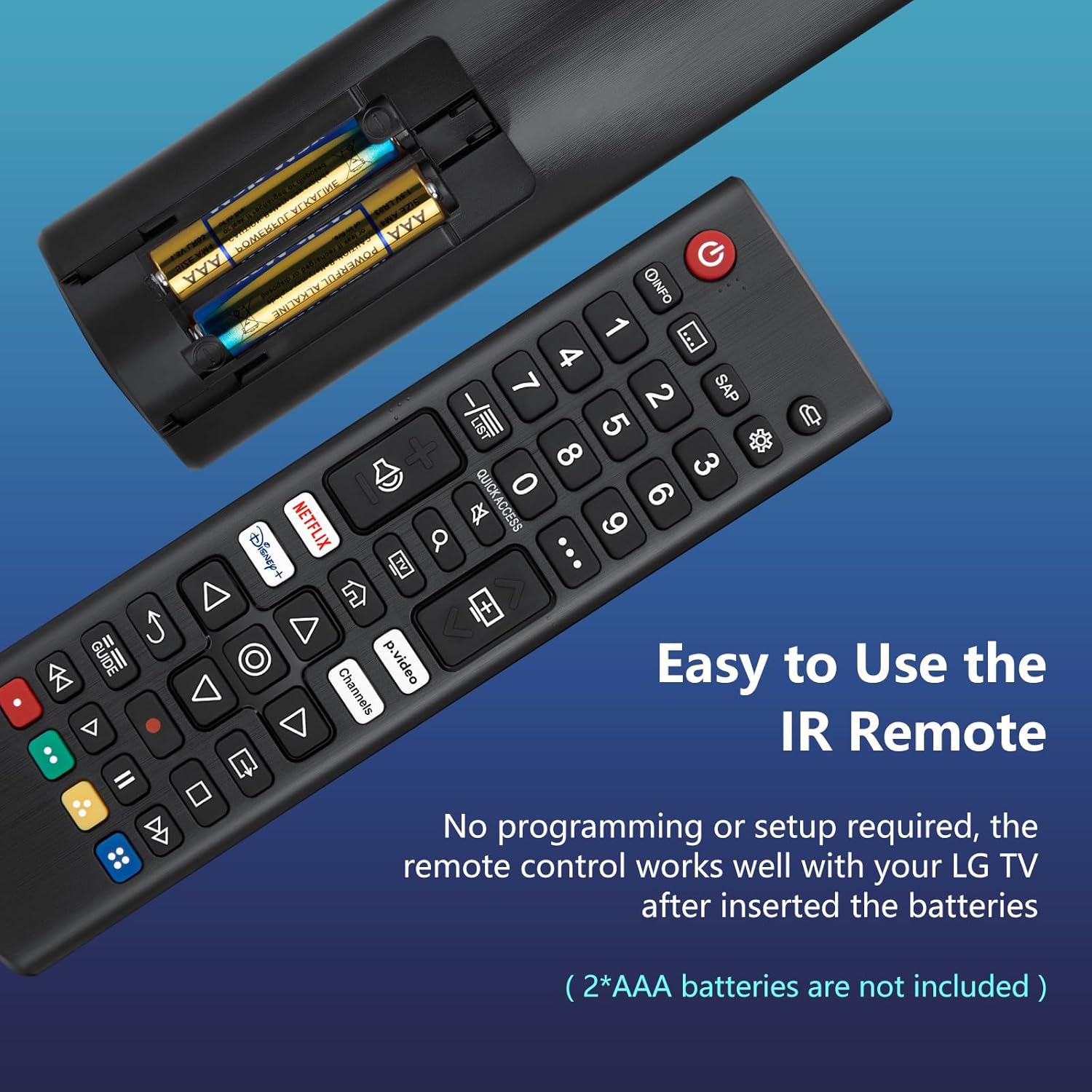
Image: Illustration of battery installation. The remote's back cover is removed, revealing the slots for two AAA batteries.
Operating Instructions
This remote control provides intuitive access to your LG Smart TV's functions. Below is a guide to its key features and button layout.
Button Functions Overview

Image: A detailed diagram illustrating each button on the remote control and its corresponding function.
- Power Button (●): Turns the TV on or off.
- Input Button (□): Changes the input source.
- List Button (☰): Accesses the saved programs list.
- Guide Button (☰): Shows program guide.
- Info Button (ⓘ): Shows information on the current program.
- SAP Button (SAP): Enables Secondary Audio Program (SAP) feature.
- Number Buttons (0-9): Enters numbers for channel selection or other inputs.
- Quick Access Button (…): Accesses Quick Access features.
- Volume Buttons (▲/▼): Adjusts the volume level.
- Mute Button (☭): Mutes all sounds.
- Channel Buttons (▲/▼): Scrolls through saved programs or changes channels.
- Navigation Buttons (◀/▶/▲/▼): Up/down/left/right scrolls through menus or options.
- OK Button (◯): Selects menus or options and confirms your input.
- Back Button (↶): Returns to the previous level.
- Home Button (⌂): Accesses the Home menu.
- Q. Settings Button (⚙): Accesses the Quick Settings menu.
- Search Button (🔍): Checks for recommended content.
- Control Buttons (◀◀, ▶, ██, ▶▶): Control buttons for media content (Rewind, Play, Pause, Fast Forward).
- Color Buttons (●, ●, ●, ●): These are special function keys that vary depending on the menu or application.
Dedicated Shortcut Buttons
The remote control includes four dedicated shortcut buttons for quick access to popular streaming services and channels:
- NETFLIX: Launches the Netflix application.
- p.video: Launches the Prime Video application.
- Disney+: Launches the Disney+ application.
- Channels: Provides quick access to TV channels.
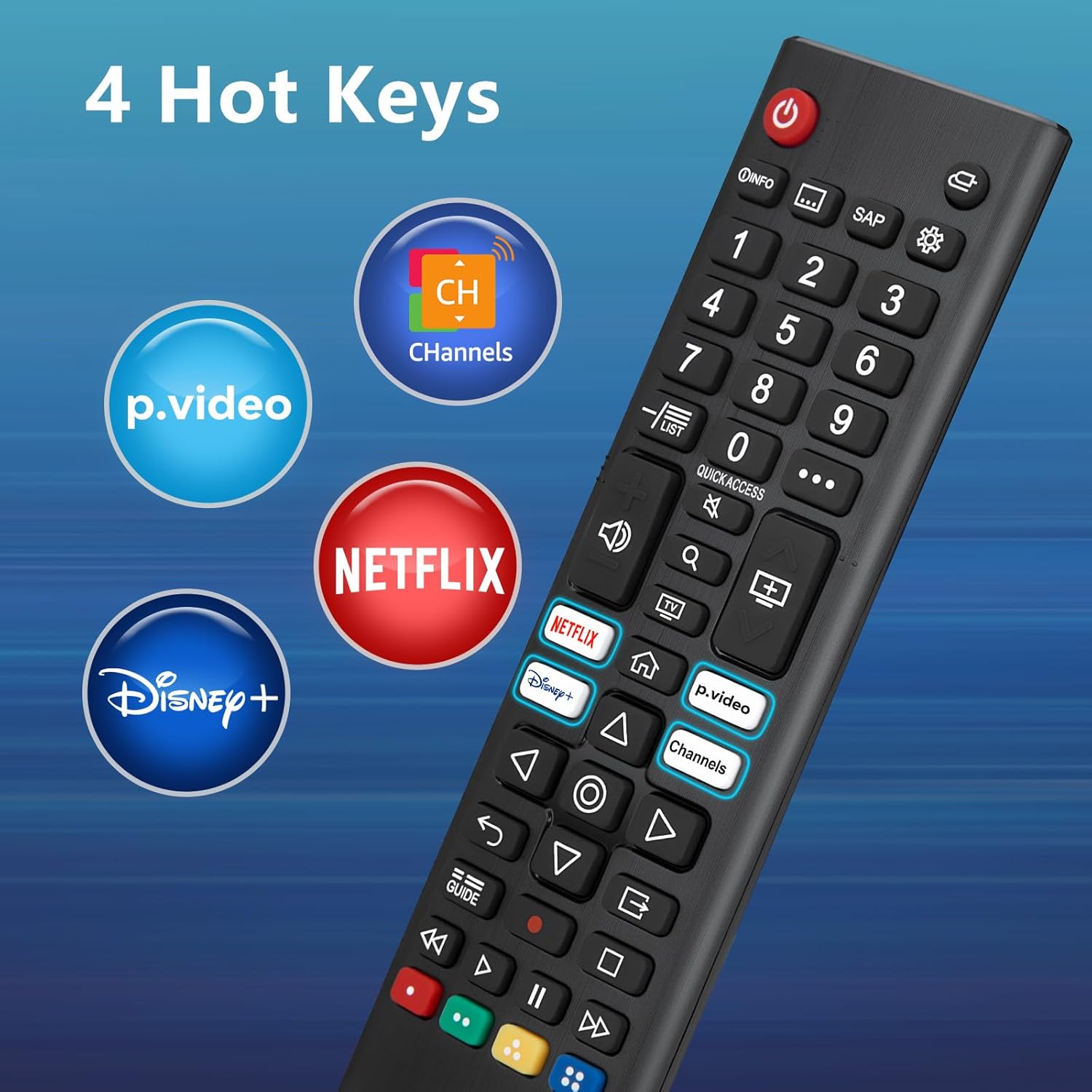
Image: A visual representation highlighting the four dedicated shortcut buttons on the remote control.
Compatibility
This remote control is compatible with a wide range of LG Smart TV series, including but not limited to:
- UHD TVs: UP70, UP75, UP76, UP80, UP87 Series, UQ9000, UQ7070, UQ7570, UQ8000 Series.
- OLED TVs: OLED A1, OLED A2, OLED B1, OLED B2, OLED C1, OLED C2, OLED G1, OLED G2, OLED Z2, ZX Series.
- QNED Mini-LED TVs: QNED 90, QNED 80, QNED 85, QNED 99 Series.
- NanoCell TVs: Nano 55, Nano 75, Nano 80, Nano 85, Nano 90, Nano 99 Series.
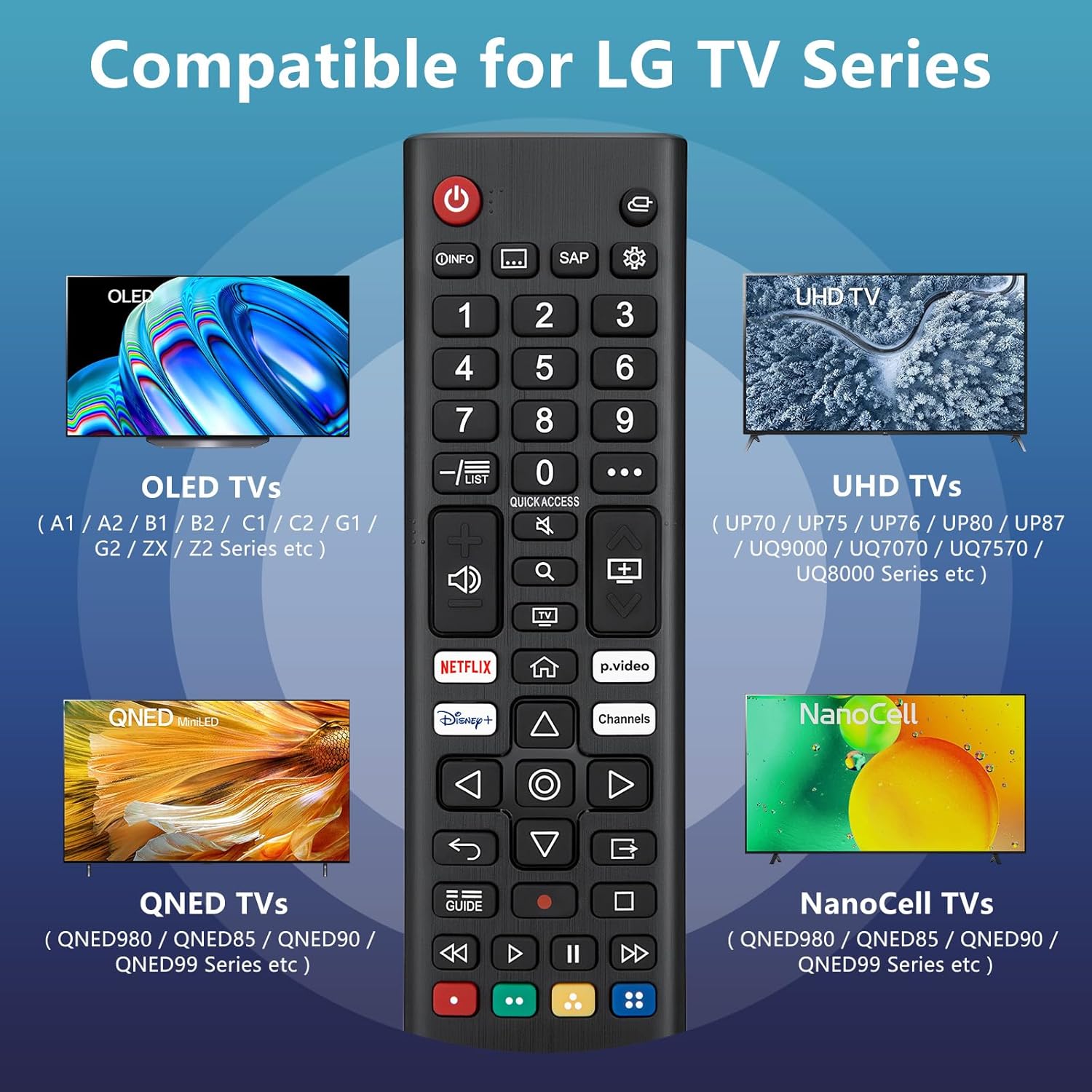
Image: A visual guide demonstrating the compatibility of the remote control with different LG TV series.
This remote also serves as an exact replacement for many older or damaged LG remote control models. Refer to the image below for a visual comparison with various compatible LG remote designs.

Image: The OMAIC remote control displayed next to a selection of LG remote control models it can replace.
Remote Control Distance and Response
The remote control is designed for optimal performance, offering a fast response time and extended operating range.
- Response Time: Responds to TV commands within 0.2 seconds.
- Operating Distance: Precisely controls the TV from up to 40 feet away.

Image: A visual representation of the remote's effective operating range, showing control up to 40 feet from the television.
Maintenance
To ensure the longevity and optimal performance of your OMAIC remote control, follow these maintenance guidelines:
- Cleaning: Wipe the remote control regularly with a soft, dry cloth. Avoid using liquid cleaners or abrasive materials, as these can damage the surface or internal components.
- Battery Replacement: Replace batteries when the remote's response becomes sluggish or it stops functioning. Always replace both batteries at the same time with new AAA alkaline batteries. Do not mix old and new batteries, or different types of batteries.
- Storage: If the remote control will not be used for an extended period, remove the batteries to prevent leakage, which can cause damage. Store the remote in a cool, dry place away from direct sunlight and extreme temperatures.
- Handling: Avoid dropping the remote control or subjecting it to strong impacts, as this can damage internal circuitry.
Troubleshooting
If you encounter issues with your OMAIC remote control, refer to the following troubleshooting steps:
| Problem | Possible Cause | Solution |
|---|---|---|
| Remote is not responding. | Dead or incorrectly inserted batteries. | Check battery orientation. Replace both AAA batteries with new ones. |
| Remote has limited range or intermittent response. | Weak batteries; Obstruction between remote and TV; Infrared sensor on TV is blocked. | Replace batteries. Ensure a clear line of sight to the TV's IR sensor. Remove any obstructions. |
| Specific buttons are not working. | Button malfunction; TV model incompatibility for advanced functions. | Ensure the remote is compatible with your specific LG TV model for all functions. If basic functions also fail, the remote may be faulty. |
| Remote does not control the TV at all. | Remote is not compatible with your TV model; Faulty remote. | Verify your LG TV model is listed as compatible. If issues persist after checking batteries and line of sight, contact customer support. |
Specifications
- Model Number: AKB76040302
- Product Dimensions: 7 x 1 x 1 inches
- Item Weight: 4.2 ounces
- Batteries Required: 2 x AAA batteries (not included)
- Material: ABS
- Operating Range: Up to 40 feet (approx. 12 meters)
- Response Time: 0.2 seconds
- Compatible Devices: LG Smart Televisions (UHD, OLED, QNED, NanoCell series)
Support
For any questions or further assistance regarding your OMAIC Universal Replacement Remote Control, please contact our customer support team. We are committed to providing timely assistance and will respond to your inquiries within 12 hours.
Please refer to your purchase documentation for specific contact methods or visit the OMAIC brand store on Amazon for more information.