
1. Product Overview
The Superer 19V UL Listed AC Power Adapter is designed to provide reliable and efficient power to compatible Gateway laptops. This adapter features a compact design, a foldable plug for portability, and multiple safety protections to ensure secure operation.

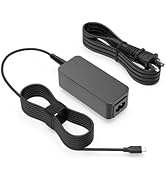
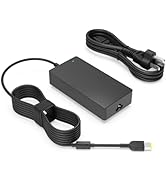
Image of the Superer 19V AC Power Adapter, showcasing its compact design and attached power cord.

Close-up view of the 90-degree foldable plug, illustrating its design for portability and convenience.

Detailed view of the L-shaped round tip connector, showing its robust construction.
2. Safety Information
This product has undergone rigorous testing and is UL Listed, ensuring it meets nationally recognized standards for high-level electronic safety. It also complies with FCC and CE regulations.
- UL Listed: Passed UL safety tests for high-level electronic safety.
- FCC Approved: Meets regulated limits for ionizing radiation.
- CE Marking: Meets EU safety, health, and environmental protection requirements.

Diagram illustrating the UL, FCC, and CE certifications for the Superer power adapter, confirming adherence to safety standards.
Integrated Safety Protections:
- Overheating Protection
- Overvoltage Protection
- Electrostatic Protection
- Short Circuit Protection
- Overcurrent Protection
- Overcharge Protection
Icons representing various safety protections: Overheating, Overvoltage, Electrostatic, Short Circuit, Overcurrent, and Overcharge Protection.
3. Compatibility
This power adapter is specifically designed for Gateway laptops requiring a 19V power supply with a round tip connector. Please verify your laptop's model number and power requirements before use.
Compatible Gateway Laptop Models:
- GWNR71517 series (e.g., GWNR71517-BK, GWNR71517-BL)
- GWNR71539 series (e.g., GWNR71539-BK)
- GWTC71427 series (e.g., GWTC71427-BK, GWTC71427-BL, GWTC71427-SL, GWTC71427-PK)
- GWCC71416 series (e.g., GWCC71416-BK, GWCC71416-BL)
- GWTC51427 series (e.g., GWTC51427-BK, GWTC51427-BL, GWTC51427-SL, GWTC51427-RG)
- GWNR51416 series (e.g., GWNR51416-BK, GWNR51416-BL, GWNR51416-GR, GWNR51416-RD)
- GWCC51416 series (e.g., GWCC51416-BK, GWCC51416-BL)
- GWNC31514 series (e.g., GWNC31514-BK, GWNC31514-BL, GWNC31514-GR, GWNC31514-RD)
This adapter is an ideal replacement for Gateway 19V 3.15A (60W, Model: TYPE60-190-3150U) and 19V 2.1A (40W, Model: TYPE45-190-2100U) power cords.

Close-up image of the round tip connector of the Superer power adapter, contrasting it with a USB-C port to highlight compatibility.

Chart detailing voltage, amperage, and wattage compatibility, showing the 19V, 2.1A, 40W configuration as compatible.
4. Setup and Installation
Follow these steps to properly set up and install your Superer AC Power Adapter:
- Unpack: Carefully remove the power adapter from its packaging.
- Connect to Power Outlet: Plug the AC power adapter into a standard wall outlet. Ensure the outlet is easily accessible and provides the correct voltage (100-240V).
- Connect to Laptop: Insert the round tip connector firmly into the charging port of your Gateway laptop.
- Verify Connection: Confirm that the charging indicator light on your laptop (if available) illuminates, indicating that the laptop is receiving power.

The Superer power adapter plugged into a wall outlet, charging a Gateway laptop on a wooden desk, demonstrating typical usage.
5. Operating Instructions
Once connected, the power adapter will automatically begin charging your laptop's battery and/or powering the laptop directly. No additional configuration is required.
- For optimal performance, use the adapter in a well-ventilated area.
- Disconnect the adapter from the wall outlet when not in use for extended periods.
6. Maintenance
To ensure the longevity and proper functioning of your power adapter, follow these maintenance guidelines:
- Cleaning: Use a soft, dry cloth to clean the adapter. Do not use liquid cleaners or aerosols.
- Storage: When not in use, store the adapter in a cool, dry place. Avoid extreme temperatures.
- Cable Care: Do not bend or crimp the power cord excessively. Use the included cable tie for neat storage and to prevent tangling.
- Inspection: Periodically inspect the adapter and cable for any signs of damage, such as frayed wires or cracked casing. Discontinue use if damage is found.
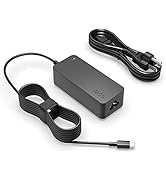
Image of the power adapter's cable neatly wrapped with a cable tie, highlighting its organized storage.
7. Troubleshooting
If you encounter issues with your power adapter, refer to the following common solutions:
- Laptop Not Charging:
- Ensure the adapter is securely plugged into both the wall outlet and the laptop's charging port.
- Try plugging the adapter into a different wall outlet to rule out an issue with the power source.
- Verify that the laptop model is listed as compatible with this adapter.
- Adapter Overheating:
- Ensure the adapter is in a well-ventilated area and not covered by objects that could trap heat.
- If overheating persists, discontinue use and contact customer support.
- Loose Connection:
- Check the physical connection points for any debris or damage.
- Ensure the connector is fully inserted into the laptop's port.
If these steps do not resolve the issue, please contact Superer customer support for further assistance.
8. Specifications
| Feature | Detail |
|---|---|
| Model Number | ADP190210UZ |
| Input Voltage | 100-240V (AC) |
| Output Voltage | 19V |
| Output Amperage | 2.1 Amps |
| Output Wattage | 39.9 Watts (compatible with 40W and 60W Gateway models) |
| Connector Type | Round Tip |
| Product Dimensions | 5.1 x 4.35 x 1.7 inches (approximate) |
| Item Weight | 6.7 ounces |
| Color | Black |

Image displaying the compact dimensions of the Superer power adapter, measuring approximately 2.4 inches by 2.4 inches by 1.14 inches.
9. Warranty and Support
Superer stands behind the quality of its products. This power adapter is eligible for:
- 30-Day Replacement or Return: Products are eligible for replacement or returns within 30 days of purchase.
- 12-Month Guarantee: The manufacturer provides an additional 12-month guarantee for replacement services.
For any questions, concerns, or to initiate a warranty claim, please contact Superer customer support. Quick feedback is provided for any issues.
Graphic illustrating the 12-month replacement service and 30-day refund policy, along with quick feedback support.