
TFCFL HG-HCXLST-5470-US-HOU
TFCFL Ceiling Fan with Light User Manual
Model: HG-HCXLST-5470-US-HOU
Important Safety Information
Please read and understand all instructions before beginning installation and operation. Failure to follow these instructions may result in electric shock, fire, or serious personal injury.
- Ensure power is disconnected at the circuit breaker before installation or maintenance.
- All wiring must be in accordance with national and local electrical codes.
- Consult a qualified electrician if you are unsure about the installation process.
- Do not use the fan with a dimmer switch not specifically designed for ceiling fans.
- Keep hands, hair, and clothing clear of the fan blades during operation.
- The fan is not reversible.
- When cleaning, always cut off the power.
Product Overview
The TFCFL 20-inch Ceiling Fan with Light is a modern, dimmable, enclosed bladeless fan designed for indoor use. It features a 48W LED light source with 3 color temperature changes (3000K-4500K-6000K) and a functional dimmable range of 10%-100%. The fan includes a remote control for easy adjustment of fan speed (low-mid-high) and lighting. Its enclosed structure provides safety, making it suitable for various rooms including bedrooms, living rooms, and kitchens.

Image: The TFCFL 20-inch Ceiling Fan with Light, black with a decorative metal shell and white light ring, installed on a ceiling in a modern bedroom setting.
Key Features:
- Dimmable Lighting: Built-in intelligent 48W LED light source with 3 color changes (3000K-4500K-6000K) and 10%-100% dimmable range.
- Remote Control: Adjust fan speed (low-mid-high) and lighting settings.
- Mute Motor: Copper motor provides powerful airflow with quiet performance (under 33dB).
- Safety Structure: 20-inch fully enclosed design protects from rotating blades.
- Wide Application: Ideal for low ceilings in bedrooms, living rooms, dining rooms, kitchens, etc.
Package Contents
Verify that all components are present and undamaged before beginning installation.
- 1 x Bladeless Ceiling Fan Light
- 1 x Remote Control
- Installation Hardware (screws, anchors, etc.)
- User Manual

Image: The main components included in the package: the TFCFL ceiling fan unit, the remote control, and the instruction manual, laid out on a white surface.
Setup and Installation
Note: Installation should be performed by a qualified electrician or a person with sufficient electrical knowledge. Always turn off power at the circuit breaker before starting installation.
Pre-Installation Checklist:
- Ensure the mounting surface can support the weight of the fan.
- Verify that the electrical box is properly secured and rated for ceiling fan support.
- Gather necessary tools: screwdriver, wire strippers, electrical tape, ladder.
Installation Steps:
- Turn off Power: Locate the circuit breaker controlling the light fixture and turn it off. Test the wires with a voltage tester to ensure no power is present.
- Mounting Bracket Installation: Secure the mounting bracket to the electrical junction box in the ceiling using the provided screws. Ensure it is firmly attached.
- Wiring Connections: Connect the fan's electrical wires to the house wiring according to standard electrical codes (e.g., black to black, white to white, ground to ground). Use wire nuts to secure connections.
- Attach Fan Body: Carefully lift the fan body and attach it to the mounting bracket, ensuring all wires are tucked safely inside the canopy. Secure the fan body with the provided screws.
- Restore Power: Once installation is complete and all connections are secure, restore power at the circuit breaker.
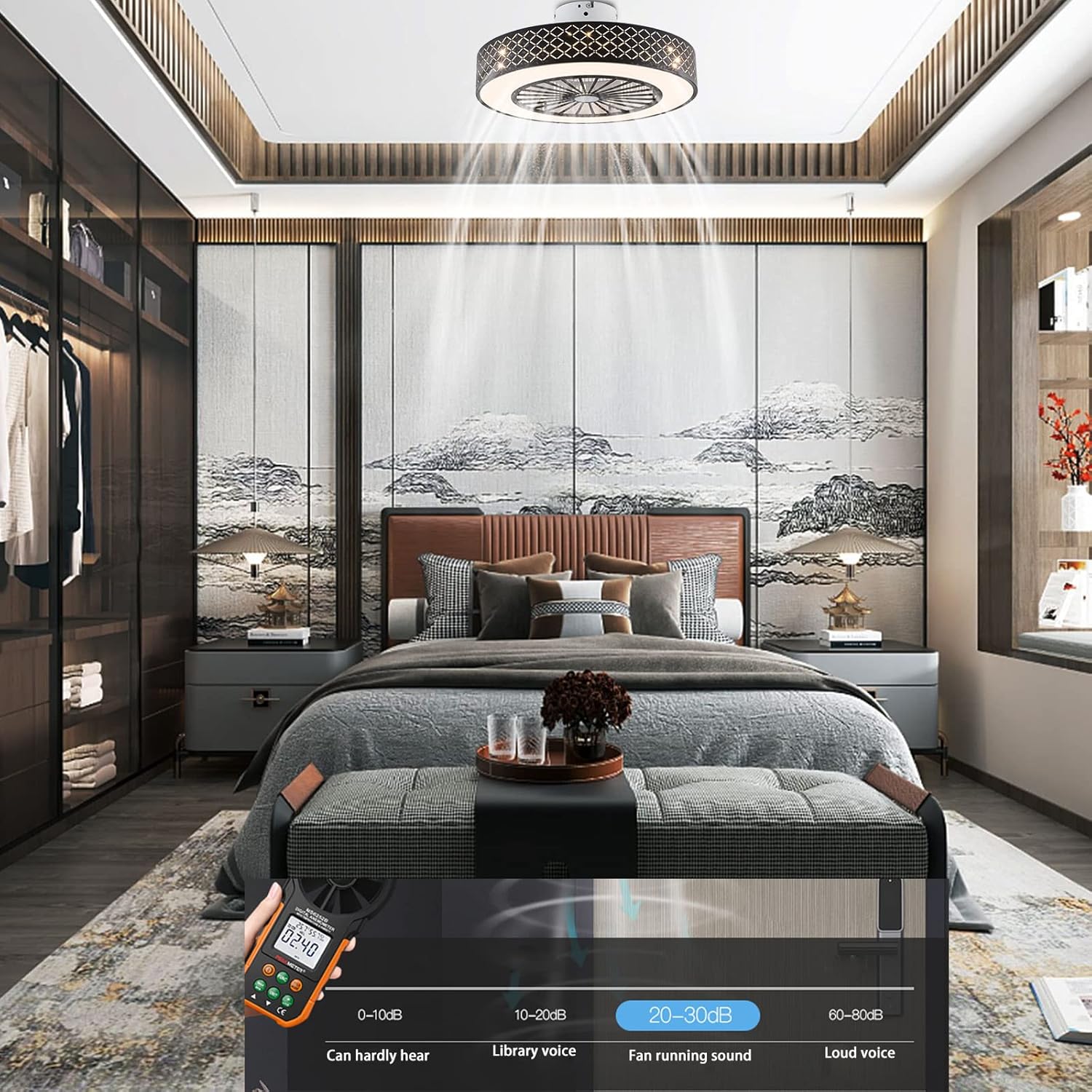
Image: A detailed diagram illustrating the components of the TFCFL ceiling fan, including the metal shell, acrylic lampshade, ABS fan blades, and the remote control with its various functions for light and fan speed.
Operating Instructions
The TFCFL Ceiling Fan with Light is operated using the included remote control.
Remote Control Functions:
- Power ON/OFF: Press the power button to turn the fan and light on or off.
- Fan Speed Control: Select from Low, Medium, or High fan speeds.
- Light ON/OFF: Independently control the light.
- Color Temperature Change: Cycle through 3000K (Warm Light), 4500K (Neutral Light), and 6000K (Cold Light).
- Brightness Adjustment: Dimmable range from 10% to 100%.

Image: A composite image demonstrating the three adjustable light color temperatures of the TFCFL ceiling fan: Warm light (3000K), Neutral light (4500K), and Cold light (6000K).

Image: An illustration highlighting the quiet operation of the TFCFL ceiling fan, indicating its sound level is approximately 20-30dB, comparable to a library's ambient noise.
Maintenance
Regular maintenance will help ensure the longevity and optimal performance of your TFCFL Ceiling Fan with Light.
- Cleaning: Before cleaning, always ensure the power is cut off at the circuit breaker. Use a soft, damp cloth to wipe down the fan's exterior. Do not use abrasive cleaners or solvents. The fan is easy to remove for cleaning.
- Dust Removal: Periodically remove dust from the fan blades and light cover to maintain airflow and light output.
- Check Connections: Annually, inspect all electrical connections to ensure they are secure.
Troubleshooting
If you encounter issues with your ceiling fan, refer to the following common problems and solutions:
| Problem | Possible Cause | Solution |
|---|---|---|
| Fan does not operate | No power supply; Loose wiring; Remote control battery dead. | Check circuit breaker; Verify all wiring connections; Replace remote control battery. |
| Light does not turn on | Loose wiring; LED light source issue. | Check light wiring connections; Contact customer support if LED is faulty. |
| Fan makes unusual noise | Loose screws; Obstruction. | Ensure all mounting screws are tight; Check for any objects interfering with the fan. |
| Remote control not working | Battery issue; Remote not paired. | Replace battery; Refer to remote pairing instructions (if applicable, not provided in input). |
Specifications
| Attribute | Detail |
|---|---|
| Brand | TFCFL |
| Model Name | Ceiling Fan with Light |
| Item Model Number | HG-HCXLST-5470-US-HOU |
| Color | Black |
| Shape | Round, Drum |
| Style | Modern / Simple / Creative |
| Fixture Height | 8.2" (20.8 cm) |
| Fixture Width | 20" (50 cm) |
| Bulb Type | LED |
| Wattage | 48W |
| Voltage | AC110-120V |
| Color Temperature | 3000K-4500K-6000K (Dimmable 10%-100%) |
| Control Method | Remote Control |
| Material | Acrylic + Metal |
| Installation Type | Semi Flush Mount |
| Indoor/Outdoor Usage | Indoor |
Warranty and Support
For warranty information or technical support, please contact TFCFL customer service. Keep your purchase receipt as proof of purchase.
Contact Information: Refer to the product packaging or the official TFCFL website for the most current contact details.
Online Resources: You may find additional support and FAQs on the TFCFL Amazon Store.
Related documentsHG-HCXLST-5470-US-HOU


Ask a question about this manual
Ask about setup, troubleshooting, compatibility, parts, safety, or missing instructions. Manuals+ will review the question and use this page’s manual context to help answer it.