
1. Safety Instructions
Please read this instruction manual carefully before installation and use. Keep this manual for future reference.
- Ensure the solar panel is installed in a location that receives direct sunlight for optimal charging.
- The control box is not waterproof; install it indoors or under eaves to protect it from water.
- Do not look directly into the LED lights when they are on, as this may cause eye strain.
- Keep the product away from flammable materials and heat sources.
- Handle the product with care to avoid damage to the solar panel or light bars.
2. Package Contents
Verify that all components are present in the package:
- Solar Panel with integrated cable
- Control Box (Battery Unit)
- 4-in-1 RGBW LED Light Bars (connected)
- RF Remote Control
- Ground Stakes for light bars
- Mounting Screws and Wall Plugs
- Instruction Manual

Image: All components included in the MEIKEE Solar RGBW LED Wall Washer Light package.
3. Product Overview
The MEIKEE Solar RGBW LED Wall Washer Light system consists of a solar panel, a control box housing the battery, four interconnected LED light bars, and a remote control for various lighting modes.

Image: Product dimensions and component layout, including solar panel and light bar measurements.

Image: The RF remote control, detailing buttons for various light settings and functions.
4. Specifications
| Brand | MEIKEE |
| Model Number | SL--SP04 |
| Color | Multicolor (RGBW) |
| Material | Aluminum, Glass, Acrylonitrile Butadiene Styrene, Plastic |
| Light Source Type | LED |
| Power Source | Solar Powered |
| Voltage | 3.7 Volts |
| Light Source Wattage | 6 Watts |
| Waterproof Rating | IP66 (Light Bars) |
| Battery Capacity | 6000 mAh Lithium Polymer |
| Charging Time | 8-10 hours (direct sunlight) |
| Working Time | 6-12 hours (after full charge) |
| Control Method | 360° RF Remote Control |
| Remote Sensing Range | 39ft / 12M |
| Cable Length | Approx. 30FT total (15FT / 4.6m solar panel extension cable) |
| Product Dimensions | 1.3 x 7.76 x 6.5 inches |
| Item Weight | 3.72 pounds |
The light bars are designed to be IP66 waterproof, ensuring durability against various weather conditions. The control box, however, requires protection from water.

Image: Demonstrating the IP66 waterproof rating and weather resistance of the light bars.
5. Setup & Installation
Follow these steps for proper installation of your MEIKEE Solar RGBW LED Wall Washer Light:
- Prepare the Brackets: Install the bracket onto the light bar. Fix the nut with your fingers, then tighten the screw and nut using a matching screwdriver.
- Mark and Drill Holes: Based on the desired position for the light bars, mark the holes and drill them into the mounting surface (wall or ground).
- Install Expansion Bolts: Insert the plastic expansion bolts into the drilled holes first, then tighten the screws to secure the light bars.
- Adjust Lamp Angle: Adjust the angle of the light bars up to 180 degrees to achieve the desired lighting effect for your environment.
- Solar Panel Placement: Choose a location for the solar panel that receives maximum direct sunlight throughout the day. Ensure there is no shade or eave obstructing the panel.
- Connect Components: Connect the solar panel cable to the control box. Then, connect the LED light bars to the control box. Ensure all connections are secure.
- Control Box Placement: Install the control box indoors or under an eave, as it is not waterproof.

Image: Step-by-step installation guide for the light bars.
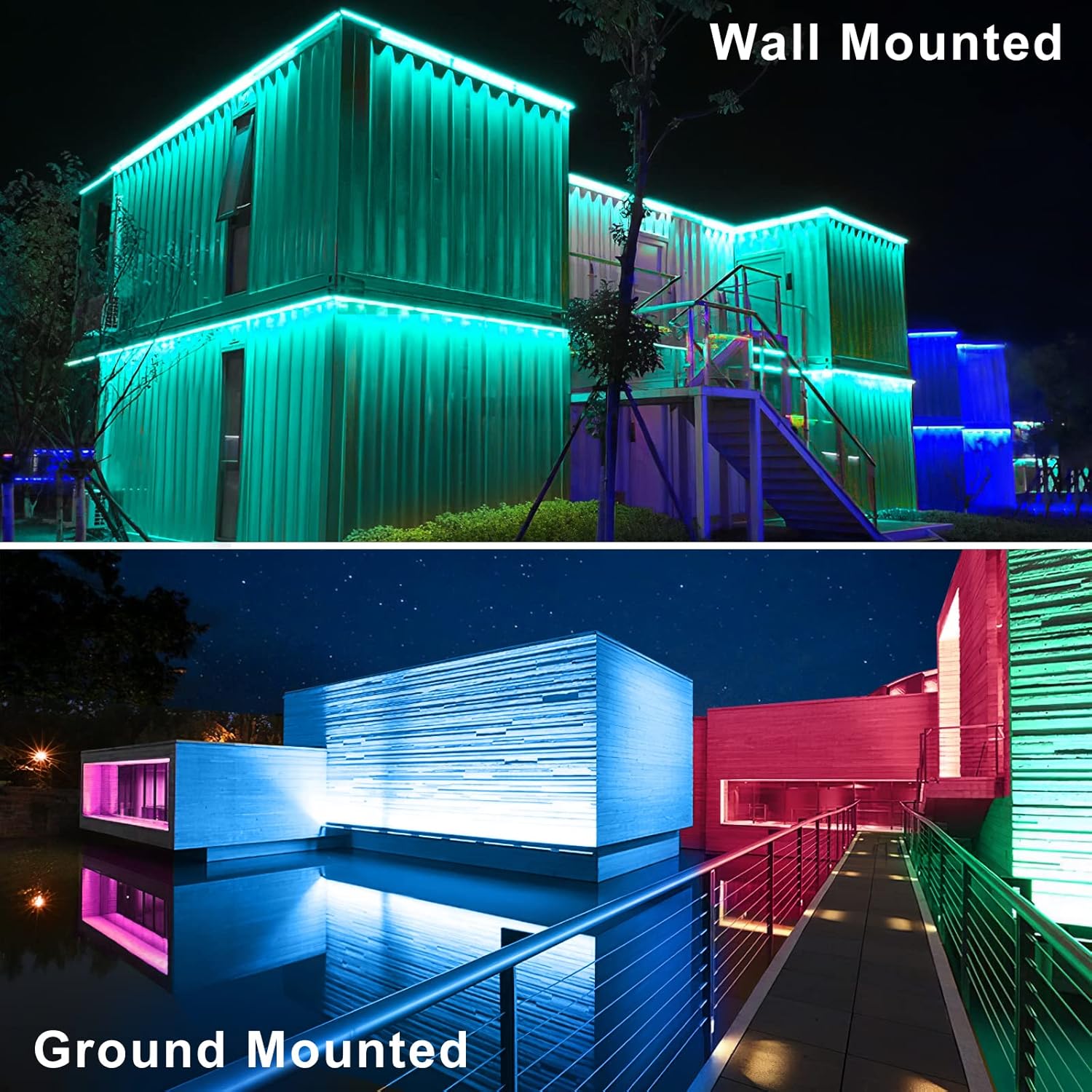
Image: Examples of wall-mounted and ground-mounted installations.
6. Operating Instructions
The MEIKEE Solar RGBW LED Wall Washer Light is controlled using the included RF remote control. Ensure the remote has working batteries (AAA batteries, included).
Initial Use:
Before first use, charge the solar panel under direct sunlight for 1-2 days to ensure the battery is fully charged.
Remote Control Functions:
- Power On/Off: Use the power button on the remote to turn the lights on or off.
- Color Selection: Choose from 10 single colors (Red, Green, Blue, White, Purple, Cyan, Yellow, Orange, Pink, Warm White) using the dedicated color buttons.
- Brightness Adjustment: Adjust the light intensity between high and low brightness modes.
- Dynamic Modes: Select from 12 automatic color changing modes, including Flash, Smooth, and Jump variations.
- Speed Adjustment: Increase or decrease the speed of dynamic color changing modes.
- Timing Function: Set the lights to automatically turn off after 2 hours, 4 hours, or 6 hours using the timer buttons (2H/4H/6H).
- Memory Function: The light system will remember your last light setting (excluding timing) when turned off and on again, so you don't need to reset it.
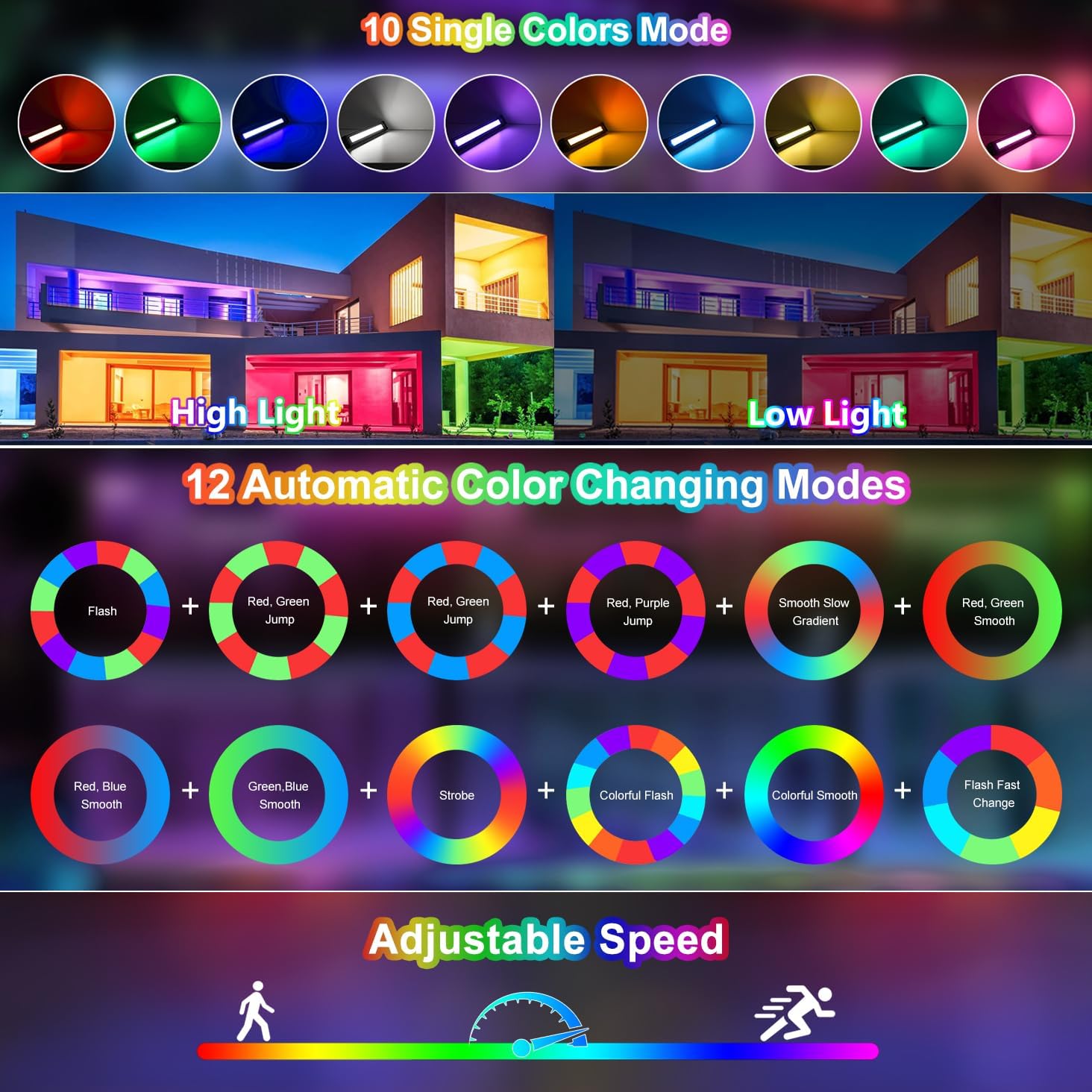
Image: Overview of available single colors, automatic color changing modes, and speed adjustment.

Image: Explanation of the Memory Function and Timer Function.
7. Maintenance
Regular maintenance ensures optimal performance and longevity of your solar wall washer light:
- Clean the Solar Panel: Periodically wipe the solar panel with a soft, damp cloth to remove dust, dirt, or debris. A clean panel ensures efficient sunlight absorption and charging.
- Inspect Cables and Connections: Regularly check all cables and connections for any signs of wear, damage, or loose fittings. Ensure they remain securely connected.
- Protect the Control Box: As the control box is not waterproof, ensure it remains protected from rain and moisture. If installed outdoors, place it under a protective cover or eave.
- Winter Care: In areas with heavy snow or prolonged freezing temperatures, consider clearing snow from the solar panel to allow for charging.
- Storage: If storing the light for an extended period, ensure the battery is fully charged before storage and recharge it every few months to maintain battery health.
8. Troubleshooting
If you encounter issues with your MEIKEE Solar RGBW LED Wall Washer Light, refer to the following common problems and solutions:
| Problem | Possible Cause | Solution |
|---|---|---|
| Lights do not turn on at night. | Insufficient solar charging. | Ensure the solar panel is placed in direct sunlight for 8-10 hours daily. Clean the solar panel surface. |
| Lights are dim or only last a few hours. | Battery not fully charged or aging battery. | Allow for more charging time in direct sunlight. In colder or cloudy weather, charging may take longer (6-8 hours). |
| Remote control is not working. | Remote battery low or obstruction. | Check and replace the AAA batteries in the remote. Ensure no obstructions between the remote and the control box. |
| Lights flicker or behave erratically. | Loose connection or internal fault. | Check all cable connections to the control box and light bars. If the problem persists, contact customer support. |
| Lights do not change color or mode. | Remote control issue or setting conflict. | Ensure the remote is pointed directly at the control box. Try resetting the lights by turning them off and on. |
9. Warranty & Support
MEIKEE products are covered by a 2-year warranty from the date of purchase. This warranty covers manufacturing defects and ensures product quality.
For any questions, technical assistance, or warranty claims, please contact MEIKEE customer service:
- Via Amazon messaging service.
- Using the email address provided in the original product packaging or on the MEIKEE official website.
Our support team aims to provide a timely response within 24 hours.
