
Retevis In-Ear Two-Way Radio Headset
Retevis In-Ear Two-Way Radio Headset Instruction Manual
Model: In-Ear Two-Way Radio Headset
Introduction
This manual provides instructions for the proper setup, operation, and maintenance of your Retevis In-Ear Two-Way Radio Headset. Please read this manual thoroughly before using the product to ensure optimal performance and longevity.
Product Features
- 2-Pin Connector: Equipped with an M-head 2-pin connector for wide compatibility.
- Clear Sound Quality: Features low impedance (approximately 32 Ohm ± 15%) for enhanced audio clarity.
- In-Ear Earplug Design: Provides discreet communication and is suitable for both left and right ears.
- Lightweight and Comfortable: Weighs approximately 1.02 oz (29 grams) for extended wear comfort.
- Push-to-Talk (PTT) Microphone: Integrated PTT button and microphone for convenient communication.
- Coil Tube Design: Durable and flexible coil tube for secure and comfortable fit.
- Rotatable Stainless Steel Clip: Allows for secure attachment of the PTT/Mic unit to clothing.
- Double Cable Design: Provides flexibility and ease of wear.

Image: Visual representation emphasizing the clear sound quality feature of the headset.
Compatibility
This headset is compatible with two-way radios featuring an M-head 2-pin connector. Specifically, it is designed for use with the following Motorola and HYT models:
- Motorola: CP100, CP100D, CP185, CP200, CP200D, GP300, GP2000, EP450, Mag ONE BRP40, A8, RMU2040, RMU2080D, RDM 2070D, RDU2080D, RDU4100
- HYT: TC610
Note: This headset is not compatible with any Retevis brand walkie-talkies.

Image: Detail of the 2-pin connector, showing the 2.5mm and 3.5mm pins for compatibility with specified radio models.
Setup and Installation
- Connect the Headset: Insert the 2-pin connector firmly into the corresponding port on your compatible two-way radio. Ensure a secure connection.
- Position the Earpiece: Place the in-ear earplug comfortably into your left or right ear. The design allows for discreet wear.
- Secure the PTT/Mic: Use the rotatable stainless steel clip on the PTT/Mic unit to attach it to your collar, lapel, or other convenient location on your clothing. This allows for easy access to the Push-to-Talk button and ensures the microphone is positioned for clear voice transmission.
- Adjust Cable Length: The coil tube design provides flexibility. Adjust the cable length as needed for comfort and to minimize snagging.
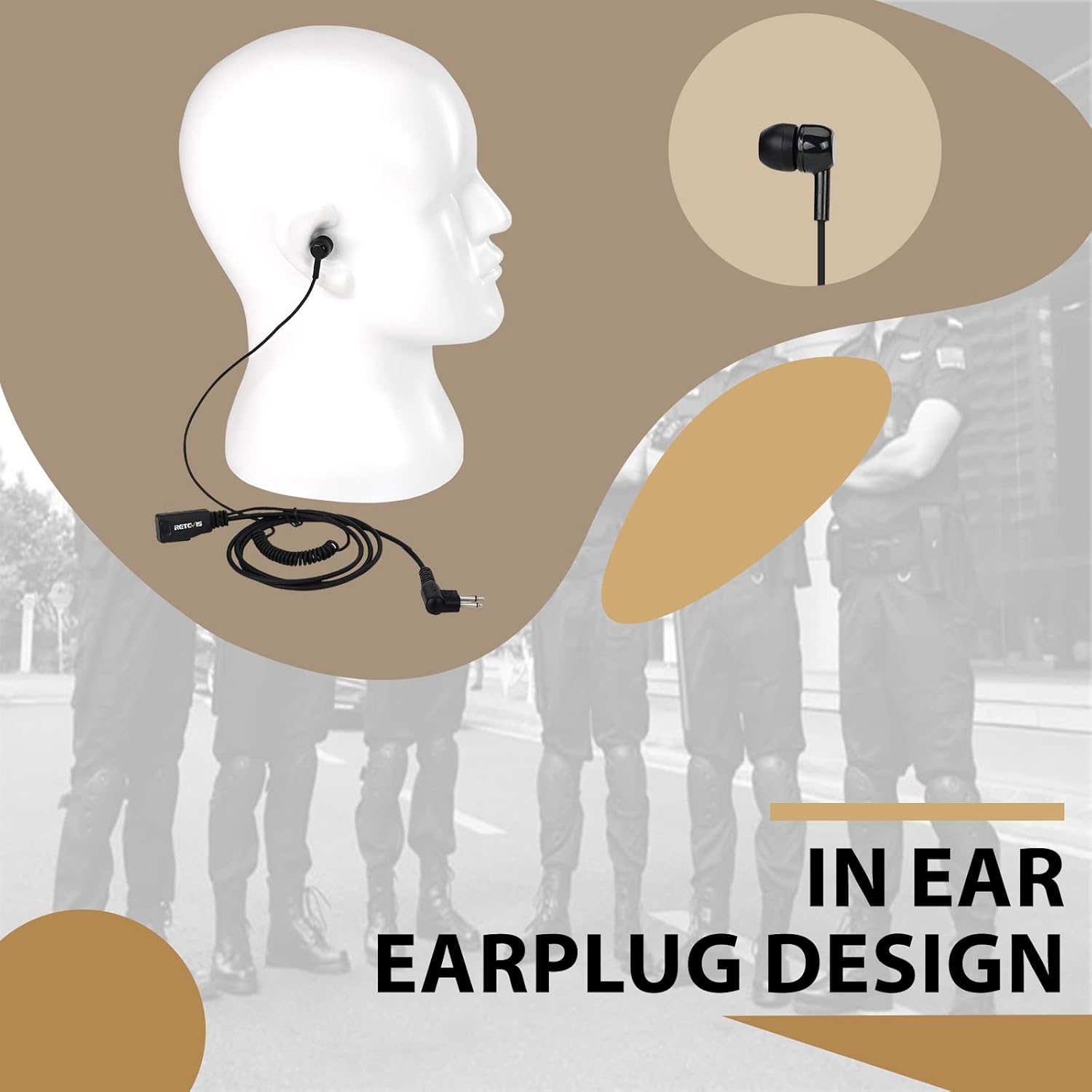
Image: Demonstrates how to wear the in-ear earplug and clip the PTT/Mic unit to clothing for optimal use.

Image: A detailed view of the PTT (Push-to-Talk) microphone unit, showing its compact design and Retevis branding.

Image: Illustrates the coil tube cable design, highlighting its flexibility and ability to extend and retract.

Image: A close-up of the rotatable stainless steel clip, demonstrating its functionality for attaching the PTT unit securely.
Operating Instructions
- Receiving Audio: Once connected, audio from your two-way radio will be transmitted directly to the in-ear earplug.
- Transmitting Audio (Push-to-Talk): To speak, press and hold the PTT button on the microphone unit. Speak clearly into the microphone. Release the PTT button when you are finished speaking to return to receive mode.
- Volume Control: Adjust the volume directly on your two-way radio. The headset does not have independent volume controls.
Video: Demonstrates the connection and use of the Retevis In-ear Walkie Talkie Earpiece, including how to clip the PTT/Mic and wear the earpiece.
Maintenance
- Cleaning: Gently wipe the earpiece and PTT/Mic unit with a soft, dry cloth. Avoid using harsh chemicals or abrasive materials.
- Storage: When not in use, store the headset in a clean, dry place away from direct sunlight and extreme temperatures.
- Cable Care: Avoid excessive pulling or bending of the cables to prevent damage. The coil tube is designed for flexibility but can be damaged by improper handling.
Troubleshooting
- No Audio / Poor Audio Quality:
- Ensure the 2-pin connector is fully and securely inserted into the radio's port.
- Check the volume level on your two-way radio.
- Verify that your radio is powered on and functioning correctly.
- Confirm that the headset is compatible with your specific radio model (refer to the Compatibility section).
- Microphone Not Transmitting:
- Ensure the PTT button is pressed and held firmly while speaking.
- Check for any obstructions around the microphone.
- Verify the headset connection to the radio.
Specifications
| Feature | Detail |
|---|---|
| Connectivity Technology | Wired |
| Headphones Jack | M Head Plug 2 Pin (2.5mm and 3.5mm pins) |
| Earpiece Shape | In-ear |
| Impedance | 32 Ohms ± 15% |
| Noise Control | Sound Isolation, Noise Cancellation |
| Special Feature | Microphone Included |
| Cable Feature | Coil Tube (Retractable) |
| Item Weight | 1.02 ounces (29 Grams) |
| Product Dimensions | 6.69 x 4.72 x 0.79 inches |
| Material | Rubber |
| Color | Black |
What's in the Box
Your package should contain the following item:
- 1 x Retevis In-ear Walkie Talkie Earpiece
Warranty and Support
Retevis provides a 60-day warranty for this product and offers a 30-day no-reason return policy. For issues beyond the warranty period, maintenance services are available, with buyers responsible for associated costs.
For further assistance or support, please refer to the Retevis official website or contact customer service.
Related documentsIn-Ear Two-Way Radio Headset

Ask a question about this manual
Ask about setup, troubleshooting, compatibility, parts, safety, or missing instructions. Manuals+ will review the question and use this page’s manual context to help answer it.