
ZIUTY T21
ZIUTY T21 Wireless Earbuds Bluetooth Headphones Instruction Manual
Brand: ZIUTY | Model: T21
Introduction
Welcome to the ZIUTY T21 Wireless Earbuds user manual. These earbuds are designed to provide a high-quality audio experience with advanced features such as Active Noise Cancellation (ANC), Environmental Noise Cancellation (ENC), and a unique touchscreen charging case. Please read this manual carefully to ensure proper use and to maximize your listening experience.
What's in the Box
Before you begin, please check the package contents:
- T21 Wireless Earbuds
- Charging Case with Touch Screen
- USB-C Charging Cable
- Eartips (S/M/L)
- User Manual

Image: All components included in the ZIUTY T21 Wireless Earbuds package.
Product Overview
Smart Touchscreen Charging Case
The charging case features a responsive touchscreen, offering intuitive control over various earbud functions without needing your phone. You can manage music playback, adjust volume, activate noise control modes, and even use remote camera shutter functions directly from the case.

Image: The touchscreen interface of the ZIUTY T21 charging case, showing multiple control options.
Video: Demonstration of the touchscreen functionalities on the ZIUTY T21 charging case, including music control, earbud finding, remote camera, screen lock, and noise reduction settings.
Smart ANC Noise Control & Transparency Mode
The earbuds feature Hybrid Active Noise Cancellation (ANC) to block up to 40dB of ambient noise, providing an immersive listening experience. Transparency Mode allows you to hear your surroundings without removing the earbuds, enhancing awareness and safety.

Image: A user experiencing crystal clear phone calls with 40dB noise reduction.
Studio-Quality Sound & Crystal-Clear Calls
Equipped with large 14.2mm dynamic drivers, these earbuds deliver powerful bass and balanced highs for studio-quality audio. You can fine-tune your sound with 5 EQ presets. Dual-ENC microphones effectively eliminate 98% of background noise for clear calls in any environment.

Image: Visual representation of the 14.2mm dynamic drivers and available EQ modes.
40-Hour Playtime & Fast Charging
Enjoy up to 8 hours of listening on a single charge, extended to a total of 40 hours with the compact charging case. A quick 10-minute charge provides 2 hours of music. The case's display shows the battery percentage, keeping you informed of your power status.
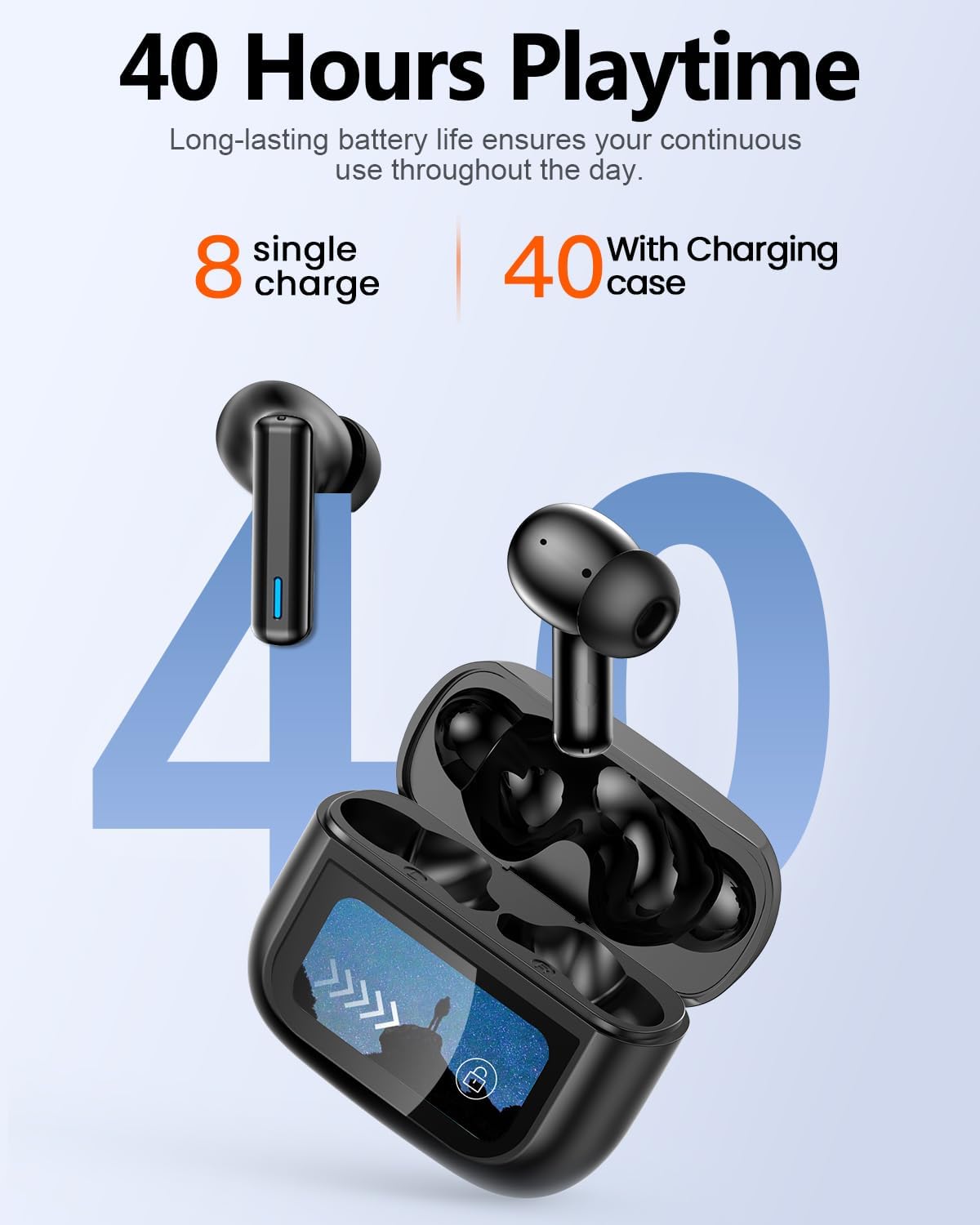
Image: Battery life illustration for the ZIUTY T21 earbuds and charging case.
All-Day Comfort & Stable Bluetooth 5.3 Connection
The ultra-lightweight earbuds are designed for secure and comfortable all-day wear. With an IPX7 waterproof rating, they are suitable for intense workouts. Bluetooth 5.3 ensures a stable wireless connection with ultra-low latency (55 ms), ideal for gaming and calls.

Image: User demonstrating the comfortable and lightweight design of the earbuds.
Setup Guide
1. Charging the Earbuds and Case
Before first use, fully charge both the earbuds and the charging case. Connect the provided USB-C cable to the charging port on the case and a power source. The touchscreen will display the charging status.
2. Bluetooth Pairing
- Open the charging case. The earbuds will automatically enter pairing mode.
- On your device (smartphone, tablet, etc.), enable Bluetooth.
- Search for 'T21' in the list of available devices and select it to connect.
- Once connected, the earbuds will indicate successful pairing, and the case display will show the connection status.
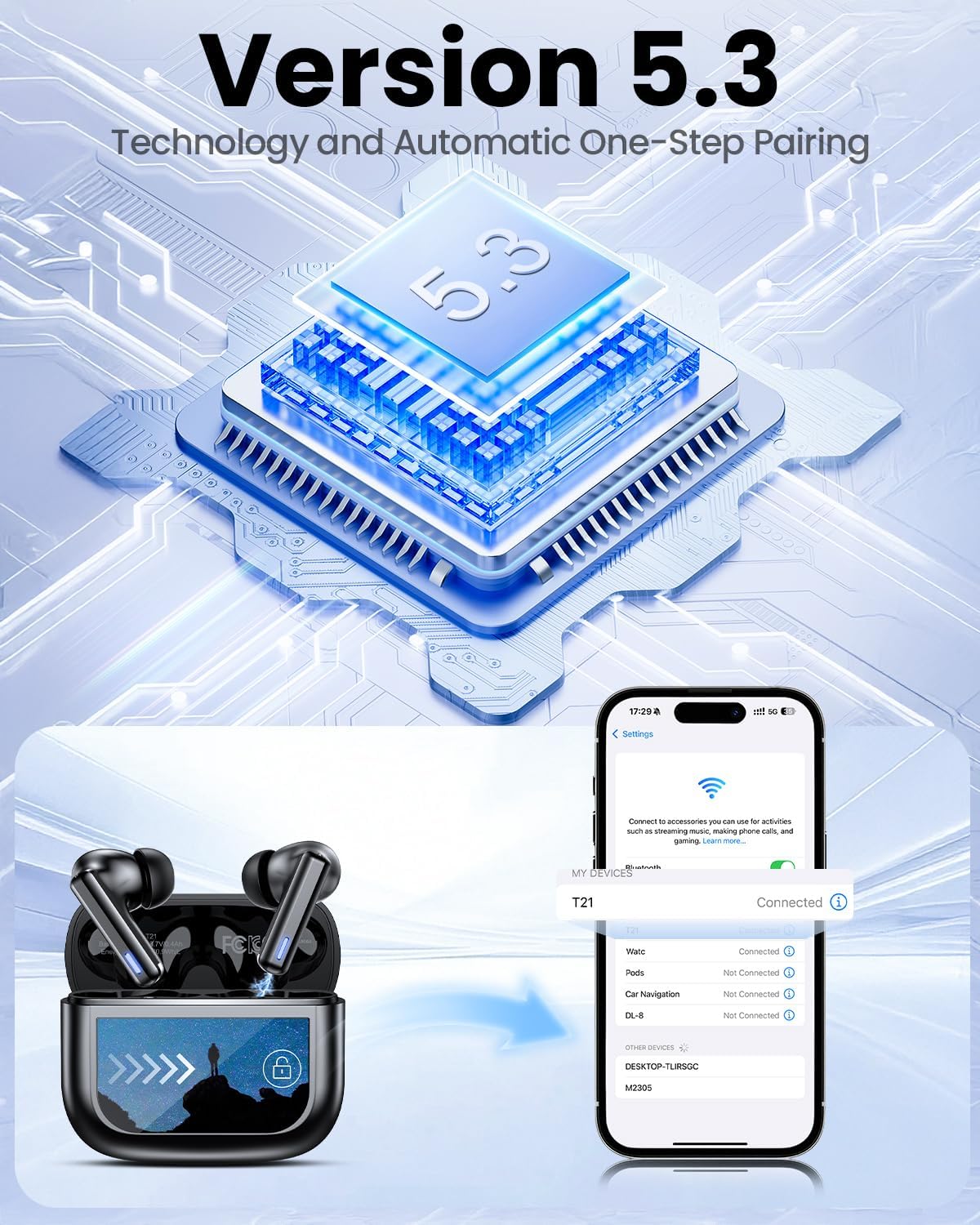
Image: Bluetooth 5.3 pairing process with a smartphone.
3. Proper Fit
Select the eartips (S/M/L) that provide the best seal and comfort for your ears. A good seal is crucial for optimal sound quality and noise cancellation performance. Gently insert the earbuds into your ear canal and twist slightly to secure them.

Image: Choosing the correct eartip size for a comfortable and stable fit.
Operating Instructions
Earbud Touch Controls
The earbuds feature smart touch controls for easy management of audio and calls:
- Volume Control: Tap and hold (specific earbud for up/down, refer to quick guide).
- Play/Pause: Single tap.
- Previous Track: Triple tap left earbud.
- Next Track: Triple tap right earbud.
- Voice Assistant: Double tap.
- ANC Mode/Transparency Mode: Long press.
- Answer/End Call: Single tap.
- Reject Call: Long press.

Image: Overview of earbud touch control gestures.
Charging Case Touchscreen Functions
The touchscreen on the charging case provides access to various settings and controls:
- Music Playback: Control play, pause, and skip tracks.
- Volume Control: Adjust audio volume.
- Noise Reduction: Switch between ANC, Transparency, and Normal modes.
- Equalizer: Select from 5 preset EQ modes (Normal, Rock, Classic, Pop, Jazz).
- Find My Earphone: Activate a chirp sound on misplaced earbuds.
- Remote Shutter: Control your phone's camera remotely.
- Screen Lock: Lock the case screen to prevent accidental touches.
- Language Switch: Change the display language.
- Light Level: Adjust screen brightness.
Find My Earbuds Feature
If you misplace one or both earbuds, use the 'Find My Earphone' function on the charging case touchscreen. Select the earbud (Left or Right) you wish to locate, and it will emit a chirping sound to help you find it.

Image: Using the 'Find My Earphone' feature on the charging case.
Maintenance
To ensure optimal performance and longevity of your ZIUTY T21 earbuds, follow these maintenance tips:
- Cleaning: Regularly clean the charging contacts on both the earbuds and the case, as well as the ear tips, using a dry, soft cloth or an alcohol pad. This prevents dust, lint, or earwax buildup that can affect charging or sound quality.
- Storage: When not in use, store the earbuds in their charging case to protect them from dust and damage.
- Water Exposure: While the earbuds are IPX7 waterproof, avoid prolonged submersion in water. Ensure they are dry before placing them back in the charging case.

Image: Instructions for cleaning earbuds to maintain volume and charging functionality.
Troubleshooting
If you encounter any issues with your ZIUTY T21 earbuds, try the following solutions:
- No Sound/Connectivity Issues:
- Ensure both earbuds and the charging case are sufficiently charged.
- Verify Bluetooth is enabled on your device and 'T21' is selected.
- Try unpairing and re-pairing the earbuds with your device.
- Restart your device.
- Earbuds Not Charging:
- Clean the charging contacts on the earbuds and inside the case.
- Ensure the USB-C charging cable is securely connected to both the case and the power source.
- Try a different USB-C cable or power adapter.
- Touch Controls Not Responding:
- Ensure your fingers are clean and dry when using touch controls.
- Try resetting the earbuds (refer to the full user manual for specific instructions).
- Noise Cancellation Not Effective:
- Ensure you have selected the correct eartip size for a tight seal.
- Verify ANC mode is activated via the earbud touch control or case touchscreen.
Specifications
| Feature | Specification |
|---|---|
| Model Name | T21 |
| Connectivity Technology | Wireless (Bluetooth 5.3) |
| Bluetooth Range | 15 Meters |
| Noise Control | Active Noise Cancellation (ANC), Transparency Mode |
| Audio Driver Size | 14.2 Millimeters |
| Frequency Response | 20 KHz |
| Sensitivity | 107 dB |
| Impedance | 32 Ohms |
| Battery Life (Earbuds) | Up to 8 hours |
| Total Playtime (with Case) | Up to 40 hours |
| Charging Time | 1.5 Hours (for case) |
| Water Resistance Level | IPX7 Water Resistant |
| Control Type | Touch Control, Touch Screen (case) |
| Item Weight | 3.17 ounces (total) |
| Material | Acrylonitrile Butadiene Styrene (ABS) |
Warranty and Support
ZIUTY products come with a standard manufacturer's warranty. For detailed warranty information, product support, or service inquiries, please refer to the warranty card included in your package or visit the official ZIUTY website. You may also contact the seller directly for assistance.
For additional support, please visit the ZIUTY Store on Amazon.
Related documentsT21


Ask a question about this manual
Ask about setup, troubleshooting, compatibility, parts, safety, or missing instructions. Manuals+ will review the question and use this page’s manual context to help answer it.