
Popglory P66
Popglory P66 Smart Watch User Manual
Model: P66
1. Product Overview
The Popglory P66 Smart Watch is a versatile wearable device designed to enhance your daily life with communication, health monitoring, and fitness tracking features. It features a 1.85-inch full-touch HD color screen and is compatible with both iOS and Android smartphones.

Figure 1: Popglory P66 Smart Watch with black stainless steel band. An additional black silicone band is shown in the bottom right corner.
2. What's in the Box
- Smart Watch Body
- 1 Stainless Strap (Black)
- 1 Silicone Strap (Black)
- Charging Cable

Figure 2: The package includes the smart watch body, two straps (one stainless steel, one silicone), a charging cable, and a user manual.
3. Setup Guide
3.1 App Download and Installation
To utilize all features of your Popglory P66 Smart Watch, download the GloryFit app from the App Store (for iOS) or Google Play (for Android). Alternatively, scan the QR code provided in the product packaging or visit the official download page: GloryFit App Download.

Figure 3: Download the GloryFit app from your device's app store.
3.2 Device Pairing
Follow these steps to connect your smart watch to your smartphone:
- Ensure your phone's Bluetooth is enabled.
- Open the GloryFit app and navigate to the 'Device' section.
- Tap 'Add a new device' and allow the app to search for your watch.
- Select 'P66' from the list of found devices to initiate pairing.
- Allow the Bluetooth pairing request on your phone to enable the watch to receive notifications.
Video 1: This video demonstrates the process of connecting the Popglory P66 Smart Watch to a smartphone via the GloryFit app, including enabling Bluetooth and confirming the pairing request.
3.3 Notification Setup
To receive notifications on your watch:
- On your iPhone, go to Settings → Bluetooth → Select P66 → Tap the 'i' icon → Turn on Share System Notifications.
- On your iPhone, go to Settings → Notifications → Select GloryFit → Turn on Allow Notifications → Set Show Preview to Always.
- In the GloryFit app, go to the 'Device' section.
- Tap SMS and turn on SMS notifications.
- Tap App and enable notifications for the specific applications you wish to receive alerts from (e.g., WhatsApp, Facebook, Twitter).
Video 2: This video illustrates how to configure notification settings on your smartphone and within the GloryFit app to ensure messages and alerts are displayed on your Popglory P66 Smart Watch.
3.4 Strap Replacement
The Popglory P66 Smart Watch comes with two interchangeable straps: one stainless steel and one silicone. To replace a strap, locate the small pin on the underside of the strap where it connects to the watch body. Slide the pin inwards to release the strap, then align the new strap and slide the pin back into place until it clicks securely.

Figure 4: The watch straps are designed for easy removal and replacement.
4. Operating Instructions
4.1 Basic Navigation
The 1.85-inch full-touch HD color screen allows for intuitive navigation. Swipe left, right, up, or down to access different features and widgets. The side button typically serves as a home button or to access the main menu.

Figure 5: The 1.85-inch full screen provides a clear view of the watch interface.
4.2 Answering/Making Calls
The watch features a built-in speaker and microphone, allowing you to answer or make calls directly from your wrist when connected via Bluetooth. You can also sync contacts from your phone to the watch.
- Answering Calls: When a call comes in, tap the green checkmark icon on the watch screen to answer.
- Making Calls: Access the 'Dials' interface on the watch to use the keypad, or select phone numbers from 'Call logs' or 'Contacts' to initiate a call.
- You can turn off the phone ringing and media audio in the watch settings if desired.
Video 3: This video demonstrates how to make and answer calls directly from the Popglory P66 Smart Watch, including using the dial pad and accessing call logs.

Figure 6: The watch supports free communication features like dialing, answering, rejecting calls, and viewing call logs.
4.3 AI Voice Assistant
The P66 smart watch is equipped with an AI voice assistant. Click 'Voice Assistant' on the watch, then you can voice control your phone to make calls, search information, play music/videos, and open any app.

Figure 7: Use the AI Voice Assistant for hands-free control of your phone's functions.
4.4 Smart Notifications
Once connected to your phone, the watch can display messages received from various apps like WhatsApp, Facebook, Twitter, and more. This allows you to stay updated without needing to check your phone constantly.

Figure 8: Receive smart notifications directly on your watch screen.
4.5 Customizing Watch Faces
Personalize your watch by choosing from hundreds of HD watch faces available in the GloryFit app. You can also customize the dial by uploading your own pictures.
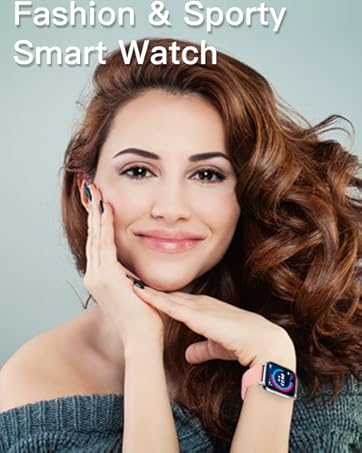
Figure 9: Customize your watch face with cloud faces or your own photos.
4.6 Music Control
Control music playback on your smartphone directly from your watch. You can play, pause, skip tracks, and adjust volume. Ensure the watch is connected to your phone via Bluetooth.

Figure 10: Control your phone's music playback from your watch.
4.7 Other Practical Functions
- Split-screen Display: The main interface supports split-screen display, allowing quick access to frequently used functions by swiping right.
- Weather Forecast: Keep your smart watch connected to the app to view real-time weather information.
- Alarm Clock: Set up to 10 vibration alarm clocks for reminders without disturbing others.
- Timer & Stopwatch: Utilize built-in timer and stopwatch tools for workouts or daily tasks.
- Camera Control: Open the app on your smartphone and shake your smartwatch to take a photo remotely.
- Vibration Adjustment: Adjust the vibration intensity (bright, info, strong, weak) and sound mode.

Figure 11: Stopwatch, Countdown, and Alarm Clock features.

Figure 12: Camera control and weather forecast display.

Figure 13: Breath training and vibration mode settings.
5. Health Tracking Features
The Popglory P66 Smart Watch helps you maintain a healthier and more active lifestyle with its comprehensive health tracking capabilities. All data is synced to the GloryFit app for analysis.

Figure 14: Overview of health management features.
5.1 Heart Rate Monitor
The watch provides 24/7 dynamic heart rate monitoring. View your real-time heart rate and its change curve in the app to understand your heart health.

Figure 15: Real-time heart rate tracking and historical data in the app.
5.2 Blood Pressure Monitor
Track changes in your blood pressure to help maintain a healthier lifestyle.
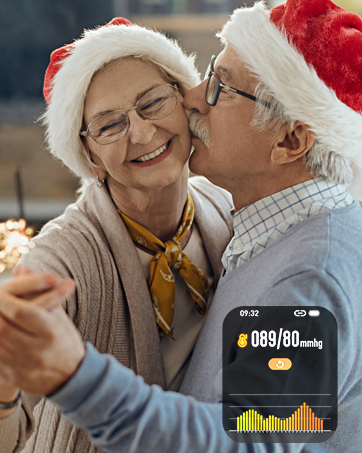
Figure 16: Monitor your blood pressure readings.
5.3 Blood Oxygen (SpO2) Monitor
The watch includes SpO2 monitoring, an important health metric.

Figure 17: Track your blood oxygen saturation levels.
5.4 Sleep Quality Analysis
The sleep tracking feature records your sleep time and quality (light sleep, deep sleep), helping you understand your sleep patterns and develop better sleep habits.
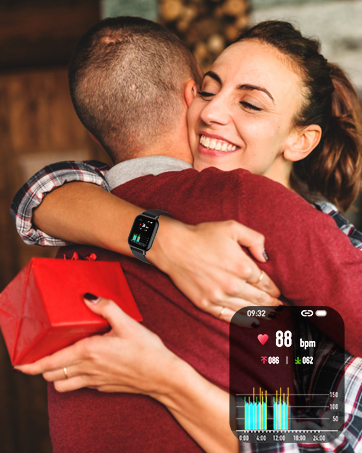
Figure 18: Monitor your sleep quality and duration.
5.5 Activity Tracking & Multi-sport Modes
The watch records daily distance, steps, and calories burned. It supports over 100 sports modes, including walking, running, cycling, swimming, basketball, football, and more, to meet diverse fitness needs.
- Sedentary Reminder: Receive smart reminders to move around when you've been sitting for too long.
- Breath Training: The watch can guide you through breath training exercises to help you relax.

Figure 19: Track your daily activity and choose from over 100 sports modes.

Figure 20: Sedentary reminder and IPX7 water resistance.
5.6 Physiological Cycle Tracking
For women, the watch can record physiological cycles in the app and provide reminders the day before your predicted period.

Figure 21: Physiological period tracking and reminders.
NOTE: All health data provided by the watch are for fitness reference only and should not be used for medical purposes.
6. Maintenance
6.1 Charging
The watch can be used for up to 3-5 days and has a standby time of 10-15 days after being fully charged. Use the provided charging cable. Only charge with PC/laptop USB ports or other low-power USB ports. Fast chargers may harm the battery.

Figure 22: Connect the magnetic charging cable to the back of the watch.
6.2 Water Resistance
The watch is IP67 water-resistant, meaning it can withstand daily use needs such as washing hands or being exposed to rain. It is not suitable for high temperature environments or seawater where intense temperature changes occur.
7. Troubleshooting
- Connectivity Issues: If the app connection fails, try closing and reopening the app, or restarting your phone. Ensure Bluetooth is active and the watch is within range.
- Notifications Not Received: Double-check all notification settings on your phone (Bluetooth settings, app notification permissions) and within the GloryFit app as described in Section 3.3.
- Call Function Not Working: Verify that 'Bluetooth Call' is enabled in the GloryFit app and that the watch is properly paired for calls. If you wish to disable call functions, tap 'Switch' in the call interface to turn them off.
8. Specifications
- Product Dimensions: 9.84 x 1.38 x 0.59 inches
- Item Weight: 1.83 ounces (52 Grams)
- Item Model Number: P66
- Batteries: 1 Lithium Polymer battery required (included)
- Operating System: iOS & Android (iOS 9.0 and above, Android 5.0 and above)
- Connectivity Technologies: Bluetooth
- Special Features: 2 straps (1 Stainless Steel + 1 Silicone Strap), Make & Answer Call Function, Text Message Notification, Alarm, Timer, Stopwatch, Music Player, Built-in Speaker, AI Voice Control
- Human Interface Input: Touchscreen
- Standing Screen Display Size: 1.85 Inches
- Memory Storage Capacity: 128 MB
- Battery Capacity: 280 Milliamp Hours
- Shape: Rectangular
- Manufacturer: Popglory
- Date First Available: August 17, 2022
9. Warranty & Support
Popglory is committed to providing excellent products and services. The product comes with a 12-month warranty. If you encounter any product problems or have suggestions, please do not hesitate to contact us. We are ready to offer you the most satisfying solution at any time.
- Returns: 30 days no reason to return.
- Replacement: 1-year replacement for damage.
Related documentsP66


Ask a question about this manual
Ask about setup, troubleshooting, compatibility, parts, safety, or missing instructions. Manuals+ will review the question and use this page’s manual context to help answer it.