1. Introduction
The Etekcity ESF-551 Smart Body Composition Scale is designed to provide comprehensive insights into your body's health metrics. Utilizing advanced sensor technology and Bluetooth connectivity, this digital scale measures not only body weight but also various body composition data points, which are then synchronized with the VeSync application on your smartphone or tablet.
This manual provides detailed instructions for setting up, operating, and maintaining your smart scale to ensure accurate and consistent performance.

Image: The Etekcity ESF-551 Smart Body Composition Scale, shown alongside a smartphone displaying its companion VeSync app, which tracks various health metrics.
2. Important Safety Information
- Consult a healthcare professional before using the smart scale if you use medical electronic equipment such as a pacemaker. The scale offers a Zero-Current Mode to measure weight and BMI only, which may be suitable in such cases.
- This scale is not intended for use by professional athletes, as their unique body composition may affect the accuracy of certain measurements.
- Always place the scale on a hard, flat surface for accurate measurements. Avoid carpets or uneven flooring.
- Do not use the scale on wet or slippery surfaces to prevent falls.
- Keep the scale away from extreme temperatures and direct sunlight.
- Do not immerse the scale in water or use abrasive cleaning agents.
3. Package Contents
Please check the package for the following items:
- 1 x Etekcity ESF-551 Smart Body Composition Scale
- 1 x Quick Start Guide (QSG)
- 3 x 1.5V AAA Batteries (Pre-Installed)
4. Setup
4.1 Battery Installation
The scale comes with 3 x 1.5V AAA batteries pre-installed. If you need to replace them:
- Open the battery compartment on the underside of the scale.
- Remove the old batteries and insert new AAA batteries, ensuring correct polarity (+ and -).
- Close the battery compartment securely.
4.2 VeSync App Download and Pairing
To unlock the full features of your smart scale, download the free VeSync app.
- Search for "VeSync" in the Apple App Store (for iOS 12.0+) or Google Play Store (for Android 6.0+).
- Download and install the app.
- Open the VeSync app and create an account or log in.
- Enable Bluetooth on your smartphone.
- Tap '+' in the VeSync app to add a new device, then select your Etekcity ESF-551 scale.
- Step onto the scale to activate it and complete the pairing process as guided by the app.
4.3 Initial Scale Placement
Place the scale on a hard, flat, and stable surface. Avoid soft surfaces like carpets, which can affect accuracy.
5. Operating Instructions
5.1 Basic Weighing
- Ensure the scale is on a hard, flat surface.
- Step onto the scale barefoot and stand still. Ensure your feet are making contact with all four electrode pads for full body composition analysis.
- The scale will display your weight, and the VeSync app will receive all available body composition data.
5.2 Understanding Your Measurements
The Etekcity ESF-551 scale, in conjunction with the VeSync app, measures 13 essential biometrics:
- Weight
- Body Mass Index (BMI)
- Body Fat Percentage
- Protein
- Muscle Mass
- Fat-Free Body Weight
- Visceral Fat
- Body Water
- Skeletal Muscle
- Bone Mass
- Basal Metabolic Rate (BMR)
- Subcutaneous Fat
- Metabolic Age

Image: A visual representation of the 13 essential biometrics, such as Weight, BMI, and Body Fat, that the Etekcity scale measures and displays in the VeSync app.
5.3 VeSync App Features
The VeSync app is your central hub for managing your health data:
- Progress Tracking: View your measurements over time with intuitive graphs and charts.
- Goal Setting: Set personal weight and fitness goals and track your progress towards them.
- Personalized Plans: Access customized diet recipes and exercise plans based on your health data and lifestyle habits.
- Wellness Reports: Receive detailed weekly wellness reports for a comprehensive overview of your health.

Image: The VeSync app interface demonstrating goal management features and options for custom meal plans.

Image: The VeSync app interface displaying custom exercise plans tailored to user needs.
5.4 Special Operating Modes
- Zero-Current Mode: For users who are pregnant or have implanted medical devices. This mode measures only weight and BMI, avoiding electrical current. Activate this mode within the VeSync app.
- Baby Mode: Allows you to weigh infants or pets. First, weigh yourself, then step off. Hold your baby/pet and step back on. The app will calculate the baby's/pet's weight.
- Small-Item Mode: For weighing items as light as 100g. Press the scale to activate, wait for it to reset to 0.00, then place the small item on the scale.

Image: A pregnant woman standing on the Etekcity scale, demonstrating the Zero-Current Mode for safe weight measurement.

Image: A visual guide to using Baby Mode, showing how to weigh an infant by first weighing yourself, then weighing yourself while holding the baby.

Image: The scale in Small-Item Mode, demonstrating its use for weighing small objects such as a bowl of pet food.
5.5 Third-Party App Integration & Multi-User Support
The VeSync app seamlessly integrates with popular fitness applications and supports multiple users:
- Sync Data: Connect with Apple Health, Samsung Health, Google Fit, Fitbit, and MyFitnessPal to centralize your health data.
- Apple Watch Compatibility: Track your weight directly from your Apple Watch.
- Alexa Integration: Use voice commands with Alexa to inquire about your body metrics.
- Unlimited Users: Create individual profiles for everyone in your household to track their personal health data.
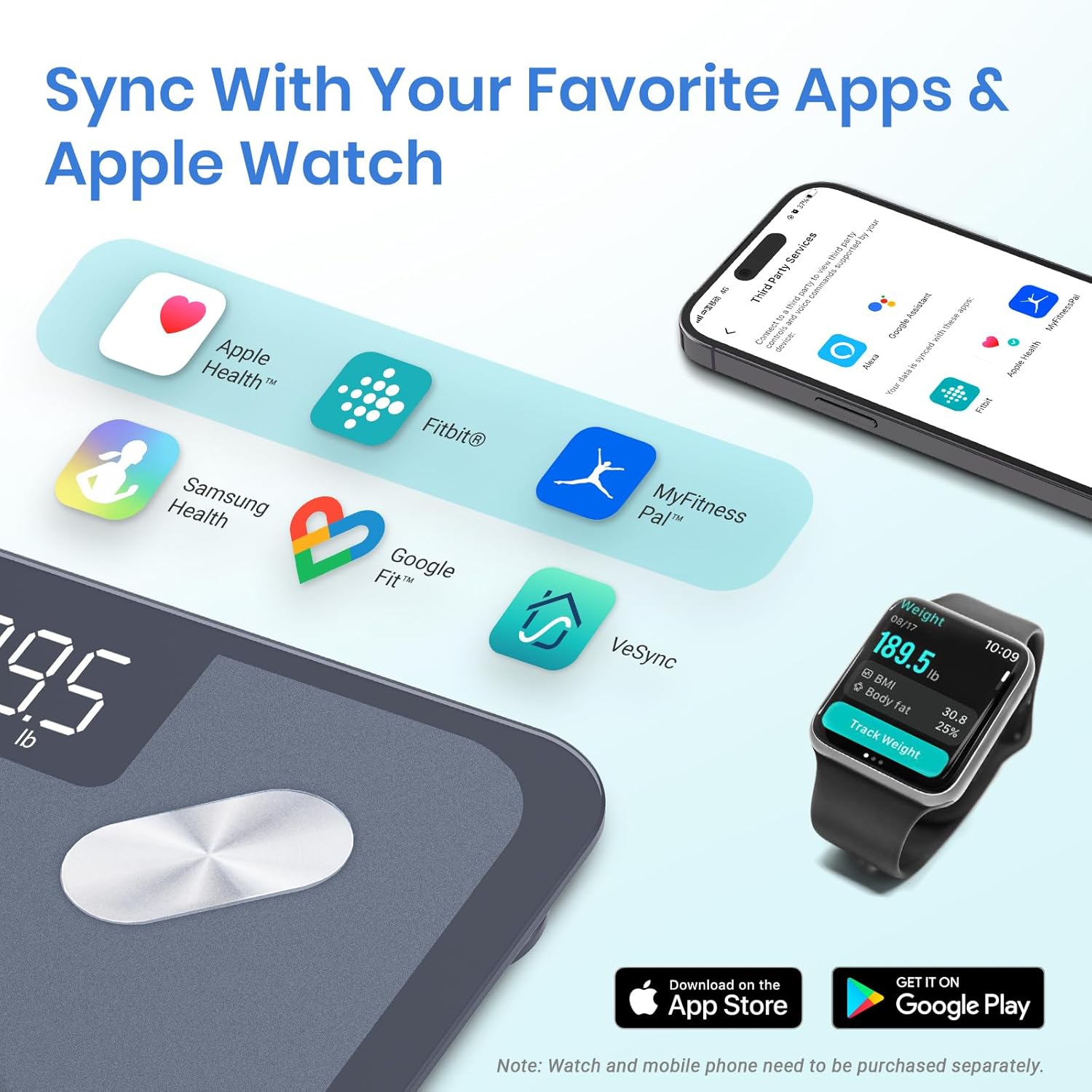
Image: The Etekcity scale's compatibility with popular health apps such as Apple Health, Fitbit, Google Fit, MyFitnessPal, and the VeSync app, also showing integration with an Apple Watch.

Image: The VeSync app interface demonstrating the ability to manage multiple user profiles, each with their own health data.
6. Maintenance
6.1 Cleaning
To clean your scale:
- Wipe the surface with a soft, damp cloth.
- Do not use abrasive cleaners or chemical solvents.
- Ensure the scale is completely dry before storage or next use.
6.2 Storage
Store the scale in a cool, dry place. Avoid placing heavy objects on the scale when not in use.
7. Troubleshooting
- Scale not turning on: Check if the batteries are correctly installed and have sufficient charge. Replace if necessary.
- Inaccurate readings: Ensure the scale is placed on a hard, flat, and level surface. Avoid carpets. Step on the scale barefoot and stand still. If readings are inconsistent, try stepping off and then back on to allow the scale to recalibrate to zero.
- VeSync app not connecting: Make sure Bluetooth is enabled on your smartphone and the scale is active (step on it briefly). Ensure the VeSync app is updated to the latest version. Try restarting both the app and your phone.
- Body composition metrics not appearing: Ensure you are stepping on the scale barefoot, making full contact with all four electrode pads. Verify that your user profile is correctly selected in the VeSync app.
- Scale displays "Lo": This indicates low battery. Replace the batteries.
- Scale displays "Err": This indicates an overload. The maximum weight capacity is 400 lb (180 kg).
8. Specifications
| Feature | Specification |
|---|---|
| Model Number | ESF-551 |
| Weight Capacity | 400 lb / 180 kg / 28 st |
| Weight Increments | 0.05 lb / 0.02 kg (for >10 kg ≤ 180 kg), 0.1 kg (for 0.1 kg ≤ m ≤ 10 kg) |
| Weight Units | lb / kg / st |
| Platform Material | Tempered Glass |
| Power Source | 3 x 1.5V AAA Batteries (Included) |
| Dimensions | 11 x 11 x 1.1 inches / 28 x 28 x 2.9 cm |
| Operating System Compatibility | iOS® 12.0+ or Android™ 6.0+ |
| Display Type | LED |
| Special Features | Customized Healthy Plans, Large Display, High Precision (down to 0.05lb/0.02kg), Weigh Light Items (as light as 100g) |

Image: A detailed view of the Etekcity scale's high-accuracy weight sensor, highlighting its precision and measurement range.

Image: An illustration detailing the thoughtful design elements of the Etekcity scale, including its large LED display, rounded corners, durable glass, and non-slip padding.
9. Warranty and Support
Etekcity provides a limited warranty for this product. For specific warranty details, please refer to the warranty card included in your package or visit the official Etekcity website. If you encounter any issues or have questions regarding your Etekcity ESF-551 Smart Body Composition Scale, please contact Etekcity customer support for assistance.
You can typically find contact information on the Etekcity website or within the VeSync app's help section.


