
1. Introduction
This manual provides essential information for the proper setup, operation, maintenance, and troubleshooting of your Voice Caddie TL1 Golf Rangefinder. Please read this manual thoroughly before using the device to ensure optimal performance and longevity.
The Voice Caddie TL1 is a high-precision golf laser rangefinder designed to provide accurate distance measurements with advanced features such as Pin Tracer, V-Algorithm, and an Auto Slope switch. It features a dual-color OLED display for clear visibility in various lighting conditions and a built-in magnet for convenient attachment.
2. Package Contents
Verify that all items are present in your package:
- Voice Caddie TL1 Laser Rangefinder
- CR2 Battery
- Pouch
- Protective Sleeve
- Cleaning Cloth
- User Manual (this document)

Image: Voice Caddie TL1 Rangefinder with its complete set of accessories, including the CR2 battery, carrying pouch, protective sleeve, cleaning cloth, and the user manual.
3. Setup
3.1. Battery Installation
- Locate the battery compartment on the device.
- Open the battery compartment cover.
- Insert the provided CR2 battery, ensuring correct polarity (+/-).
- Close the battery compartment cover securely.

Image: The Voice Caddie TL1 Golf Rangefinder, showing the location of the battery compartment for installation.
3.2. Attaching the Protective Sleeve
Slide the protective silicone sleeve onto the rangefinder. This sleeve provides additional grip and protection against minor impacts.

Image: The Voice Caddie TL1 Rangefinder with its protective sleeve installed, highlighting the device's magnetic attachment capability for securing it to a golf cart or club.
4. Operating Instructions
4.1. Powering On/Off
Press the power button once to turn on the device. The display will activate. The device will automatically power off after a period of inactivity to conserve battery.
4.2. Measuring Distance
- Look through the eyepiece.
- Aim the crosshairs at your target (e.g., flagstick, bunker).
- Press the power button briefly. The distance will be displayed almost instantly.

Image: The Voice Caddie TL1's internal display, illustrating a distance measurement of 261 yards, with an actual distance of 246 yards and a slope-compensated distance of 137 yards for a 160-yard linear distance.
4.3. Pin Tracer and V-Algorithm
The TL1 features Pin Tracer technology for enhanced flag lock. When scanning around a pin, the device automatically tracks and locks onto the flag, providing precise readings unaffected by hand movement or background objects. The V-Algorithm provides enhanced slope and GPS data for accurate compensated distances.

Image: A visual explanation of the Pin Tracer feature, showing how the TL1 locks onto the flag, and the V-Algorithm, which calculates slope-compensated distances based on linear distance and elevation.
4.4. Auto Slope Switch
The TL1 includes an Auto Slope function that can be turned on or off. This allows the device to provide slope-adjusted distances for recreational play or be switched off for tournament compliance. Locate the physical switch on the side of the device to toggle this feature.
4.5. Dual Color OLED Display & Auto Brightness
The 2-Color OLED display ensures clear visibility in various lighting conditions, from bright daylight to low light. The auto brightness feature automatically adjusts the display intensity for optimal readability.

Image: Comparison of the Voice Caddie TL1's display in both bright daylight and low-light conditions, demonstrating its optimal visibility and automatic brightness adjustment.
4.6. Flag Lock with Vibration
When the device successfully locks onto a target, particularly the flagstick, it provides a subtle vibration feedback to confirm the measurement.
4.7. Magnetic Attachment
The built-in magnet allows for convenient attachment to metal surfaces, such as a golf cart frame or club, for easy access during play.
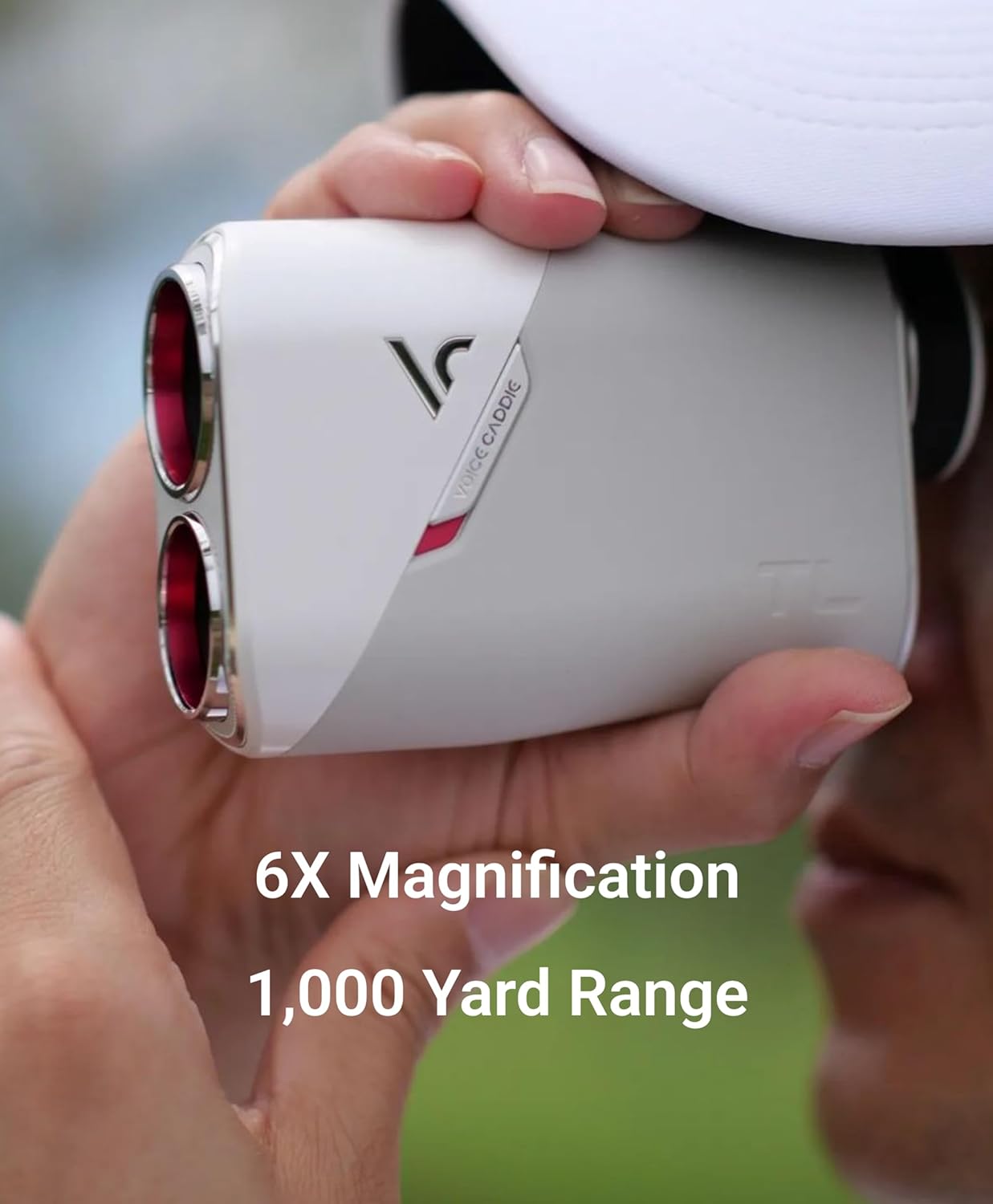
Image: The Voice Caddie TL1 Golf Rangefinder securely attached to the metal frame of a golf cart using its integrated magnet.
4.8. Official Product Videos
TL1 Full Tutorial
Video: A comprehensive tutorial demonstrating all features and functions of the Voice Caddie TL1 Golf Rangefinder.
Voice Caddie TL1 Laser Rangefinder Overview
Video: A brief overview highlighting the key features of the Voice Caddie TL1 Laser Rangefinder.
5. Maintenance
5.1. Cleaning
Use the provided cleaning cloth to gently wipe the lenses and the body of the rangefinder. Do not use abrasive materials or harsh chemicals, as this may damage the optics or casing.
5.2. Storage
When not in use, store the rangefinder in its protective pouch in a cool, dry place. Remove the battery if the device will not be used for an extended period to prevent leakage.
5.3. Water Resistance
The TL1 has an International Protection Rating of IP54, indicating it is resistant to dust and splashing water from any direction. It is not designed for submersion. Avoid exposing the device to heavy rain or submerging it in water.
6. Troubleshooting
6.1. Device Does Not Power On
- Check if the CR2 battery is installed correctly with the correct polarity.
- Replace the battery with a new one if the current battery is depleted.
6.2. Inaccurate Readings
- Ensure the lenses are clean and free from dirt or smudges.
- Confirm that you are aiming steadily at the target. Use the Pin Tracer feature for small targets like flagsticks.
- Environmental factors such as fog or heavy rain can affect accuracy.
6.3. Display is Dim or Unreadable
- The auto brightness feature adjusts to ambient light. Ensure the sensor is not obstructed.
- If the display remains dim, the battery may be low and require replacement.
7. Specifications
| Feature | Detail |
|---|---|
| Brand | Voice Caddie |
| Model Number | TL1 |
| Color | Matte Gray |
| Material | Plastic |
| Item Weight | 7 ounces |
| Magnification | 6x Optical |
| Measuring Range | 5 yd ~ 1,000 yd |
| Water Resistance Level | Waterproof (IP54) |
| Battery Type | CR2 Lithium |
| Dimensions (L x W x H) | 4.27"L x 1.6"W x 2.92"H |
| Features | Pin Tracer, V-Algorithm, 2-Color OLED, Auto Slope, Auto Brightness, Spot Measure Mode, Magnet |
8. Warranty Information
The Voice Caddie TL1 Golf Rangefinder comes with a 1-Year Manufacturer's Warranty. This warranty covers defects in materials and workmanship under normal use. Please retain your proof of purchase for warranty claims. For specific terms and conditions, refer to the warranty card included in your package or contact Voice Caddie customer support.
9. Support
For further assistance, technical support, or service inquiries, please visit the official Voice Caddie website or contact their customer service department. Contact information can typically be found on the product packaging or the official brand website.
You can also visit the Voice Caddie Official Store on Amazon for additional product information and resources.


