
Introduction
Thank you for choosing the Peteme 4L Smart Automatic Pet Feeder. This device is designed to provide scheduled and portion-controlled meals for your cats, dogs, and other small pets, ensuring they receive adequate nutrition even when you are away. This manual provides detailed instructions for setup, operation, maintenance, and troubleshooting to help you get the most out of your new pet feeder.
Product Overview
The Peteme Smart Pet Feeder features APP control, a 4L food capacity, Wi-Fi connectivity, voice recording, feeding schedules, and dual power options (battery and plug-in).

Image: Overview of the Peteme Smart Pet Feeder highlighting its key features.
Setup
1. Unboxing and Component Check
Carefully remove all components from the packaging. Ensure you have the Automatic Cat Feeder unit, the 4L container, and the power adapter.
2. Power Supply
The feeder can be powered by the included adapter or by 3D-type batteries (not included). Using both ensures continuous operation in case of a power outage.
- Adapter Power: Connect the power adapter to the feeder's power port and plug it into a wall outlet.
- Battery Power: Open the battery compartment at the bottom of the feeder and insert 3D-type batteries.

Image: Illustration of the dual power mode, showing both DC cable and battery installation.
3. Wi-Fi Connection
The feeder requires a 2.4GHz Wi-Fi network for APP control. 5GHz networks are not supported. Refer to the APP instructions for detailed pairing steps.
4. Filling the Food Container
- Remove the lid of the 4L food container.
- Pour dry pet food into the container. The feeder supports kibble sizes between 2-10mm.
- Replace the lid securely to maintain food freshness. The translucent slot allows you to monitor food levels.
5. Placement
Place the pet feeder on a stable, flat surface. For optimal stability, consider placing it in a corner to prevent accidental tipping.
Operating Instructions
1. APP Control
The Peteme Smart Life APP allows you to remotely control the feeder, set feeding schedules, and adjust portion sizes.
- Scheduling: Set up to 6 meals daily at specific times.
- Portion Control: Each meal can be set from 1 to 10 portions, with each portion being approximately 8-10 grams.
- Manual Feeding: Dispense food instantly via the APP when needed.

Image: Demonstrates the convenience of APP control for feeding pets while away.
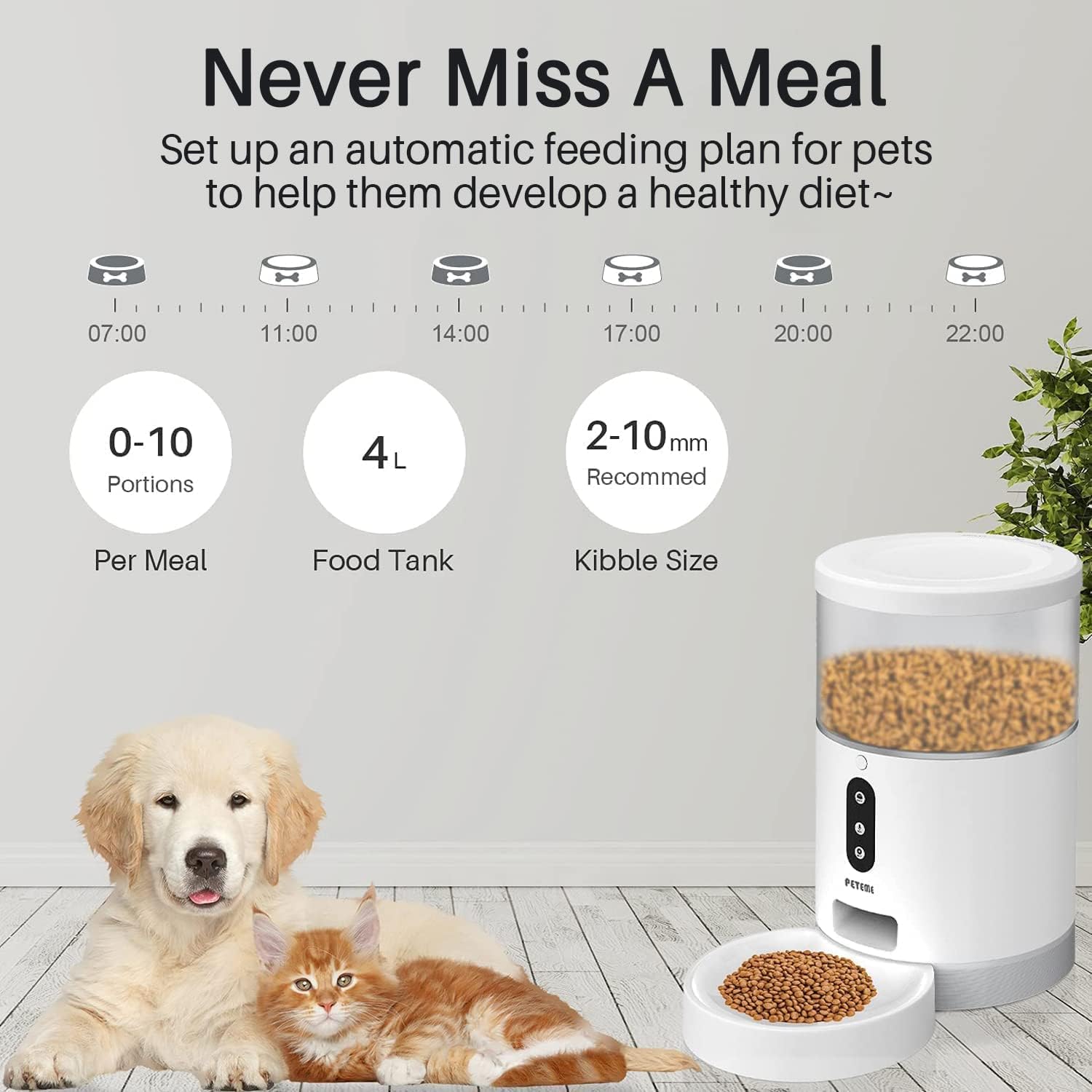
Image: Illustrates the automatic feeding plan with customizable portions and kibble size recommendations.
2. Voice Recording
Record a 10-second voice message that will play before each meal. This feature helps to call your pet to eat and provides a familiar sound when you are not present.

Image: Depicts the 10-second voice recording feature to call pets for meals.
Maintenance
1. Cleaning
Regular cleaning is essential for hygiene and proper functioning.
- All parts of the feeder, except the main host unit (which contains electronics), can be disassembled and rinsed with water.
- Ensure all washed parts are completely wiped dry before reassembly to prevent moisture damage.
- Do not immerse the main host unit in water. Clean it with a damp cloth only.
2. Food Freshness
The sealed design of the 4L container helps keep dry food fresh and prevents moisture and pests. Always ensure the lid is properly closed after refilling.
Troubleshooting
- Feeder Not Connecting to APP: Ensure your Wi-Fi network is 2.4GHz. 5GHz networks are not supported. Check that the feeder is within range of your Wi-Fi router. Restart both the feeder and your router if connection issues persist.
- Food Not Dispensing:
- Check if the food container is empty.
- Ensure the kibble size is between 2-10mm. Larger kibble may cause blockages.
- Inspect the dispensing chute for any obstructions or jammed food. Clean if necessary.
- Verify that the feeding schedule is correctly set in the APP.
- Power Issues:
- If using adapter power, ensure the adapter is securely plugged into both the feeder and the wall outlet.
- If using battery power, check if the batteries are correctly inserted and have sufficient charge. Replace old batteries if needed.
- Feeder Tipping Over: Ensure the feeder is placed on a stable, flat surface. Consider placing it in a corner to enhance stability.
- Food Spilling from Bowl: Ensure the pet food bowl is properly attached and not overfilled. Adjust portion sizes if spillage is frequent.
Specifications
| Brand | Peteme |
| Model | 4L Smart Automatic Pet Feeder |
| Capacity | 4 Liters |
| Material | Plastic |
| Target Species | Cat, Dog |
| Connectivity Technology | Wi-Fi (2.4GHz only) |
| Special Features | Portion Control, APP Control, Voice Recording |
| Product Dimensions | 19.89 x 33.91 x 19.89 cm |
| Weight | 1.88 kg |
| Included Components | Automatic Cat Feeder, 4L Container, Adapter |
Warranty and Support
For warranty information or technical support, please refer to the contact details provided with your purchase or visit the official Peteme website. Keep your purchase receipt as proof of purchase.