
Introduction
The ANCEL HD3300 Heavy Duty Truck Scanner is a comprehensive diagnostic tool designed for heavy-duty trucks, construction machinery, agricultural machinery, and diesel engines. It supports 99% of trucks in the North American market and offers advanced functions such as DPF regeneration, oil light reset, and full system diagnostics. This manual provides detailed instructions for setting up, operating, and maintaining your HD3300 HD scanner.
What's in the Box
Upon unboxing your ANCEL HD3300 HD, please verify that all components listed below are present:
- 1* HD3300 HD Heavy Duty Truck Scanner
- 1* OBDII Diagnostic Cable
- 1* 6/9-pin Diesel OBD Cable
- 1* CAT-9 Connector
- 1* User's Manual
- 1* Storage Box

Image: The ANCEL HD3300 HD scanner and its included accessories, such as the OBDII diagnostic cable, 6/9-pin diesel OBD cable, CAT-9 connector, user manual, and storage box.
Product Overview
The ANCEL HD3300 HD is equipped with a 5-inch LCD screen and runs on Android, offering a user-friendly interface for various diagnostic functions. It features 8 GB of flash storage and 1 GB of RAM for efficient operation.

Image: The ANCEL HD3300 HD diagnostic tool, showing its main unit, connected diagnostic cables (OBDII and 6/9-pin diesel), and the display interface with DPF regeneration options for different engine manufacturers.

Image: A visual representation of the ANCEL HD3300 HD's key parameters, including its Android operating system, memory specifications (8GB Flash, 1GB RAM), 5-inch LCD screen, multi-language support, and extensive truck model compatibility.
Initial Setup
- Power On: Connect the HD3300 HD scanner to your vehicle's diagnostic port using the appropriate cable (OBDII, 6/9-pin Diesel, or CAT-9 connector). The device will power on automatically.
- Language Selection: Upon first use, select your preferred language (English or Spanish) from the initial setup menu.
- Wi-Fi Connection: Connect the device to a Wi-Fi network to enable software updates and online features. Navigate to Settings > Wi-Fi and select your network.
- Activation: If prompted, activate the product by following the on-screen instructions. Ensure a stable internet connection for activation.
Operating Instructions
Full System Diagnostic
The HD3300 HD supports full system scans for heavy trucks compliant with standard protocols J1708, J1587, SAE J1939, and ISO 27145. This includes systems such as Engine, ABS, Transmission, Braking System, ESP, EPS, Fuel System, and Hydraulic Systems.
- Connect the scanner to the vehicle's diagnostic port.
- From the main menu, select "Diesel OBD" or "OBD" depending on the vehicle type.
- Choose "Read Codes" to retrieve diagnostic trouble codes (DTCs).
- Select "Clear Codes" to erase DTCs after repairs are completed.
- Use "Read Live Data" to view real-time sensor data and system parameters.

Image: An overview of the ANCEL HD3300 HD's comprehensive diagnostic capabilities, indicating its ability to scan various systems including Engine, ABS, Transmission, Braking System, and more.
DPF Forced Regeneration
The HD3300 HD is designed for DPF (Diesel Particulate Filter) regeneration on specific engines, including Cummins, Detroit, Caterpillar, Paccar, International, Maxxforce, Volvo, Isuzu, and Fuso. This function helps clear accumulated soot from the DPF, improving fuel efficiency and extending engine lifespan.
- Ensure the vehicle meets all conditions for DPF regeneration (e.g., engine temperature, fuel level).
- From the main menu, select "DPF".
- Choose the appropriate engine manufacturer.
- Select the desired DPF function (e.g., DPF Regeneration, DPF Reset, Ash Service Regeneration).
- Follow the on-screen prompts to initiate and complete the regeneration process.

Image: A visual guide to the DPF regeneration compatibility of the ANCEL HD3300 HD, showing supported engine brands such as Cummins, Caterpillar, Detroit, and others.

Image: An explanatory diagram detailing the enhanced DPF regeneration function, illustrating how it converts harmful exhaust gases into less harmful components and its benefits for vehicle performance and maintenance.
Advanced Oil Light Reset
The HD3300 HD supports oil service reset functions specifically for Isuzu and Fuso engines. This allows you to reset the oil light after performing an oil change or related service.
- Connect the scanner to the vehicle.
- Navigate to the "Service Reset" menu.
- Select the appropriate engine type (Isuzu or Fuso).
- Follow the on-screen instructions to perform the oil light reset.
Standard HD OBD & OBDII Protocols
This device functions as a 2-in-1 code reader for both heavy-duty vehicles and passenger cars, supporting SAE J1939, SAE J1708, SAE J1850 PWM, SAE J1850 VPW, ISO 14230-4, ISO 9141-2, ISO 15765-4, and ISO 27145-4 protocols.
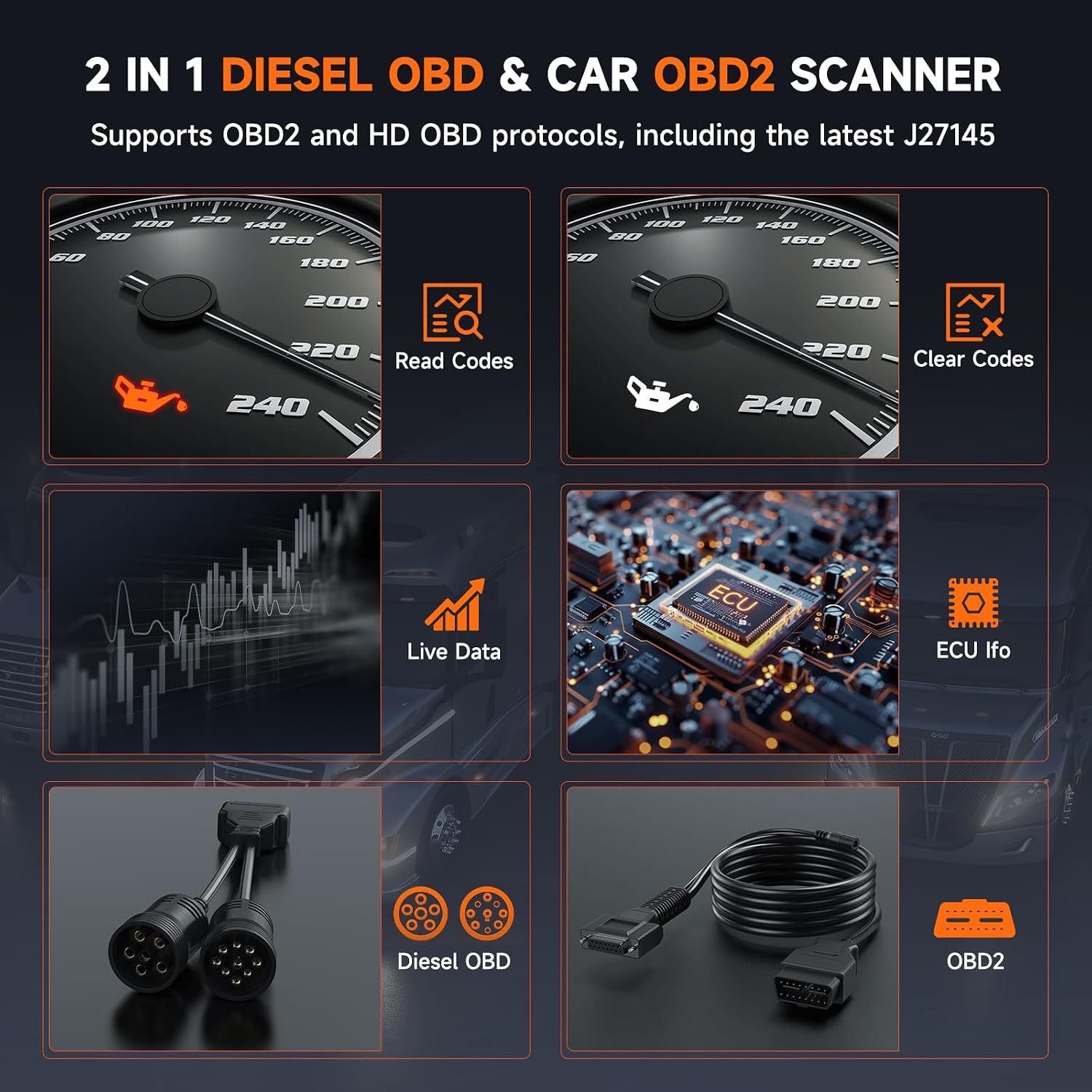
Image: The ANCEL HD3300 HD's dual functionality as a Diesel OBD and Car OBD2 scanner, illustrating its ability to read and clear codes, display live data, and provide ECU information, along with images of the included diagnostic cables.
Maintenance
The ANCEL HD3300 HD scanner is designed for durability and ease of use. To ensure optimal performance and longevity:
- Keep the device clean and free from dust and moisture.
- Store the scanner and its cables in the provided storage box when not in use.
- Software Updates: The HD3300 HD offers lifetime software updates at no additional cost. Regularly connect the device to Wi-Fi and check for updates via the "Update" menu to ensure you have the latest features and vehicle compatibility.

Image: A visual emphasizing the benefit of free lifetime updates for the ANCEL HD3300 HD, highlighting no subscription fees for software, DPF regen, and oil reset functions.
Troubleshooting
This section addresses common questions and issues you might encounter with your ANCEL HD3300 HD scanner.
Common Questions & Solutions:

Image: A visual aid for troubleshooting, addressing questions regarding DPF regeneration compatibility, full-system diagnostic functions, and general vehicle compatibility for the HD3300 HD.
- Q1: How to verify if my vehicle is compatible with the DPF regeneration function?
- Confirm the vehicle is equipped with a DPF system. Some older vehicles and construction machinery may not have.
- Check your vehicle's nameplate to ensure the engine brand and model match with the HD3300 HD.
- If unsure, contact our customer service team with your vehicle information, including year, brand, model, and engine for confirmation.
- Q2: How can I confirm if my truck can perform full-system diagnostic functions?
Full-system diagnostic functions are available if the vehicle is compatible with the SAE J1939 and SAE J1708 standard protocols.
- Q3: How to determine the compatibility of HD3300 HD and whether it is suitable for my vehicle?
- For DPF regeneration function, you can refer to methods in "Q1".
- For full-system diagnostics, you can refer to methods in "Q2".
- If unsure, provide vehicle's brand, model, year, and we will help you.

Image: Additional troubleshooting tips for the ANCEL HD3300 HD, covering reasons why DPF regeneration might not work, issues with clearing fault codes, and steps for device activation.
- Q4: Why can't my vehicle perform the DPF regeneration function?
- Confirm compatibility: Ensure your vehicle is compatible with HD3300 HD's DPF regeneration function.
- Resolve faults: Unresolved vehicle faults may interfere with the DPF regeneration process.
- Verify conditions: Ensure all required conditions for DPF forced regeneration are met.
- Q5: Why can't I clear fault codes?
- The vehicle's fault has not been resolved.
- The HD3300 HD does not support clearing manufacturer-specific (non-standard) fault codes. You may need a different product.
- The fault code is a special type, such as historical (inactive) fault codes, which diagnostic tools cannot clear.
- Q6: Why can't I activate HD3300 HD?
- Ensure the product's Wi-Fi connection status is "Connected."
- Click "Activate" to activate the product.
Specifications
| Feature | Detail |
|---|---|
| Manufacturer | ANCEL |
| Model | HD3300 HD |
| Item Weight | 3.34 pounds |
| Product Dimensions | 7.4 x 4.7 x 1.9 inches |
| Operating System | Android |
| Display Resolution | 800*480 Screen Pixels |
| Internal Storage | 8 GB Flash |
| RAM | 1 GB |
| Supported Protocols | SAE J1939, SAE J1708, SAE J1850 PWM, SAE J1850 VPW, ISO 14230-4, ISO 9141-2, ISO 15765-4, ISO 27145-4 |
| DPF Regeneration Support | Cummins, Detroit, Caterpillar, Paccar, International, Maxxforce, Volvo, Isuzu, Fuso |
| Oil Reset Support | Isuzu, Fuso |
Warranty and Support
The ANCEL HD3300 HD comes with lifetime free updates, ensuring your device remains current with the latest vehicle models and diagnostic features without additional costs.
For any technical assistance, compatibility inquiries, or troubleshooting beyond this manual, please contact ANCEL customer support. Provide your vehicle's make, model, and year for efficient assistance.

Image: A visual representation of ANCEL's professional technical support, highlighting their commitment to excellent service and assistance for product users.


