
CAT DG6B5
CAT Caterpillar 60V 5Ah Lithium-Ion Battery User Manual
Model: DG6B5
Product Overview
The CAT 60V 5Ah Lithium-Ion Battery (Model DG6B5) is engineered for use with CAT 60V Outdoor Power Equipment. This battery incorporates advanced technology to ensure reliable and efficient power delivery for demanding tasks.
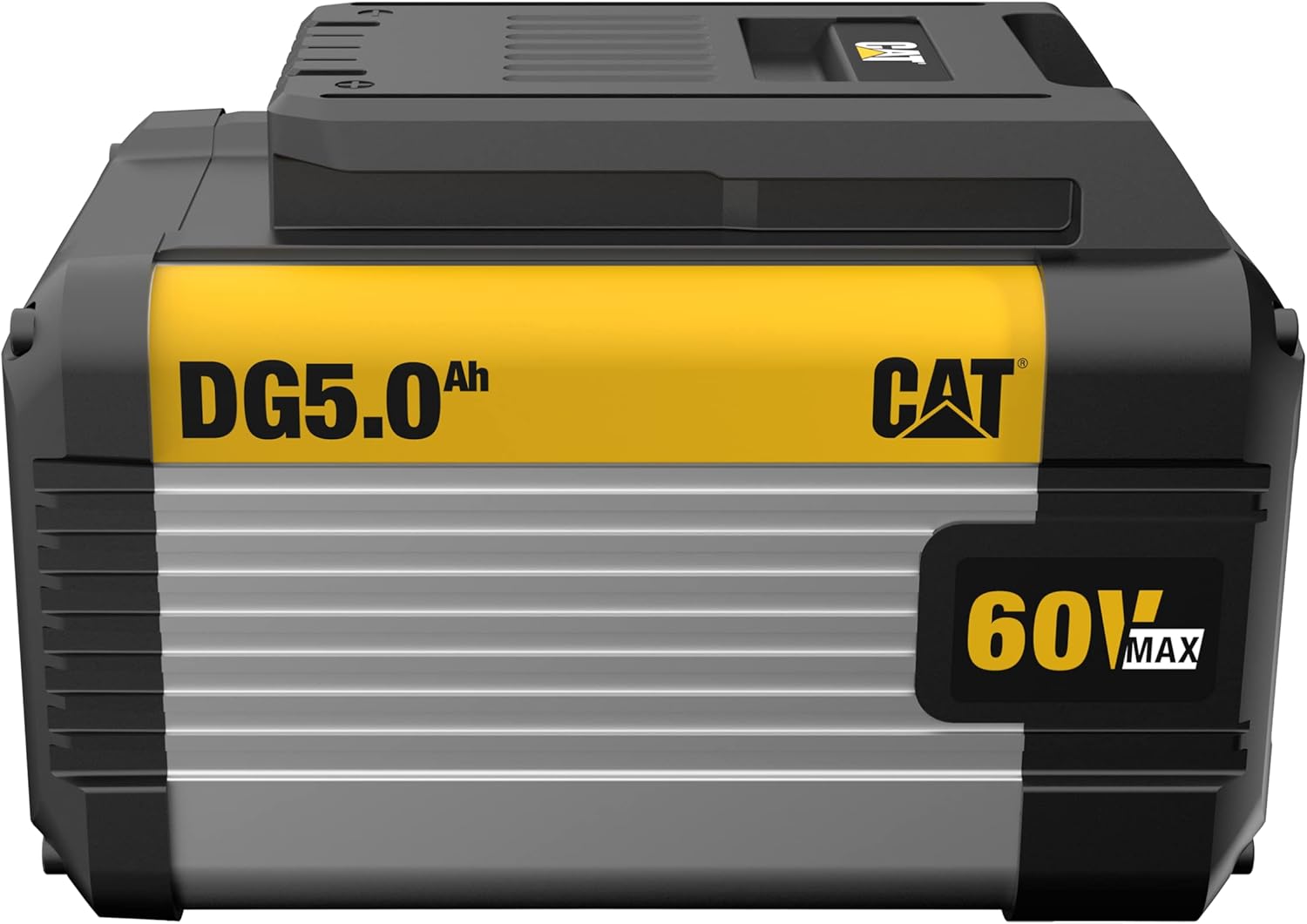
Figure 1: Front view of the CAT 60V 5Ah Lithium-Ion Battery, showing the DG5.0Ah and CAT 60V MAX branding.
Key features include:
- Advanced Intelligence: The battery's internal system manages charging, discharging, voltage reporting, temperature, and overall state of health.
- TEMP Control: Thermoplastic HDPE fully encapsulates each cell to dissipate heat, promoting cooler operation, increased efficiency, and extended run time.
- CELL Protection: Each cell is fully enclosed, providing enhanced security against vibration, impact, water ingress, and thermal runaway.
- State of Charge Indicator: A button allows for immediate reading of the battery's charge level.
- Compatibility: 100% compatible with all CAT 60V Outdoor Power Equipment products.
Safety Information
WARNING:
- Always read and understand the safety warnings and instructions provided with your CAT 60V Outdoor Power Equipment and the battery charger before use.
- Do not disassemble, crush, heat above 140°F (60°C), or incinerate the battery.
- Do not short-circuit the battery terminals.
- Keep the battery away from moisture and water.
- Only use the battery with chargers specified by CAT.
- Store the battery in a cool, dry place away from direct sunlight.

Figure 2: Rear view of the battery showing important safety and recycling information, including the model number DG6B5 and recycling symbols.
Setup and Charging
Initial Charge
Before first use, fully charge the battery. Refer to your CAT 60V battery charger's instruction manual for specific charging procedures.
Charging Procedure
- Ensure the battery is clean and dry before charging.
- Insert the battery into the compatible CAT 60V charger. Ensure it clicks securely into place.
- Connect the charger to a suitable power outlet.
- Monitor the charger's indicator lights for charging status. The charger typically has an internal fan for faster charging.
- Once fully charged, disconnect the charger from the power outlet and remove the battery.
Note: The battery features advanced intelligence to protect against overcharge and over-discharge.
Operating the Battery
Installation
To install the battery into your CAT 60V Outdoor Power Equipment:
- Ensure the power tool is turned off and disconnected from any power source (if applicable).
- Align the battery with the battery compartment on the tool.
- Slide the battery into the compartment until it locks securely into place. A click sound indicates proper installation.
Removing the Battery
To remove the battery from your CAT 60V Outdoor Power Equipment:
- Ensure the power tool is turned off.
- Locate the battery release button(s) on the tool.
- Press and hold the release button(s) while sliding the battery out of the compartment.
State of Charge Indicator
The battery is equipped with a state of charge indicator. Press the button on the battery to view the current charge level. The number of illuminated LEDs indicates the remaining charge.

Figure 3: Side view of the battery highlighting the state of charge indicator button and LED lights.
Maintenance and Storage
Cleaning
Keep the battery clean and free of debris. Use a soft, dry cloth to wipe down the battery. Do not use solvents or abrasive cleaners.
Storage
- Store the battery in a cool, dry place, away from direct sunlight and extreme temperatures.
- For long-term storage, it is recommended to store the battery with a partial charge (e.g., 50%).
- Avoid storing the battery in areas where it may be exposed to moisture or corrosive materials.
Battery Life
To maximize battery life:
- Avoid fully discharging the battery before recharging.
- Do not store fully charged or fully discharged for extended periods.
- Charge the battery in a well-ventilated area.
Troubleshooting
| Problem | Possible Cause | Solution |
|---|---|---|
| Battery not charging | Charger not plugged in; Battery not properly seated; Faulty charger or battery. | Ensure charger is plugged in; Re-seat battery firmly; Test with another battery/charger if available. Contact support if problem persists. |
| Battery not powering tool | Battery discharged; Battery not properly seated; Tool malfunction. | Charge battery fully; Re-seat battery firmly; Check tool's manual for troubleshooting. |
| Reduced run time | Battery aging; Extreme operating temperatures; Heavy load on tool. | This is normal with battery aging; Operate within recommended temperature ranges; Reduce continuous heavy loads. |
Specifications
| Attribute | Detail |
|---|---|
| Model Number | DG6B5 |
| Battery Type | Lithium Ion |
| Voltage | 60V |
| Capacity | 5 Ah (Amp Hours) |
| Product Dimensions | 7.48 x 4.96 x 4.96 inches |
| Item Weight | 6.78 pounds |
| Manufacturer | Caterpillar |
| Country of Origin | China |
Warranty and Support
Warranty Information
The CAT 60V 5Ah Lithium-Ion Battery (Model DG6B5) comes with a 3-year battery warranty from the date of purchase. This warranty covers defects in materials and workmanship under normal use. Please retain your proof of purchase for warranty claims.
For full warranty terms and conditions, please refer to the documentation included with your product or visit the official CAT website.
Customer Support
For technical assistance, troubleshooting, or warranty inquiries, please contact CAT customer support. Contact information can typically be found on the product packaging or the official CAT website.
Online Resources: For additional information and FAQs, visit the CAT Store on Amazon.
Related documentsDG6B5


Ask a question about this manual
Ask about setup, troubleshooting, compatibility, parts, safety, or missing instructions. Manuals+ will review the question and use this page’s manual context to help answer it.