
1. Introduction
This manual provides essential information for the proper use, installation, and maintenance of your Walfront 20pcs Carbon Brush Replacement set. Carbon brushes are critical components in many electric motors, facilitating the transfer of electrical current between stationary and rotating parts. Regular inspection and timely replacement ensure optimal motor performance and longevity.
2. Product Features
- Restores Motor Life: Designed to revitalize electric motor tools by replacing worn-out carbon brushes.
- Stable Replacement: Engineered for durability and consistent performance, ensuring extended motor lifespan.
- Convenient Installation: Facilitates a straightforward replacement process for efficient maintenance.
- Wide Compatibility: Suitable for various electric motors and generators, promoting smooth operation.
- Excellent Conductivity: Provides optimal electrical and thermal conductivity for efficient motor function.

Image 2.1: Product details highlighting graphite composition, high-purity copper wire, and high-hardness forging for durability.
3. Specifications
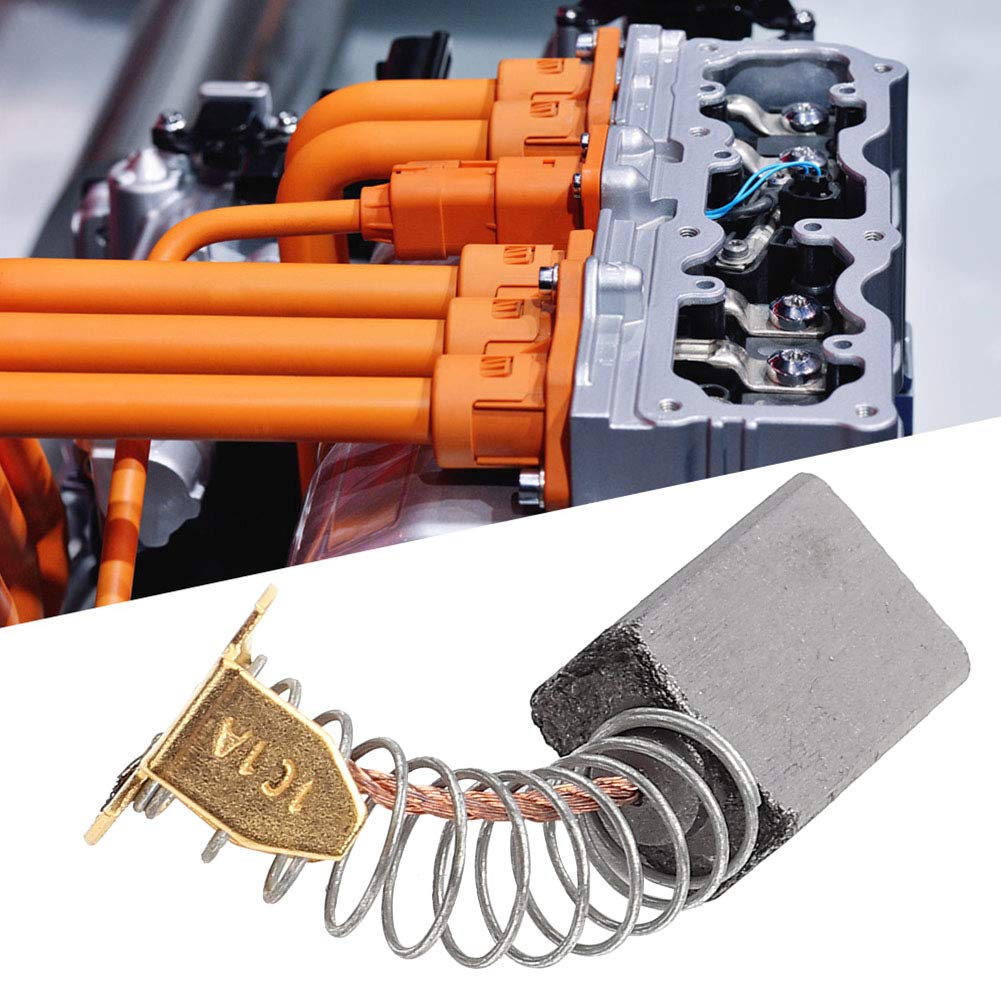
Image 3.1: Visual representation of key product specifications.
| Attribute | Detail |
|---|---|
| Material | Carbon |
| Type | 101 |
| Dimensions (L x W x H) | 6mm x 10mm x 15mm (approx. 0.24"L x 0.39"W x 0.59"H) |
| Weight (per brush) | Approx. 4.15g (0.15oz) (Total package weight 83g / 2.9oz for 20 brushes) |
| Package Quantity | 20 pieces |
| Manufacturer | Walfront |
4. Compatibility
These carbon brushes are designed for general use in various electric motors and generators that require brushes of the specified dimensions (6x10x15mm). It is crucial to verify the exact dimensions and type of the original carbon brushes in your specific tool or appliance before purchasing and installing these replacements. Incompatible brushes can lead to poor performance or damage to the motor.

Image 4.1: Examples of common applications for electric motor carbon brushes.
5. Installation and Setup
Replacing carbon brushes typically involves a few steps. Always prioritize safety by disconnecting power before beginning any work.
- Disconnect Power: Ensure the electric motor or tool is unplugged from its power source to prevent electrical shock.
- Locate Brush Caps: Identify the brush caps on the motor housing. These are usually small, screw-in or clip-on covers.
- Remove Old Brushes: Carefully unscrew or unclip the brush caps. The old carbon brushes, often spring-loaded, will then be accessible. Note their orientation.
- Inspect Commutator: While the brushes are out, inspect the commutator (the copper segments on the motor's rotor). It should be clean and smooth. If it's excessively grooved or dirty, professional servicing might be required.
- Insert New Brushes: Gently insert the new Walfront carbon brushes into the brush holders, ensuring they are oriented correctly and slide freely. The spring should apply pressure to the brush, pushing it against the commutator.
- Secure Brush Caps: Replace and tighten the brush caps securely. Do not overtighten.
- Test Operation: Reconnect the power and test the motor. It may take a few moments for the new brushes to seat properly, potentially causing minor sparking initially. If excessive sparking or unusual noises persist, disconnect power and re-check the installation.

Image 5.1: A carbon brush shown in proximity to a motor's internal components, indicating its function.
6. Maintenance
To ensure the longevity and efficient operation of your electric motor, regular maintenance of carbon brushes is recommended:
- Regular Inspection: Periodically check the carbon brushes for wear. They should be replaced when they are worn down to approximately one-third of their original length or if they show signs of chipping or cracking.
- Commutator Cleaning: Keep the commutator clean and free of carbon dust buildup. A clean, dry cloth or fine-grit sandpaper (used carefully) can be used to remove light deposits.
- Proper Seating: New brushes may require a 'break-in' period to conform to the shape of the commutator, which helps in achieving optimal contact and reducing sparking.
7. Troubleshooting
If your motor exhibits issues after carbon brush replacement, consider the following:
- Motor Not Starting: Ensure brushes are correctly seated and making firm contact with the commutator. Check for any obstructions or incorrect wiring.
- Reduced Power/Intermittent Operation: This could indicate poor contact due to improperly seated brushes, excessive wear on the commutator, or brushes that are not fully broken in.
- Excessive Sparking: While some initial sparking is normal, persistent heavy sparking can indicate worn brushes, a dirty or damaged commutator, or incorrect brush type/size. Disconnect power and inspect.
- Unusual Noise: Grinding or squealing noises may suggest improper brush seating or a damaged commutator.
8. Safety Information
- Always disconnect the power supply to the motor or tool before attempting any inspection, maintenance, or replacement of carbon brushes.
- Wear appropriate personal protective equipment, such as safety glasses, during maintenance.
- Ensure the replacement brushes match the specifications of the original brushes to prevent damage to the motor.
- If you are unsure about any step, consult a qualified technician.
9. Package Contents
Your Walfront Carbon Brush Replacement package includes:
- 20 x Walfront Carbon Brushes (Model 101, 6x10x15mm)

Image 9.1: The complete set of 20 Walfront carbon brushes included in the package.

Image 9.2: Detailed view of an individual Walfront carbon brush.
10. Warranty and Support
For information regarding warranty, returns, or technical support, please refer to the retailer's policy where the product was purchased or visit the official Walfront brand store online. Keep your purchase receipt for any warranty claims.