
Product Overview
The ATOMSTACK S20 PRO is a high-precision laser engraving and cutting machine featuring 20000mW output laser power and an integrated air assist system. It is designed for detailed engraving and efficient cutting across various materials.

Figure 1: ATOMSTACK S20 PRO Laser Engraver Overview
Video 1: Overview of the ATOMSTACK S20 PRO Laser Engraver with Air Assist Pump.
Key Features
- 20000mW Output Laser Power: Utilizes the newest generation of laser coupling technology for powerful performance.
- 32-bit Motherboard: Ensures smoother and more stable operation.
- 256-bit Grayscale: Achieves high contrast engraving with a 0.08 * 0.1mm laser spot area for delicate and natural patterns.
- Offline Control Touchscreen: Enables engraving without a network or computer connection.
- Ultra-deep and Faster Cutting: Capable of cutting 15-20mm thick tung wood and 8-10mm thick black acrylic in one pass, and 0.05mm stainless steel.
- Integrated Air Assist Kit: The upgraded F30 pro air assist kit with dual built-in pumps improves cutting speed and provides cleaner edges.
- Multiple Operating Methods: Supports Computer USB, Touchscreen, and Mobile Phone APP (Android and Apple systems).

Figure 2: ATOMSTACK S20 PRO Key Features
Setup and Assembly
This section guides you through the assembly process of your ATOMSTACK S20 PRO laser engraver. Ensure all components are present before beginning assembly.
Video 2: Step-by-step installation guide for the ATOMSTACK S20 PRO Laser Engraving Machine.

Figure 3: Assembly Diagram for the ATOMSTACK S20 PRO.
Operating the Laser Engraver
The ATOMSTACK S20 PRO offers multiple methods for operation: Computer USB, Touchscreen, and Mobile Phone APP.

Figure 4: Multiple Operating Methods
Mobile Phone App Connection
Video 3: Guide on connecting the ATOMSTACK S20 PRO to a mobile phone via WiFi and using the dedicated app for control.
Offline Engraving via Touchscreen
Video 4: Tutorial explaining how to perform offline engraving using the integrated touchscreen interface.
Engraving and Cutting Performance
The S20 PRO features advanced laser technology for high-precision engraving and powerful cutting.
Laser Technology

Figure 5: 20W Laser Power with 0.08 x 0.1mm Compressed Spot
Material Compatibility

Figure 6: Multiple Carving Materials Available
Cutting Depth and Precision
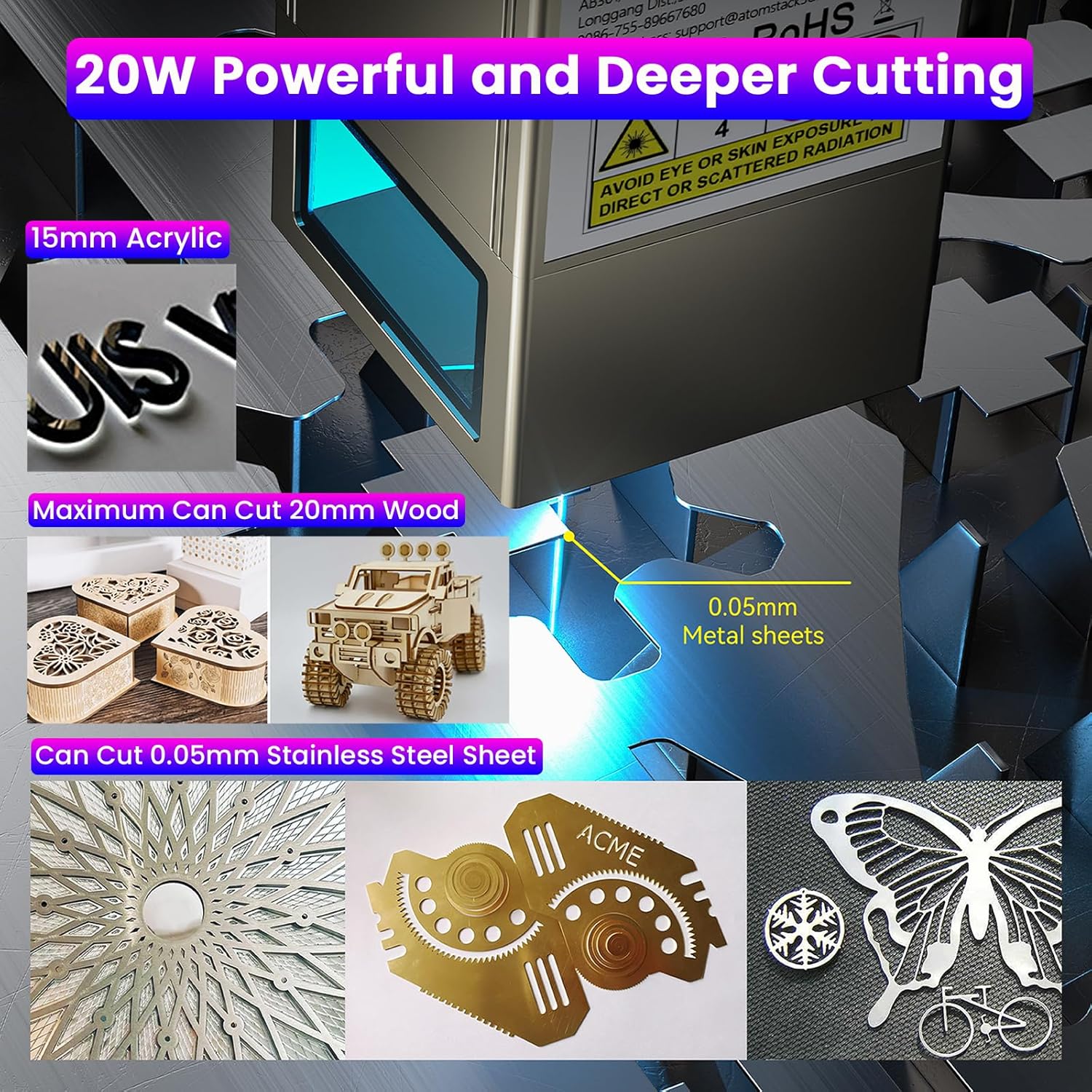
Figure 7: 20W Powerful and Deeper Cutting
Video 5: Demonstration of engraving and cutting performance of the S20 PRO compared to other products.
Air Assist System

Figure 8: Equipped with an Air Assist Pump
Maintenance
Regular maintenance ensures optimal performance and longevity of your laser engraver. Always power off and unplug the machine before performing any maintenance.
- Clean the Laser Lens: Use a soft, lint-free cloth and appropriate lens cleaning solution to keep the laser lens free of dust and debris. Refer to the user manual for specific cleaning instructions.
- Check Connections: Regularly inspect and tighten all screws, belts, and electrical connections to ensure stability and proper function.
- Maintain Work Area: Keep the work area clean and free from debris, dust, and flammable materials to prevent hazards and ensure clear operation.
- Clean Honeycomb Workbed: Periodically clean the honeycomb workbed to remove residue and ensure proper airflow and support for materials.
Troubleshooting Common Issues
This section addresses common problems you might encounter during operation. For more detailed solutions, consult the full user manual or contact support.
Engraving/Cutting Quality Issues
- Light or Inconsistent Engraving: Check the laser focus and power settings. Ensure the material is flat and the laser module is at the correct height.
- Incomplete Cuts: Increase the laser power or reduce the cutting speed. Verify the material thickness is within the machine's specified capabilities.
- Burnt or Rough Edges: Ensure the air assist system is properly connected and functioning. Adjust power and speed settings to optimize for the material.
Connection Problems
- USB Connection Failure: Ensure the correct drivers are installed on your computer and the USB cable is securely connected to both the machine and the computer.
- WiFi Connection Issues: Verify the correct WiFi password. Ensure the machine's firmware is updated to support the mobile application.
Machine Movement Issues
- Laser Head Not Moving Smoothly: Check the tension of the belts and ensure the guide rails are clean and free from obstructions. Lubricate if necessary.
- Unusual Noises: Inspect for any loose parts, obstructions in the movement path, or worn components.
Product Specifications
| Specification | Value |
|---|---|
| Product Dimensions | 25.98 x 22.36 x 9.33 inches |
| Item Model Number | S20 PRO |
| Item Weight | 20 pounds |
| Manufacturer | ATOMSTACK, Co, Ltd |
| Date First Available | August 11, 2022 |
Warranty and Customer Support
For warranty information, technical support, or service inquiries, please refer to the official ATOMSTACK website or contact your retailer. Keep your purchase receipt for warranty claims.
Manufacturer: ATOMSTACK, Co, Ltd
Date First Available: August 11, 2022


