
HiCFM FAN-P20W
HiCFM 20 inch High Velocity Pedestal Oscillating Fan User Manual
Model: FAN-P20W
Introduction
Thank you for choosing the HiCFM 20 inch High Velocity Pedestal Oscillating Fan. This manual provides important information for the safe operation, assembly, maintenance, and troubleshooting of your fan. Please read it thoroughly before use and retain it for future reference.
This fan is designed to provide powerful air circulation for large spaces such as warehouses, workshops, factories, garages, basements, industrial settings, commercial areas, and covered patios.

Figure 1: HiCFM 20 inch High Velocity Pedestal Oscillating Fan.

Figure 2: Components highlighting the fan's sturdy metal construction.
Important Safety Instructions
Always follow basic safety precautions when using electrical appliances to reduce the risk of fire, electric shock, and injury to persons.
- Read all instructions before using this fan.
- Do not operate any fan with a damaged cord or plug. Discard fan or return to an authorized service facility for examination and/or repair.
- Do not run cord under carpeting. Do not cover cord with throw rugs, runners, or similar coverings. Do not route cord under furniture or appliances. Arrange cord away from traffic area and where it will not be tripped over.
- To disconnect the fan, turn controls to the OFF position, then remove plug from outlet.
- Do not insert or allow fingers or foreign objects to enter any ventilation or exhaust opening as this may cause an electric shock or fire, or damage the fan.
- Do not block air openings or operate with any openings blocked. Keep all air openings free of dust, lint, hair, and anything that may reduce airflow.
- Do not use outdoors. This fan is for indoor use only.
- This fan is UL Safety Listed, ensuring compliance with safety standards.
Setup and Assembly
The HiCFM Pedestal Fan is designed for easy assembly, requiring only 4 simple steps. All screw knobs are pre-locked with the fan parts, eliminating the need for additional tools.
- Carefully unpack all components: fan head, base, and stand pole.
- Attach the stand pole to the base. Ensure the pre-locked screw knob is securely tightened.
- Connect the fan head to the top of the stand pole. Secure it using the pre-locked screw knobs.
- Adjust the fan head to your desired height and angle.

Figure 3: Pre-locked screw knobs for quick assembly.

Figure 4: Close-up view of the durable 2-inch solid wheels on the fan base.

Figure 5: The fan's metal base is equipped with 2 solid wheels for convenient movement.
Operating Instructions
Power and Speed Control
The fan features a rotation switch for power and speed control. It offers three speed settings:
- High Speed: 5000 CFM (Cubic Feet Per Minute)
- Medium Speed: 4000 CFM
- Low Speed: 3000 CFM
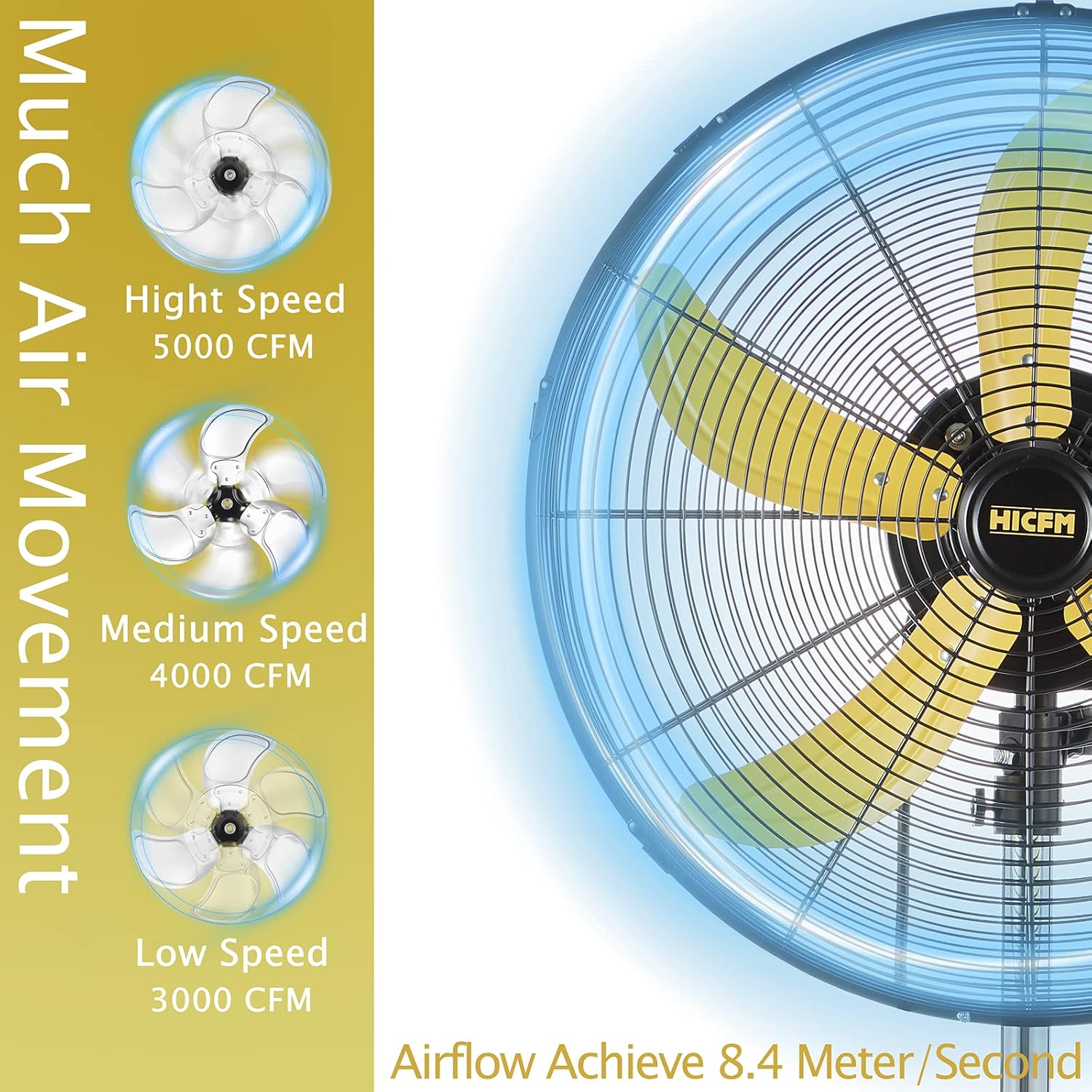
Figure 6: Illustration of air movement at High, Medium, and Low speeds.
Oscillation Function
The fan is equipped with an 80-degree oscillation function to distribute air across a wider area. To activate or deactivate oscillation, press the oscillation button located on the top of the motor housing.

Figure 7: The fan's 80-degree oscillation range.

Figure 8: Location of the oscillation button.
Adjustable Height and Tilt
The fan's height is adjustable from 41 inches to 55 inches, allowing you to customize the airflow direction. The fan head can also be tilted to direct air precisely where needed.

Figure 9: Fan dimensions and adjustable height range.
Airflow and Noise Levels
This fan provides significant airflow with varying noise levels depending on the speed setting. The maximum airflow can reach 8.4 meters per second.
- Low Speed: Approximately 62dB from 2 meters away.
- Medium Speed: Approximately 66dB from 2 meters away.
- High Speed: Approximately 69dB from 2 meters away.

Figure 10: Detailed illustration of airflow speed and noise levels at various distances.

Figure 11: Recommended noise range for various environments like living rooms, gymnasiums, and job sites.
Maintenance
Regular maintenance ensures optimal performance and extends the lifespan of your fan.
Cleaning
- Always unplug the fan from the power outlet before cleaning.
- Use a soft, damp cloth to wipe the exterior surfaces of the fan. Do not use abrasive cleaners or solvents.
- To clean the fan blades and guard, you may need to remove the front guard. Refer to the assembly instructions for reverse steps. Carefully wipe the blades and guard to remove dust and debris.
- Ensure all parts are completely dry before plugging the fan back in.
Storage
When not in use for extended periods, store the fan in a cool, dry place, away from direct sunlight and moisture. It is recommended to cover the fan to protect it from dust.
Troubleshooting
| Problem | Possible Cause | Solution |
|---|---|---|
| Fan does not turn on. | No power to the outlet; Fan not plugged in; Power switch is off. | Check power outlet; Ensure fan is securely plugged in; Turn the power switch to an ON position. |
| Reduced airflow. | Fan blades or guard are dirty; Obstruction in front or behind the fan. | Clean fan blades and guard; Remove any obstructions. |
| Unusual noise or vibration. | Loose parts; Fan not on a stable surface; Debris caught in blades. | Check for and tighten any loose screws; Place fan on a flat, stable surface; Unplug and inspect blades for debris. |
| Oscillation not working. | Oscillation button not engaged. | Press the oscillation button firmly to engage the function. |
If the problem persists after attempting these solutions, please contact customer support.
Specifications
| Feature | Detail |
|---|---|
| Brand | HiCFM |
| Model Name | 20 inch Pedestal Fan (FAN-P20W) |
| Electric Fan Design | Floor Fan |
| Power Source | AC |
| Style | Industrial |
| Product Dimensions | 19.7"D x 21.6"W x 55.5"H |
| Special Feature | Adjustable Height, Oscillating |
| Noise Level | 65 dB (average) |
| Wattage | 160W |
| Number of Blades | 5 |
| Air Flow Capacity | 5000 Cubic Feet Per Minute (High) |
| Blade Length | 20 Inches |
| Speed | 1450 RPM |
| Voltage | 120 Volts (AC) |
| Switch Type | Rotation Switch |
| Item Weight | 23.5 Pounds |
| Included Components | Fan head, base, stand pole |
| Indoor/Outdoor Usage | Indoor |
| Specification Met | OSHA, UL, cUL |
| Control Method | Touch (Rotation Switch) |
| Blade Material | Aluminum |
| Number of Power Levels | 3 |
Warranty and Support
HiCFM products are manufactured to the highest quality standards. This product comes with a standard manufacturer's warranty against defects in materials and workmanship under normal use.
For warranty claims, technical support, or any questions regarding your HiCFM fan, please contact our customer service team. Please have your model number (FAN-P20W) and purchase information ready when contacting support.
You can find more information and contact details on the official HiCFM brand store: HiCFM Store on Amazon.
Related documentsFAN-P20W


Ask a question about this manual
Ask about setup, troubleshooting, compatibility, parts, safety, or missing instructions. Manuals+ will review the question and use this page’s manual context to help answer it.