Introduction
This manual provides comprehensive instructions for the ANCEL BD500 Bluetooth 5.0 OBD2 Scanner and the ANCEL VD700 All System OBD2 Scanner. This powerful combination is designed to assist in diagnosing and maintaining a wide range of vehicles, particularly VAG group vehicles (VW, Audi, Seat, Skoda), and general OBD II compliant vehicles.
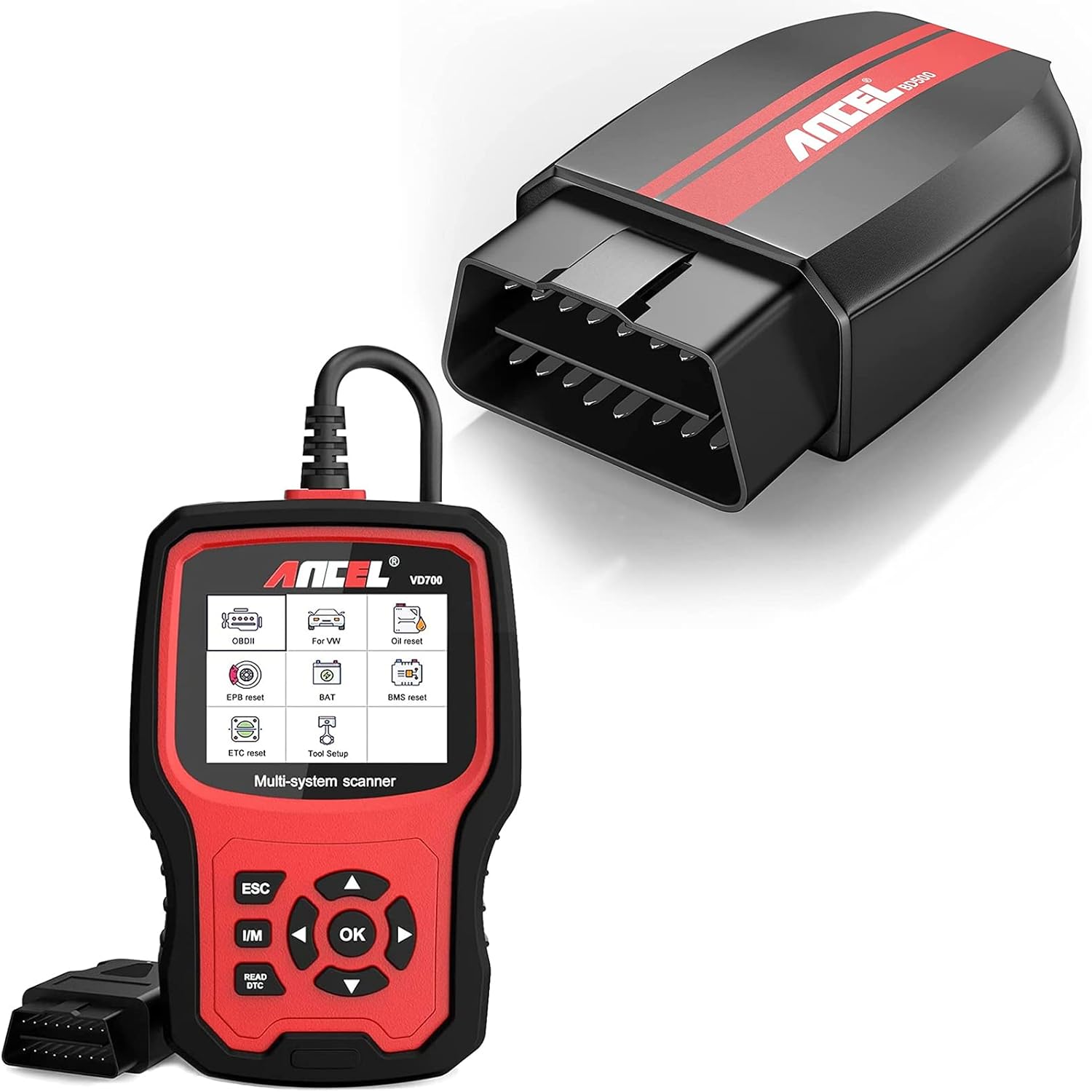
Image: The ANCEL VD700 multi-system scanner (red and black handheld device) and the ANCEL BD500 Bluetooth OBD2 adapter (black rectangular device) are shown together, highlighting the two components of this diagnostic tool bundle.
Product Overview
ANCEL VD700 Multi-System Scanner
The ANCEL VD700 is an advanced diagnostic tool specifically designed for VAG vehicles (VW, Audi, Seat, Skoda). It offers full-system diagnostics and can also function as a standard OBD II scanner for 12V cars and light trucks manufactured in 1996 and later that comply with 16-pin OBD II protocols (J1850 VPM, J1850PWM, ISO9141, KWP 2000, and CAN).
- Enhanced Full-Systems Diagnostic: Capable of diagnosing all systems within VAG vehicles.
- OBD 6 Modes for Most Vehicles: For non-VAG OBD II vehicles, it can read/clear fault codes, display definitions, turn off the Check Engine Light (CEL), read data streams, test EVAP systems, read I/M readiness, and retrieve VIN information.
- User-Friendly: Features auto-detection of vehicle models for ease of use.
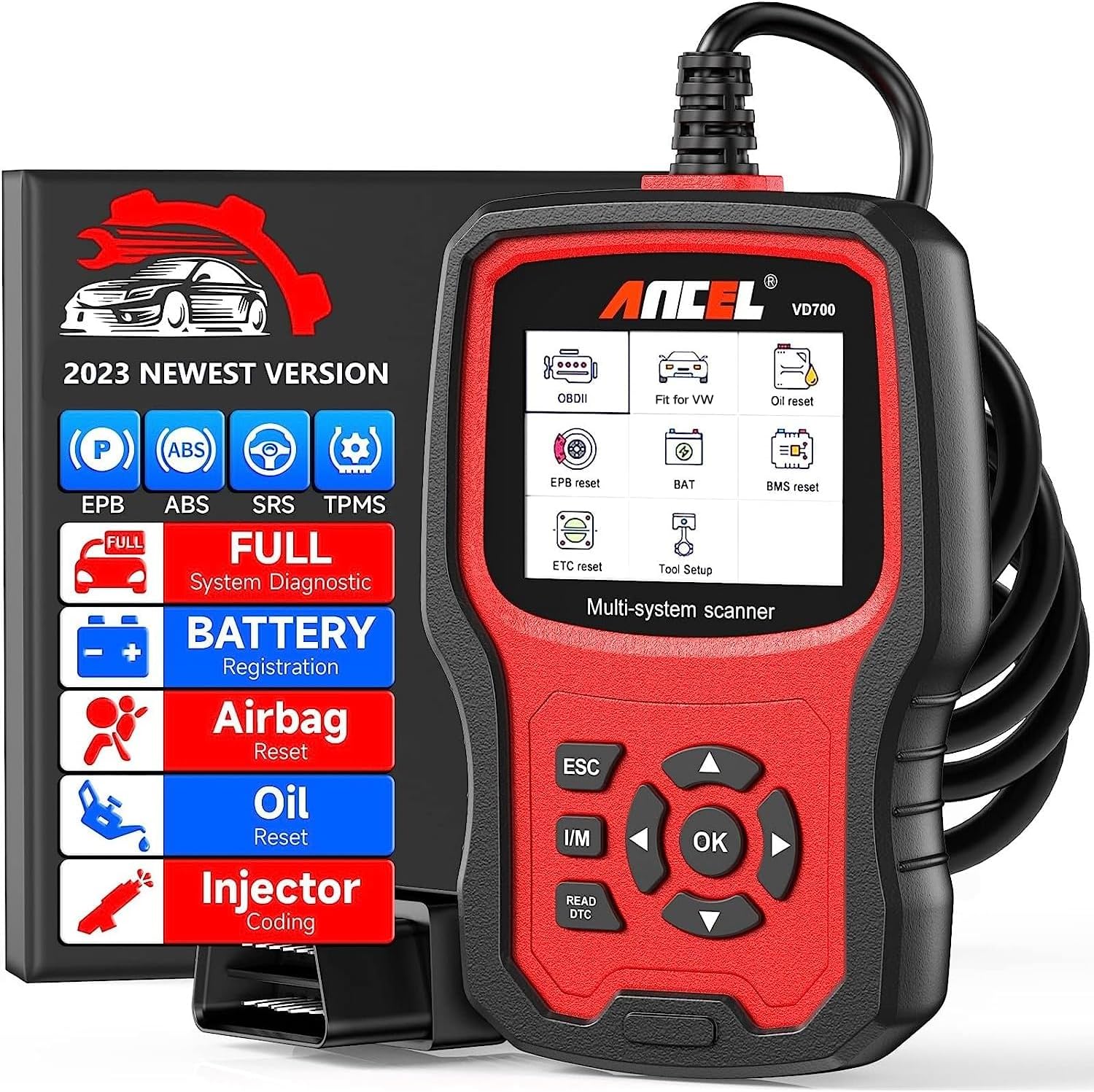
Image: The ANCEL VD700 scanner is displayed alongside a list of its advanced functions, including EPB, ABS, SRS, TPMS, Full System Diagnostic, Battery Registration, Airbag Reset, Oil Reset, and Injector Coding. This visual emphasizes the comprehensive capabilities of the device.
ANCEL BD500 Bluetooth OBD2 Scanner
The ANCEL BD500 is a Bluetooth-enabled diagnostic scan tool primarily for VW, Audi, Seat, and Skoda vehicles. It connects wirelessly to a smartphone or tablet via a user-friendly application, providing convenient access to vehicle data.
- Advanced VAG Maintenance: Offers key maintenance services for VAG vehicles, including Service Reset, Electronic Parking Brake (EPB) Replace Brake Pads, and Throttle Learning.
- Full OBD Level Diagnosis (Non-VW Vehicles): For other non-VW vehicle models, the BD500 performs engine diagnostics, reads and erases trouble codes related to emission problems, turns off the Malfunction Indicator Lamp (MIL), checks I/M readiness, reads data streams, and retrieves vehicle identification information (VIN, CIN, CVN).
- Multi-language Support: Supports Chinese, English, German, Spanish, French, and Italian.

Image: The ANCEL BD500 Bluetooth adapter is shown next to a smartphone displaying its application interface. Icons represent key functions: Check Engine Light, Full OBD2 Tests, EPB/Oil Reset, and All System for VAG, illustrating the device's broad diagnostic capabilities.
Setup
- Locate OBD-II Port: Identify the 16-pin OBD-II diagnostic port in your vehicle. This port is typically located under the dashboard, near the steering column.
- Connect Scanner:
- For ANCEL VD700: Plug the scanner's cable directly into the vehicle's OBD-II port. The device will power on automatically.
- For ANCEL BD500: Plug the BD500 adapter into the vehicle's OBD-II port.
- Install Application (BD500 only): Download and install the official ANCEL application on your smartphone or tablet.
- Pair Device (BD500 only): Open the ANCEL application and follow the on-screen instructions to pair your smartphone/tablet with the BD500 via Bluetooth.
- Vehicle Connection: Once connected, the scanner (or app for BD500) will automatically detect your vehicle's model and prepare for diagnostics.

Image: A person is shown connecting the ANCEL BD500 Bluetooth adapter to a vehicle's OBD-II port while simultaneously interacting with a smartphone displaying the ANCEL app. Text overlays highlight "Install in Seconds," "User-Friendly APP," and "Connects Via Bluetooth," illustrating the ease of setup.
Operating Instructions
General OBD II Functions (Both BD500 & VD700)
- Read Codes: Retrieve Diagnostic Trouble Codes (DTCs) from the vehicle's engine control unit (ECU). These codes indicate specific issues detected by the vehicle's onboard diagnostic system.
- Erase Codes: Clear DTCs from the ECU. This will turn off the Check Engine Light (CEL) or Malfunction Indicator Lamp (MIL). Ensure the underlying issue is resolved before clearing codes to prevent recurrence.
- Live Data Stream: View real-time data parameters from the vehicle's sensors, such as engine RPM, vehicle speed, oxygen sensor readings, and coolant temperature. This helps in monitoring vehicle performance and identifying anomalies.
- I/M Readiness: Check the readiness status of various emission-related monitors. This is crucial for passing emissions tests.
- EVAP System Test: Perform a test on the Evaporative Emission Control System.
- VIN Information: Retrieve Vehicle Identification Number (VIN), Calibration ID (CIN), and Calibration Verification Number (CVN).

Image: The ANCEL VD700 scanner displays a menu of 10 test modes for VAG vehicles, including Live Data Stream, O2 Sensor Test, DTC Lookup, On-Board Monitoring, EVAP Test, and VIN Information. Additional graphics illustrate "Read codes," "Clear codes," "View Freeze Frame Data," and "I/M Readiness," demonstrating the comprehensive diagnostic capabilities.
VAG Specific Functions (Both BD500 & VD700)
For VW, Audi, Seat, and Skoda vehicles, these scanners offer advanced functions beyond standard OBD II:
- Full System Diagnostics: Access and diagnose all available electronic control units (ECUs) in VAG vehicles, including Engine, ABS, SRS (Airbag), Transmission, EPB (Electronic Parking Brake), TPMS (Tire Pressure Monitoring System), SAS (Steering Angle Sensor), ESP (Electronic Stability Program), and more.
- Service Reset: Reset service lights after performing maintenance, such as oil changes or routine inspections.
- EPB Replace Brake Pads: Safely retract and engage electronic parking brake calipers for brake pad replacement.
- Throttle Learning: Perform throttle body adaptation to ensure proper engine idle and performance.
- Battery Registration: Register a new battery with the vehicle's battery management system (BMS) after replacement.
- Injector Learning: Adapt new or replaced fuel injectors to the engine control unit.
- Steering Angle Learning: Calibrate the steering angle sensor after repairs or alignment.
- DPF Function: Perform Diesel Particulate Filter related functions.

Image: A detailed diagram of a car highlights various systems accessible for full diagnostic functions by the ANCEL scanners for VW, Audi, Skoda, and Seat vehicles. These include ABS, Engine, ETC, BMS, TPMS, Transmission, SRS, SAS, ESP, and EPB, illustrating the comprehensive coverage.

Image: The ANCEL VD700 scanner is shown with a grid of advanced functions for VW vehicles, including TPMS Reset, EPB Reset, DPF Function, Oil Reset, Airbag Reset, Battery Registration, Injector Learning, Throttle Position Adaptation, and Steering Angle Learning. This image emphasizes the specialized maintenance capabilities.
Maintenance
To ensure the longevity and optimal performance of your ANCEL diagnostic tools, follow these maintenance guidelines:
- Cleaning: Wipe the devices with a soft, dry cloth. Avoid using abrasive cleaners or solvents.
- Storage: Store the scanners in a cool, dry place, away from direct sunlight and extreme temperatures.
- Cable Care: Do not pull on the cables to disconnect them. Always grasp the connector firmly. Avoid kinking or bending the cables excessively.
- Software Updates: Regularly check the ANCEL official website for software updates for both BD500 (via app) and VD700 (via PC connection). Updates often include new vehicle models, bug fixes, and improved functionalities.
Troubleshooting
| Problem | Possible Cause | Solution |
|---|---|---|
| Scanner does not power on. | Loose connection to OBD-II port; Vehicle's ignition is off; Blown fuse in vehicle's OBD-II circuit. | Ensure the connector is securely plugged in. Turn the vehicle's ignition to the ON position (engine off). Check vehicle's fuse box for a blown fuse related to the OBD-II port. |
| Communication error with vehicle. | Incorrect protocol selected (VD700 auto-detects, but manual selection might be needed for some older models); Faulty OBD-II port; Vehicle's battery is low. | Verify the vehicle supports OBD II protocols. Ensure vehicle battery voltage is sufficient. Try connecting to another vehicle to test the scanner. |
| BD500 not pairing via Bluetooth. | Bluetooth on phone/tablet is off; App permissions not granted; BD500 not in pairing mode. | Ensure Bluetooth is enabled on your device. Grant all necessary permissions to the ANCEL app. Restart the app and the BD500 adapter. |
| Cannot clear trouble codes. | Underlying fault still present; Ignition not in ON position. | Codes cannot be cleared if the fault is still active. Diagnose and repair the issue first. Ensure ignition is ON. |
Specifications
- Brand: ANCEL
- Models: BD500 (Bluetooth OBD2 Scanner), VD700 (All System OBD2 Scanner)
- Vehicle Compatibility:
- VAG Vehicles: VW, Audi, Seat, Skoda (Full System Diagnostics)
- Other OBD II Compliant Vehicles: 1996 and newer 12V cars and light trucks (Engine Diagnostics)
- Protocols Supported: J1850 VPM, J1850PWM, ISO9141, KWP 2000, CAN
- Connectivity:
- VD700: Wired (OBD-II cable)
- BD500: Bluetooth 5.0 (Wireless)
- Display (VD700): Color screen
- Supported Languages (BD500): Chinese, English, German, Spanish, French, Italian
- Date First Available: August 11, 2022
Warranty and Support
For warranty information, technical support, or any inquiries regarding your ANCEL BD500 or VD700 diagnostic tools, please refer to the official ANCEL website or contact their customer service directly. Keep your purchase receipt for warranty claims.
Official ANCEL Store: Visit ANCEL Store on Amazon


