
1. Introduction
This manual provides detailed instructions for the assembly, operation, and maintenance of your TVON Heavy Duty Rolling TV Stand. This stand is designed to accommodate 55-90 inch flat or curved screen televisions weighing up to 150 lbs (68 kg). It features a height-adjustable mount, a large storage shelf, 360-degree swivel wheels, and integrated cable management.
Please read this manual thoroughly before assembly and use to ensure safe and correct operation. Keep this manual for future reference.
2. Safety Information
WARNING: Failure to follow these safety instructions may result in property damage, serious injury, or death.
- Ensure the TV stand is assembled correctly according to the instructions.
- Do not exceed the maximum weight capacity of 150 lbs (68 kg) for the TV mount and 22 lbs (10 kg) for the adjustable shelf.
- Verify that your TV's VESA pattern is compatible with the stand's mounting bracket (100x100mm to 800x600mm).
- Always use two or more people to lift and position large or heavy televisions.
- Ensure all screws and bolts are securely tightened before moving the stand or placing a TV on it.
- Do not allow children to climb on or play with the TV stand.
- When moving the stand, do so slowly and carefully, especially on uneven surfaces. Lock the wheels once the stand is in its desired position.

Image: The TVON stand is designed for heavy-duty use, supporting up to 150 lbs with a reinforced structure for enhanced stability.
3. Package Contents
Before beginning assembly, please check that all parts are present and undamaged. If any parts are missing or damaged, do not proceed with assembly and contact customer support.
Components:
- Base Plate (1)
- Main Support Column (1)
- TV Mounting Brackets (2)
- Adjustable Shelf (1)
- Caster Wheels (5)
- Cable Management Clips (Set)
- Hardware Kit (Screws, washers, spacers, Allen wrench, etc.)
- Instruction Manual (1)
4. Setup and Assembly Instructions
Follow these steps carefully to assemble your TVON Rolling TV Stand. It is recommended to have a second person assist with the assembly, especially when mounting the TV.
Pre-Assembly Check:
Before starting, confirm your TV's size, weight, and VESA mounting pattern are compatible with the stand. This stand supports TVs from 55 to 90 inches, up to 150 lbs, and VESA patterns from 100x100mm to 800x600mm.

Image: Verify your TV's VESA pattern, size, and weight against the stand's specifications before assembly.
Assembly Steps:
- Attach Caster Wheels to Base: Securely fasten the five 360-degree swivel caster wheels to the bottom of the base plate using the provided screws. Ensure two of the wheels have locking mechanisms and are positioned at the front for easy access.
- Assemble Main Support Column: Attach the main support column to the base plate using the designated bolts. Ensure it is firmly secured and aligned.
- Install TV Mounting Brackets: Attach the two vertical TV mounting brackets to the back of your television using the appropriate screws, washers, and spacers from the hardware kit. Ensure the brackets are level and centered on your TV's VESA holes.
- Mount TV to Stand: With assistance, carefully lift your television and hook the TV mounting brackets onto the horizontal mounting plate of the stand. Secure the TV in place using the safety screws or locking mechanisms provided.
- Attach Adjustable Shelf: Position the adjustable shelf at your desired height on the main support column and secure it with the provided fasteners. The shelf can be adjusted between 10.2 inches and 24.4 inches from the base.
- Organize Cables: Use the integrated cable management clips or channels along the main column to route and conceal TV and device cables for a tidy appearance.

Image: Attach the swivel wheels to the base, ensuring smooth movement and floor protection.

Image: Utilize the cable management system to keep wires organized and out of sight.
5. Operating Instructions
Adjusting TV Height:
The TV mount offers 5 height settings, allowing you to adjust the center of your TV from 44.1 inches to 51.2 inches from the ground. To adjust, remove the TV from the mount (with assistance), reposition the mounting plate to the desired height, and re-secure the TV.

Image: The stand provides multiple height settings for optimal viewing comfort.
Swivel Function:
The TV mount can swivel 25 degrees left or right (total 50 degrees). Gently push the sides of the TV to adjust the viewing angle as needed. This feature helps minimize glare and provides flexible viewing from different positions in a room.
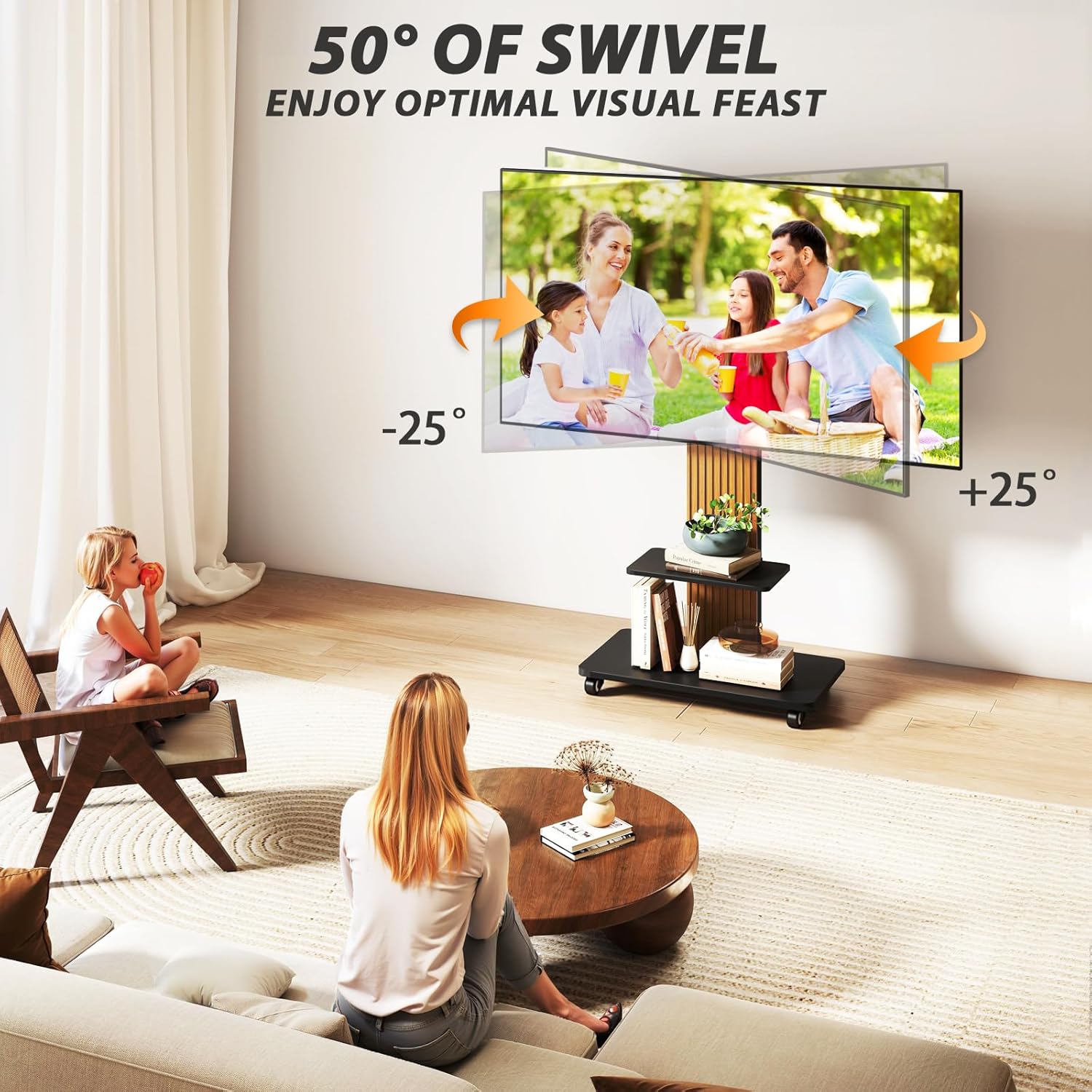
Image: Easily adjust your TV's viewing angle with the 50-degree swivel feature.
Mobility:
The stand is equipped with five 360-degree swivel caster wheels, allowing for easy movement across various floor types, including carpet and hard floors. To move the stand, unlock the wheels. Once in the desired position, lock the wheels to ensure stability and prevent accidental movement.

Image: The stand's swivel wheels allow for effortless repositioning of your television.
Storage Shelf:
The large adjustable shelf provides space for media devices such as DVD players, gaming consoles, or soundbars. The shelf has a weight capacity of 22 lbs (10 kg).

Image: The spacious shelf offers convenient storage for your entertainment accessories.
6. Maintenance
- Cleaning: Wipe the stand with a soft, dry cloth. For stubborn marks, a slightly damp cloth can be used, followed by drying. Avoid harsh chemicals or abrasive cleaners.
- Hardware Check: Periodically check all screws and bolts to ensure they remain tight. Re-tighten if necessary to maintain stability.
- Wheel Care: Keep the caster wheels free of debris to ensure smooth movement.
7. Troubleshooting
| Problem | Possible Cause | Solution |
|---|---|---|
| Stand is unstable. | Loose hardware; TV too heavy or too large; uneven floor. | Check and tighten all screws. Ensure TV weight and size are within limits. Move to a level surface. |
| TV does not fit mounting brackets. | Incorrect VESA pattern. | Verify your TV's VESA pattern against the stand's compatibility (100x100mm to 800x600mm). Contact support if unsure. |
| Wheels do not roll smoothly. | Wheels are locked; debris in wheels. | Unlock the caster wheels. Clean any hair or debris from the wheel axles. |
| TV cannot swivel. | TV is too close to a wall or obstruction. | Ensure there is sufficient clearance around the TV for the swivel function. |
8. Specifications
| Feature | Detail |
|---|---|
| Model Number | Mobile TV Stand with Mount |
| Compatible TV Sizes | 55 - 90 inches |
| Max TV Weight Capacity | 150 lbs (68 kg) |
| VESA Compatibility | 100x100mm to 800x600mm |
| Swivel Range | ±25 degrees (50 degrees total) |
| Height Adjustment | 5 settings, 44.1" to 51.2" (ground to center of mount) |
| Shelf Weight Capacity | 22 lbs (10 kg) |
| Material | Alloy Steel & Wooden |
| Color | Black and Walnut |

Image: Detailed dimensions and VESA compatibility for the TV stand.
9. Warranty Information
This TVON Heavy Duty Rolling TV Stand comes with a 5-year warranty from the date of purchase. This warranty covers manufacturing defects and material flaws under normal use. It does not cover damage caused by improper assembly, misuse, accidents, or unauthorized modifications. Please retain your proof of purchase for warranty claims.
10. Customer Support
If you have any questions, require assistance with assembly, or need to report a missing/damaged part, please contact TVON customer support. For more information about TVON products, visit the official TVON Store.
TVON Store: Visit the TVON Store on Amazon
11. Product Video
Video: An official product video demonstrating the features and functionality of the TVON Heavy Duty Rolling TV Stand for 55-90 inch large TVs.