
1. Safety Information
Always observe basic safety precautions when using power tools to reduce the risk of fire, electric shock, and personal injury. Read and understand all instructions before operating this circular saw.
General Power Tool Safety Warnings:
- Work Area Safety: Keep the work area clean and well-lit. Cluttered or dark areas invite accidents. Do not operate power tools in explosive atmospheres, such as in the presence of flammable liquids, gases, or dust.
- Electrical Safety: Power tool plugs must match the outlet. Never modify the plug in any way. Avoid body contact with earthed or grounded surfaces such as pipes, radiators, ranges, and refrigerators.
- Personal Safety: Always wear eye protection. Use hearing protection when operating the saw. Dress properly; avoid loose clothing or jewelry. Secure long hair.
- Tool Use and Care: Do not force the power tool. Use the correct power tool for your application. Disconnect the plug from the power source before making any adjustments, changing accessories, or storing power tools.
Circular Saw Specific Safety Warnings:
- Keep Hands Away: Keep hands away from the cutting area and the blade. Keep your second hand on the auxiliary handle, or motor housing. If both hands are holding the saw, they cannot be cut by the blade.
- Do Not Reach Under Workpiece: Do not reach underneath the workpiece when the blade is rotating.
- Adjust Depth and Bevel: Adjust the cutting depth to the thickness of the workpiece. Less than a full tooth of the blade should be visible below the workpiece.
- Never Hold Workpiece in Hand: Never hold the workpiece in your hands or across your leg while cutting. Secure the workpiece to a stable platform.
- Check Lower Guard: Before each use, check the lower guard for proper closing. Do not operate the saw if the lower guard does not move freely and close instantly.
- Avoid Kickback: Kickback is a sudden reaction to a pinched, bound, or misaligned saw blade. Always maintain a firm grip on the saw with both hands and position your body and arm to resist kickback forces.
2. Product Overview
The CAT DX56U 7-1/4'' Corded Circular Saw is designed for efficient and precise cutting of wood materials. It features a powerful motor and user-friendly adjustments for various cutting tasks.

Image 1: Front view of the CAT DX56U 7-1/4'' Corded Circular Saw, highlighting its blade, guard, and handle.
Key Features:
- Powerful 15A motor delivering 6,000 RPM for tough materials.
- Lock-on switch for continuous operation.
- Electric blade brake for quick blade stops and enhanced safety.
- Spindle lock for efficient blade changes.
- Integrated dust blower function to maintain a clear line of sight during cutting.
- Swiveling ball joint cord connection for improved mobility and prolonged cord life.
- Lightweight magnesium base plate and guard for durability.
- Extra long, 10-foot power cord.
3. Setup
3.1 Unpacking
Carefully remove the circular saw and all accessories from the packaging. Inspect the tool for any damage that may have occurred during shipping. Retain the packaging for future storage or transport.
3.2 Blade Installation and Removal
- Ensure the saw is unplugged from the power source.
- Press and hold the spindle lock button to prevent the blade from rotating.
- Use the provided hex key to loosen the blade arbor nut by turning it counter-clockwise.
- Lift the lower blade guard and remove the outer washer and old blade.
- Place the new 7-1/4" blade onto the arbor, ensuring the teeth are pointing in the direction of rotation indicated by the arrow on the saw.
- Replace the outer washer and tighten the arbor nut securely with the hex key by turning it clockwise while holding the spindle lock button.
3.3 Adjusting Cutting Depth
The cutting depth should be set so that the blade extends approximately 1/8 inch (3 mm) below the workpiece. This minimizes kickback and provides a cleaner cut.
- Unplug the saw.
- Loosen the depth adjustment lever located on the side of the saw.
- Raise or lower the saw base plate until the desired blade depth is achieved.
- Tighten the depth adjustment lever firmly.
3.4 Adjusting Bevel Angle
The saw can make bevel cuts up to 45 degrees.
- Unplug the saw.
- Loosen the bevel adjustment lever at the front of the saw.
- Tilt the base plate to the desired angle, aligning the indicator with the angle scale.
- Tighten the bevel adjustment lever securely.
3.5 Attaching the Parallel Guide
The parallel guide assists in making straight cuts parallel to the edge of the workpiece.
- Slide the parallel guide into the slots on the front of the saw base plate.
- Adjust the guide to the desired cutting width.
- Tighten the thumbscrew to secure the guide in place.
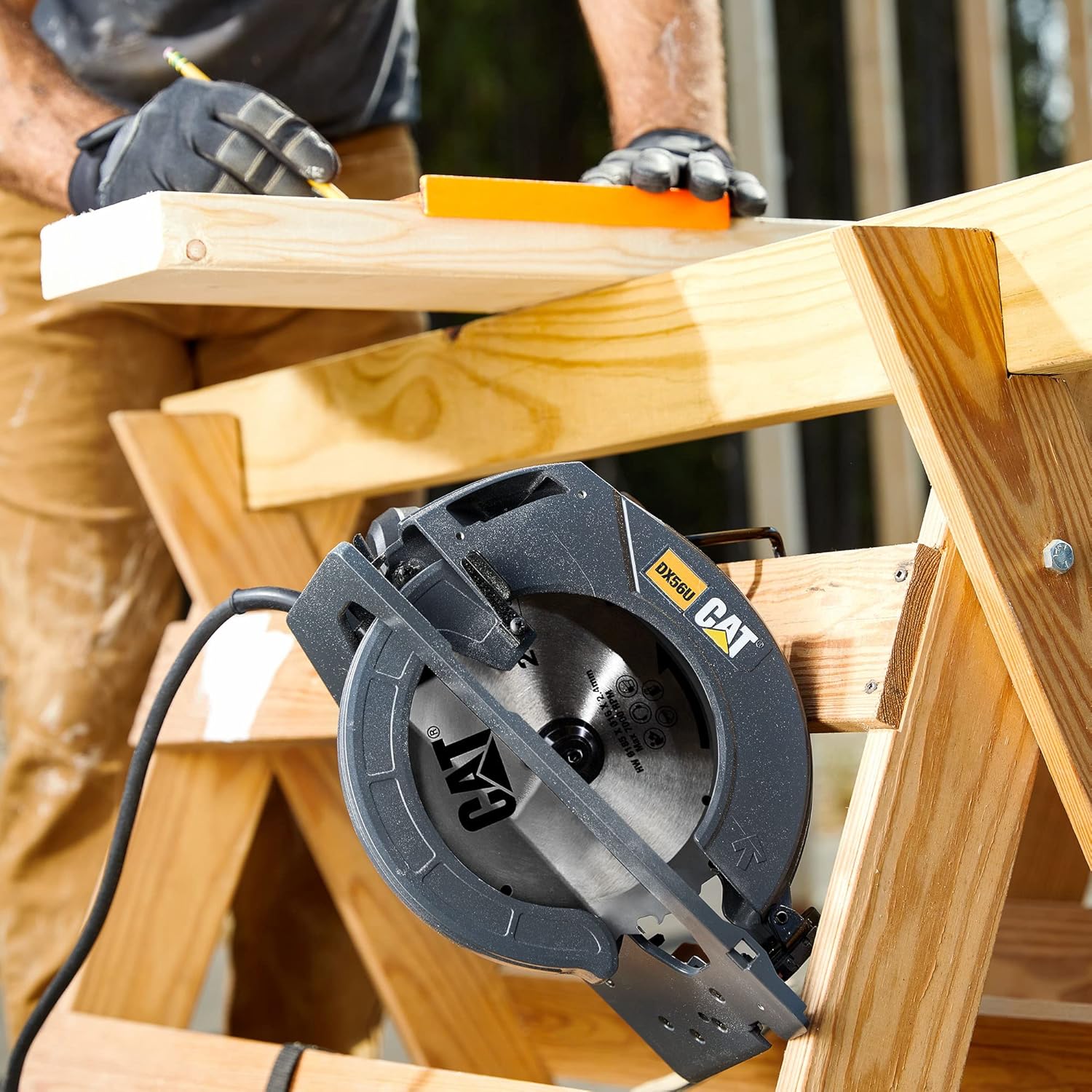
Image 2: The circular saw positioned on a wooden workbench, ready for use, with a user preparing the workpiece.
4. Operating Instructions
4.1 Powering On and Off
- Plug the saw into a suitable power outlet.
- To start the saw, depress the trigger switch.
- For continuous operation, press the lock-on button while the trigger is depressed. Release the trigger to engage the lock-on feature.
- To stop the saw from continuous operation, depress the trigger fully and then release it. The electric brake will stop the blade quickly.
4.2 Making a Cut
- Ensure the workpiece is securely clamped and stable.
- Position the front of the saw base plate flat on the workpiece, with the blade clear of the material.
- Start the saw and allow the blade to reach full speed before beginning the cut.
- Slowly push the saw forward through the workpiece, maintaining a steady, even pressure. Do not force the saw.
- Keep both hands firmly on the saw handles during the entire cutting process.
- Once the cut is complete, release the trigger and allow the blade to stop completely before lifting the saw from the workpiece.

Image 3: The circular saw in operation, cutting through a wooden board, with sawdust visible.
4.3 Integrated Dust Blower
The integrated dust blower directs air towards the cutting line, helping to keep it clear of sawdust for improved visibility during operation.
5. Maintenance
Regular maintenance ensures the longevity and safe operation of your circular saw. Always unplug the tool before performing any maintenance.
5.1 Cleaning
- After each use, clean the saw with a soft, dry cloth.
- Use compressed air to clear dust from the motor vents and blade guard area.
- Do not use harsh chemicals or abrasive cleaners.
5.2 Blade Inspection
- Regularly inspect the blade for sharpness, cracks, or missing teeth. Replace dull or damaged blades immediately.
- Ensure the blade is clean and free of resin buildup, which can affect cutting performance.
5.3 Power Cord Care
- Inspect the power cord for cuts, fraying, or damage before each use.
- Do not use the saw if the cord is damaged.
- Avoid wrapping the cord tightly around the tool, as this can cause damage.
6. Troubleshooting
This section addresses common issues you might encounter with your circular saw.
- Saw does not start: Check if the saw is properly plugged into a working outlet. Ensure the power cord is not damaged.
- Blade stalls during cut: The blade may be dull, or you might be forcing the saw too hard. Reduce feed pressure, or replace the blade. Ensure the cutting depth is correctly set.
- Excessive vibration or noise: Check if the blade is securely installed and not damaged. Ensure all fasteners are tight.
- Inaccurate cuts: Verify that the depth and bevel adjustments are securely locked. Ensure the workpiece is stable and the parallel guide (if used) is correctly set.
If problems persist, contact customer support or a qualified service technician.
7. Specifications
Technical specifications for the CAT DX56U 7-1/4'' Corded Circular Saw.
| Feature | Specification |
|---|---|
| Brand | CAT |
| Model Number | DX56U |
| Power Source | Corded Electric |
| Voltage | 24 Volts |
| Wattage | 1800 Watts |
| Item Weight | 9.5 Pounds |
| Speed | 6000 RPM |
| Blade Diameter | 7-1/4 Inches |
| Number of Teeth (Included Blade) | 24T |
| Cutting Angle | 0-45 Degrees |
| Included Components | Circular Saw, (1) parallel guide, (1) 24T 7-1/4" blade, (1) rafter hook, (1) hex key |
| Product Dimensions | 11.5"L x 11.1"W x 13.5"H |
| Surface Recommendation | Wood |
| Special Features | Brake, Spindle Lock |
8. Warranty and Support
This CAT DX56U 7-1/4'' Corded Circular Saw comes with a 3-Year Limited Manufacturer's Warranty. This warranty covers defects in materials and workmanship under normal use.
Warranty Claims:
For warranty service or technical support, please refer to the contact information provided in your product packaging or visit the official CAT Tools website. Keep your proof of purchase for warranty validation.
Protection Plans:
Extended protection plans may be available for purchase separately. These plans offer additional coverage beyond the standard manufacturer's warranty.
- 3-Year Protection Plan
- 4-Year Protection Plan


