
Epson V11HA73040
Epson EH-TW6250 Projector User Manual
Model: V11HA73040
1. Introduction
The Epson EH-TW6250 projector is designed to provide a comprehensive cinematic experience for home entertainment. This compact and versatile projector is engineered for easy setup and flexible placement within your home. It features 4K PRO-UHD resolution, delivering sharp images with deep blacks, suitable for various content including sports, movies, and gaming. With an input lag time of less than 20ms, it offers a responsive gaming experience. The EH-TW6250 is built for long-term use, providing up to 11 years of home entertainment.

Figure 1: Front view of the Epson EH-TW6250 Projector.
2. What's in the Box?
Upon unboxing your Epson EH-TW6250 projector, please verify that all the following components are included:
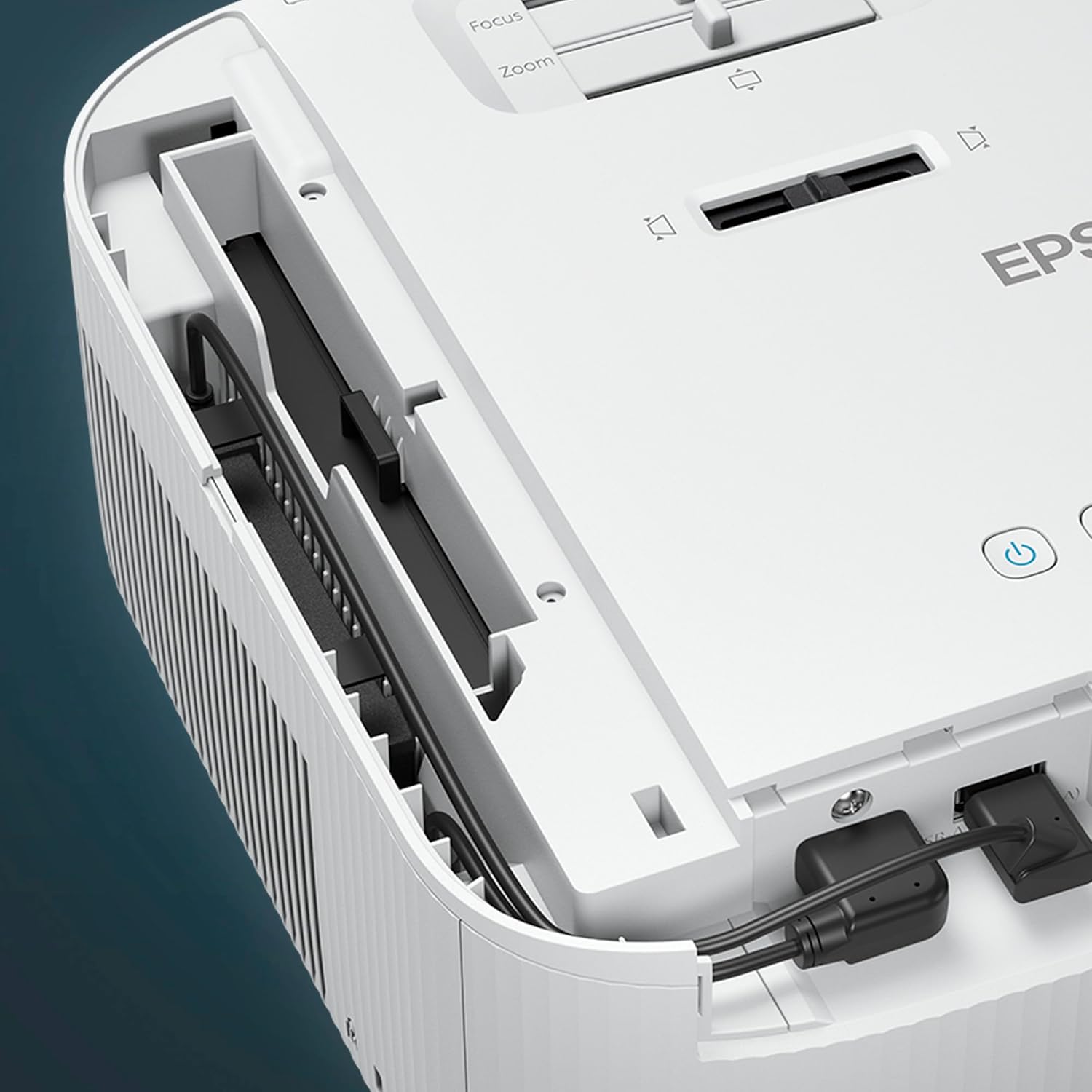
Figure 2: Contents of the EH-TW6250 package.
- Epson EH-TW6250 Projector: The main projection unit.
- Warranty Document and User Guide: Important information regarding product warranty and detailed instructions for use.
- Power Cable: For connecting the projector to an electrical outlet.
- Remote Control (incl. batteries): For convenient operation of the projector from a distance.
- Android TV™ Stick: For smart TV functionalities and streaming.
3. Setup Guide
Follow these steps to set up your Epson EH-TW6250 projector for the first time:
- Placement: Position the projector on a stable, flat surface. Ensure there is adequate ventilation around the unit. The projector can display images up to 500 inches.
- Power Connection: Connect the supplied power cable to the projector's power input and then to a wall outlet.
- Android TV™ Stick Installation: The projector includes an integrated compartment for the Android TV™ stick. Carefully insert the stick into its designated port.
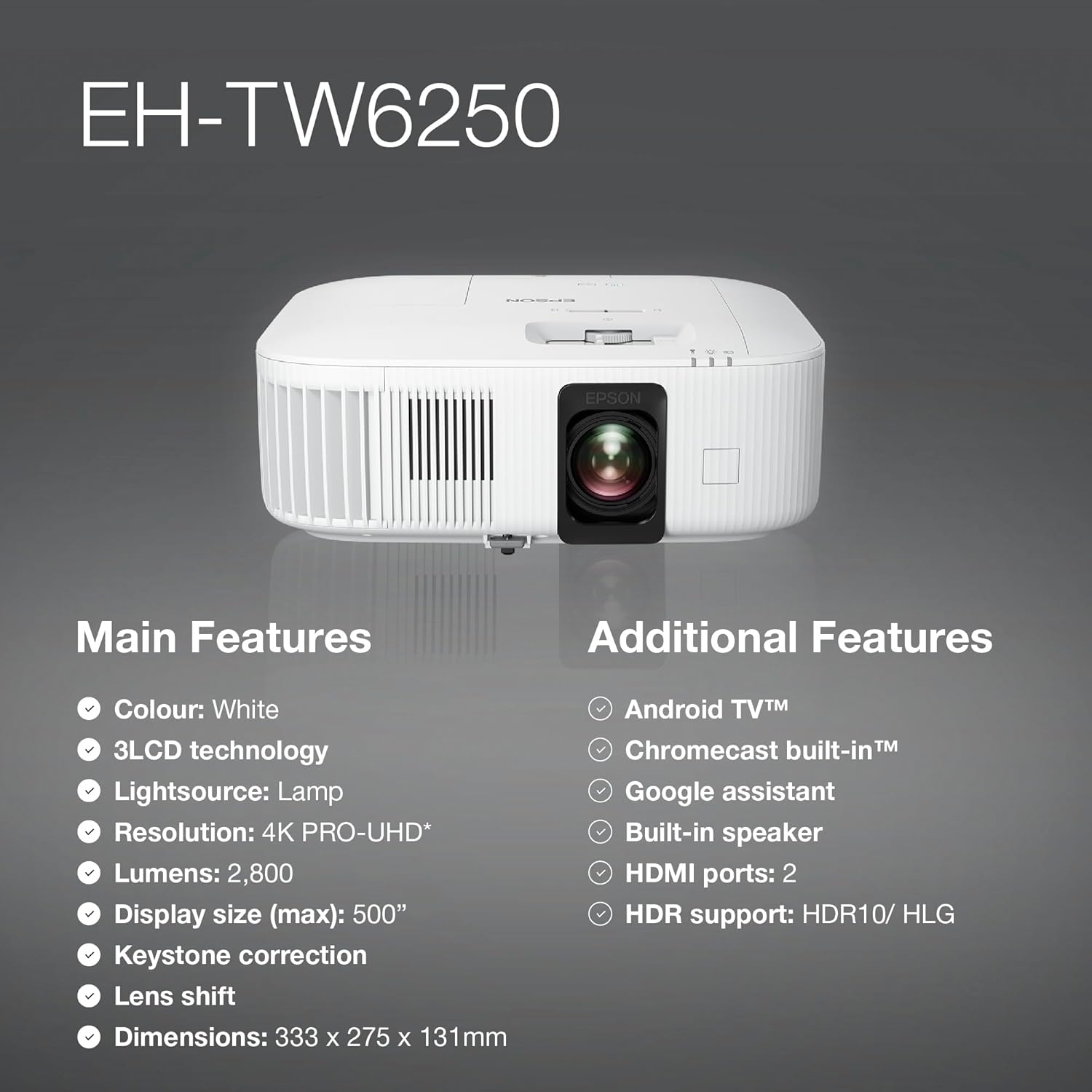
Figure 3: Projector setup with Android TV device.
- Connect Input Devices: Use HDMI cables to connect your video sources (e.g., Blu-ray player, gaming console, laptop) to the HDMI ports on the back of the projector.
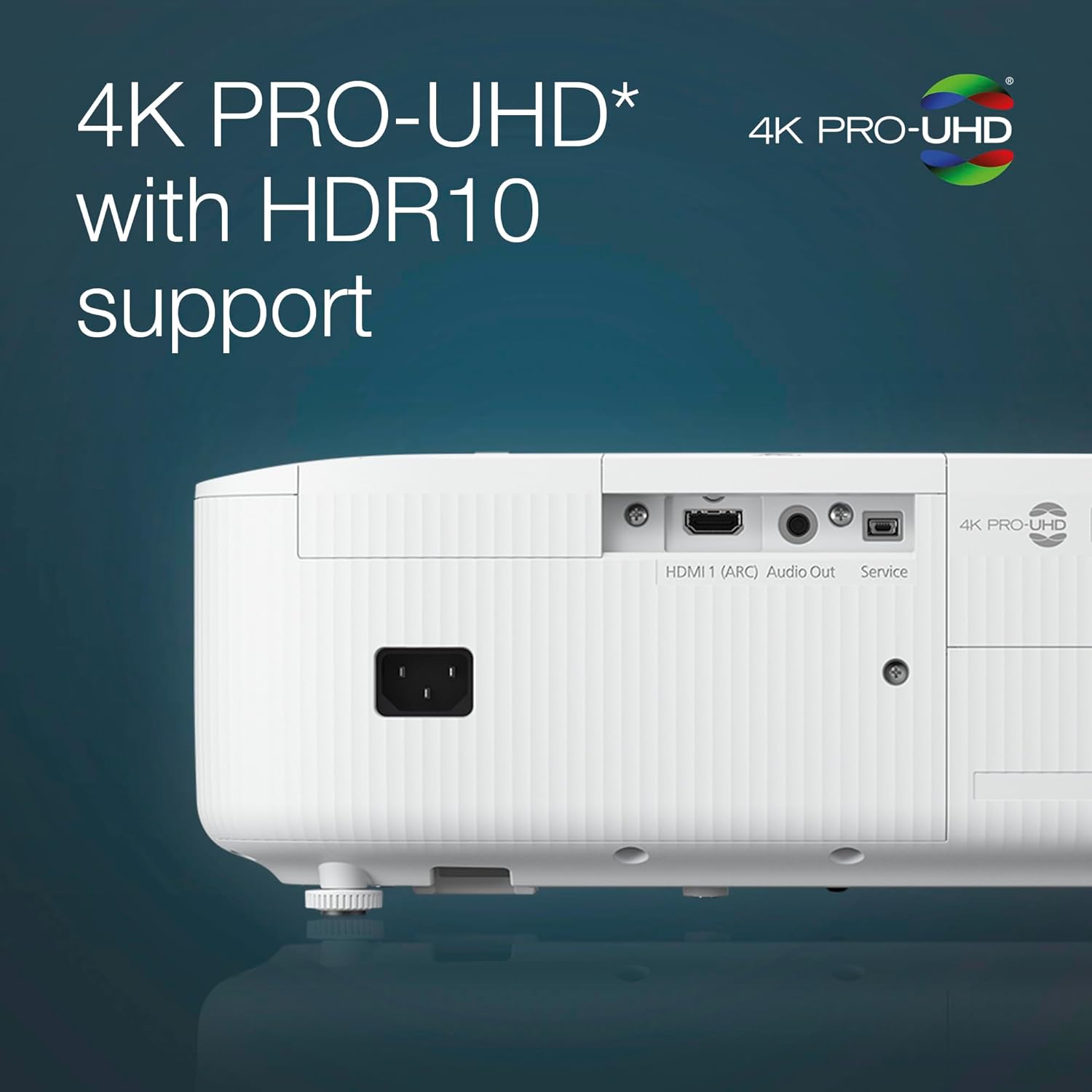
Figure 4: Rear ports of the EH-TW6250 Projector.
- Power On: Press the power button on the projector or the remote control to turn on the unit.
- Focus and Keystone Correction: Adjust the focus ring on the lens until the image is sharp. The projector features automatic keystone correction and quick corner adjustment to ensure a perfectly rectangular image.
4. Operating Instructions
The EH-TW6250 offers a range of features for an optimized viewing and gaming experience.
4.1. Image Quality and Display
- 4K PRO-UHD Resolution: Experience stunning clarity and detail with 4K PRO-UHD resolution, enhanced by HDR10 support for vibrant colors and contrast.
- 2,800 Lumens Brightness: Enjoy bright and clear images even in moderately lit environments.
- 3LCD Technology: Epson's 3LCD technology ensures accurate color reproduction and high color brightness.
4.2. Smart Features (Android TV™)
The integrated Android TV™ stick provides access to a wide array of streaming services and apps, including Netflix and YouTube, without the need for external devices. It also includes Chromecast built-in™ and Google Assistant for enhanced usability.
4.3. Gaming Experience
Designed for gamers, the EH-TW6250 boasts a low input lag rate of less than 20ms, ensuring a responsive and immersive gaming experience.
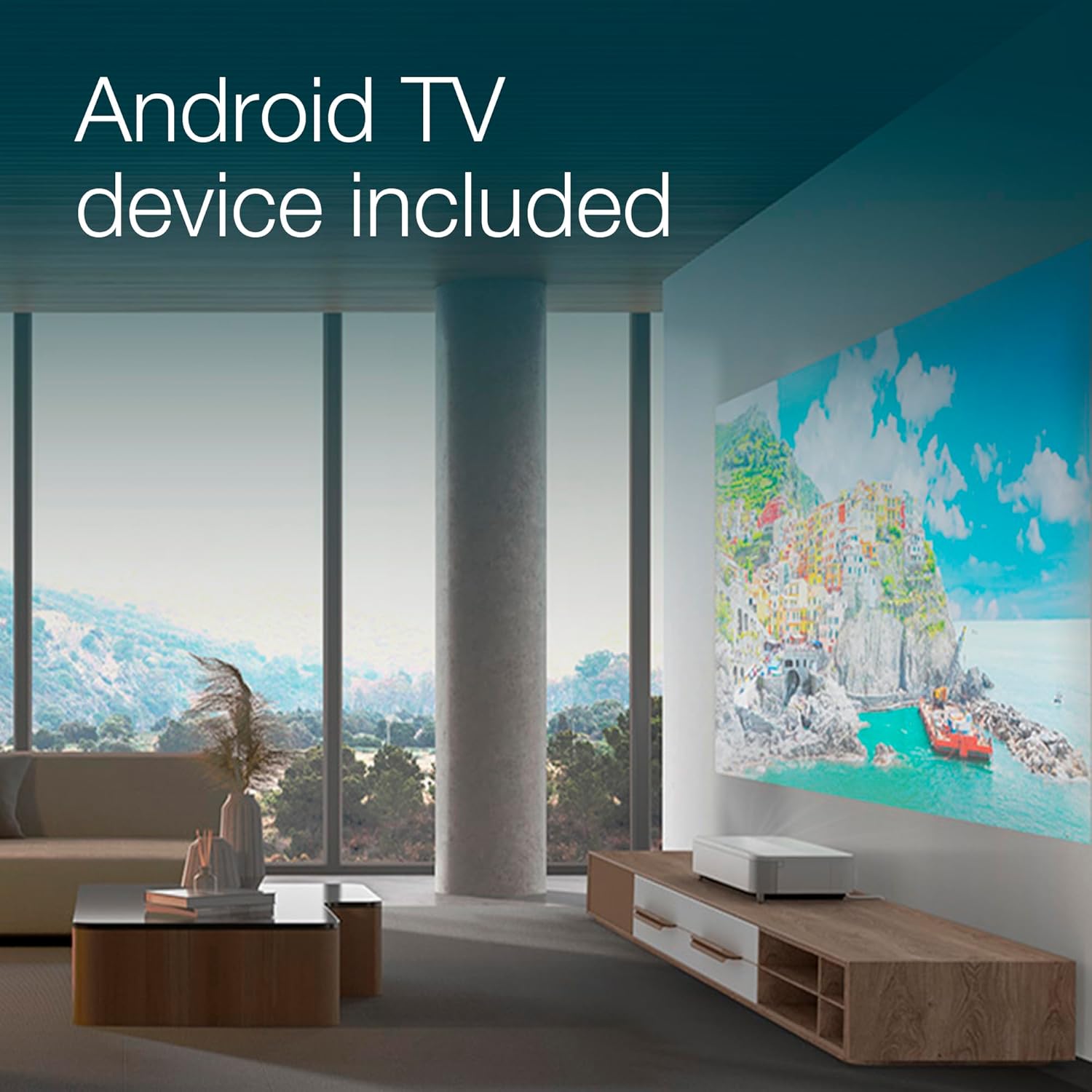
Figure 5: Enhanced gaming experience with low input lag.
5. Maintenance
Proper maintenance ensures the longevity and optimal performance of your projector.
5.1. Lamp Care
- The projector lamp has a long service life, contributing to up to 11 years of entertainment.
- Avoid touching the lamp directly when replacing it.
- Refer to the detailed user guide for lamp replacement procedures when necessary.
5.2. Cleaning
- Exterior: Wipe the exterior of the projector with a soft, dry, lint-free cloth. Do not use abrasive cleaners or solvents.
- Lens: Gently clean the projector lens with a lens cleaning cloth specifically designed for optical surfaces. Avoid applying excessive pressure.
- Air Vents: Periodically check and clean the air vents to ensure proper airflow and prevent overheating. Use a soft brush or compressed air to remove dust.
6. Troubleshooting
This section addresses common issues you might encounter with your EH-TW6250 projector.
| Problem | Possible Cause | Solution |
|---|---|---|
| No image displayed | Power cable disconnected; Input source not selected; Lens cap on. | Ensure power cable is securely connected. Select the correct input source using the remote. Remove the lens cap. |
| Image is blurry | Focus not adjusted; Projector too close/far from screen. | Adjust the focus ring on the lens. Reposition the projector to achieve optimal image size and clarity. |
| Image is distorted (trapezoid shape) | Projector not perpendicular to screen. | Use the automatic keystone correction or manual keystone/quick corner adjustments in the menu to correct the image shape. |
| No sound | Volume too low; External audio system not connected/selected; Built-in speaker disabled. | Increase volume. Ensure external audio system is properly connected and selected as output. Check projector audio settings. |
| Remote control not working | Batteries drained; Obstruction between remote and projector. | Replace batteries. Ensure clear line of sight to the projector's IR receiver. |
For more detailed troubleshooting, please refer to the complete user guide or contact Epson support.
7. Specifications
Key technical specifications for the Epson EH-TW6250 Projector:

Figure 6: Overview of EH-TW6250 features.
- Model Number: V11HA73040
- Display Technology: 3LCD
- Resolution: 4K PRO-UHD (4096 x 2160)
- Brightness: 2,800 Lumens
- Light Source: Lamp
- Maximum Display Size: 500 inches
- Connectivity: HDMI (2 ports), Audio Out
- Special Features: Built-In Speaker, Android TV™, Chromecast built-in™, Google Assistant, Automatic Keystone Correction, Vertical and Horizontal Keystone Correction, Game Mode, Quick Corner, HDR10/HLG Support.
- Input Lag: Less than 20ms (in Game Mode)
- Dimensions (W x D x H): Approximately 333 x 275 x 131 mm (13.11 x 10.83 x 5.16 inches)
- Weight: Approximately 9.02 pounds (4.09 kg)
8. Warranty and Support
The Epson EH-TW6250 projector comes with a manufacturer's warranty, including a specific warranty for the lamp. Please refer to the warranty document included in your product packaging for full terms and conditions, including coverage details and duration.
For technical assistance, troubleshooting beyond this manual, or warranty claims, please contact Epson customer support. Contact information can typically be found on the Epson official website or in your product documentation.
Ask a question about this manual
Ask about setup, troubleshooting, compatibility, parts, safety, or missing instructions. Manuals+ will review the question and use this page’s manual context to help answer it.